Freedom251 › Outliner Software

Checkvist
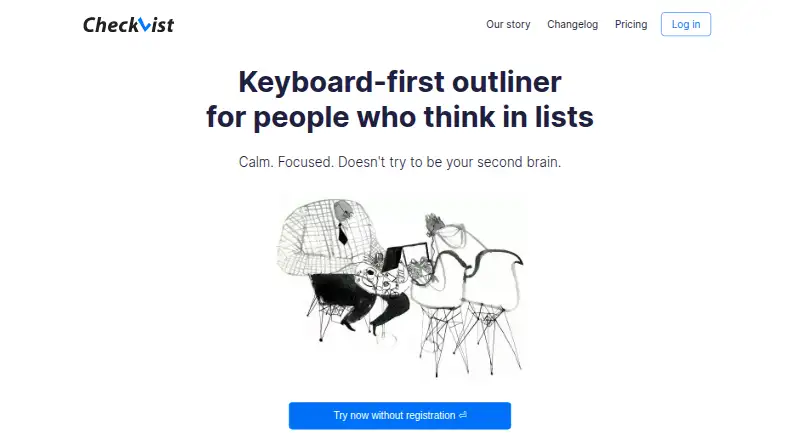
What Checkvist is
Checkvist is a keyboard-first outliner and online task manager built around lists. Lists can be structured into extensive hierarchies, with keyboard shortcuts, Markdown, code, tables, bulk operations, sorting, and backlinks for working with content. Tasks support tags, due dates, notes, assignees, file attachments, priorities, and progress counters. Lists can be shared privately or publicly with read-only or write access, password protection, expiration times, and task assignment. Integrations include Zapier, Dropbox, Google Calendar sync, Jira, YouTrack, Slack, browser extensions, and an Open API. The mobile experience is a progressive web app that syncs and works offline on iOS and Android, while its Web Clipper collects tasks, bookmarks, and notes from web pages and services including Gmail, Zendesk, Jira, and GitHub. The Free plan costs nothing and includes unlimited hierarchical lists and sharing, Markdown, due dates, tags, mobile offline access, browser extensions, and Open API. PRO costs $3.90 per month, billed $39/year, and adds features such as task assignment, repeating tasks, and 2 GB of file storage. A 14-day PRO trial is available without a credit card.
Who it suits
Checkvist suits people who organize tasks and ideas in lists and want keyboard-focused editing, hierarchy, and sharing. It also fits users who need offline mobile access or integrations with tools such as Google Calendar, Slack, and Jira.
What it does well
- Free plan includes unlimited hierarchical lists and collaboration.
- Tasks support due dates, tags, priorities, and progress counters.
- Mobile web app works offline on iOS and Android.
- Lists can be shared with access controls.
- 14-day PRO trial requires no credit card.
What to know first
- PRO costs $3.90 per month, billed $39/year.
- MCP access for AI assistants is a PRO feature.
- Inactive non-PRO user data is removed after one year following email warnings.
Limits
The Free plan does not include PRO features such as task assignment, repeating tasks, 2 GB file storage, Google Calendar synchronization, or MCP access. The 14-day trial provides PRO features, after which the account downgrades to Free.
Plans
| Plan | Billed and limits | Price |
|---|---|---|
| Free | forever · Unlimited hierarchical lists · Unlimited sharing and collaboration · Add tasks via email · Markdown, notes, due dates, tags · Mobile offline web app · Browser extensions · Open API | Free |
| PRO | $39/year · Per person · 2 GB file storage · Task assignment · Repeating tasks · Google Calendar synchronization · Slack save · MCP server · Advanced sharing · 30-day and Dropbox backups | $3.90 a month |
| PRO team | $69/year · Per person · Marked “COMING SOON” · Centralised data ownership · User management · Group access rights · Spaces · Priority support | $6.90 a month |
As checkvist.com lists them, read 28 Sept 2026. The maker's own page has the final word.
Getting started
- Open https://checkvist.com/ and create an account.
- Start organizing work in hierarchical lists on the web.
- Use the mobile progressive web app on iOS or Android for synced offline access.
- Try PRO features free for 14 days without a credit card.
- Choose whether to continue on Free or PRO after the trial.
Verdict
Checkvist pairs flexible list hierarchies with task details, sharing, and offline mobile access, including a substantial Free plan. PRO is $3.90 per month billed $39/year and adds task assignment, repeating tasks, and file storage.
Questions
Is Checkvist free?
Yes. Its Free plan is billed forever and includes unlimited hierarchical lists, sharing and collaboration, Markdown, notes, due dates, tags, mobile offline use, browser extensions, and Open API.
How much does PRO cost?
PRO is $3.90 per month per person, billed at $39/year. The listed PRO team plan is $6.90 per month per person, billed at $69/year, and is marked “COMING SOON.”
Is there a free trial?
Yes. The trial gives access to all PRO features for 14 days without a credit card. The account downgrades to Free afterward.
Which devices and platforms can I use?
Checkvist is available on the web, through browser extensions and an API, and as a mobile progressive web app. The mobile app supports iOS and Android and can work offline.
What integrations are listed?
Checkvist lists Zapier, Dropbox, Google Calendar sync, Jira, YouTrack, Slack, browser extensions, and an Open API.
Can AI assistants access Checkvist lists?
The MCP server lets AI assistants read and search lists and manage items. MCP access is a PRO feature.
Facts from Checkvist's own pages
- AI access
- The MCP server lets AI assistants read and search lists and manage items; MCP access is a PRO feature. · checkvist.com, 28 Sept 2026
- Browser clipper
- The Web Clipper collects tasks, bookmarks, and notes from web pages and services including Gmail, Zendesk, Jira, and GitHub. · checkvist.com, 28 Sept 2026
- Company
- Checkvist says it is a project of Kirill Maximov and Sasha Maximova and has been operating since 2008, according to its site footer. · checkvist.com, 28 Sept 2026
- Data location
- The privacy policy says user, list, and history database data is stored on dedicated servers in Germany, while attachments and backups are stored in AWS Ireland. · checkvist.com, 28 Sept 2026
- Data retention
- The privacy policy says inactive non-PRO user data is removed after one year of inactivity following two email warnings. · checkvist.com, 28 Sept 2026
- Free plan
- Yes · checkvist.com, 20 Sept 2026
- Hierarchy and editing
- Lists support endless hierarchy, keyboard shortcuts, Markdown, code, tables, bulk operations, sorting, and backlinks. · checkvist.com, 28 Sept 2026
- Integrations
- The feature page lists Zapier, Dropbox, Google Calendar sync, Jira, YouTrack, Slack, browser extensions, and an Open API. · checkvist.com, 28 Sept 2026
- Mobile
- The mobile experience is a progressive web app that syncs lists and supports offline use on iOS and Android. · checkvist.com, 28 Sept 2026
- Privacy
- Checkvist says it does not use tracking tools on its website or in user accounts and does not sell personal data. · checkvist.com, 28 Sept 2026
- Product
- Checkvist describes itself as a keyboard-first outliner and online task manager for people who think in lists. · checkvist.com, 28 Sept 2026
- Sharing
- Lists can be shared privately or publicly with read-only or write access, password protection, expiration times, and task assignment. · checkvist.com, 28 Sept 2026
- Paid from
- 3.9 · checkvist.com, 20 Sept 2026
- Support
- The company invites users to contact [email protected] and provides community discussion and documentation links. · checkvist.com, 28 Sept 2026
- Tasks
- Tasks can have tags, due dates, notes, assignees, file attachments, priorities, and progress counters. · checkvist.com, 28 Sept 2026
- Trial
- The pricing page offers all PRO features free for 14 days without a credit card and says the account downgrades to Free afterward. · checkvist.com, 28 Sept 2026
Where Checkvist stands on Freedom251
- Outliner Software#2 of 31
- Outlining Software#3 of 22
- To-do list apps#25 of 150