Wigglegram Creator
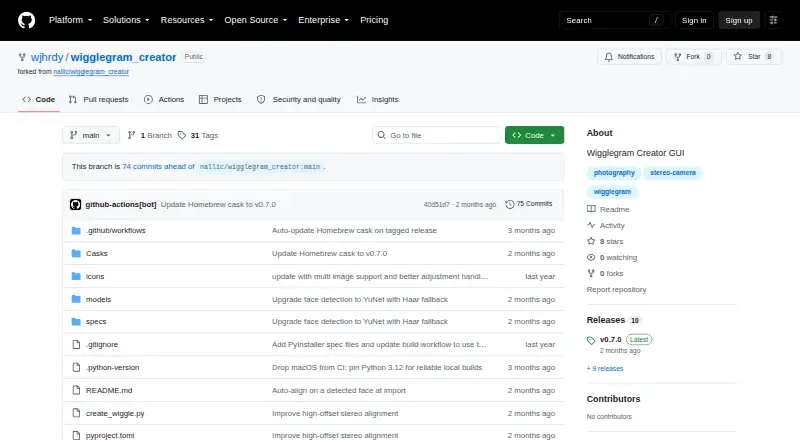
What Wigglegram Creator is
Wigglegram Creator turns sequences of JPG or PNG images into animated GIFs and looping MP4 or WebM videos. Its drag-and-drop graphical interface lets users set output scale, frames per second, and video repetitions. GIF output is downscaled for sharing, while MP4 and WebM exports retain full resolution and support configurable repetitions. Users can draw a crop on the preview, which is applied before scaling, interpolation, and export. If a face is detected when images are imported, alignment is anchored to it automatically; clicking the preview lets users override the alignment. On macOS, the app can offer Apollo Fast slow motion from 2x to 8x if it detects Topaz Video’s bundled ffmpeg. The project is free and MIT-licensed, with prebuilt releases listed for Linux x64 and arm64, Windows x64, and macOS Apple Silicon. It is a graphical-interface-only application, with no headless command-line export mode. The prebuilt macOS app is unsigned and not notarized, so Gatekeeper quarantines it on first opening.
Who it suits
Wigglegram Creator may suit people making animated GIFs or looping videos from image sequences using a graphical interface. It is available for Linux, Windows, and Apple Silicon macOS.
What it does well
- Creates GIF, MP4, and WebM output
- MP4 and WebM exports retain full resolution
- Face detection can anchor alignment automatically
- Crop, scale, frame rate, and repetitions are configurable
- Free and MIT-licensed
What to know first
- No headless command-line export mode
- Prebuilt macOS app is unsigned and not notarized
- Accepts JPG or PNG image input; video import is unavailable
Limits
The free application has no headless command-line export mode. GIF output is downscaled; full-resolution video output is available as looping MP4 or WebM.
Plans
| Plan | Billed and limits | Price |
|---|---|---|
| Wigglegram Creator | MIT-licensed GUI application · no headless command-line export mode | Free |
As github.com lists them, read 10 Oct 2026. The maker's own page has the final word.
Getting started
- Open the project website on GitHub.
- Choose a prebuilt release for Linux x64 or arm64, Windows x64, or macOS Apple Silicon.
- On macOS, follow the project's instructions to open the unsigned app despite Gatekeeper warnings.
- Launch the app and drag one or more JPG or PNG images into its window.
- Set the output scale, frames per second, and video repetitions, then configure a crop or alignment in the preview as needed.
Wigglegram Creator is a free desktop application for turning JPG and PNG image sequences into animated GIFs or looping videos. It suits creators who want visual control over alignment, cropping, and export settings without learning a command line. The best reason to choose it is full-resolution MP4 and WebM output with configurable looping; the main reason to look elsewhere is its strictly graphical, still-image workflow.
Overview
Drag one or more supported images into the PySide6 interface, arrange the framing in the preview, and export an animation. When a face is detected during import, the app uses it as the alignment anchor automatically. Clicking the preview lets you replace that anchor, so the automatic result is a starting point rather than a fixed constraint.
The scope is deliberately narrow. Video files cannot be imported, and the project provides no headless command-line export mode. That makes Wigglegram Creator sensible for individual compositions or small, visually supervised batches, but unsuitable for unattended rendering pipelines or workflows built around source footage.
Key features
- Drag-and-drop still-image input: JPG and PNG files can be dropped into the app window. The restriction keeps the input path clear, while excluding video-based projects.
- Face-aware alignment: Detected faces receive automatic anchoring, and a preview click overrides the anchor when another subject or point should stay fixed.
- Crop before processing: Draw an export crop directly on the preview. The crop is applied before scaling, interpolation, and export, allowing the final composition to be set before those transformations.
- GIF export: Animated GIFs are downscaled for sharing. This is convenient for lighter, shareable files but not the choice when preserving source resolution is the priority.
- Full-resolution video: MP4 and WebM exports retain full resolution and support configurable repetitions. Output scale and frames per second are adjustable, giving more control than a fixed preset.
- Optional Apollo Fast interpolation: On macOS, detecting Topaz Video's bundled ffmpeg adds Apollo Fast slow motion from 2x through 8x. The feature depends on that software being present, so it is an optional enhancement rather than a universal capability.
Pricing
Wigglegram Creator costs nothing. The single plan is an MIT-licensed GUI application with no headless command-line export mode, and there is no free trial because the software is already free. There are no paid tiers, seat charges, renewal terms, or usage quotas stated. Choose it when you want the complete desktop feature set without a subscription; choose another product if paying for automation, video import, or a managed production workflow is acceptable.
Platforms
Prebuilt releases cover Linux x64 and arm64, Windows x64, and macOS Apple Silicon. The project identifies Windows, Linux, and macOS as supported platforms. The macOS build is unsigned and not notarized, so Gatekeeper quarantines it on first opening and users must follow the project's opening steps. That extra security prompt is a practical consideration for managed Macs.
Who it's for
This is a good fit for photographers, meme makers, designers, and other users assembling short animations from still frames who want to see alignment and cropping decisions before export. It is particularly useful when a face should remain stable across frames and when a full-resolution looping MP4 or WebM matters more than a compact GIF.
It is not a good fit for editors starting with video, teams that require scripted or server-side exports, or anyone who needs a signed and notarized macOS application. Users who need large-scale repeatable processing will find the GUI-only limitation decisive.
Pros and cons
Pros
- Full-resolution MP4 and WebM: Video output preserves resolution and can repeat for a chosen number of loops.
- Useful framing controls: Face anchoring, manual anchor overrides, and pre-processing crops address common alignment problems.
- Adjustable timing: Scale and frames per second can be set rather than accepted as fixed defaults.
- Permissive cost and license: The MIT-licensed application is free to use without a trial deadline or subscription renewal.
Cons
- No command-line export: Automation and unattended batch generation are not supported.
- No video import: Projects must begin with JPG or PNG still images.
- GIF resolution is reduced: GIF is aimed at sharing, not maximum-fidelity output.
- macOS launch friction: The unsigned, non-notarized build triggers Gatekeeper quarantine.
- Interpolation is conditional: Apollo Fast slow motion requires Topaz Video's bundled ffmpeg and is limited to macOS.
Alternatives
For a broader collection of animation tools, browse GIF Maker Software. If your interest is instead retro-console emulation, see Game Gear Emulators.
- RetroArch is a free, open-source multi-platform project for emulation, so choose it instead for running supported classic systems rather than creating image-sequence animations.
- Virtual Jaguar is a free open-source emulator core that requires a libretro frontend such as RetroArch; choose it for Jaguar emulation.
- BlastEm is free and open source, with Linux, macOS, web, and Windows support; choose it for its emulation-focused purpose.
- MAME is free software under GPL-2.0 or later for emulation, with ROMs and copyrighted software generally excluded.
- MEKA is free BSD-like-licensed software for emulation on Linux, macOS, and Windows.
- ares is a free, open-source multi-system emulator for Linux, macOS, and Windows.
- crater is free MIT-licensed software for Linux and macOS that requires a C11 compiler.
- Eclipse is a free application for Android, iOS, and the web.
Verdict
Choose Wigglegram Creator if you need a free, cross-platform desktop way to align still-image sequences and produce looping full-resolution MP4 or WebM files, especially when face anchoring and crop control matter. Look elsewhere if you need video input, command-line automation, or a signed macOS build; those boundaries outweigh its focused export controls for production workflows.
Verdict
Wigglegram Creator provides image-sequence exports with crop and alignment controls through a graphical interface. Consider its command-line limitation and macOS Gatekeeper warning before choosing it.
Questions
How much does Wigglegram Creator cost?
It is free, with a listed plan price of $0.
Which platforms are supported?
Windows, Linux, and macOS are supported. Prebuilt releases are listed for Linux x64 and arm64, Windows x64, and macOS Apple Silicon.
What image formats can I import?
The usage instructions say to drag JPG or PNG images into the app window.
What video formats can it export?
It exports looping MP4 and WebM videos at full resolution, with configurable repetitions. It also exports animated GIFs, which are downscaled for sharing.
Is Wigglegram Creator open source?
The repository README lists the MIT license.
Can I export from the command line?
No. The project describes the application as GUI-only and says it has no headless command-line export mode.
Facts from Wigglegram Creator's own pages
- Crop
- Users can draw an export crop on the preview, applied before scaling, interpolation, and export. · github.com, 9 Oct 2026
- Crop and scaling
- Users can draw an export crop and apply it before scaling, Topaz interpolation, and export. · github.com, 10 Oct 2026
- Face alignment
- It automatically anchors alignment on a detected face, and users can click the preview to override it. · github.com, 10 Oct 2026
- GIF output
- It exports downscaled animated GIFs for sharing. · github.com, 10 Oct 2026
- Input and controls
- Users can drag JPG or PNG images into the app and set output scale, frames per second, and video repetitions. · github.com, 10 Oct 2026
- Input formats
- The usage instructions say to drag and drop one or more JPG or PNG images into the app window. · github.com, 9 Oct 2026
- Interface
- The application has a drag-and-drop GUI built with PySide6 (Qt for Python). · github.com, 10 Oct 2026
- License
- The repository identifies the software license as MIT. · github.com, 10 Oct 2026
- macOS security
- The prebuilt macOS app is unsigned and not notarized, so macOS Gatekeeper quarantines it on first opening. · github.com, 10 Oct 2026
- macOS signing
- The prebuilt macOS app is unsigned and not notarized, and the README provides steps to open it despite Gatekeeper warnings. · github.com, 9 Oct 2026
- Maintainer
- The repository owner profile identifies wjhrdy as Willy Hardy. · github.com, 9 Oct 2026
- Maker
- The GitHub profile identifies Willy Hardy as a developer and Data Scientist at Red Hat and lists Raleigh, NC. · github.com, 10 Oct 2026
- No CLI export
- The README describes the app as GUI-only and says it has no headless command-line export mode. · github.com, 9 Oct 2026
- Platform downloads
- Prebuilt releases are listed for Linux x64 and arm64, Windows x64, and macOS Apple Silicon. · github.com, 10 Oct 2026
- Platforms
- The README lists Windows, Linux, and macOS support; prebuilt builds are listed for Linux x64 and arm64, Windows x64, and Apple Silicon macOS. · github.com, 9 Oct 2026
- Purpose
- Wigglegram Creator generates animated GIFs and looping MP4 videos from a sequence of images. · github.com, 10 Oct 2026
- Release
- The releases page lists v0.7.0 as the latest release. · github.com, 9 Oct 2026
- Topaz integration
- On macOS, it can use Topaz Video's bundled ffmpeg for Apollo Fast slow motion from 2x to 8x. · github.com, 10 Oct 2026
- Usage limit
- The project describes the application as GUI-only and says it has no headless command-line export mode. · github.com, 10 Oct 2026
- Video formats
- It exports looping MP4 and WebM videos at full resolution with configurable repetitions. · github.com, 10 Oct 2026
- Video output
- Looping MP4 and WebM output is full resolution and supports configurable repetitions. · github.com, 9 Oct 2026
Where Wigglegram Creator stands on Freedom251
- GIF makers#37 of 54
- Game Gear Emulators#22 of 31
- GIF Maker Software#24 of 33