RetroArch
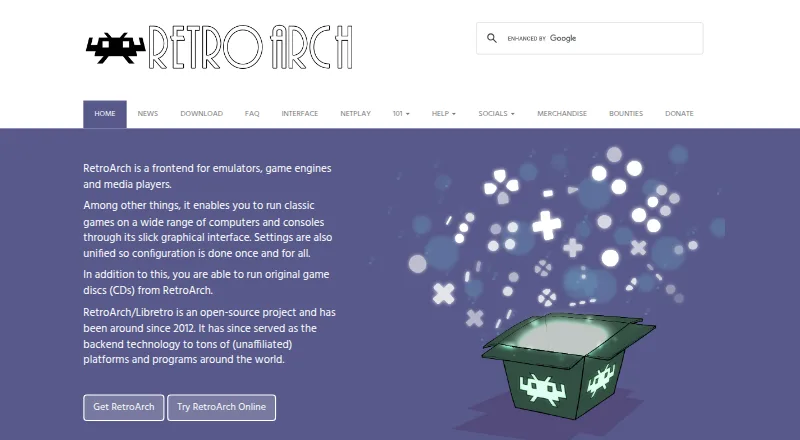
What RetroArch is
RetroArch is a free, open-source frontend for emulators, game engines and media players, bringing their settings together in one interface. Its menu organizes scanned games by system and can show thumbnails and animated backgrounds. The RetroArch/Libretro project includes more than 200 cores spanning emulators, games, game engines and multimedia programs. Common controllers are configured when connected, and users can map actions to button combinations themselves. Shaders can alter graphics, including approximating CRT monitor displays, and can be layered for combined effects. Built-in netplay supports hosted or joined network sessions and spectator viewing. RetroArch also records gameplay to video files and streams to services such as Twitch or YouTube. Official versions are listed for Android, iOS, Linux, macOS, Windows and web browsers. The browser edition has more limited performance and capabilities than the full version. The Steam edition lacks Core Updater and thumbnail scraping, and provides a selected set of cores. Features vary by platform and store version.
Who it suits
RetroArch suits players who want to organize games from multiple systems and adjust playback or graphics through cores and shaders. Its range of platform versions and controller options may also suit users with different devices or setups.
What it does well
- Free and open source under GPL version 3.
- More than 200 cores are available.
- Controllers configure automatically when plugged in.
- Built-in netplay includes spectator mode.
- Can record gameplay or stream it.
What to know first
- Browser version has reduced performance and capabilities.
- Steam version lacks Core Updater and thumbnail scraping.
- Features vary by platform and store version.
Limits
The free plan is free and open source, but features vary by platform and store version. The browser version has lower performance and fewer capabilities; the Steam version has no Core Updater or thumbnail scraping and offers a selected set of cores.
Plans
| Plan | Billed and limits | Price |
|---|---|---|
| RetroArch | Free and open source; features vary by platform and store version | Free |
As retroarch.com lists them, read 30 Sept 2026. The maker's own page has the final word.
Getting started
- Visit https://www.retroarch.com/.
- Choose a version for Windows, Linux, Android, iOS, macOS, or a web browser.
- Use the free plan; no free trial is offered.
- Scan games to organize them by system in the menu.
- Connect a controller for automatic setup or assign actions manually.
Overview
RetroArch is a free, open-source frontend for emulators, game engines and media players, best suited to people who want one configurable hub for varied gaming software. Its breadth and shared settings are compelling, but the version and cores you choose matter: the browser and Steam editions omit capabilities found elsewhere.
The project has been active since 2012 and aims to serve both newcomers and power users. RetroArch uses GPL version 3, while the libretro API uses an MIT license. Its menu can sort scanned games by system, with thumbnails and animated backgrounds, giving a large collection more structure than a list of separate programs.
For broader comparisons, browse Multi-System Emulators or Emulation Frontends.
Key features
Cores and browsing
The library contains more than 200 cores, spanning emulators, game engines, games and multimedia programs. That range makes RetroArch useful when one frontend needs to cover different kinds of software; it also leaves users choosing and configuring the cores that suit their needs. Scanned games can be grouped by system, with thumbnails and animated backgrounds to aid browsing.
Controllers and graphics
Common game controllers configure automatically when plugged in, while manual assignments—including button combinations—give users control when the default mapping is not right. Stackable shaders can filter graphics or recreate a CRT look. That flexibility is valuable to users who want to shape presentation, though it is more customization than someone seeking a minimal, fixed setup may need.
Netplay and capture
Built-in netplay supports hosting or joining network gaming sessions and watching in spectator mode. RetroArch can also record gameplay to a video file or stream to services such as Twitch and YouTube. These are useful additions for multiplayer and creators who want capture within the same frontend rather than only game organization.
Pricing
RetroArch is free and open source: the RetroArch plan costs nothing, with no free trial. There are no paid tiers to weigh, but features vary by platform and store version, so the free price does not mean every distribution has the same capabilities. The project says it is community-funded and accepts support through Patreon, YouTube memberships and Liberapay.
Platforms
RetroArch has versions for Android, iOS, Linux, macOS, web browsers and Windows. The browser version is more limited in performance and capabilities than the full version, making desktop or native versions the stronger fit when those constraints matter. The Steam version lacks the Core Updater and thumbnail scraping; instead, it provides a selected set of cores through Steam. Choose the store version with those tradeoffs in mind.
Common controllers are automatically configured, and users can assign actions manually. Help is available through the project forum, Discord channel and documentation. The privacy policy says third-party vendors, including Google, use cookies on some project websites to serve ads based on prior visits.
Who it's for
RetroArch fits users who want one frontend for a broad selection of cores, system-organized game browsing, graphics customization, netplay and recording or streaming. It is less suitable for someone who wants a consistent experience regardless of distribution: browser performance is more limited, and Steam's core selection and missing updater and scraping features narrow its options.
Pros and cons
- Pro: More than 200 cores cover emulation and other software types, making the frontend broadly useful.
- Pro: Automatic controller setup, manual mappings and stackable shaders give users both a useful starting point and room to customize.
- Pro: Netplay, spectator mode, recording and streaming extend the product beyond organizing games.
- Con: Capabilities vary across platforms and stores, so users need to select a version with care.
- Con: The browser edition has lower performance and fewer capabilities, while Steam omits Core Updater and thumbnail scraping.
Alternatives
For a focused option rather than a broad frontend, consider these free alternatives:
- Virtual Jaguar is an open-source emulator core that requires a libretro frontend such as RetroArch, so it complements rather than replaces this frontend.
- MAME is a free GPL-2.0-or-later option for readers considering another emulator; ROMs and copyrighted software are generally not included.
- SkyEmu offers free stable builds and is open source; its DS emulation is beta quality.
- VICE is free software under GNU GPL v2 or later and comes with no warranty.
- Atari800 is freely distributable, with source code available under GPL version 2.
- Dolphin is a free GPLv2+ option; distributing it requires releasing the source code and giving attribution.
- FinalBurn Neo may be used, modified and distributed, but cannot be sold or used for monetary profit; ROM images require legal distribution rights.
- Flycast is a free option for Dreamcast, Naomi, Naomi 2 and Atomiswave emulation.
For category browsing, see Game Library Managers, Game Boy Advance Emulators, Nintendo 64 Emulators and Sega CD Emulators.
Verdict
Choose RetroArch if you want a free, flexible frontend that brings a large core library together with browsing, graphics options, netplay and capture. Look elsewhere if you need the same capabilities in every version or prefer a more focused emulator experience.
Verdict
RetroArch combines a broad core library with game organization, graphics options, netplay and recording or streaming. Check the limits of the specific platform or store version you plan to use.
Questions
Is RetroArch free?
Yes. The listed plan is free, and the project describes RetroArch as free and open source.
Which platforms are available?
Versions are listed for Windows, Linux, Android, iOS, macOS, and web browsers.
Is RetroArch open source?
Yes. RetroArch uses GPL version 3, while the libretro API uses an MIT license.
Does it support online multiplayer?
Yes. Built-in netplay lets users host or join network gaming sessions and watch in spectator mode.
Are all versions the same?
No. The browser version has lower performance and fewer capabilities. The Steam version lacks Core Updater and thumbnail scraping and supplies a selected set of cores.
Facts from RetroArch's own pages
- Audience and licensing
- The project describes RetroArch as a feature-rich frontend intended to serve both power users and inexperienced beginners, and says RetroArch uses GPL version 3. · libretro.com, 29 Sept 2026
- Controllers
- Common game controllers are automatically configured when plugged in, and users can also configure them manually. · retroarch.com, 30 Sept 2026
- Controller setup
- Common game controllers are automatically configured when plugged in, and users can also assign actions to button combinations manually. · retroarch.com, 29 Sept 2026
- Core library
- RetroArch/Libretro has over 200 cores, including game engines, games, multimedia programs and emulators. · retroarch.com, 30 Sept 2026
- Cores
- RetroArch/Libretro has over 200 cores, including game engines, games, multimedia programs and emulators. · retroarch.com, 29 Sept 2026
- Founded
- 2012 · retroarch.com, 23 Sept 2026
- Graphics
- RetroArch supports stackable shaders that can improve game rendering or replicate the look of CRT monitors. · retroarch.com, 30 Sept 2026
- Interface
- The interface sorts scanned games by system and supports thumbnails and animated backgrounds. · retroarch.com, 30 Sept 2026
- License
- RetroArch uses GPL version 3, while the libretro API uses an MIT license. · libretro.com, 30 Sept 2026
- Multiplayer
- Its built-in netplay lobby lets users host or join network gaming sessions and watch through spectator mode. · retroarch.com, 30 Sept 2026
- Open source
- RetroArch/Libretro is an open-source project that has been around since 2012. · retroarch.com, 30 Sept 2026
- Platform availability
- The official download page lists Windows, Linux, Android, iOS, macOS and web browser versions, among other platforms. · retroarch.com, 29 Sept 2026
- Platforms
- The official downloads page lists Windows, macOS, Linux, Android, iOS, web browsers and various game consoles. · retroarch.com, 30 Sept 2026
- Privacy
- The privacy policy says third-party vendors including Google use advertising cookies on some of the project’s websites. · retroarch.com, 30 Sept 2026
- Project funding
- The project says it is wholly community-funded and accepts support through Patreon, YouTube memberships and Liberapay. · retroarch.com, 30 Sept 2026
- Purpose
- RetroArch is a frontend for emulators, game engines and media players that runs classic games through a graphical interface with unified settings. · retroarch.com, 30 Sept 2026
- Recording and streaming
- RetroArch can record gameplay to a video file and stream games to services such as Twitch or YouTube. · retroarch.com, 29 Sept 2026
- Shaders
- Shaders can filter graphics, recreate the look of CRT monitors and be stacked to create effects. · retroarch.com, 29 Sept 2026
- Store version limits
- The Steam version has no Core Updater or thumbnail scraping, and users download a selected set of cores from Steam. · retroarch.com, 29 Sept 2026
- Streaming
- RetroArch can record gameplay to a video file and stream games to platforms such as Twitch or YouTube. · retroarch.com, 30 Sept 2026
- Support
- The FAQ directs users to the forums, Discord and documentation for help. · retroarch.com, 30 Sept 2026
- Version differences
- The Steam version has no Core Updater or thumbnail scraping and offers a selected set of cores through Steam. · retroarch.com, 30 Sept 2026
- Web limitations
- The browser version is more limited in performance and capabilities than the full desktop version. · retroarch.com, 30 Sept 2026
- Web version limit
- The browser version is more limited in performance and capabilities than the full version. · retroarch.com, 29 Sept 2026
Where RetroArch stands on Freedom251
- Game launchers#7 of 68
- SNES Emulators#11 of 30
- TurboGrafx-16 Emulators#13 of 33
- Game Library Managers#18 of 40
- Emulation Frontends#13 of 25
- Nintendo 64 Emulators#13 of 24
- Game Boy Advance Emulators#16 of 29
- Game Gear Emulators#18 of 31
- Multi-System Emulators#33 of 54
- Sega Genesis Emulators#18 of 29
- Game Console Emulators#23 of 35
- Sega CD Emulators#13 of 19