Virtual Jaguar
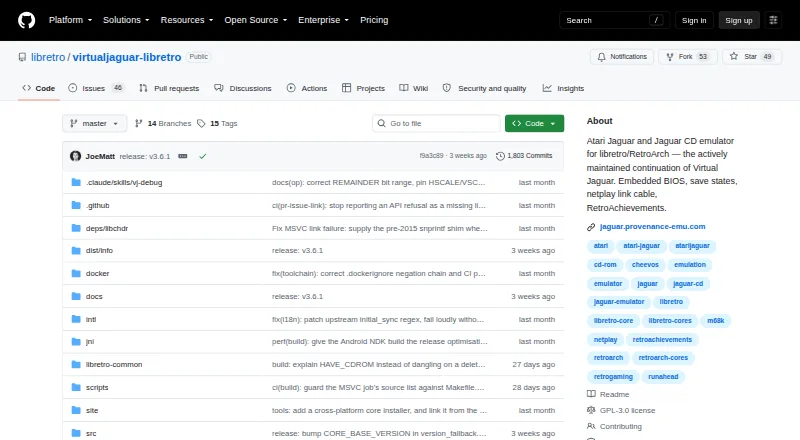
What Virtual Jaguar is
Virtual Jaguar libretro is a free, open-source emulator core for Atari Jaguar cartridges and Jaguar CD media. It is designed to run through a libretro frontend such as RetroArch, rather than as a standalone program. The core emulates the Jaguar’s 68000, GPU, DSP, Object Processor and Jaguar CD hardware. It accepts several cartridge formats, including .j64, .jag, .rom, .abs, .cof, .bin and .prg, as well as CUE, CDI and CHD images for Jaguar CD. Console and Jaguar CD BIOS images are embedded, so external BIOS files are not required. Through the frontend, users can access features such as save states, cheats, rewind, run-ahead, netplay, shaders and controller remapping. Optional settings include true-color rendering, 2× internal resolution, overclock controls and adjustable CD read speed. The project notes that the blitter is not fully cycle-accurate, GPU/DSP pipeline hazards are not modeled, and some titles may run too fast. It is distributed under GNU GPL version 3.0.
Who it suits
It suits Atari Jaguar owners looking to run cartridge or Jaguar CD media through a libretro frontend such as RetroArch. Users who need cycle-accurate behavior should note the listed emulation limitations.
What it does well
- No external BIOS files are required.
- Supports cartridge and Jaguar CD image formats.
- Frontend features include save states and cheats.
- Optional 2× internal resolution is available.
- Release binaries include SHA-256 checksums.
What to know first
- Requires a libretro frontend such as RetroArch.
- Blitter emulation is not fully cycle-accurate.
- Some titles may run too fast.
Limits
The core is free. Its blitter is not fully cycle-accurate, GPU/DSP pipeline hazards are not modeled, and some titles can run too fast.
Plans
| Plan | Billed and limits | Price |
|---|---|---|
| Free | Open-source emulator core · Requires a libretro frontend such as RetroArch | Free |
| Virtual Jaguar libretro core | Free · Requires RetroArch or another libretro frontend · ROM images required | Free |
| Virtual Jaguar Android app | Free download · Android 4.0.3+ · 3.49 MB APK · discontinued on Google Play | Free |
As github.com lists them, read 29 Sept 2026. The maker's own page has the final word.
Getting started
- Open the Virtual Jaguar project website on GitHub.
- Use or install a libretro frontend such as RetroArch.
- Load the Virtual Jaguar core through the frontend.
- Open a supported Jaguar cartridge file or Jaguar CD image.
Virtual Jaguar brings Atari Jaguar cartridge and CD emulation to RetroArch-compatible systems. It suits players who want Jaguar-specific media support alongside frontend features such as save states and netplay. Its broad format support and embedded BIOS images are practical strengths, but timing inaccuracies make it a weaker fit for accuracy-sensitive play.
Overview
This free, open-source libretro core emulates the Jaguar’s 68000, GPU, DSP, Object Processor and CD hardware. It is intended to run through a libretro frontend such as RetroArch, so it is not a standalone emulator. The GNU GPL version 3.0 license and source availability will appeal to users who value open software.
Cartridge support covers .j64, .jag, .rom, .abs, .cof, .bin and .prg files; Jaguar CD images can be CUE, CDI or CHD. Embedded console and CD BIOS images remove the need to supply external BIOS files for basic use. CD users can also choose high-level BIOS emulation or set a path to a real BIOS, and audio CDs work with the Virtual Light Machine visualizer.
JagLink and netlink link-cable emulation use TCP transport and support a multi-peer hub. The project documents LAN Doom deathmatch validation, a concrete reason to consider it for local multiplayer. Compatibility questions and reports go to GitHub Discussions, while confirmed bugs belong in GitHub Issues.
Key features
- RetroArch toolkit: The frontend provides save states, rewind, run-ahead, netplay, cheats, shaders, controller remapping, fast-forward and RetroAchievements. That breadth makes it convenient for users already invested in RetroArch, though the features depend on using a compatible frontend.
- Optional rendering and speed controls: True-color rendering, 2× internal resolution, overclock controls and adjustable CD read speed let users tune presentation and performance. These options add flexibility, but do not resolve the core’s documented timing shortcomings.
- Release verification: The security policy says release binaries are built on GitHub Actions from public source, and releases include SHA-256 checksums for artifact verification.
Pricing
Virtual Jaguar is free: its Free plan costs nothing and includes the open-source emulator core. There are no paid tiers to weigh, but the core requires a libretro frontend such as RetroArch; it is not a complete standalone setup.
Platforms
The core is supported on Android, iOS, Linux, macOS, web and Windows. Its platform reach is broad, but every installation still needs a compatible libretro frontend.
Who it's for
Choose Virtual Jaguar if you want to play Jaguar cartridge or CD images in a RetroArch-based setup, value embedded BIOS images, or want frontend tools and link-cable networking. It is less suitable if faithful timing is essential: the blitter is not fully cycle-accurate, GPU and DSP pipeline hazards are not modeled, and some games can run too fast.
Pros and cons
- Pros: Broad cartridge and CD image support means fewer format obstacles; embedded BIOS images avoid an external BIOS requirement; RetroArch features include save states, remapping and netplay; TCP link emulation supports multi-peer play.
- Cons: A libretro frontend is required, so it is not standalone; incomplete cycle accuracy and unmodeled pipeline hazards can affect timing, with some titles running too fast.
Alternatives
For other Atari-focused options, browse Atari Emulators. Readers comparing systems can also explore Neo Geo Emulators, Game Boy Emulators, SNES Emulators, Nintendo 64 Emulators and Nintendo 3DS Emulators.
For a free Neo Geo alternative, Geolith supports Linux, macOS and Windows. GnGeo is a free Linux option, but it requires SDL 1.2.x, libz and a NeoGeo BIOS, and its license forbids commercial use of the whole program. NeoCD/SDL runs on Linux and Windows; it requires an original NeoGeo CD BIOS and limits source reuse and technical knowledge to non-commercial purposes.
NeoRAGEx is a free Windows emulator, with games and BIOS not included. NeoDS is free for non-commercial use. DREAMNEOCD, GxGeo and MVSPSP are also alternatives.
Verdict
Virtual Jaguar is a strong free choice for RetroArch users who want wide Jaguar media support, embedded BIOS images and frontend conveniences in one core. Its main reason to look elsewhere is timing: players who need more accurate emulation should not treat its optional speed and rendering controls as a substitute for cycle accuracy.
Verdict
Virtual Jaguar libretro covers Jaguar cartridges and Jaguar CD, with embedded BIOS images and RetroArch features. Its documented emulation limitations may matter for users who need accurate timing.
Questions
How much does Virtual Jaguar cost?
The Free plan costs nothing.
Does Virtual Jaguar need a BIOS file?
No. Console and Jaguar CD BIOS images are embedded in the core.
Which systems and image formats does it support?
It supports Atari Jaguar and Jaguar CD. Supported cartridge formats include .j64, .jag, .rom, .abs, .cof, .bin, and .prg; Jaguar CD images can be CUE, CDI, or CHD.
Can I use Virtual Jaguar without RetroArch?
It requires a libretro frontend such as RetroArch.
Is Virtual Jaguar open source?
Yes. It is distributed under GNU GPL version 3.0.
Which platforms are listed?
The listed platforms are Android, iOS, Linux, macOS, web, and Windows.
Facts from Virtual Jaguar's own pages
- API
- The product exposes the standard libretro C API rather than a hosted web API or commercial SDK. · github.com, 14 Oct 2026
- App status
- The Android app was removed from Google Play on April 27, 2024; AppBrain lists version 1.01, last updated April 17, 2019, with about 17 thousand downloads. · appbrain.com, 14 Oct 2026
- BIOS
- Console and Jaguar CD BIOS images are embedded, so external BIOS files are not required. · github.com, 29 Sept 2026
- BIOS requirement
- No BIOS files are required because Jaguar boot ROMs and CD BIOS images are embedded, although optional external CD BIOS overrides are supported. · docs.libretro.com, 14 Oct 2026
- Build and self-hosting
- The source builds with make into a shared libretro library and supports host builds, debug builds, iOS cross-compilation and a test target. · github.com, 14 Oct 2026
- Compatibility limitation
- Batocera describes Jaguar emulation as immature and warns that many games remain incompatible. · wiki.batocera.org, 14 Oct 2026
- Controllers
- Supported inputs include standard pads, Pro Controller, Team Tap, ST and Amiga mice, Tempest rotary, analog and driving controllers, 6D stick and light gun. · docs.libretro.com, 14 Oct 2026
- Developer debugging
- An optional local GDB remote stub lets GDB, LLDB and VS Code inspect registers, memory, breakpoints and execution across the 68000, GPU and DSP. · github.com, 14 Oct 2026
- Documentation
- Documentation covers core options, controls, file formats, BIOS behavior, performance tuning, networking, patches, texture packs, savestates, profiling and release procedures. · github.com, 14 Oct 2026
- Emulated hardware
- The core emulates the Jaguar 68000 CPU, GPU, DSP, Object Processor, CD controller, link port, Memory Track and GameDrive hardware. · github.com, 14 Oct 2026
- Emulation
- The core emulates the Jaguar’s 68000, GPU, DSP, Object Processor, and Jaguar CD hardware. · github.com, 29 Sept 2026
- Enhancement rendering
- Optional enhancements include true-color Gouraud shading, 2x internal resolution, widescreen output and texture replacement packs. · github.com, 14 Oct 2026
- Enhancements
- Optional enhancements include true-color rendering, 2× internal resolution, overclock controls, and adjustable CD read speed. · github.com, 29 Sept 2026
- GameDrive
- Jaguar GameDrive detection and bank switching allow compatible GD-locked homebrew to run. · github.com, 14 Oct 2026
- Historical release
- The original standalone Virtual Jaguar site records version 2.1.2 as released on October 10, 2014. · icculus.org, 14 Oct 2026
- Independent catalogue listing
- A French Wikipedia emulator list places VirtualJaguar among Atari Jaguar emulators alongside Phoenix. · fr.wikipedia.org, 14 Oct 2026
- Independent compatibility evidence
- The historical Virtual Jaguar site lists numerous games as working while documenting failures, DSP requirements, freezes and graphical glitches for others. · icculus.org, 14 Oct 2026
- Installation
- Users can install through RetroArch's Core Downloader or place a downloaded core binary in RetroArch's cores directory. · github.com, 14 Oct 2026
- Integrations
- The core runs through RetroArch and supports its libretro frontend features, including RetroAchievements. · github.com, 29 Sept 2026
- Jaguar CD
- Jaguar CD images can boot through an included high-level BIOS or an emulated real BIOS, with audio-CD playback and Virtual Light Machine support. · docs.libretro.com, 14 Oct 2026
- Licence
- The core is open source under the GNU General Public License version 3.0. · github.com, 14 Oct 2026
- License
- The project is distributed under the GNU General Public License version 3.0. · github.com, 29 Sept 2026
- Limit: Android compatibility
- AppBrain comments include reports of slow or choppy play, crashes while browsing ROM folders and games failing to load. · appbrain.com, 14 Oct 2026
- Limit: Android controls
- An AppBrain reviewer reported that the Android port lacked usable physical-button remapping and access to the Jaguar numeric keypad. · appbrain.com, 14 Oct 2026
Where Virtual Jaguar stands on Freedom251
- Atari Emulators#2 of 25