Freedom251 › Neo Geo Emulators
GnGeo
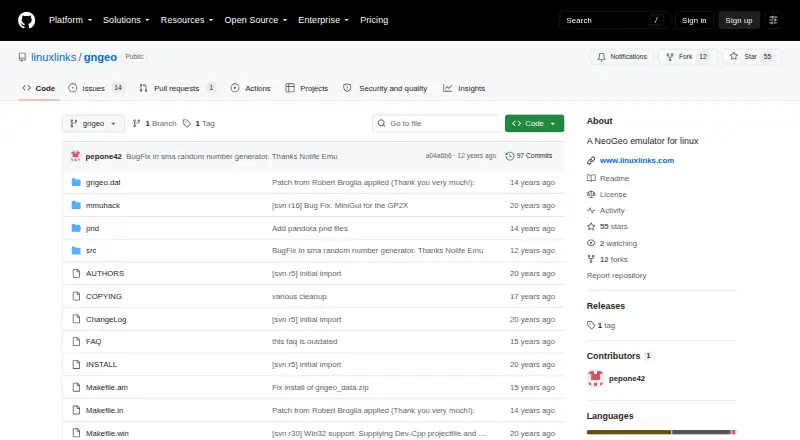
What GnGeo is
GnGeo is a free NeoGeo emulator for Linux that runs ROM sets identified by their MAME names. Its command line offers home, arcade, and unibios modes, along with display options such as fullscreen, scaling, interpolation, and raster interrupts. Users can choose blitters and effects, configure sound and joystick options, set player controls and hotkeys, and supply settings through command-line options or user and per-game configuration files. The project describes graphical frontends with features such as game previews and configuration options. GnGeo requires SDL 1.2.x, libz, and a NeoGeo BIOS; NASM 0.98 is optional for i386 assembly optimization. Games must be ZIP files, while the BIOS must not be, and the default search path is `$prefix/share/gngeo/`. The README describes a source build using `./configure`, `make`, and `make install`. The repository lists no releases. Its licensing notes say commercial use of GnGeo as a whole is forbidden because of included MAME code and licensing.
Who it suits
GnGeo suits Linux users who want to run NeoGeo ROM sets and configure emulation from the command line. It may fit users comfortable with its stated dependencies and source-build process.
What it does well
- Free and open source.
- Supports fullscreen, scaling, and display effects.
- Sound, controls, and hotkeys are configurable.
- Per-game configuration files are supported.
- Graphical frontends are described.
What to know first
- Requires SDL 1.2.x, libz, and a BIOS.
- The repository lists no releases.
- Commercial use of GnGeo as a whole is forbidden.
Limits
GnGeo is free, but it requires SDL 1.2.x, libz, and a NeoGeo BIOS. Its README says commercial use of GnGeo as a whole is forbidden because of included code and licensing.
Plans
| Plan | Billed and limits | Price |
|---|---|---|
| GnGeo | Requires SDL 1.2.x, libz, and a NeoGeo BIOS · License notes that commercial use of GnGeo as a whole is forbidden | Free |
As github.com lists them, read 3 Oct 2026. The maker's own page has the final word.
Getting started
- Visit https://github.com/linuxlinks/gngeo to view the project README.
- Install SDL 1.2.x and libz, and obtain a NeoGeo BIOS.
- Place game files as ZIPs and keep the BIOS as a non-ZIP file.
- Use the default `$prefix/share/gngeo/` location for BIOS and games, or provide settings through command-line options or configuration files.
- Build from source with `./configure` and `make`, then run `make install`.
- Start a game by its ROM-set name, such as `gngeo mslug`.
GnGeo is a Linux program for running NeoGeo games from ROM sets. It is best suited to players comfortable with command-line configuration and a source build; those who want a packaged, graphical setup should look elsewhere.
Overview
Games launch by ROM-set name, using the same naming convention as MAME; for example, mslug starts Metal Slug. AES emulation and save states add useful flexibility, while home, arcade, and unibios modes let players select a system setup. This is a focused emulator rather than a broad gaming platform.
Installation takes more preparation than the free price suggests. GnGeo requires SDL 1.2.x, libz, and a NeoGeo BIOS, and its documented route is to build from source with ./configure, make, and make install. The default search location for BIOS and games is $prefix/share/gngeo/; games must be ZIP files, but the BIOS must remain uncompressed. NASM 0.98 is optional for i386 assembly optimization. With no releases in the repository, users should be prepared to work from the source project.
Key features
Display, sound, and controls
Fullscreen mode, resolution scaling, interpolation, raster interrupts, selectable blitters, and visual effects provide a broad set of presentation controls. Sound and sample-rate options, joystick support, per-player controls, and configurable hotkeys cover the main areas players may want to tune. That depth rewards users who like adjusting settings, but it also makes GnGeo less suitable for anyone seeking a minimal setup.
Configuration and emulation cores
Settings can be passed on the command line or saved in user configuration files, including per-game configurations. The README also describes GGF, XGngeo, and gngeogui frontends, with features such as game previews and configuration options; these provide a more graphical route for users who prefer not to manage every setting at the command line. GnGeo can use several 68k and Z80 cores, with defaults varying by target, giving the project options for its emulation engine without requiring users to choose a core in every case.
Pricing
GnGeo is free and open source, with a listed price of $0. There is no paid tier or free trial to weigh against it. The practical cost is the work of meeting its dependencies, locating a BIOS and game files, and building the software; the license also rules out commercial use of GnGeo as a whole. The README describes the original code as GPLv2 with a special linking exception, while warning that included code and licenses prohibit commercial use of the complete emulator.
Platforms
GnGeo supports Linux. The project also describes possible support for other Unix systems, but Linux is the stated platform. That makes it a natural candidate for Linux users who can build from source, not a cross-platform choice for households using different operating systems.
Who it's for
Choose GnGeo if you want NeoGeo emulation on Linux and value control over display, sound, player inputs, and per-game settings. It is less appropriate if you need a ready-to-install release, want to avoid legacy SDL 1.2.x dependencies, or plan commercial use. The project page shows no security advisories and does not describe a security or compliance program, so it is not a basis for assessing those needs.
Pros and cons
- Pros: AES emulation and save states give players useful ways to run and resume games.
- Pros: Per-game configuration and extensive display and control options support tailored setups.
- Pros: The software is free, and the README describes frontend options for users who want previews and graphical configuration.
- Cons: SDL 1.2.x, libz, a separate BIOS, and a source build make setup demanding compared with a packaged emulator.
- Cons: The commercial-use restriction excludes business use of GnGeo as a whole.
- Cons: Linux is the stated platform, and the repository has no releases.
Alternatives
For a broader directory of options, browse Neo Geo Emulators.
- Virtual Jaguar is worth considering if you need an emulator core across Android, iOS, Linux, macOS, the web, or Windows and can use a libretro frontend such as RetroArch.
- NeoCD/SDL is another free option for Linux and Windows, but its non-commercial terms and requirement for an original NeoGeo CD BIOS make it a fit for a different setup.
- NeoDS may suit users who want a free emulator for non-commercial use.
- NeoRAGEx is a free Windows emulator; its games and BIOS are not included.
- NeoCD/PS2 is another free-software alternative, with no BIOS provided.
- Geolith is an alternative credited to Rupert Carmichael and Romain Tisserand.
- GxGeo is another free option.
- NCDZPSP is another free option.
Verdict
GnGeo is a sensible pick for Linux players who want configurable NeoGeo emulation and are comfortable building and maintaining a source-based setup. Its range of controls, AES support, and save states are compelling for that audience. If you need a release package, another platform, or commercial use, choose a different emulator.
Verdict
GnGeo offers configurable NeoGeo emulation on Linux, with command-line settings and described frontend options. Its dependencies, source-build route, and commercial-use restriction are key considerations.
Questions
Is GnGeo free and open source?
Yes. It is listed as free and open source. The README says the original code is GPLv2 with a special linking exception.
Which platforms does GnGeo support?
Linux is listed as its platform. The project also describes possible support for other Unix systems.
What does GnGeo emulate?
It emulates NeoGeo ROM sets identified by their MAME names. The listed example starts Metal Slug with `gngeo mslug`.
What does GnGeo require?
It requires SDL 1.2.x, libz, and a NeoGeo BIOS. NASM 0.98 is optional for i386 assembly optimization.
Can GnGeo be used commercially?
The README says commercial use of GnGeo as a whole is forbidden because of included code and licensing.
How do I install GnGeo?
The README describes building from source with `./configure` and `make`, followed by `make install`. It lists no repository releases.
Facts from GnGeo's own pages
- Build
- The README gives `./configure && make` as the installation build steps, followed by `make install` as root. · github.com, 3 Oct 2026
- Configuration
- Configuration can be set in `$HOME/.gngeo/gngeorc` or on the command line, and per-game configuration is supported in `$HOME/.gngeo/game.rc`. · github.com, 3 Oct 2026
- Controls
- The command-line options include joystick support and per-player control and hotkey configuration. · github.com, 3 Oct 2026
- CPU cores
- It can use Cyclone, Starscream, or Gen68k for the 68k core and DrZ80, Raze, or MAME Z80 for the Z80 core, with defaults depending on the target. · github.com, 3 Oct 2026
- Dependencies
- It requires SDL 1.2.x, libz, and a NeoGeo BIOS; NASM 0.98 is optional for i386 assembly optimization. · github.com, 3 Oct 2026
- Display and sound
- Options include fullscreen, hardware screen surface, interpolation, selectable blitters and effects, resolution scaling, sample rate, and sound. · github.com, 3 Oct 2026
- Emulation target
- It emulates NeoGeo ROM sets, which can be started using a game’s MAME name. · github.com, 2 Oct 2026
- Frontends
- The README describes GGF, XGngeo, and gngeogui frontends, listing game previews and various descriptions, options, or configuration features. · github.com, 3 Oct 2026
- Game files
- By default, GnGeo searches for BIOS and games under `$prefix/share/gngeo/`; games must be ZIP files and the BIOS must not be. · github.com, 3 Oct 2026
- License
- The README says the original code is GPLv2 with a special linking exception and warns that commercial use of GnGeo as a whole is forbidden because of MAME code licensing. · github.com, 2 Oct 2026
- License and commercial use
- The README says the original code is GPLv2 with a linking exception and says commercial use of GnGeo as a whole is forbidden because of included code and licenses. · github.com, 3 Oct 2026
- Purpose
- GnGeo is a NeoGeo emulator for Linux and possibly other Unix systems. · github.com, 3 Oct 2026
- Release availability
- The GitHub releases page states that there are no releases in the repository. · github.com, 2 Oct 2026
- Repository activity
- The GitHub repository page shows no listed releases and describes the project as a Linux NeoGeo emulator. · github.com, 3 Oct 2026
- Requirements
- The README lists SDL 1.2.x, libz, and a NeoGeo BIOS as requirements; NASM 0.98 is optional for i386 assembly optimization. · github.com, 2 Oct 2026
- ROM support
- It emulates NeoGeo ROMs identified by ROMSET, with the example command `gngeo mslug` for Metal Slug. · github.com, 3 Oct 2026
- Security and compliance
- The repository page shows no security advisories and does not describe a security or compliance program. · github.com, 2 Oct 2026
- Sound and controls
- The emulator has sound and joystick options, player control settings, and configurable hotkeys. · github.com, 2 Oct 2026
- System modes
- The command line offers home, arcade, and unibios system settings. · github.com, 2 Oct 2026
- Video options
- Options include fullscreen, screen scaling, interpolation, raster interrupts, and selectable blitters and effects. · github.com, 2 Oct 2026
Where GnGeo stands on Freedom251
- Neo Geo Emulators#2 of 18