Freedom251 › Neo Geo Emulators
GxGeo
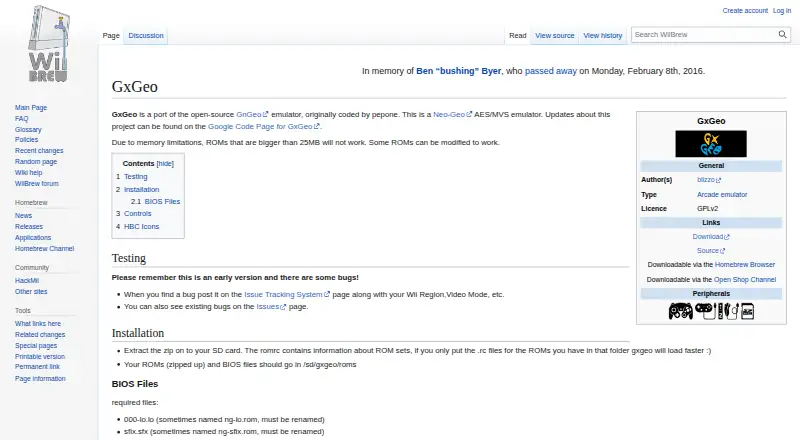
What GxGeo is
GxGeo is a free emulator for Neo-Geo AES and MVS games, ported from the open-source GnGeo emulator. It is listed for Wii, vWii mode on Wii U, and Wii Mini, and its license is GPLv2. The project is described as an early version with some bugs. ROMs larger than 25 MB will not work because of memory limitations, though some can be modified to work. Installation instructions say to extract the ZIP to an SD card and place zipped ROMs and BIOS files in /sd/gxgeo/roms. The listed required BIOS files include 000-lo.lo and sfix.sfx; the instructions also describe country and system BIOS files, with uni-bios.rom usable in place of a country or system file. Play is supported with a GameCube controller or Wii Remote. A GameCube controller in port 1 takes priority for player 1, leaving the Wiimote to control player 2. Downloads are linked through Google Code, Homebrew Browser, and Open Shop Channel, which lists version 20101119, released November 19, 2010.
Who it suits
GxGeo suits Wii-family users who want to play Neo-Geo AES or MVS games and can work with SD-card installation and the required BIOS files.
What it does well
- Free to use
- Emulates Neo-Geo AES and MVS games
- Supports Wii, vWii, and Wii Mini
- GameCube controller and Wii Remote support
What to know first
- ROMs over 25 MB will not work
- The project is described as an early version with bugs
- Installation requires BIOS files
Limits
ROMs larger than 25 MB will not work because of memory limitations. Some ROMs can be modified to work.
Getting started
- Download GxGeo through a linked download, Homebrew Browser, or Open Shop Channel.
- Extract the ZIP archive to an SD card.
- Place zipped ROMs and BIOS files in /sd/gxgeo/roms.
- Include 000-lo.lo and sfix.sfx, along with the described country or system BIOS files; uni-bios.rom can replace a country or system file.
- Use a GameCube controller or Wii Remote to play.
Verdict
GxGeo supports Neo-Geo AES and MVS emulation on Wii-family platforms, but its project page notes bugs and a 25 MB ROM limit. Installation involves an SD card and BIOS files.
Questions
How much does GxGeo cost?
GxGeo is free, and its pricing note identifies a free plan.
Which platforms are supported?
GxGeo is listed for Wii, vWii mode on Wii U, and Wii Mini.
Is GxGeo open source?
GxGeo is a port of the open-source GnGeo emulator, and its license is listed as GPLv2.
Which games does it emulate?
It emulates Neo-Geo AES and MVS games.
Which controllers can I use?
The instructions describe control with a GameCube controller or Wii Remote. A GameCube controller in port 1 takes priority for player 1, leaving the Wii Remote to control player 2.
Where can I get GxGeo?
Downloads are linked through Google Code, Homebrew Browser, and Open Shop Channel.
Facts from GxGeo's own pages
- Alternative BIOS
- The page says uni-bios.rom can be used in place of a country or system file. · wiibrew.org, 4 Oct 2026
- Author
- The page lists blizzo as the author. · wiibrew.org, 4 Oct 2026
- BIOS requirements
- The page lists 000-lo.lo and sfix.sfx as required BIOS files and names regional BIOS files for the USA, Japan, Asia, and Europe. · wiibrew.org, 4 Oct 2026
- Bug reporting
- Users are directed to report bugs on the issue tracking page and include details such as Wii region and video mode. · wiibrew.org, 3 Oct 2026
- Controller support
- The page describes control with a GameCube controller or Wii Remote and says a GameCube controller in port 1 takes priority for player 1. · wiibrew.org, 4 Oct 2026
- Controls
- A GameCube controller in port 1 takes priority over the Wiimote for player 1; the Wiimote then controls player 2. · wiibrew.org, 3 Oct 2026
- Download channels
- The page links to a download and says GxGeo is available through Homebrew Browser and Open Shop Channel. · wiibrew.org, 4 Oct 2026
- Downloads
- The page links to downloads on Google Code and says GxGeo is downloadable through Homebrew Browser and Open Shop Channel. · wiibrew.org, 3 Oct 2026
- Installation
- Installation instructions say to extract the ZIP file to an SD card and place zipped ROMs and BIOS files in /sd/gxgeo/roms. · wiibrew.org, 4 Oct 2026
- License
- The page lists the license as GPLv2. · wiibrew.org, 4 Oct 2026
- Open Shop Channel platforms
- Open Shop Channel lists support for Wii, vWii mode on Wii U, and Wii Mini. · oscwii.org, 4 Oct 2026
- Open Shop Channel release
- Open Shop Channel lists version 20101119, released November 19, 2010. · oscwii.org, 4 Oct 2026
- Open Shop Channel size
- Open Shop Channel lists the recommended ZIP download as 481.9 KB and the binary as 1.3 MB. · oscwii.org, 4 Oct 2026
- Project status
- The page describes GxGeo as an early version with bugs and directs users to report them through its issue tracking page. · wiibrew.org, 4 Oct 2026
- Purpose
- GxGeo is a Neo-Geo AES/MVS arcade emulator for Wii, ported from the open-source GnGeo emulator. · wiibrew.org, 4 Oct 2026
- ROM size limit
- Because of memory limitations, ROMs larger than 25 MB will not work, though some ROMs can be modified to work. · wiibrew.org, 4 Oct 2026
Where GxGeo stands on Freedom251
- Neo Geo Emulators#8 of 18