Freedom251 › GIF Maker Software

GifLoop
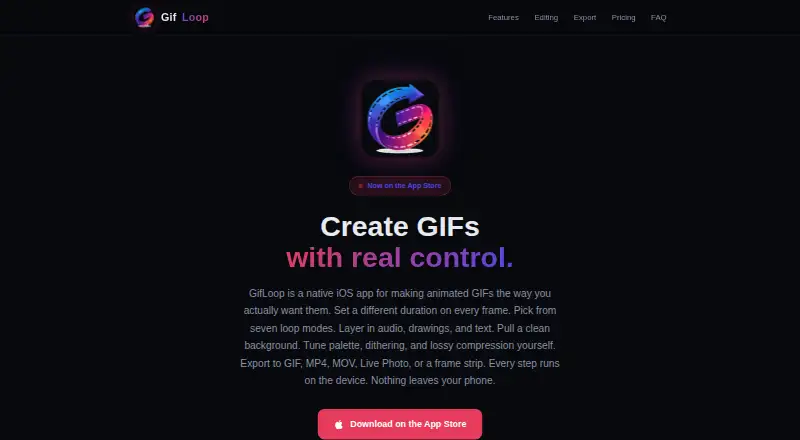
What GifLoop is
GifLoop is an iOS app for making and editing animated GIFs on iPhone and iPad. Projects can start with photos, camera captures, video frames, or a blank canvas. Editing tools include filters, text, drawing, onion skinning, glitch and jitter effects, and background removal. The custom Swift encoder provides controls for palette, dithering, lossy compression, file-size targeting, and resolution. Free exports GIF and MP4; Pro adds MOV, Live Photo, and frame strip. Free allows up to 15 frames per project and two loop modes, with a watermark after three free Pro exports. Pro raises the project limit to 50 frames, provides seven loop modes and per-frame timing, and removes the watermark. The maker says imports, editing, rendering, and exports happen on-device, with creative content not uploaded to its servers. The editor and all five export formats work offline; purchasing or restoring Pro uses the App Store. The app requires iOS 17 or later. Free costs nothing, and GifLoop Pro costs $1.99, paid once as a one-time purchase.
Who it suits
GifLoop suits iPhone and iPad users who want to create animated GIFs from photos, video, camera captures, or a blank canvas. It may appeal to people who want local editing and offline exports.
What it does well
- Projects can use photos, video, or a blank canvas
- GIF and MP4 exports on Free
- On-device editing and exports
- Editor and export formats work offline
- Pro is a one-time purchase
What to know first
- Requires iOS 17 or later
- Free projects allow up to 15 frames
- Free has two loop modes
- Watermark follows three free Pro exports
Limits
Free projects can contain up to 15 frames and use two loop modes. Free includes GIF and MP4 export, with a watermark after three free Pro exports; Pro raises projects to 50 frames and removes the watermark.
Plans
| Plan | Billed and limits | Price |
|---|---|---|
| Free | forever · Up to 15 frames per project · 2 loop modes · GIF and MP4 export · Watermark after 3 free Pro exports | Free |
| GifLoop Pro | one-time purchase, yours forever, no subscription · Up to 50 frames per project · All 7 loop modes · Per-frame timing · Audio, effects, text, drawing, and background removal · MOV, Live Photo, and frame strip export · No watermark | $1.99, paid once |
As gifloop.app lists them, read 11 Oct 2026. The maker's own page has the final word.
Getting started
- Open the GifLoop website
- Install the app on an iPhone or iPad running iOS 17 or later
- Start a project with photos, camera captures, video frames, or a blank canvas
- Edit frames with the available tools and loop modes
- Export as GIF or MP4 on Free, or purchase Pro through the App Store for additional formats
Verdict
GifLoop offers a focused set of GIF creation and editing tools, with additional controls and formats in Pro. Its iOS requirement and Free-plan frame, loop, and watermark limits are worth checking first.
Questions
Is GifLoop free?
Yes. The Free plan costs nothing and is billed forever. GifLoop Pro costs $1.99, paid once as a one-time purchase with no subscription.
Which devices support GifLoop?
It runs on iPhone and iPad and requires iOS 17 or later.
What can Free export?
Free exports GIF and MP4 files. Pro adds MOV, Live Photo, and frame strip export.
Does GifLoop work offline?
The editor and all five export formats work offline. Pro purchase and restore use the App Store.
Is creative content uploaded?
The maker says imports, editing, rendering, and exports run on the device, and creative content is not uploaded to its servers.
Facts from GifLoop's own pages
- Compatibility
- The app requires iOS 17 or later and runs on iPhone and iPad. · gifloop.app, 11 Oct 2026
- Editing tools
- Editing features include filters, text, drawing, onion skinning, glitch and jitter effects, and background removal. · gifloop.app, 11 Oct 2026
- Export formats
- GifLoop exports GIF and MP4 on Free, with MOV, Live Photo, and frame strip available on Pro. · gifloop.app, 11 Oct 2026
- Frame sources
- Projects can use photos, camera captures, video frames, or a blank canvas. · gifloop.app, 11 Oct 2026
- GIF controls
- The custom Swift encoder provides palette, dithering, lossy compression, file-size targeting, and resolution controls. · gifloop.app, 11 Oct 2026
- Local data storage
- The privacy policy says content stays in the app’s device storage and the trial counter is kept in Apple Keychain. · gifloop.app, 11 Oct 2026
- Maker
- The site credits Ariel Agor as the builder of GifLoop. · gifloop.app, 11 Oct 2026
- Offline use
- The editor and all five export formats work offline; Pro purchase and restore use the App Store. · gifloop.app, 11 Oct 2026
- On-device processing
- The maker says imports, editing, rendering, and exports run on the device, and creative content is not uploaded to its servers. · gifloop.app, 11 Oct 2026
- Privacy and tracking
- The privacy policy says the app does not use analytics, advertising, crash-reporting, or tracking technologies. · gifloop.app, 11 Oct 2026
- Support
- The maker lists [email protected] for support requests. · gifloop.app, 11 Oct 2026
- Timing and loops
- The app offers per-frame timing on Pro and seven loop modes, including ping-pong, random, fade loop, and play-once. · gifloop.app, 11 Oct 2026
- What it does
- GifLoop is a native iOS app for creating and editing animated GIFs. · gifloop.app, 11 Oct 2026
Where GifLoop stands on Freedom251
- GIF Maker Software#16 of 33
- GIF makers#38 of 54