Freedom251 › GIF Maker Software
GIF Editor
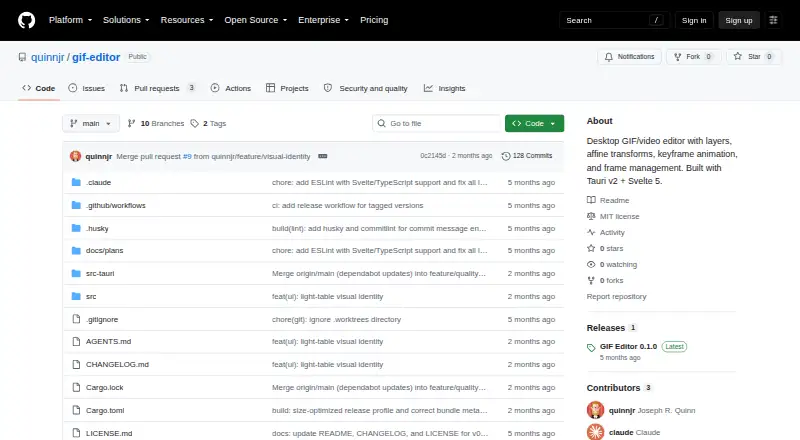
What GIF Editor is
GIF Editor is a free desktop application for creating and revising animated GIFs, videos, and images with layer-based compositing. It accepts GIF, MP4, WebM, PNG, JPG, and WebP files as project starting points. Image, text, and flare overlays can be managed independently for each frame, reordered, duplicated, and transformed with non-uniform scaling, skewing, rotation, or horizontal and vertical flips. Keyframes with linear interpolation animate layer position and opacity across an animation. Frame controls support multi-selection, keeping frames, soft deletion, restoration, undo, and redo. A real-time Canvas preview composites the layers while you work and is described as matching the export compositor; snapshot-based history supports revisions. The app exports GIF, MP4, WebM, PNG, JPEG, and WebP files. Video export uses ffmpeg and preserves audio, while ffmpeg on PATH is optional for video import and export and GIF-only editing works without it. It runs on Windows, macOS, and Linux. Linux packages documented by the maker include AppImage, deb, rpm, and Flatpak. The MIT-licensed project lists release 0.1.0 as its latest release. Joseph R. Quinn, whose profile lists Miami, Florida, is identified as the maker.
Who it suits
GIF Editor suits people who need frame-level control over animated GIFs, videos, or images on a desktop. It is also suitable for users who want broad file import and export choices, keyframed layer animation, and Linux package options.
What it does well
- Free desktop application
- Imports GIF, MP4, WebM, PNG, JPG, and WebP
- Per-frame layers can be reordered and duplicated
- Keyframes animate position and opacity
- Exports GIF, MP4, WebM, PNG, JPEG, and WebP
- Real-time Canvas preview with snapshot history
What to know first
- Video workflows may require ffmpeg on PATH
- No free trial is offered
- Desktop software rather than a web app
Getting started
- Open the project website on GitHub
- Install the desktop app for Windows, macOS, or Linux
- On Linux, choose an AppImage, deb, rpm, or Flatpak package
- Open a GIF, MP4, WebM, PNG, JPG, or WebP file as a project
- Add and adjust layers, frames, and keyframes
- Export to GIF, MP4, WebM, PNG, JPEG, or WebP
Verdict
Pick GIF Editor for free, layer-based animation work across Windows, macOS, or Linux. Its frame tools, keyframes, Canvas preview, and many export formats cover detailed editing. Look elsewhere if you need browser access or want video import and export without an ffmpeg dependency.
Questions
Is GIF Editor free?
Yes. GIF Editor has a free plan and no free trial.
Which platforms does it support?
It runs on Windows, macOS, and Linux.
What files can it open?
Projects can start from GIF, MP4, WebM, PNG, JPG, and WebP files.
Does video editing require ffmpeg?
ffmpeg on PATH is optional for video import and export. GIF-only editing works without it.
What license does it use?
The project is distributed under the MIT license.
Facts from GIF Editor's own pages
- Animation
- Position and opacity can be animated across frames using keyframes with linear interpolation. · github.com, 11 Oct 2026
- Export
- It exports GIF, MP4, WebM, and still images in PNG, JPEG, or WebP formats; video export uses ffmpeg with audio preservation. · github.com, 11 Oct 2026
- Export formats
- The app exports GIF, MP4, WebM, PNG, JPEG, and WebP files. · github.com, 11 Oct 2026
- Frame editing
- Frames can be multi-selected and kept, deleted, or restored. · github.com, 11 Oct 2026
- Frame tools
- The editor supports frame multi-selection, soft deletion, restoration, undo, and redo. · github.com, 11 Oct 2026
- Free plan
- Yes · github.com, 23 Sept 2026
- Input formats
- It can open GIF, MP4, WebM, PNG, JPG, and WebP files as a base project. · github.com, 11 Oct 2026
- Layers
- Image, text, and flare overlays can be controlled per frame, reordered, and duplicated. · github.com, 11 Oct 2026
- License
- The project is distributed under the MIT license. · github.com, 11 Oct 2026
- Linux installation
- The README describes AppImage, deb, rpm, and Flatpak installation on Linux. · github.com, 11 Oct 2026
- Maker
- The GitHub profile identifies the maker as Joseph R. Quinn and lists Miami, Florida. · github.com, 11 Oct 2026
- Maker identity and location
- The maker's GitHub profile identifies the account as Joseph R. Quinn and lists Miami, FL. · github.com, 11 Oct 2026
- Platform packaging
- The maker documents Linux AppImage, deb, rpm, and Flatpak packaging and lists Linux Tauri system dependencies. · github.com, 11 Oct 2026
- Preview
- A client-side Canvas preview composites layers in real time and is described as matching the export compositor. · github.com, 11 Oct 2026
- Preview and history
- The app provides a real-time Canvas preview and snapshot-based undo and redo. · github.com, 11 Oct 2026
- Purpose
- GIF Editor is a desktop application for editing animated GIFs, videos, and images with layer-based compositing. · github.com, 11 Oct 2026
- Release
- The GitHub releases page lists GIF Editor 0.1.0 as the latest release. · github.com, 11 Oct 2026
- Transforms
- Layers support non-uniform scaling, skew, rotation, and horizontal or vertical flips. · github.com, 11 Oct 2026
- Video dependency
- ffmpeg on PATH is optional for video import and export, while GIF-only editing works without it. · github.com, 11 Oct 2026
Where GIF Editor stands on Freedom251
- GIF Maker Software#15 of 33
- GIF makers#35 of 54
- Text Editors#65 of 82