Freedom251 › GIF Maker Software

Gifox
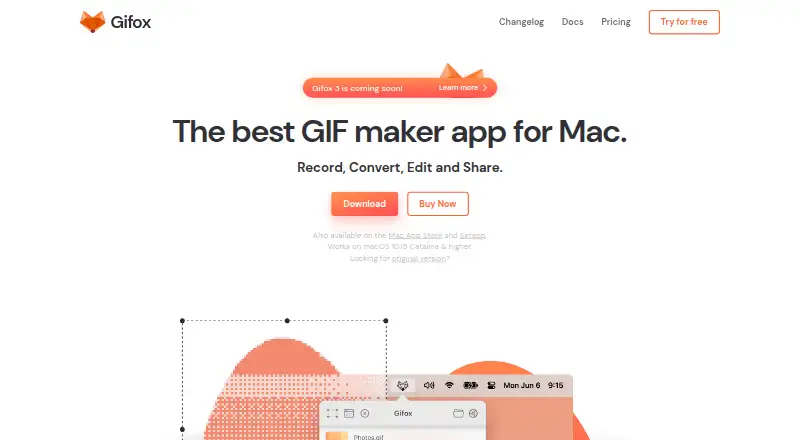
What Gifox is
Gifox is a macOS app for capturing screen recordings or importing video to create GIFs. It offers a free Basic plan and a Pro plan with unlimited screen recording and watermark removal. Basic limits screen recording to 10 seconds. Pro includes Basic features and supports watermark-free export. Its listed price is $14.99 a month, billed as a one-time purchase, with taxes included. macOS is the listed platform and capture platform. The listed capabilities center on screen capture, video import, and export without a watermark on Pro, so the main plan distinction is recording length and watermark removal. Basic provides a short recording option, while Pro removes the recording limit and includes the option to remove the watermark. No other supported platform is listed.
Who it suits
Gifox suits macOS users who want to capture their screen or import video for GIF creation. Basic may suit users who only need recordings up to 10 seconds; Pro is for those needing unlimited recording or watermark-free export.
What it does well
- Supports both screen recording and video import.
- Basic plan is free.
- Pro includes unlimited screen recording.
- Pro supports watermark removal.
- Pro price includes taxes.
What to know first
- Basic screen recordings are limited to 10 seconds.
- Only macOS is listed as supported.
- Pro is listed at $14.99 a month.
Limits
Gifox Basic limits screen recordings to 10 seconds. Pro includes unlimited screen recording and watermark removal; its listed price is $14.99 a month, billed as a one-time purchase with taxes included.
Plans
| Plan | Billed and limits | Price |
|---|---|---|
| Gifox Basic | Free forever · 10-second screen recording · watermark · unlimited file conversion · editing: crop, trim, split, clone | Free |
| Gifox Pro | per 1 license USD, taxes included · Unlimited screen recording · removable watermark | $14.99, paid once |
| Backer | USD taxes included · 1 Mac lifetime license · future core updates · limited allocation | $150, paid once |
| Patron | USD taxes included · 2 Macs lifetime licenses · future core updates · sticker pack · limited allocation | $300, paid once |
| Benefactor | USD taxes included · 3 Macs lifetime licenses · future core updates · founding credits · limited allocation | $450, paid once |
As gifox.app lists them, read 8 Oct 2026. The maker's own page has the final word.
Getting started
- Visit the Gifox website.
- Use the free Gifox Basic plan to begin.
- Record your macOS screen, keeping Basic recordings to 10 seconds, or import video.
- Choose Gifox Pro for unlimited screen recording and watermark-free export.
Verdict
Gifox offers a straightforward choice between a free plan with short recordings and Pro with unlimited recording and watermark removal. The listed Pro price is $14.99 a month, billed as a one-time purchase.
Questions
Is Gifox free?
Yes. Gifox Basic is a free plan with screen recordings limited to 10 seconds.
How much does Pro cost?
Pro is listed at $14.99 a month, billed as a one-time purchase with taxes included.
Which platforms does Gifox support?
macOS is the listed supported platform and capture platform.
Can Gifox import video?
Yes. Video import is supported.
Does Gifox offer watermark-free export?
Yes. Watermark-free export is listed, and Pro includes watermark removal.
What does Pro add?
Pro includes Basic features, unlimited screen recording, and a removable watermark.
Facts from Gifox's own pages
- Audience
- The maker says teams use Gifox to exchange ideas, report bugs, help customers, and enhance presentations. · gifox.app, 8 Oct 2026
- Capture
- It captures a custom screen area or snaps to an app window, with controls for cursor, mouse clicks, keyboard input, window shadow, and desktop picture. · gifox.app, 8 Oct 2026
- Compression
- Gifox offers controls for playback, colors, resizing, and dithering to adjust GIF quality and file size. · gifox.app, 8 Oct 2026
- Conversion
- Users can drop videos and image sequences into Gifox to convert them into GIFs. · gifox.app, 8 Oct 2026
- Distribution
- The app is available from Gifox's website, the Mac App Store, and Setapp. · gifox.app, 8 Oct 2026
- Editing
- The built-in editor can crop, cut, trim, rearrange, and re-export recorded or imported videos. · gifox.app, 8 Oct 2026
- Free limits
- The documentation says the free version has a 10-second recording and export limit and adds a small watermark to exported graphics. · gifox.app, 8 Oct 2026
- Free plan
- Yes · gifox.app, 23 Sept 2026
- Integrations
- Gifox supports Dropbox, Google Drive, and Imgur uploads; completed uploads copy a public sharing link to the pasteboard. · gifox.app, 8 Oct 2026
- Capture platforms
- macOS · gifox.app, 23 Sept 2026
- Privacy
- The privacy policy says the company may collect account, purchase, device, cookie, and service-log information, and may process it in locations outside the user's country. · gifox.app, 8 Oct 2026
- Product
- Gifox is a macOS status bar app for recording, converting, editing, and sharing GIFs. · gifox.app, 8 Oct 2026
- Refund terms
- The pricing page advertises a 60-day money-back guarantee for purchases, while the terms page states a 30-day refund period for direct website purchases. · gifox.app, 8 Oct 2026
- Security
- The privacy policy says access to user information is restricted to employees with a reason, and SSL is used to encrypt information exchanged with servers when possible or necessary. · gifox.app, 8 Oct 2026
- Support
- The maker lists [email protected] for questions and feedback; its Co-founder licenses include priority support and direct team contact. · gifox.app, 8 Oct 2026
- System requirement
- The current version described in the documentation requires macOS 10.15 Catalina or later. · gifox.app, 8 Oct 2026
Where Gifox stands on Freedom251
- GIF Maker Software#18 of 33
- GIF makers#39 of 54
- Screen recorders#21 of 28