Freedom251 › GIF Maker Software

ImgPlay
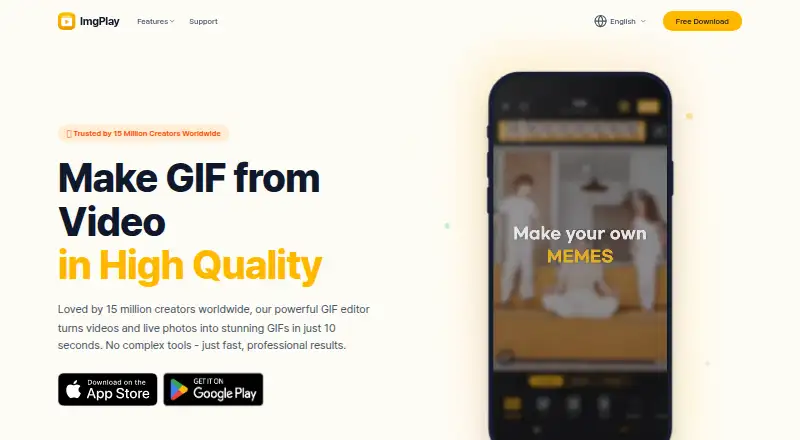
What ImgPlay is
ImgPlay is a mobile app for making GIFs and converting videos to GIFs. Developed by ImgBase, Inc., it is available for iOS and Android. It can turn videos, Live Photos, and burst photos into GIFs, with frame-by-frame editing for adjusting the result. AI Cutout removes backgrounds from images or video frames, allowing users to create transparent GIF stickers. Other tools include a meme maker with animated text, a stop-motion creator with onion skinning, and speed controls from 0.1x to 4x. The GIF optimizer offers target sizes from 250 KB to 20 MB. Users can export as GIF, MP4/MOV video, or a still image, and share directly to Instagram, WhatsApp, TikTok, Facebook, iMessage, Telegram, LINE, and KakaoTalk. The Free plan includes basic editing, speed control, crop and trim, GIF dithering, sketch effects, and zoom-in effects. Pro Monthly costs $7.99 a month; Pro Annual costs $29.99 a year. Both paid plans add all features, AI Cutout, maximum-quality export, GIF optimization, and ad-free use. ImgPlay says created videos are stored locally on users’ phones rather than uploaded to ImgBase’s services or servers.
Who it suits
ImgPlay suits people who want to make GIFs from videos, Live Photos, or burst photos on a phone, with frame-by-frame editing and multiple export formats. Its tools also suit users making transparent stickers, animated-text memes, or stop-motion clips, while the paid plans add AI Cutout, GIF optimization, maximum-quality export, and ad-free use.
What it does well
- Creates GIFs from videos, Live Photos, and burst photos
- Frame-by-frame editing
- AI Cutout makes transparent GIF stickers
- Exports GIF, MP4/MOV video, or still images
- Speed controls range from 0.1x to 4x
- Created videos stay on users’ phones
What to know first
- AI Cutout and GIF optimization require a paid plan
- Pro Monthly costs $7.99 a month
- Pro Annual costs $29.99 a year
Limits
The Free plan includes basic editing, speed control, crop and trim, GIF dithering, sketch effects, and zoom-in effects. AI Cutout, maximum-quality export, GIF optimization, and ad-free use are included in the paid plans: Pro Monthly at $7.99 a month or Pro Annual at $29.99 a year.
Plans
| Plan | Billed and limits | Price |
|---|---|---|
| Free | Basic editing · speed control · crop and trim · GIF dithering · sketch effects · zoom-in effects | Free |
| Pro Annual | per year · All features · AI cutout · maximum-quality export · GIF optimization · ad-free | $29.99 a year |
| Pro Monthly | per month · All features · AI cutout · maximum-quality export · GIF optimization · ad-free | $7.99 a month |
As imgplay.net lists them, read 11 Oct 2026. The maker's own page has the final word.
Getting started
- Visit https://imgplay.net/.
- Choose the iOS or Android platform.
- Start with the Free plan or choose Pro Monthly or Pro Annual.
Verdict
Choose ImgPlay if you want a phone-based GIF maker with frame-by-frame editing, several source types, and direct sharing to listed services. The Free plan covers basic editing and effects; look to a paid plan for AI Cutout, GIF optimization, maximum-quality export, and ad-free use.
Questions
Is ImgPlay free?
Yes. The Free plan costs nothing and includes basic editing, speed control, crop and trim, GIF dithering, sketch effects, and zoom-in effects.
How much do the paid plans cost?
Pro Monthly costs $7.99 a month, billed per month. Pro Annual costs $29.99 a year, billed per year.
Which platforms does ImgPlay support?
ImgPlay is available on iOS and Android. The Android listing describes that app as a past model.
What can I make with ImgPlay?
It creates GIFs from videos, Live Photos, and burst photos, and also includes a meme maker and stop-motion creator. Exports include GIF, MP4/MOV video, and still images.
Does ImgPlay upload videos users make?
ImgPlay’s terms say videos users make are stored locally on their phones and are not uploaded to ImgBase’s services or servers.
Is there a maximum GIF file size?
ImgPlay says it does not set a maximum GIF file size. Other platforms may set upload limits.
Facts from ImgPlay's own pages
- AI stickers
- AI Cutout removes image or video-frame backgrounds so users can create transparent GIF stickers. · imgplay.net, 11 Oct 2026
- Android availability
- ImgPlay is listed on Google Play for Android; the listing describes the Android app as a past model of the app. · play.google.com, 11 Oct 2026
- Android imports
- The Google Play listing says the Android app can import photos, videos, and GIFs from other apps such as Google Drive or Dropbox. · play.google.com, 11 Oct 2026
- GIF optimization
- The GIF optimizer offers target sizes from 250 KB to 20 MB. · imgplay.net, 11 Oct 2026
- Limits
- ImgPlay says it does not set a maximum GIF file size, while noting that upload limits may be set by other platforms. · imgplay.net, 11 Oct 2026
- Media sources
- The app creates GIFs from videos, Live Photos, and burst photos, with frame-by-frame editing. · imgplay.net, 11 Oct 2026
- Other tools
- Features include a meme maker with animated text, a stop-motion creator with onion skinning, and speed controls from 0.1x to 4x. · imgplay.net, 11 Oct 2026
- Privacy
- ImgPlay’s terms state that videos users make are stored locally on their phones and are not uploaded to ImgBase’s services or servers. · imgbase.me, 11 Oct 2026
- Product
- ImgPlay is a GIF maker and video-to-GIF converter for iPhone and iPad, developed by ImgBase, Inc. · imgplay.net, 11 Oct 2026
- Sharing
- The site lists direct sharing to Instagram, WhatsApp, TikTok, Facebook, iMessage, Telegram, LINE, and KakaoTalk, plus export as GIF, MP4/MOV video, or still image. · imgplay.net, 11 Oct 2026
- Support
- The maker’s help page directs users who cannot find an answer to [email protected]. · imgbase.me, 11 Oct 2026
Where ImgPlay stands on Freedom251
- GIF Maker Software#20 of 33
- GIF makers#36 of 54