Freedom251 › Game Console Emulators
BlastEm
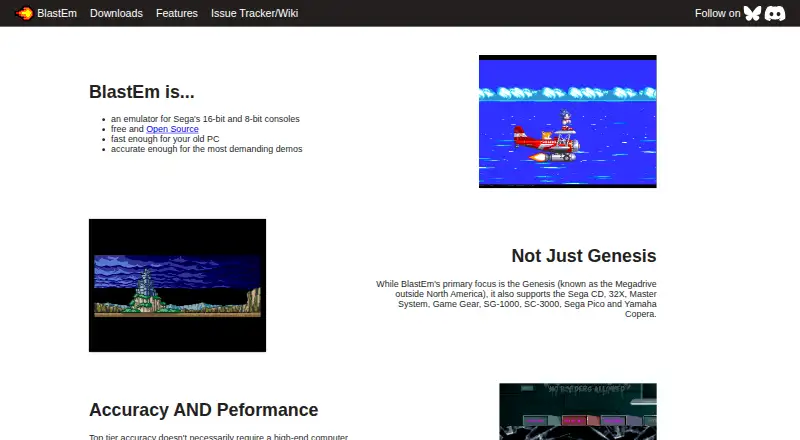
What BlastEm is
BlastEm is a free, open-source emulator for Sega's 16-bit and 8-bit consoles. Supported systems include Genesis/Mega Drive, Sega CD, 32X, Master System, Game Gear, SG-1000, SC-3000, Sega Pico, and Yamaha Copera. Downloads are listed for Linux, macOS, and Windows, along with an experimental web version. Gameplay features include save states, cartridge save RAM and EEPROM support, turbo and slow modes, controller input, and VGM logging. The integrated debugger can inspect and modify state, use conditional breakpoints and scripts, and show visual VDP debugging tools. Developers can use the GDB remote debug protocol for source-level debugging of SGDK and other C or C++ projects. The maker describes it as fast enough for older PCs and accurate enough for demanding demos. Most Sega CD and 32X games are playable, but compatibility is not complete and bugs remain. Yamaha Copera emulation is also limited: games generally lack music, although Copera-specific ADPCM samples play. The listed macOS download is x86-64 and not notarized; the maker directs ARM users to Homebrew.
Who it suits
It suits people seeking to run games from the listed Sega systems, as well as developers who want source-level debugging for SGDK or other C or C++ projects. Users should check the stated compatibility and macOS limitations first.
What it does well
- Free and open-source.
- Supports a wide list of Sega systems.
- Includes save states and turbo and slow modes.
- Integrated debugger supports conditional breakpoints and scripting.
- GDB remote debugging supports C or C++ projects.
What to know first
- Sega CD and 32X compatibility is not perfect.
- Yamaha Copera games generally lack music.
- Listed macOS download is x86-64 and not notarized.
- Web version is experimental.
Limits
Compatibility for Sega CD and 32X games is imperfect, with bugs remaining. Yamaha Copera emulation has incomplete OPL3 support, so games generally lack music. Nightly builds are generally less rigorously tested than stable releases.
Plans
| Plan | Billed and limits | Price |
|---|---|---|
| BlastEm | Sega-focused emulator · source and binaries provided · no paid tier stated | Free |
As retrodev.com lists them, read 15 Oct 2026. The maker's own page has the final word.
Getting started
- Visit https://www.retrodev.com/blastem/.
- Choose a stable download for Linux, macOS, or Windows, or the experimental web version.
- For ARM on macOS, use Homebrew as directed on the download page.
- Consult the linked wiki or issue tracker for project information.
BlastEm is a free, open-source emulator for Sega’s 8-bit and 16-bit consoles, with tools for both playing games and debugging software. It is best suited to Sega-focused players and developers working on SGDK or other C and C++ projects. Its breadth and source-level debugging stand out, while Sega CD and 32X compatibility remains imperfect.
Overview
BlastEm spans systems from the SG-1000 and Master System to the Genesis/Mega Drive, Sega CD and 32X, alongside Game Gear, SC-3000, Sega Pico and Yamaha Copera. The maker describes it as fast enough for older PCs and accurate enough for demanding demos. That makes it a compelling focused option for Sega users who want more than basic game playback, though its broad system coverage does not guarantee every title will behave correctly.
For everyday play, save states, cartridge save RAM and EEPROM support, controller input, turbo and slow modes cover useful basics. VGM logging adds value for users who want to capture game music. The integrated debugger goes further with state inspection and modification, conditional breakpoints, scripting and visual VDP tools. GDB remote protocol support enables source-level debugging of SGDK and other C or C++ projects, making BlastEm unusually relevant to development work as well as play.
Key features
Playback and debugging
The combination of save support and speed controls serves players who want to manage and inspect gameplay, while the debugger is the stronger reason for developers to choose BlastEm. State editing, conditional breakpoints and VDP visualization offer practical ways to investigate software behavior; GDB integration connects that work to source code. Readers seeking only an emulator for casual play may not need this additional depth.
Compatibility and release choices
Most Sega CD and 32X games are playable, but bugs remain and compatibility is not perfect. Yamaha Copera is a more pronounced limitation: OPL3 emulation is incomplete, so Copera games generally lack music, although Copera-specific ADPCM samples play. Stable downloads include Linux and Windows builds in 32-bit and 64-bit versions, a macOS build and an experimental web version, as well as source. Nightly builds arrive when the public repository has new changes, typically each evening, but are less rigorously tested than stable releases. Third-party packages can lag behind upstream and are not affiliated with or endorsed by the project.
Pricing
BlastEm costs nothing. It is free and open source, with no paid tiers stated; there is no free trial because no paid plan is offered. The free plan gives players and developers the same stated emulator and debugging capabilities, without a published paid upgrade or seat limit.
Linux, Windows and source downloads are offered directly. The listed Mac OS X download is x86-64 and not notarized; ARM users are directed to Homebrew. That limitation matters for Mac users who need a straightforward signed installer. The experimental web build is another option, but its experimental status makes the stable desktop releases the more conservative choice.
Platforms
BlastEm supports Linux, macOS, web and Windows. Desktop packages are cross-platform, with stable 32-bit and 64-bit builds for Linux and Windows. On macOS, the listed download is x86-64 and not notarized; ARM users should use Homebrew. The web build is experimental. Users considering third-party packages should account for possible delays behind upstream releases.
Who it's for
Choose BlastEm if you want a Sega-focused emulator spanning multiple console generations, especially if save controls, VGM logging or debugging tools matter to your use. SGDK and C or C++ developers benefit from its GDB remote support and source-level debugging. It is a weaker fit if you require flawless Sega CD or 32X compatibility, or expect Yamaha Copera games to include music.
The maker provides an issue tracker and wiki, plus a Discord discussion link on the features page. The project identifies BlastEm as one of Mike Pavone’s current projects.
Pros and cons
- Pros: Broad coverage of Sega’s 8-bit and 16-bit systems makes it useful beyond Genesis/Mega Drive alone.
- Pros: Integrated debugging and GDB remote support make it a practical choice for Sega software development, not just game playback.
- Pros: Free and open source, with stable desktop builds and an experimental web option.
- Cons: Sega CD and 32X compatibility is imperfect, with bugs remaining.
- Cons: Incomplete OPL3 emulation means Yamaha Copera games generally lack music.
- Cons: The listed macOS package is x86-64 and not notarized; ARM users must use Homebrew.
Alternatives
RetroArch is another free, open-source option with Android and iOS support in addition to Linux, macOS, web and Windows; choose it if those mobile platforms matter. ClownMDEmu is a free option for Linux, macOS, self-hosted and web use. Lakka is also free and supports Linux, macOS, self-hosted and Windows, but requires the user to obtain hardware. MAME is a free alternative for Android, Linux, macOS and Windows; ROMs and copyrighted software are generally not included. ares is a free, open-source multi-system emulator for Linux, macOS and Windows. Genesis Plus GX is free, with source code under a specific non-commercial license and a standalone GameCube/Wii build. higan is free software for Linux, macOS and Windows. BizHawk is a free MIT-licensed emulator with Windows and Unix releases.
For category browsing, see Sega Genesis Emulators, Game Gear Emulators, Sega CD Emulators and Game Console Emulators.
Verdict
BlastEm is a strong choice for Sega-focused players who want wide system coverage and for developers who need detailed debugging, especially GDB source-level support. Its free, open-source model makes it easy to recommend when those capabilities fit the job. Look elsewhere if your priority is dependable compatibility across every Sega CD or 32X game, or music in Yamaha Copera titles.
Verdict
BlastEm combines Sega system emulation with gameplay and debugging tools, including source-level debugging support. Compatibility varies, and Yamaha Copera music and the listed macOS package have specific limitations.
Questions
Is BlastEm free?
Yes. BlastEm is free and open source, with no paid tiers stated.
Which systems does BlastEm emulate?
It supports Genesis/Mega Drive, Sega CD, 32X, Master System, Game Gear, SG-1000, SC-3000, Sega Pico, and Yamaha Copera.
Which platforms have downloads?
Stable downloads are listed for 32-bit and 64-bit Linux, macOS, and Windows, along with an experimental web version and source downloads.
Who makes BlastEm?
The maker’s site identifies the projects as Mike Pavone’s and lists BlastEm as one of his current projects.
Is BlastEm open source?
Yes. It is described as free and open source.
Are all supported games fully compatible?
No. The maker says most Sega CD and 32X games are playable but compatibility is imperfect and bugs remain. Yamaha Copera games generally lack music because OPL3 emulation is incomplete.
Facts from BlastEm's own pages
- Add-on compatibility
- The maker says most Sega CD and 32X games are playable, but compatibility is not perfect and bugs remain. · retrodev.com, 30 Sept 2026
- Cartridge saves
- Cartridge save RAM and EEPROM are supported. · retrodev.com, 15 Oct 2026
- Commercial use
- The project says GPLv3 permits commercial use without payment, while a proprietary licence can be requested by email. · retrodev.com, 15 Oct 2026
- Community integration
- BlastEm-MCP is a local MIT wrapper that exposes sessions, controller input, screenshots, VDP and memory inspection, breakpoints and single-stepping through MCP. · github.com, 15 Oct 2026
- Company structure
- The official FAQ describes BlastEm as a passion project rather than presenting a staffed company, headquarters or funding details. · retrodev.com, 15 Oct 2026
- Controller input
- The emulator supports game-controller input. · retrodev.com, 15 Oct 2026
- Debugger
- Its integrated debugger can inspect and modify most emulated state, use conditional breakpoints and run scripts. · retrodev.com, 15 Oct 2026
- Developer debugging
- A GDB remote protocol provides source-level debugging for SGDK and other C or C++ projects. · retrodev.com, 15 Oct 2026
- Developer integration
- It supports the GDB remote debug protocol for source-level debugging of SGDK and other C or C++ projects. · retrodev.com, 30 Sept 2026
- Documentation
- Documentation includes a README, configuration reference, debugger instructions, issue tracker, wiki and contribution pages. · retrodev.com, 15 Oct 2026
- Downloads
- Version 1.0.0 was released September 11, 2026, with 32/64-bit Linux, x86-64 macOS, 32/64-bit Windows, experimental Web and source downloads. · retrodev.com, 15 Oct 2026
- Gameplay features
- Features include save states, cartridge save RAM and EEPROM support, turbo and slow modes, game controller input and VGM logging. · retrodev.com, 30 Sept 2026
- Homebrew package
- Homebrew provides blastem 1.0.0 with macOS Apple Silicon and Linux ARM64/x86_64 bottles. · formulae.brew.sh, 15 Oct 2026
- Independent assessment
- Emulation King reports that BlastEm targets high accuracy on weak hardware but still has missing hardware features and unfinished accuracy/performance work. · emulationking.com, 15 Oct 2026
- Installation
- The documented installation method is extracting an archive; the GUI opens when BlastEm starts without a ROM. · github.com, 15 Oct 2026
- Licence
- BlastEm is distributed under GNU GPL version 3 or later; bundled GLEW, SDL2 and zlib have separate licences. · github.com, 15 Oct 2026
- Limit: add-on compatibility
- The 1.0.0 announcement says Sega CD and 32X compatibility is imperfect and Yamaha Copera OPL3 emulation is incomplete, leaving many games without music. · retrodev.com, 15 Oct 2026
- Limit: documentation
- A RetroArch tester says the BlastEm core documentation has little information and lacks BIOS details. · reddit.com, 15 Oct 2026
- Limit: Flatpak
- A Steam Deck user describes the Flatpak version as rough. · reddit.com, 15 Oct 2026
- Limit: interface
- 3FingeredSalute criticizes the standalone interface as less polished and describes shader and front-end options as limited. · 3fingeredsalute.com, 15 Oct 2026
- Limit: Japanese CD BIOS
- The maintainer reports a timing bug that frequently affects Japanese Sega CD BIOS images and recommends the 2.00w BIOS or reloading. · reddit.com, 15 Oct 2026
- Limit: RetroArch audio
- The maintainer says the RetroArch core had substantially broken 32X and Sega CD audio because of libretro integration limits. · reddit.com, 15 Oct 2026
- macOS limitation
- The listed Mac OS X download is x86-64 and not notarized; the page says to use Homebrew for ARM. · retrodev.com, 30 Sept 2026
- Maker
- Retrodev identifies BlastEm as Mike Pavone's project and publishes his retrodev.com contact address. · retrodev.com, 15 Oct 2026
Where BlastEm stands on Freedom251
- Game Console Emulators#2 of 35
- Sega Genesis Emulators#2 of 29
- Game Gear Emulators#3 of 31
- Sega CD Emulators#2 of 19