Freedom251 › Game Console Emulators
bsnes
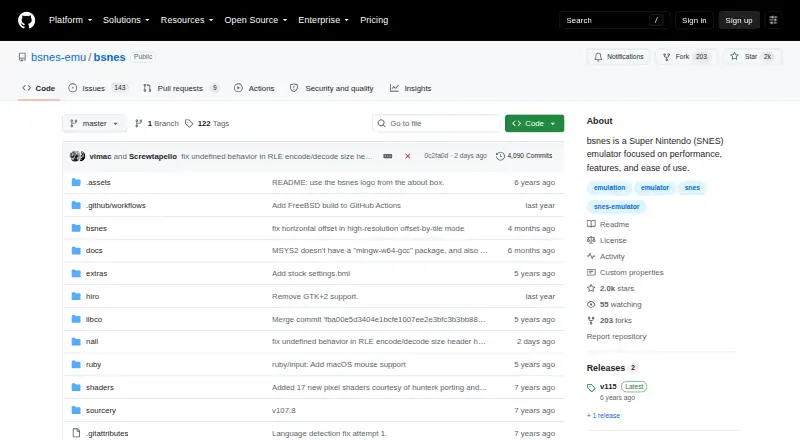
What bsnes is
bsnes is a free, open-source emulator for Super Nintendo and Super Famicom games, with support for Super Game Boy and Satellaview. It runs on Linux, macOS, and Windows. Graphics features include HD Mode 7 with optional supersampling, a multi-threaded PPU renderer, and OpenGL multi-pass pixel shaders. It also provides low-level emulation for SNES coprocessors such as DSP-n, ST-01n, and Cx4. The emulator accepts standard ROM files, optional higan game folders, and 7-zip decompression, and supports BPS and IPS soft patches. Its games database contains thousands of entries, and its cheat database covers hundreds of popular games. Save states can include screenshot previews and names, with undo and redo. Other tools include rewind, frame advance, cheat code search, movie recording and playback, and screenshots. Speed settings include 50%, 75%, 100%, 150%, and 200%, with smooth audio output retained. The project lists nightly builds for Windows, macOS, Linux, and FreeBSD.
Who it suits
bsnes suits people who want to run Super Nintendo or Super Famicom games on a desktop system. Its support for Super Game Boy and Satellaview may also suit users interested in those systems.
What it does well
- Free, open-source software.
- Supports Super Nintendo, Super Famicom, Super Game Boy, and Satellaview.
- Graphics options include HD Mode 7 and supersampling.
- Save states support previews, naming, undo, and redo.
- Nightly builds are listed for Windows, macOS, Linux, and FreeBSD.
What to know first
- Listed desktop platforms are Linux, macOS, and Windows.
- Nightly builds are the listed download option.
Plans
| Plan | Billed and limits | Price |
|---|---|---|
| Free | GNU GPLv3 software; no price stated | Free |
As github.com lists them, read 5 Oct 2026. The maker's own page has the final word.
Getting started
- Visit the bsnes project website on GitHub.
- Choose a listed nightly build for Windows, macOS or Linux.
- Open standard ROM files, optional higan game folders or supported 7-zip files.
- Apply BPS or IPS patches if needed.
bsnes is a free, open-source emulator for Super Nintendo and related systems. It suits players who want detailed graphics, save, and playback controls alongside console emulation. Its depth is a strength for enthusiasts, but unnecessary complexity for anyone seeking only a basic way to start a game.
Overview
Alongside Super Nintendo and Super Famicom, bsnes supports Super Game Boy and Satellaview. It accepts standard ROM files, optional higan game folders, and 7-zip archives, and can apply BPS and IPS soft patches. That range accommodates varied game collections, though files still need to be in a supported format.
Key features
Graphics and system emulation
HD Mode 7 graphics, optional supersampling, a multi-threaded PPU renderer, and OpenGL multi-pass pixel shaders offer several ways to shape visual output. These options suit players who want control over presentation; they add less for someone content with an unmodified image. Low-level emulation of DSP-n, ST-01n, and Cx4 coprocessors extends the focus beyond basic SNES playback. Super Game Boy emulation uses the SameBoy core.
Game and playback tools
A game database with thousands of entries and a cheat database covering hundreds of popular games support browsing and play. Save states can include screenshot previews and names, with undo and redo for managing saves. Rewind, frame advance, cheat code search, screenshots, and movie recording and playback make bsnes useful for replaying or reviewing games, not just launching them.
Speed modes range from 50% to 200%, with smooth audio output retained. That gives players a choice between slower play and faster progression without giving up smooth sound. Satellaview and MSU1 support add further emulation options.
Pricing
The Free plan costs nothing. bsnes is GNU GPLv3 software, so its core emulation, graphics, and playback features come without a paid tier. There is no paid plan to weigh against the free offering.
Platforms
bsnes supports Linux, macOS, and Windows. The project also lists nightly builds for FreeBSD, alongside builds for those three desktop systems. Its desktop focus makes it a better fit for computer-based play than for readers seeking a phone or tablet version.
Who it's for
Choose bsnes if you want a free desktop emulator with support for several Nintendo systems and a substantial set of graphics, save-management, and playback controls. It is less compelling if your priority is a simple, minimal emulator or a mobile app.
Pros and cons
- Pros: Support for Super Nintendo, Super Famicom, Super Game Boy, and Satellaview makes it useful across related systems.
- Pros: Graphics options, named save states, rewind, and movie playback serve players who want to customize or review their sessions.
- Pros: The free, open-source license puts the full feature set within reach without a subscription.
- Cons: Its many graphics and playback options may be more than a casual player needs.
- Cons: The listed desktop platforms do not include Android or iOS.
Alternatives
RetroArch is a free, open-source project with Android, iOS, Linux, macOS, web, and Windows support; choose it if mobile or browser availability matters more than bsnes's stated focus on Nintendo systems.
Virtual Jaguar is a free open-source emulator core that requires a libretro frontend such as RetroArch, so it suits readers specifically seeking that core and prepared to use a frontend.
bsnes is another free SNES emulator, with Android and iOS support as well as desktop platforms; consider it if mobile access is important.
ares is a free, open-source multi-system emulator for Linux, macOS, and Windows; choose it if a multi-system alternative is your priority.
Hemulator is a free, open-source community project for Linux, macOS, and Windows, with users providing their own legally obtained ROM files.
higan is free software for Linux, macOS, and Windows, with no warranty.
Manic EMU runs on iOS and macOS. Its free plan limits fast forward to 2×, save states to three, and cheat codes to three; choose it if those platforms and a capped free plan suit your needs.
SNES Emulator is free and supports Linux, macOS, web, and Windows, but is a work in progress with incomplete emulation and bugs.
Browse SNES Emulators or Game Console Emulators for more options.
Verdict
bsnes is a strong choice for desktop players who want free, open-source Nintendo-system emulation with graphics controls and tools for managing and reviewing play. Its main appeal is the combination of system coverage and detailed playback features; look elsewhere if you need mobile support or want a more minimal setup.
Verdict
bsnes pairs support for several Nintendo systems with graphics options and playback tools. Its project lists nightly builds for major desktop platforms and FreeBSD.
Questions
Is bsnes free?
Yes. The listed Free plan costs nothing, and bsnes is open-source software under GNU GPLv3.
Which operating systems are supported?
The listed platforms are Linux, macOS and Windows. The project also lists nightly builds for FreeBSD.
Which systems can it emulate?
The listed systems are Super Nintendo, Super Famicom, Super Game Boy and Satellaview.
What game files and patches does it support?
bsnes supports standard ROM files, optional higan game folders and 7-zip decompression. It also supports BPS and IPS soft patches.
Is bsnes open source?
Yes. It is listed as open-source software with a GNU GPLv3 license.
What playback and save features are included?
It includes rewind, frame advance, movie recording and playback, screenshots and cheat code search. Save states support screenshot previews, names, undo and redo.
Facts from bsnes's own pages
- Community
- The repository links to an official Discord server. · github.com, 5 Oct 2026
- Coprocessors
- It offers low-level emulation of SNES coprocessors including DSP-n, ST-01n, and Cx4. · github.com, 5 Oct 2026
- Downloads
- The repository lists nightly builds for Windows, macOS, and Linux. · github.com, 5 Oct 2026
- Emulation features
- It supports Satellaview emulation, MSU1, rewind, frame advance, movie recording and playback, and screenshots. · github.com, 4 Oct 2026
- Game management
- It includes a games database with thousands of entries and a cheat code database for hundreds of popular games. · github.com, 4 Oct 2026
- Game support
- It supports standard game ROM files, optional higan game folders, and 7-zip decompression. · github.com, 5 Oct 2026
- Graphics
- It supports HD mode 7 graphics with optional supersampling and a multi-threaded PPU graphics renderer. · github.com, 5 Oct 2026
- Integrations
- The README names SameBoy as the core used for Super Game Boy emulation and credits contributors for some features. · github.com, 4 Oct 2026
- License
- The program is free software under the GNU General Public License version 3 or any later version, with no warranty stated in the license. · github.com, 5 Oct 2026
- Patches and shaders
- It supports BPS and IPS soft patches and OpenGL multi-pass pixel shaders. · github.com, 5 Oct 2026
- Performance controls
- Speed modes are listed at 50%, 75%, 100%, 150%, and 200%, with smooth audio output retained. · github.com, 4 Oct 2026
- Playback tools
- Features include rewind, frame advance, cheat code search, and movie recording and playback. · github.com, 5 Oct 2026
- Purpose
- bsnes is a multi-platform Super Nintendo (Super Famicom) emulator focused on performance, features, and ease of use. · github.com, 5 Oct 2026
- ROM and patches
- It supports standard game ROM files, optional higan game folders, and BPS and IPS soft patches. · github.com, 4 Oct 2026
- Save states
- Its save state manager includes screenshot previews and naming, with undo and redo support. · github.com, 5 Oct 2026
- Super Game Boy
- It supports Super Game Boy emulation using the SameBoy core. · github.com, 5 Oct 2026
Where bsnes stands on Freedom251
- Game Console Emulators#7 of 35
- SNES Emulators#6 of 30