Freedom251 › TurboGrafx-16 Emulators
Manic EMU
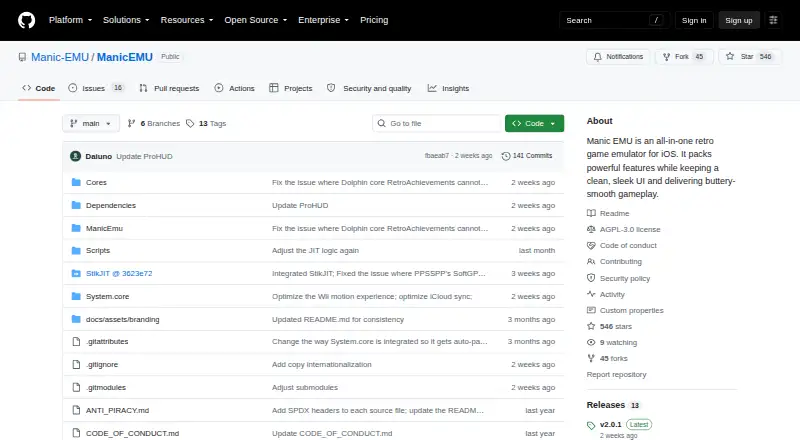
What Manic EMU is
Manic EMU is a retro game emulator for iPhone and iPad, supporting more than 30 classic platforms across consoles, arcade, DOS, Symbian, and J2ME. It includes save states, auto-saves, fast-forward, cheats, shortcuts, filters, screenshots, and custom skins. Cloud import supports Google Drive, Dropbox, OneDrive, Baidu, Aliyun, WebDAV, and SMB. The site says iCloud sync keeps games, saves, and settings encrypted in the cloud across devices. Manic EMU integrates RetroAchievements and supports local multiplayer and Netplay on eligible Libretro cores. The free App Store build limits fast-forward to 2×, save states and cheat codes to three each, and controller support to one player. Premium plans add higher fast-forward speeds, more save states and cheat slots, and extra controller players: $0.99 a month, $4.99 a year, or 9.99 USD once for lifetime access. A free sideload build includes premium play features, but lacks iCloud save sync. The app does not include ROMs, BIOS files, or game data; users are directed to legally owned backups, homebrew, or public-domain software.
Who it suits
Manic EMU suits iPhone and iPad users who want to play games from classic systems and manage saves, cheats, and controls. Its free and premium options differ in play limits and iCloud sync availability.
What it does well
- Supports more than 30 classic platforms.
- Imports from multiple cloud storage services.
- Integrates RetroAchievements.
- Supports local multiplayer and eligible-core Netplay.
- Offers free App Store and sideload builds.
What to know first
- Free App Store fast-forward is limited to 2×.
- Free App Store build allows three save states.
- Sideload builds do not include iCloud save sync.
- ROMs, BIOS files, and game data are not included.
Limits
The free App Store build limits fast-forward to 2×, save states and cheat codes to three each, and controllers to one player. The free sideload build includes premium play features but has no iCloud save sync.
Plans
| Plan | Billed and limits | Price |
|---|---|---|
| Sideload | Premium play features included · iCloud save sync unavailable | Free |
| Free | Fast-forward up to 2× · 3 save states · 3 cheat codes · 1-player controllers | Free |
| Sideload / GitHub | Premium play features · up to 5× fast-forward · unlimited saves, cheats and players · no iCloud sync | Free |
| Premium Monthly Plan | Monthly · Higher fast-forward speeds · more save states and cheat slots · extra controller players | $0.99 a month |
| Premium Monthly | monthly · Up to 5× fast-forward · unlimited saves and cheats · unlimited players · iCloud sync | $0.99 a month |
| Forever Access | one-time purchase · Premium play features · unlimited saves and cheats · unlimited players · iCloud sync | $11.99, paid once |
| Premium Annual Plan | Annually · Higher fast-forward speeds · more save states and cheat slots · extra controller players | $4.99 a year |
| Premium Annual | annually · Up to 5× fast-forward · unlimited saves and cheats · unlimited players · iCloud sync | $5.99 a year |
The first 8 of 9 plans, as github.com lists them, read 7 Oct 2026. The maker's own page has the final word. Every plan
Getting started
- Install Manic EMU from the App Store or use a supported sideload channel
- Import game files from a supported cloud service or use legally owned backups, homebrew or public-domain software
- Choose the Free, Premium or Sideload option that fits your needs
- Enable iCloud sync when using the App Store build
- Use the FAQ, guides, GitHub or Discord for support resources
Manic EMU is an iPhone and iPad emulator covering more than 30 retro systems in one app. It suits players with mixed libraries who want extensive save, control, and import options; the main trade-off is choosing between App Store sync and sideloaded premium play features.
Overview
The app spans classic consoles, arcade hardware, DOS, Symbian, and J2ME, so it is better suited to a varied collection than to someone seeking a single-platform specialist. Save states, auto-saves, rewind, fast-forward, cheats, shortcuts, filters, screenshots, and custom skins provide the practical controls that make older games easier to manage and revisit.
Cloud import supports Google Drive, Dropbox, OneDrive, Baidu, Aliyun, WebDAV, and SMB. That range is useful when a library is spread across different storage services. Encrypted iCloud sync can carry games, saves, and settings between devices, but only the App Store build provides it. Manic EMU supplies no ROMs, BIOS files, or game data; players must use legally owned backups, homebrew, or public-domain software.
Key features
- Multi-system emulation: More than 30 supported platforms make Manic EMU a convenient single library for console, arcade, computer, and mobile-era games.
- Progress and pacing tools: Save states and auto-saves reduce the risk of losing progress, while rewind and fast-forward let players correct mistakes or move through slow sections.
- Personalisation: Cheats, shortcuts, visual filters, screenshots, custom skins, and shader support give experienced users control over how games look and play.
- Multiplayer and achievements: RetroAchievements integration, local multiplayer, and Netplay on eligible Libretro cores add social and progression features, although compatibility depends on the core in use.
- Import and distribution: Users can bring their own files from several cloud and network services. The app is offered through the App Store, StikStore, and SideStore, with meaningful differences between those routes.
Pricing
Manic EMU is open source and has free options. The Free App Store plan costs nothing and limits fast-forward to 2×, save states to three, cheat codes to three, and controllers to one player. It is sufficient for occasional play and basic solo use, but these caps matter to players who rely on frequent states, higher-speed traversal, or multiplayer.
Sideload also costs nothing and includes premium play features, but iCloud save sync is unavailable. It is the better zero-cost route for users who prioritise higher fast-forward speeds, additional save and cheat slots, and extra controller players over automatic Apple-device synchronisation.
The Premium Monthly Plan is $0.99 a month, billed Monthly. The Premium Annual Plan is $4.99 a year, billed Annually, and the Premium Forever Access option is $9.99, paid once, billed Lifetime. All add higher fast-forward speeds, more save states and cheat slots, and extra controller players. Monthly suits short-term or cautious use; annual lowers the recurring commitment for regular players, while Lifetime is the straightforward choice for people who expect to keep using the app.
Platforms
Manic EMU supports iOS and is also identified for macOS. The supported platform listing specifically names iOS. App Store distribution preserves iCloud sync, while sideload channels provide premium play features without that sync capability.
Who it's for
Choose Manic EMU if you want one iPhone or iPad app for a broad, legally sourced retro library, especially when cloud or network imports and cross-device saves matter. It also fits players who value RetroAchievements, shaders, cheats, rewind, or multiplayer options. It is less suitable if you need bundled games, unrestricted features at no cost in the App Store build, or a platform outside Apple's ecosystem.
Pros and cons
Pros
- More than 30 systems reduce the need to maintain separate emulators for different eras.
- Multiple cloud and network import services make it flexible for existing libraries.
- Save, rewind, shader, achievement, and multiplayer features cover both convenience and advanced use.
- Lifetime access costs $9.99, paid once for users who want premium limits without an ongoing subscription.
Cons
- The free App Store build restricts fast-forward, save states, cheats, and controllers, limiting demanding or multiplayer use.
- Sideloading removes iCloud save sync, forcing a choice between portability and premium play features.
- No ROMs, BIOS files, or game data are included, so setup depends on users' own lawful files.
- Netplay and some multiplayer capability depend on eligible Libretro cores.
Alternatives
RetroArch is the stronger pick for users needing Android, Linux, Windows, web, or broader cross-platform coverage alongside iOS and macOS; it is free and open source.
webЯcade suits readers who want a free, open-source option spanning mobile, desktop, and web platforms.
MAME is preferable when arcade emulation is the priority and desktop coverage matters more than iOS support; ROMs and copyrighted software are generally not included.
ares is a free open-source multi-system alternative for Linux, macOS, and Windows.
ClassicBoy Pro is an Android and Windows option with a free version offering on-screen buttons and gamepad mapping.
higan is a free-software choice for Linux, macOS, and Windows.
Provenance is the closest iOS and macOS alternative for readers who want source code published on GitHub and all emulation features free when sideloaded or built from source.
BizHawk is a free MIT-licensed emulator for Linux and Windows.
For narrower libraries, browse TurboGrafx-16 emulators, SNES emulators, Nintendo 3DS emulators, Sega CD emulators, Game Gear emulators, or other multi-system emulators.
Verdict
Manic EMU is a strong choice for iPhone and iPad owners who want broad system coverage, flexible imports, and modern save and multiplayer tools in one open-source app. Its decisive weakness is the split between App Store iCloud sync and sideloaded premium play features, so readers who need both without compromise should look elsewhere.
Verdict
Manic EMU offers broad system support and a range of play and save features for iPhone and iPad. Readers should note the free App Store limits, the sideload sync restriction, and that game files are not supplied.
Questions
What platforms does Manic EMU support?
It is for iPhone and iPad, with iOS listed as a supported platform. The facts also list macOS.
Is Manic EMU free?
Yes. The App Store Free plan and Sideload plan each cost nothing. Premium costs $0.99 a month, $4.99 a year, or 9.99 USD once.
What are the free App Store limits?
Fast-forward is limited to 2×, there are three save states and three cheat codes, and controllers are limited to one player.
What does Premium add?
Premium plans provide higher fast-forward speeds, more save states and cheat slots, and extra controller players.
Does the app include games or BIOS files?
No. It does not include ROMs, BIOS files or game data. Users are directed to legally owned backups, homebrew or public-domain software.
Does Manic EMU support cloud sync and multiplayer?
The App Store build supports encrypted iCloud sync for games, saves and settings. Local multiplayer and Netplay are available on eligible Libretro cores.
Facts from Manic EMU's own pages
- Achievements and multiplayer
- It integrates RetroAchievements and supports local multiplayer and Netplay on eligible Libretro cores. · manicemu.site, 7 Oct 2026
- AirPlay
- The app supports AirPlay mirroring for television or other large-screen play. · github.com, 15 Oct 2026
- API and SDKs
- No public REST API or standalone SDK is documented; extensibility is provided through emulator cores, Swift packages, skins and third-party service keys. · github.com, 15 Oct 2026
- Build requirements
- Building requires macOS with Xcode 26 or newer, iOS SDK 15 or newer, Swift 5.9 or newer, Git LFS and an Apple Developer account for capabilities such as iCloud. · github.com, 15 Oct 2026
- Cheats
- The app offers an online cheat library, custom cheat support and expanded cheat limits for premium users. · apps.apple.com, 15 Oct 2026
- Cloud integrations
- Cloud import supports Google Drive, Dropbox, OneDrive, Baidu, Aliyun, WebDAV and SMB. · github.com, 15 Oct 2026
- Company legal name
- Apple identifies the provider as Shenzhen Aoshuang Future Technology Co., Ltd. · apps.apple.com, 15 Oct 2026
- Controllers
- Supported input includes Joy-Con, DualShock, Xbox, Bluetooth controllers, keyboards and multiple simultaneous controllers. · github.com, 15 Oct 2026
- Distribution
- The app is available through the App Store and sideloading channels including StikStore and SideStore. · manicemu.site, 7 Oct 2026
- Free tier limits
- The free App Store build limits fast-forward to 2×, save states and cheat codes to three each, and controllers to one player. · manicemu.site, 7 Oct 2026
- Game files
- The app does not include ROMs, BIOS files, or game data; users are directed to use legally owned backups, homebrew, or public-domain software. · manicemu.site, 7 Oct 2026
- Game library
- The app provides a library with cover artwork, metadata, categories, collapsible sections and manufacturer sorting. · apps.apple.com, 15 Oct 2026
- iCloud sync
- iCloud can synchronize games, saves and settings with encrypted cloud backup, but it is limited to App Store builds. · manicemu.site, 15 Oct 2026
- Integrations
- Cloud import supports Google Drive, Dropbox, OneDrive, Baidu, Aliyun, WebDAV, and SMB. · manicemu.site, 7 Oct 2026
- License
- The upstream Manic EMU source is licensed under GNU AGPL-3.0, with separate notices for bundled cores and dependencies. · github.com, 15 Oct 2026
- Limit: 3DS performance
- Reviewers report that many 3DS games lag, glitch or have audio problems, especially on older iPhones. · apps.apple.com, 15 Oct 2026
- Limit: crashes and lag
- AppsHunter identifies crashes, freezes, lag and compatibility problems as recurring negative themes. · appshunter.io, 15 Oct 2026
- Limit: keyboard input
- A UK App Store reviewer reports that Citra 3DS games can freeze at text-entry screens because keyboard confirmation is not passed through. · apps.apple.com, 15 Oct 2026
- Limit: paywalls
- An AppsHunter review complains that cheat-code limits require payment and asks for fewer paywalled features. · appshunter.io, 15 Oct 2026
- Netplay
- Eligible Libretro cores can host or join rooms through LAN or relay, with spectator and password options. · apps.apple.com, 15 Oct 2026
- Notable news
- Release 2.0.0 on September 3 removed bundled TrollStore JIT builds and required users to package them themselves using the project guide. · github.com, 15 Oct 2026
- Praise: ease of use
- App Store reviewers describe importing a ROM from Files and launching it directly without a computer as easy. · appshunter.io, 15 Oct 2026
- Praise: performance and breadth
- AppsHunter summarizes repeated praise for smooth performance, intuitive controls and broad emulator coverage. · appshunter.io, 15 Oct 2026
- Project origin
- The official history says Daiuno, Max and Aoshuang began the project in early 2025 and released Manic EMU on April 3, 2025. · manicemu.site, 15 Oct 2026
Where Manic EMU stands on Freedom251
- TurboGrafx-16 Emulators#2 of 33
- SNES Emulators#2 of 30
- Multi-System Emulators#4 of 54
- Game Gear Emulators#4 of 31
- Nintendo 3DS Emulators#2 of 14
- Sega CD Emulators#4 of 19