Freedom251 › TurboGrafx-16 Emulators
webЯcade
What webЯcade is
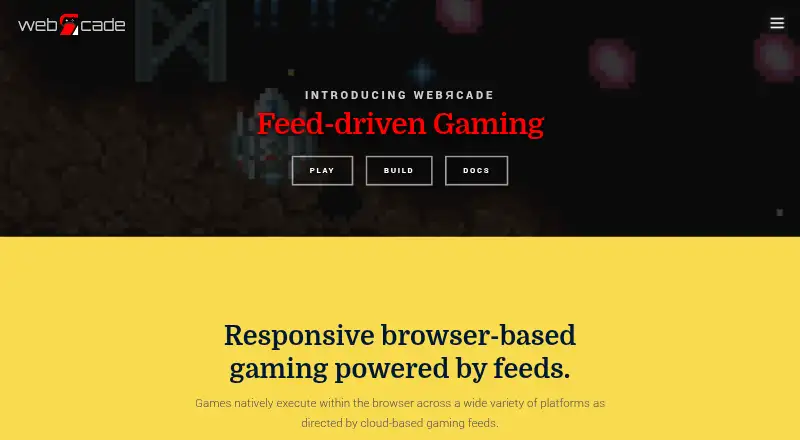
webЯcade is a free, open-source browser player for gaming content organized into feeds users define. Games execute in the browser using JavaScript, WebAssembly, and HTML5 gamepad and audio interfaces rather than being streamed. Its graphical feed editor lets users build feeds without working with the underlying document format, and includes a ROM analyzer that can identify application types and related metadata and artwork. The supported content categories include emulators and game engines, with examples such as Atari, Nintendo, Sega, Doom, Quake, and ScummVM. USB and Bluetooth gamepads work for navigation and play. Most emulator-based applications support eight save-state slots per game. Optional Dropbox linking can share save data and settings across devices and let the editor upload local files; linked access is limited to the Dropbox account’s /Apps/webrcade folder. Single-item links can be shared, added to iOS or Android home screens, or embedded in web pages. The project prioritizes popular-content compatibility and lower resource needs over the latest emulator features.
Who it suits
It suits people who want to play supported gaming content in a browser and organize it through user-defined feeds. It may also suit users who want to share single-item links or sync save data and settings through Dropbox.
What it does well
- Free and open-source, with no usage limits stated.
- Games run in the browser rather than being streamed.
- Graphical editor creates feeds without document-format knowledge.
- USB and Bluetooth gamepads are supported.
- Most emulator-based applications have eight save-state slots.
What to know first
- Touch-based virtual gamepad controls are not a primary focus.
- Playing locally stored game content is not a primary focus.
- Dropbox linking is confined to the /Apps/webrcade folder.
- Latest emulator features are not the compatibility priority.
Limits
The service is free and open-source, and no paid plans or usage limits are stated. Direct play of locally stored game content and touch-based virtual gamepad controls are not primary focuses. Dropbox linking is limited to the account’s /Apps/webrcade folder.
Plans
| Plan | Billed and limits | Price |
|---|---|---|
| Free and open-source | No paid plans or usage limits stated | Free |
| Free | No paid tier; contributions optional · Browser-based access · user-provided feeds/content · Dropbox required for cloud uploads and save states | Free |
As webrcade.com lists them, read 30 Sept 2026. The maker's own page has the final word.
Getting started
- Open webrcade.com in a browser.
- Create a feed with the graphical feed editor.
- Use the ROM analyzer to identify an application type and associated metadata and artwork.
- Connect a USB or Bluetooth gamepad for navigation and gameplay, if desired.
- Optionally link Dropbox to share save data and settings across devices or upload local files.
- Share a single-item link, add it to an iOS or Android home screen, or embed it in a web page.
Overview
webЯcade is a browser-based player that organizes games and other supported applications into user-defined feeds. It is best suited to players who want to arrange and share a browser-playable collection rather than build around direct local-file play. Its appeal is practical feed management and cross-device options; players seeking the newest emulator features should look elsewhere.
Key features
Games run in the browser through JavaScript, WebAssembly, and HTML5 gamepad and audio interfaces, rather than being streamed. USB and Bluetooth gamepads support both navigation and gameplay, making physical controllers a stronger fit than touch-only play: virtual gamepad controls are not a primary focus.
The graphical feed editor lets users create collections without editing the underlying document format. A built-in ROM analyzer can identify an application type and associate metadata and artwork, helping organize a library with less manual catalog work. Supported categories include emulators and game engines, with examples spanning Atari, Nintendo, Sega, Doom, Quake, and ScummVM.
Optional Dropbox linking can share save data and settings across devices and upload local files through the feed editor. Linked access is restricted to the Dropbox account’s /Apps/webrcade folder. Most emulator-based applications support eight save-state slots per game, which offers useful flexibility when those applications support the feature.
Individual items can be shared as stand-alone links, added to iOS or Android home screens, or embedded in a web page. The project prioritizes compatibility with popular content across platforms and lower resource requirements over the latest emulator features and compatibility. That is a sensible trade-off for an accessible collection, but a drawback for players whose priority is cutting-edge emulation. The project is free and open-source, and says it will remain so; community help and feedback are directed to Discord, GitHub Issues, and GitHub Discussions.
Pricing
webЯcade has one plan: Free and open-source at free. It is free to use, with no trial required. There are no paid tiers to unlock, and no usage limits are stated. That makes it a straightforward option for cost-conscious players, though there is no paid plan for users seeking a different feature or support tier.
Platforms
webЯcade supports the web, with Android, iOS, macOS, and Windows also listed as supported platforms. Its browser-based execution keeps the experience centered on web access; USB and Bluetooth gamepads are supported. Direct play of locally stored game content and touch-based virtual gamepad controls are not core priorities.
Who it's for
Choose webЯcade if you want to assemble game feeds without editing their underlying format, use a physical controller, and share individual items or synchronize saves and settings through Dropbox. It is less suitable if you want touch-first controls, direct local-content play as the main workflow, or the newest emulator capabilities.
Pros and cons
- Graphical feed creation and ROM analysis: Build collections without document-format knowledge, and let the analyzer identify application types, metadata, and artwork.
- Useful sharing and continuity options: Stand-alone links, home-screen additions, embeds, Dropbox synchronization, and eight save-state slots for most emulator-based applications support different ways to access and continue a collection.
- Clear limits for some play styles: Direct local-content play and touch-based virtual controls are not priorities, so a browser-and-gamepad setup will suit some players better than others.
- Compatibility over novelty: The focus on popular content and lower resource requirements comes at the expense of prioritizing the latest emulator features and compatibility.
Alternatives
RetroArch is another free, open-source choice, with support across Android, iOS, Linux, macOS, web, and Windows. Consider it if you want that broader listed platform range or prefer the established RetroArch/Libretro project.
MAME is free and supports Android, Linux, macOS, and Windows. Choose it if those desktop and Android platforms fit your needs; its plan notes that ROMs and copyrighted software are generally not included.
ares is a free, open-source multi-system emulator for Linux, macOS, and Windows. It is an option if you want a dedicated emulator on one of those systems.
ClassicBoy Pro has a free version for Android and Windows that includes on-screen buttons and gamepad mapping; consider it if those controls or platforms suit you better.
higan is free software for Linux, macOS, and Windows, and may suit someone seeking a desktop option on those systems.
BizHawk is a free MIT-licensed emulator with Windows and Unix releases; consider it if that platform and licensing combination is a better fit.
Ootake is free Windows-only freeware, so it is a narrower alternative for Windows users.
RetroDECK is free software for Linux, with optional donations that do not grant perks or early access; consider it if you want a Linux option with that donation model.
For system-specific browsing, see TurboGrafx-16 Emulators and Sega CD Emulators.
Verdict
webЯcade is a strong fit for players who want a free, open-source browser collection with graphical feed editing, controller support, and convenient sharing. Its main reason to choose it is that organization and access are built around feeds rather than a local-first setup. Look elsewhere if direct local-content play, touch controls, or the latest emulator features matter more than that browser-centered approach.
Verdict
webЯcade offers browser-based play with feed editing, gamepad support, and sharing options. Its stated priorities favor popular content and lower resource requirements rather than the newest emulator features.
Questions
Is webЯcade free?
Yes. It is free and open-source, and its maker says it will remain so.
What platforms does it support?
The listed platforms are Android, iOS, macOS, web, and Windows. Gaming content runs in the browser.
Does it stream games?
No. Games run in the browser using JavaScript, WebAssembly, and HTML5 gamepad and audio interfaces.
Can I use a gamepad?
Yes. USB and Bluetooth gamepads are supported for front-end navigation and gameplay.
Does webЯcade connect to Dropbox?
Dropbox linking is optional. It supports sharing save data and settings across devices and uploading local files from the feed editor; linked access is restricted to /Apps/webrcade.
Where can I get help or report an issue?
The project directs users to Discord, GitHub Issues, and GitHub Discussions for community, questions, bug reports, and feature requests.
Facts from webЯcade's own pages
- Applications
- Supported application categories include emulators and game engines, with examples including Atari, Nintendo, Sega, Doom, Quake, and ScummVM. · docs.webrcade.com, 30 Sept 2026
- Cheats
- Supported systems can use RetroArch-format cheat files or the built-in cheat database. · docs.webrcade.com, 15 Oct 2026
- Company identity
- The project presents itself as the webЯcade open-source project and publishes the contact address [email protected]; no legal company name, headquarters or founding year is stated on the reviewed official pages. · github.com, 15 Oct 2026
- Compatibility focus
- The project emphasizes compatibility with popular content across platforms while minimizing resource requirements, rather than the latest emulator features and compatibility. · docs.webrcade.com, 30 Sept 2026
- Controllers
- USB and Bluetooth gamepads are supported for front-end navigation and gameplay. · docs.webrcade.com, 30 Sept 2026
- Controller support
- Bluetooth and USB gamepads work for both menu navigation and gameplay. · docs.webrcade.com, 15 Oct 2026
- Default catalogue
- The public default feed contains publicly available games and demos for Atari, Nintendo and Sega systems. · webrcade.com, 15 Oct 2026
- Documentation depth
- Documentation includes user guides, platform setup, controller pairing, application mappings, feed creation and deployment instructions. · github.com, 15 Oct 2026
- Drag and drop
- Users can drag URLs, files and folders into the editor; local-file drops upload through linked Dropbox storage. · docs.webrcade.com, 15 Oct 2026
- Dropbox access
- When linked, webЯcade is restricted to the Dropbox account's /Apps/webrcade folder. · docs.webrcade.com, 30 Sept 2026
- Dropbox integration
- Dropbox is the current cloud-storage integration and is restricted to the /Apps/webrcade folder. · docs.webrcade.com, 15 Oct 2026
- Execution
- Games run in the browser using JavaScript, WebAssembly, and HTML5 gamepad and audio interfaces rather than being streamed. · webrcade.com, 30 Sept 2026
- Execution technology
- The player runs JavaScript and WebAssembly in the browser and uses HTML5 audio and gamepad interfaces. · docs.webrcade.com, 15 Oct 2026
- Feed editor
- The editor can analyze ROM URLs, infer applications and metadata, and create feed items from URLs, Dropbox files or local files. · docs.webrcade.com, 15 Oct 2026
- Feed model
- Feeds define game binaries, artwork, metadata and the application type used to launch each item. · docs.webrcade.com, 15 Oct 2026
- HTTPS requirement
- HTTPS is recommended for full application compatibility because DOS and some other applications rely on browser multithreading features. · docs.webrcade.com, 15 Oct 2026
- Independent assessment
- Unstore characterized webЯcade as a console-style launcher with curated, legally distributed games and a self-host option for adding libraries. · de.unstore.io, 15 Oct 2026
- Integrations
- Optional Dropbox linking supports sharing save data and settings across devices and uploading local files from the feed editor. · docs.webrcade.com, 30 Sept 2026
- Latest release
- GitHub lists version 0.2.3, released July 18, 2026, adding Bally Astrocade, Philips CD-i, Apple II and Apple IIGS emulators plus Nintendo DS homebrew SD-card support. · github.com, 15 Oct 2026
- Licence
- The main webЯcade repository is licensed under Apache License 2.0. · github.com, 15 Oct 2026
- Limit: catalogue size
- Unstore said webЯcade's curated catalogue is smaller than a personal ROM collection and that self-hosting is needed for personal libraries. · de.unstore.io, 15 Oct 2026
- Limit: compatibility scope
- Microsiervos cautioned that webЯcade is not designed for maximum emulator performance and will not run every older ROM correctly. · microsiervos.com, 15 Oct 2026
- Limit: content setup
- A Reddit commenter reported that an iCloud-hosted feed did not work and that a Dropbox feed produced a black screen for a non-default game. · reddit.com, 15 Oct 2026
- Limit: feed workflow
- A Reddit user initially could not see saved feed changes in the player and had to export the feed and import it again. · reddit.com, 15 Oct 2026
Where webЯcade stands on Freedom251
- TurboGrafx-16 Emulators#3 of 33
- Sega CD Emulators#5 of 19