Freedom251 › Game Library Managers
Batocera
What Batocera is
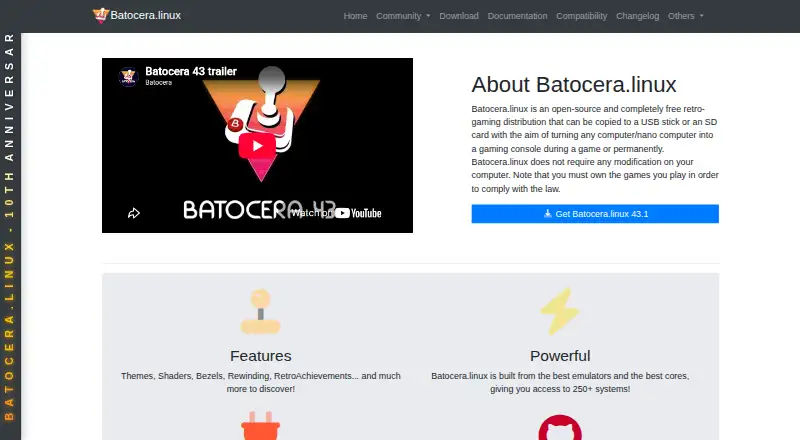
Batocera is a free, open-source Linux distribution that turns compatible computers and small devices into retro-gaming systems. You can run it from a USB stick or SD card without changing the computer, or install it permanently. Builds are listed for desktop PCs, laptops, Intel-based Apple computers, handheld PCs, Raspberry Pi, Odroid boards, and other devices. Its modified EmulationStation front end presents support for many consoles, platforms, emulators, and emulation-related applications. A built-in downloader provides freely distributed ROMs, bezels, music themes, and other enhancements, with package management handled by pacman. Batocera also includes documentation for Netplay with supported games and lists features or integrations such as Kodi, RetroAchievements, The Bezel Project, Syncthing, NAS storage, and a web server. The installation guide calls for at least 16 GB of storage and recommends 32 GB; automatic updates are unavailable at the minimum. Batocera focuses on retro gaming and does not plan to implement emulators for current-generation consoles. The project points users to its wiki and Discord for documentation and community support.
Who it suits
Batocera suits people who want to turn compatible computers or small devices into retro-gaming systems, whether they prefer a removable USB or SD-card setup or a permanent installation. It also fits users seeking emulator support, controller support, metadata editing, and features such as Netplay or Kodi.
What it does well
- Free and open source.
- Can run from USB or SD without changing the computer.
- Builds cover PCs, handhelds, Raspberry Pi, Odroid, and other devices.
- Includes a downloader for freely distributed games and enhancements.
- Documents Netplay and lists several integrations.
- Supports cloud sync, controllers, and metadata editing.
What to know first
- Automatic updates are unavailable with only 16 GB of storage.
- Does not implement emulators for current-generation consoles.
- The project warns it is not designed as a secure operating system.
Limits
The minimum 16 GB storage setup does not support automatic updates; 32 GB is recommended. Batocera focuses on retro gaming and does not implement emulators for current-generation consoles.
Plans
| Plan | Billed and limits | Price |
|---|---|---|
| Batocera Linux | Free, open-source retro-gaming distribution · requires compatible hardware and user-provided games/BIOS for many systems | Free |
As batocera.org lists them, read 5 Oct 2026. The maker's own page has the final word.
Getting started
- Open the Batocera website and choose a build for compatible hardware.
- Provide at least 16 GB of storage; 32 GB is recommended.
- Copy Batocera to a USB stick or SD card to run it without modifying the computer, or install it permanently.
- Use compatible hardware and provide games and BIOS files for systems that require them.
- Consult the wiki or Discord for documentation and community support.
Verdict
Choose Batocera if you want a free Linux distribution for retro gaming across its listed compatible hardware, with removable-media use, emulator support, and documented integrations. Look elsewhere if you need emulation for current-generation consoles or a secure operating system for exposure to the open internet.
Questions
How much does Batocera cost?
Batocera Linux is free and open source.
Which platforms does Batocera support?
It is a Linux distribution with builds listed for desktop PCs, laptops, Intel-based Apple computers, handheld PCs, Raspberry Pi, Odroid boards, and other devices.
Can I run Batocera without installing it on my computer?
Yes. It can be copied to a USB stick or SD card and used without modifying the computer, or installed permanently.
What storage does Batocera require?
The installation guide sets 16 GB as the minimum and recommends 32 GB. Automatic updates are unavailable with only 16 GB.
Does Batocera support online play or integrations?
It includes Netplay documentation for supported games. Listed features or integrations include Kodi, RetroAchievements, The Bezel Project, Syncthing, NAS storage, and a web server.
Is Batocera designed for current-generation consoles?
No. It focuses on retro gaming and will not implement emulators for current-generation consoles.
Facts from Batocera's own pages
- Boot and install
- It can be copied to a USB stick or SD card and used without modifying the computer, or installed permanently. · github.com, 5 Oct 2026
- Compatibility limit
- Batocera focuses on retro gaming and says it will not implement emulators for current-generation consoles. · wiki.batocera.org, 5 Oct 2026
- Content downloader
- The built-in content downloader offers freely distributed ROMs, bezels, music themes, and other enhancements, with package management handled by pacman. · wiki.batocera.org, 5 Oct 2026
- Emulation
- Batocera supports many consoles, platforms, emulators, and emulation-related applications. · wiki.batocera.org, 5 Oct 2026
- Front end
- Its front end uses a modified version of EmulationStation. · wiki.batocera.org, 5 Oct 2026
- Integrations
- The documentation lists Kodi, RetroAchievements, The Bezel Project, Syncthing, NAS storage, and a web server among available features or integrations. · wiki.batocera.org, 5 Oct 2026
- Online play
- Batocera includes Netplay documentation for playing supported games with other users. · wiki.batocera.org, 5 Oct 2026
- Purpose
- Batocera Linux is a free, open-source retro-gaming distribution that can turn a computer or nano computer into a gaming console. · github.com, 5 Oct 2026
- Security
- Batocera says it is not designed as a secure operating system and warns users not to expose it to the open internet; its security option can change the root password and require credentials for network shares. · wiki.batocera.org, 5 Oct 2026
- Storage requirement
- The installation guide says 16 GB of storage is the minimum and 32 GB is recommended; automatic updates are unavailable with only 16 GB. · wiki.batocera.org, 5 Oct 2026
- Support
- The project points users to its wiki and Discord for documentation and community support. · github.com, 5 Oct 2026
- Supported hardware
- Download builds are listed for desktop PCs, laptops, Intel-based Apple computers, handheld PCs, Raspberry Pi, Odroid boards, and other devices. · batocera.org, 5 Oct 2026
- Updates
- The documentation says major Batocera releases arrive semi-regularly with bug fixes, new features or systems, and performance upgrades. · wiki.batocera.org, 5 Oct 2026
Where Batocera stands on Freedom251
- Game Library Managers#7 of 40
- TurboGrafx-16 Emulators#6 of 33
- Sega Genesis Emulators#6 of 29
- Emulation Frontends#6 of 25
- Game launchers#28 of 68