Hemulator
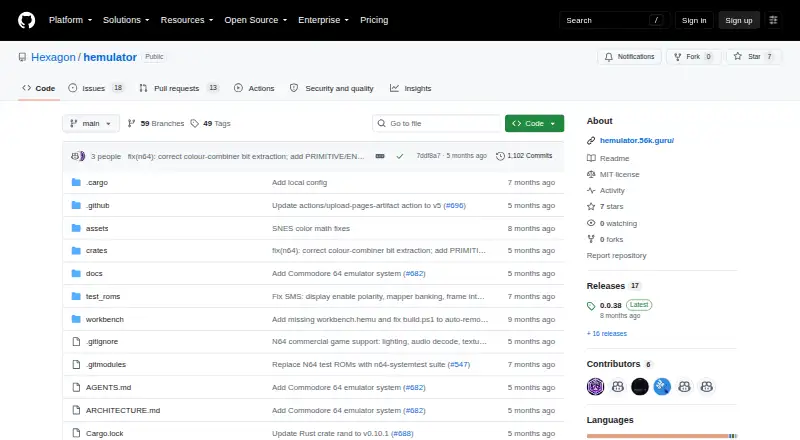
What Hemulator is
Hemulator is a free, open-source desktop emulator for classic gaming systems, available for Linux, macOS, and Windows. The project lists 17 emulated systems, with support at varying stages of development. It detects ROM formats and system types automatically and gives each game five save-state slots. Users can adjust controls, window dimensions, video backend, and display filters. Display options include software and OpenGL-accelerated CRT effects such as scanlines and phosphor filters, and audio playback is integrated through rodio. Headless command-line tools provide debug dumps, instruction tracing, logging, and benchmarking. The documentation also describes CI/CD use for automated testing and regression checks. Windows and Linux downloads include 32-bit and 64-bit builds and Debian packages. Hemulator requires users to supply their own legally obtained ROM files; it does not include or distribute copyrighted game data. NES emulation supports 14 mappers, so games that use unsupported mappers will not work. The project directs users to GitHub bug reports, feature requests, and Discussions for help.
Who it suits
Hemulator suits desktop users who want to emulate classic gaming systems and can provide their own legally obtained ROM files. Its headless tools may also suit developers running automated checks.
What it does well
- Free and open-source for Linux, macOS, and Windows.
- Lists 17 emulated systems.
- Provides five save-state slots per game.
- Includes software and OpenGL CRT effects.
- Headless tools support tracing and benchmarking.
What to know first
- System support is at different development stages.
- Users must provide their own legally obtained ROMs.
- NES games using unsupported mappers will not work.
- No macOS package is listed in the download guide.
Limits
Hemulator is free and open source. NES emulation supports 14 mappers, and games that use unsupported mappers will not work; support for the listed systems is at different stages of development.
Plans
| Plan | Billed and limits | Price |
|---|---|---|
| Free and open source | Community project · users provide their own legally obtained ROM files | Free |
As github.com lists them, read 5 Oct 2026. The maker's own page has the final word.
Getting started
- Open the Hemulator project website on GitHub.
- Choose a Windows or Linux download package that matches your system; Debian packages are also available.
- Install or launch the downloaded package.
- Provide your own legally obtained ROM files.
- Adjust controls, window dimensions, video backend, or display filters in configuration settings.
Hemulator is a free, open-source emulator for classic gaming systems on desktop computers. It is best suited to retro players with a varied ROM collection and to developers who need repeatable, command-line diagnostics. The trade-off is uneven system maturity, including a specific compatibility ceiling for some NES games.
Overview
Hemulator brings 17 classic systems into one cross-platform application, with versions for Linux, macOS, and Windows. Support is at different stages across those systems, so its breadth is more useful as a flexible starting point than as a guarantee that every title in a library will run.
The project is MIT-licensed and open source. Users must supply their own legally obtained ROM files; the emulator neither includes nor distributes copyrighted game data. Help is handled through GitHub bug reports, feature requests, and Discussions, which suits users comfortable with a community-led project.
Key features
Automatic detection of ROM formats and system types cuts down on manual sorting when a collection spans several consoles. Each game has five save-state slots, enough for separate checkpoints or alternate progress without overwriting a primary save.
Video customization is a strong part of the package. Software rendering and OpenGL-accelerated CRT effects include scanlines and phosphor filters, while settings also cover controls, window dimensions, video backend, and display filters. These options make Hemulator a better fit for users who care about recreating a particular display style than for anyone seeking a fixed, console-like interface.
Audio playback is integrated through rodio. The more distinctive tools are headless command-line functions for debug dumps, instruction tracing, logging, and benchmarking. Documentation describes using those tools in CI/CD pipelines for automated testing and reproducible regression checks, giving emulator developers and maintainers capabilities that ordinary front ends rarely prioritize.
Compatibility still needs scrutiny. NES emulation supports 14 mappers, and games built on unsupported mappers will not work. The 17-system headline therefore should not be treated as uniform coverage, especially for a library built around less common hardware or cartridge configurations.
Pricing
| Plan | Price | What you get |
|---|---|---|
| Free and open source | free | Community project; users provide their own legally obtained ROM files |
There is no paid tier or trial to evaluate. The free plan includes the complete project, with no seat, usage, or renewal terms given. Its real cost is practical: you must obtain and manage your own ROMs and accept community-based support.
Platforms
Hemulator is a desktop application for Linux, macOS, and Windows. The download guide lists Windows and Linux packages, including 32-bit and 64-bit builds and Debian packages. That range is useful for older Linux installations as well as current desktop systems; no mobile platform is part of its stated scope.
Who it's for
Choose Hemulator if you want one configurable desktop emulator for multiple classic systems, five save-state slots per game, and CRT-style rendering controls. It is especially compelling for developers or preservation-minded users who can integrate headless tracing, logging, benchmarking, and CI/CD regression checks into their workflow.
Look elsewhere if your priority is guaranteed compatibility across a particular library, mobile play, or a polished support channel beyond GitHub. The NES mapper restriction and uneven development stages make it a poor sole choice for collections that depend on unsupported cartridge hardware.
Pros and cons
Pros
- Broad system coverage: 17 listed systems make it practical for mixed retro collections.
- Useful visual controls: Software and OpenGL CRT effects, plus configurable backends and filters, support tailored presentation.
- Developer tooling: Headless dumps, tracing, logs, and benchmarks enable automated diagnostics and repeatable checks.
- Open and free: MIT licensing and a 0.00 USD price remove purchase barriers and permit inspection of the project.
- Convenient ROM setup: Automatic format and system detection reduces collection-management friction.
Cons
- Uneven maturity: Systems are at different development stages, so coverage is not consistent.
- NES compatibility gap: Games using unsupported mappers will not run; 14 supported mappers is not universal NES support.
- Bring-your-own ROMs: The software supplies no game data, requiring legally obtained files from the user.
- Desktop only: There are no stated Android or iOS builds.
- Community support model: Assistance runs through GitHub reports, requests, and Discussions rather than a dedicated service.
Alternatives
RetroArch is the better pick for users who need Android, iOS, or web access alongside desktop platforms; it is also free and open source.
Virtual Jaguar suits anyone focused on its emulator core and willing to use a libretro frontend such as RetroArch.
bsnes is the focused choice for free SNES emulation across Android, iOS, Linux, macOS, and Windows.
ares offers another free, open-source multi-system emulator for Linux, macOS, and Windows.
bsnes is a GNU GPLv3 free option for desktop users who want SNES emulation.
higan is free software for Linux, macOS, and Windows, but its plan carries no warranty.
Manic EMU is the alternative for iOS and macOS users who value features such as fast-forward and save states; its free plan limits fast-forward to 2× and provides three save states.
SNES Emulator is a free Linux, macOS, web, and Windows option, though it is a work in progress with incomplete emulation and bugs.
For narrower browsing, see the SNES Emulators, Game Boy Advance Emulators, Game Gear Emulators, and Multi-System Emulators lists.
Verdict
Hemulator is a strong fit for desktop retro users who want configurable multi-system emulation and unusually capable developer tools at no cost. Choose it for its open architecture, rendering controls, and automation support; look elsewhere when a specific system's compatibility, mobile support, or guaranteed game coverage matters more than breadth and customization.
Verdict
Hemulator offers customizable emulation and developer tools without a listed price. System support varies, and users need to supply their own legally obtained ROM files.
Questions
How much does Hemulator cost?
Hemulator is free. Its listed Free and open source plan costs 0.00 USD.
Which operating systems does it support?
Hemulator is listed for Linux, macOS, and Windows desktop use. The download guide lists packages for Windows and Linux.
Is Hemulator open source?
Yes. The project identifies itself as MIT-licensed open-source software.
Does Hemulator include game ROMs?
No. Users must supply their own legally obtained ROM files; the project does not include or distribute copyrighted game data.
What systems can it emulate?
The project lists 17 emulated systems, with support at different stages of development.
Where can users get help?
The project directs users to GitHub bug reports, feature requests, and Discussions for help and community support.
Facts from Hemulator's own pages
- Audio
- The emulator has integrated audio playback via rodio. · github.com, 5 Oct 2026
- Configuration
- Users can customize controls, window dimensions, video backend, and display filters in configuration settings. · hemulator.56k.guru, 5 Oct 2026
- Developer tools
- Headless command-line tools provide debug dumps, instruction tracing, logging, and benchmarking. · hemulator.56k.guru, 5 Oct 2026
- Display
- It includes software and OpenGL-accelerated CRT effects such as scanlines and phosphor filters. · github.com, 5 Oct 2026
- Downloads
- The download guide lists Windows and Linux packages, including 32-bit and 64-bit builds and Debian packages. · hemulator.56k.guru, 5 Oct 2026
- Integrations
- The documentation describes CI/CD use for headless automated testing and reproducible regression checks. · hemulator.56k.guru, 5 Oct 2026
- License and security
- The project identifies itself as MIT-licensed open-source software; the pages reviewed do not state security certifications or compliance claims. · github.com, 5 Oct 2026
- Limitations
- The systems guide says NES emulation supports 14 mappers and that games using unsupported mappers will not work. · hemulator.56k.guru, 5 Oct 2026
- ROM handling
- Hemulator automatically detects ROM formats and system types. · github.com, 5 Oct 2026
- ROM requirement
- Users must provide their own legally obtained ROM files; the project says it does not include or distribute copyrighted game data. · github.com, 5 Oct 2026
- Save states
- Hemulator provides five save-state slots per game. · github.com, 5 Oct 2026
- Support
- The project directs users to GitHub bug reports, feature requests, and Discussions for help and community support. · hemulator.56k.guru, 5 Oct 2026
- System support
- The project lists 17 emulated systems, with support at different stages of development. · github.com, 5 Oct 2026
- What it does
- Hemulator is a cross-platform, multi-system emulator for classic gaming systems. · github.com, 5 Oct 2026
Where Hemulator stands on Freedom251
- SNES Emulators#9 of 30
- Game Boy Advance Emulators#10 of 29
- Game Gear Emulators#11 of 31
- Multi-System Emulators#26 of 54