Freedom251 › Game Console Emulators
Azahar
What Azahar is
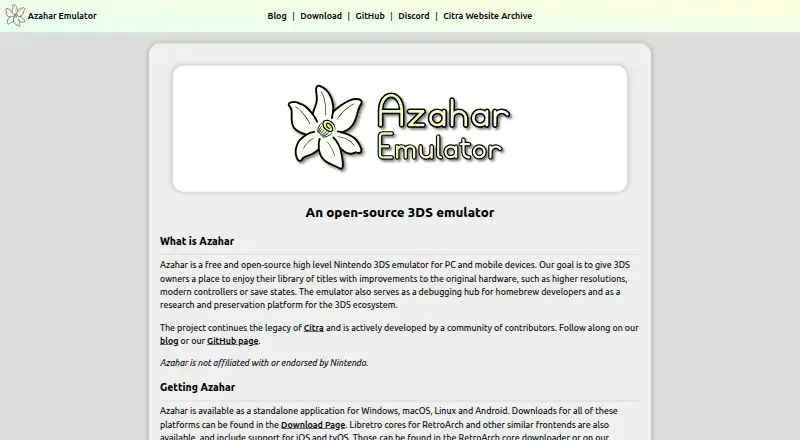
Azahar is a free, open-source emulator for Nintendo 3DS games on PC and mobile devices. It is intended for 3DS owners using their game libraries, with features such as higher resolutions, modern controllers, and save states. The project also supports homebrew debugging, research, and preservation of the 3DS ecosystem, and community contributors continue the legacy of Citra. Standalone applications are available for Windows, macOS, Linux, and Android. Libretro cores can be used with RetroArch and similar frontends, including on iOS and tvOS, but the FAQ says native iOS support for Azahar is not planned for the foreseeable future. Android requires version 10.0 or later on a 64-bit device. A per-game compatibility tracker provides reports, though the FAQ warns those reports may be outdated. Azahar says it is not affiliated with or endorsed by Nintendo. Its mobile app privacy policy says registration is not required and the app does not collect information.
Who it suits
Azahar suits 3DS owners seeking to use their game libraries on supported desktop or Android devices. Homebrew developers and people interested in 3DS research or preservation may also find its stated uses relevant.
What it does well
- Free and open-source.
- Standalone apps for Windows, macOS, Linux, and Android.
- Supports higher resolutions, modern controllers, and save states.
- Libretro cores support RetroArch and similar frontends.
- Mobile app policy says no registration is required.
What to know first
- Native iOS support is not planned for the foreseeable future.
- Android requires version 10.0 or later on 64-bit devices.
- Compatibility reports may be outdated.
Limits
The free plan is the Azahar application. Android use requires a 64-bit device running Android 10.0 or later; native iOS support is not planned for the foreseeable future.
Plans
| Plan | Billed and limits | Price |
|---|---|---|
| Azahar | Free and open-source 3DS emulator | Free |
As azahar-emu.org lists them, read 30 Sept 2026. The maker's own page has the final word.
Getting started
- Visit the Azahar website.
- Choose a standalone application for Windows, macOS, Linux, or Android, or use a Libretro core with a compatible frontend.
- On Android, use a 64-bit device running Android 10.0 or later.
- Check the compatibility tracker for reports about a game.
Overview
Azahar is a free, open-source emulator for Nintendo 3DS games, aimed at players who want to use a 3DS library on a computer or Android device. Its appeal also extends to homebrew developers and people working on 3DS research and preservation. It is a compelling no-cost option for those platforms, but iOS users should look elsewhere.
Key features
Play, develop, and preserve
Azahar is built around playing games from a user’s 3DS library, with higher resolutions, modern controller support, and save states among its intended features. Upscaling and save states give players options beyond the original hardware experience; modern controller support may suit those who prefer a current gamepad. The project also serves as a debugging hub for homebrew developers and a tool for research and preservation, making it relevant even to people whose main interest is the 3DS ecosystem rather than playing games.
Netplay and graphics upscaling are supported, and the project is open source. Netplay may matter to players seeking multiplayer, though its capabilities and setup are not established. Azahar carries on Citra’s legacy through community development. It states that it is not affiliated with or endorsed by Nintendo.
Compatibility and privacy
A per-game compatibility tracker can help players decide what to try, but reports may be outdated. Treat them as a starting point rather than a promise that a title will run well. Azahar’s mobile privacy policy says the app collects no information during download or use, requires no registration, and shares no data with third parties. That is a clear privacy position for mobile users.
Pricing
Azahar costs nothing. The free plan is the open-source emulator itself, with no trial or paid tier described. That makes it straightforward for players, developers, and preservation work alike: there is no subscription cost to weigh against the platform limitations.
Platforms
Standalone applications are available for Windows, macOS, Linux, and Android. The Android minimum is version 10.0 or later on a 64-bit device, which rules out older or 32-bit Android devices. Azahar is also distributed through Flathub and the Google Play Store.
Libretro cores support RetroArch and similar frontends, including on iOS and tvOS. That does not amount to planned Azahar iOS support: the FAQ says it is not planned for the foreseeable future and points users to an iOS build of the original Citra instead. Anyone choosing software specifically for iOS should account for that distinction.
Who it's for
Azahar is best suited to 3DS owners with a supported computer or Android device who want features such as upscaling and save states, and to homebrew developers, researchers, or preservation-minded users. Its open-source model and free price suit people who value community-developed software. It is a poor fit for someone who needs an Azahar standalone app on iOS or depends on compatibility reports as a guarantee.
The FAQ directs users with other questions to the project’s Discord server, which is the stated route for support.
Pros and cons
- Free and open source: Players and developers can use the emulator without a purchase or subscription.
- More than gameplay: Homebrew debugging, research, and preservation broaden its value to people working with the 3DS ecosystem.
- Useful play options: Higher resolutions, modern controllers, save states, and netplay address different needs beyond basic emulation.
- Broad standalone desktop and Android coverage: Windows, macOS, Linux, and Android are supported, with a clear Android minimum requirement.
- No Azahar iOS app planned for the foreseeable future: iOS users must consider the original Citra build instead.
- Compatibility reports can age: The tracker is useful for checking individual games, but its reports may no longer reflect current behavior.
Alternatives
RetroArch is a better fit for someone who wants a free, open-source frontend with support across Android, iOS, Linux, macOS, web, and Windows; Azahar is the more direct choice for standalone 3DS emulation on its supported platforms.
PPSSPP suits readers looking for a free PSP emulator across desktop and mobile platforms, with a paid Windows and macOS option also offered.
BlastEm is another free emulator for Linux, macOS, web, and Windows.
bsnes is a free, open-source option for Linux, macOS, and Windows.
Dolphin is a free GPLv2+ emulator for Android, Linux, macOS, and Windows.
DuckStation is a free Android, Linux, macOS, and Windows option; its Android app requires a user-provided BIOS image and legally purchased, dumped games.
melonDS is a free, open-source emulator for Linux, macOS, and Windows, with BIOS and firmware dumps required for some emulation.
mGBA is a free, open-source Game Boy Advance emulator for Linux, macOS, and Windows.
For category browsing, see Game Console Emulators, Emulator Software, and Nintendo 3DS Emulators.
Verdict
Choose Azahar if you want a free, open-source way to use a 3DS library on Windows, macOS, Linux, or a qualifying Android device, or if you work with 3DS homebrew and preservation. Its mix of player features and development uses is the strongest reason to choose it. Look elsewhere if you need a standalone iOS app or require current, dependable compatibility guidance for every game.
Verdict
Azahar brings 3DS emulation together with homebrew, research, and preservation uses. Check the platform requirements and treat compatibility reports as potentially outdated.
Questions
How much does Azahar cost?
Azahar is free. Its listed plan is free.
Is Azahar open source?
Yes. Azahar is free and open-source.
Which platforms does it support?
Standalone applications are available for Windows, macOS, Linux, and Android. Libretro cores support RetroArch and similar frontends, including on iOS and tvOS, while native iOS support for Azahar is not planned for the foreseeable future.
What system does Azahar emulate?
Azahar emulates the Nintendo 3DS.
Does Azahar require an account?
The mobile app does not require registration. Its privacy policy says the app does not obtain information during download or use.
Facts from Azahar's own pages
- Android privacy
- The mobile app privacy policy says the application does not obtain information during download or use and registration is not required. · azahar-emu.org, 29 Sept 2026
- Compatibility
- The FAQ links to a game compatibility tracker and notes that reports may be outdated. · azahar-emu.org, 30 Sept 2026
- Compatibility information
- The compatibility tracker lists per-game compatibility reports, and the FAQ says those reports may be outdated. · azahar-emu.org, 29 Sept 2026
- Data sharing
- The mobile app privacy policy says no data is shared with third parties because the application does not collect information. · azahar-emu.org, 30 Sept 2026
- Desktop platforms
- The standalone application is available for Windows, macOS, Linux, and Android. · azahar-emu.org, 30 Sept 2026
- Development use
- Azahar also serves as a debugging hub for homebrew developers and as a research and preservation platform for the 3DS ecosystem. · azahar-emu.org, 30 Sept 2026
- Distribution
- Azahar is available on Flathub and the Google Play Store. · azahar-emu.org, 30 Sept 2026
- Frontend support
- Libretro cores are available for RetroArch and similar frontends, with support for iOS and tvOS. · azahar-emu.org, 30 Sept 2026
- iOS plans
- The FAQ says iOS support for Azahar is not planned for the foreseeable future and recommends an iOS build of the original Citra emulator instead. · azahar-emu.org, 30 Sept 2026
- iOS support
- The FAQ says iOS support for Azahar is not planned for the foreseeable future and suggests using an iOS build of the original Citra instead. · azahar-emu.org, 29 Sept 2026
- Minimum requirements
- The project README lists Android 10.0 or later on 64-bit devices as the minimum Android operating system requirement. · github.com, 30 Sept 2026
- Nintendo affiliation
- Azahar states that it is not affiliated with or endorsed by Nintendo. · azahar-emu.org, 29 Sept 2026
- Privacy
- The mobile app privacy policy says the application obtains no information when downloaded or used, and registration is not required. · azahar-emu.org, 30 Sept 2026
- Product
- Azahar is a free and open-source high-level Nintendo 3DS emulator for PC and mobile devices. · azahar-emu.org, 30 Sept 2026
- Project history
- The project continues the legacy of Citra and is actively developed by a community of contributors. · azahar-emu.org, 30 Sept 2026
- Project lineage
- Azahar continues the legacy of Citra and is actively developed by community contributors. · azahar-emu.org, 29 Sept 2026
- Purpose
- The project aims to let 3DS owners use their game libraries with features such as higher resolutions, modern controllers, and save states. · azahar-emu.org, 30 Sept 2026
- Security statement
- The mobile app privacy policy states that the application does not collect information and therefore says there is no risk of that data being accessed by unauthorized individuals. · azahar-emu.org, 29 Sept 2026
- Standalone platforms
- Standalone applications are available for Windows, macOS, Linux, and Android. · azahar-emu.org, 29 Sept 2026
- Support
- The FAQ directs users with other questions to the project's Discord server. · azahar-emu.org, 30 Sept 2026
- Use cases
- The project aims to let 3DS owners play their game libraries with features such as higher resolutions, modern controllers, and save states, and also supports homebrew debugging, research, and preservation. · azahar-emu.org, 29 Sept 2026
Where Azahar stands on Freedom251
- Game Console Emulators#6 of 35
- Emulator Software#8 of 39
- Nintendo 3DS Emulators#3 of 14