Freedom251 › Capacity Planning Software

Smartsheet
by Smartsheet
What Smartsheet is
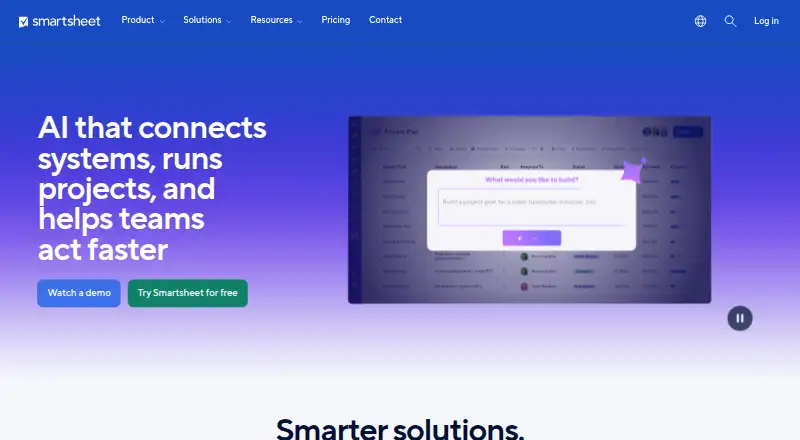
Smartsheet provides tools for teams to manage projects and build solutions ranging from individual workflows to large portfolios. Work views include grid, Gantt, calendar, table, board, and timeline; timeline is included in Business and higher plans. Project features include dashboards, reports, forms, formulas, workload tracking, and portfolios, with some capabilities limited by plan. No-code automation includes 250 automations per month on Pro and unlimited automations on Business and higher. Built-in AI can generate formulas, analyze data, summarize content, and help build dashboards. Listed integrations include Jira, Power BI, Salesforce, SAP, ServiceNow, Tableau, Workday, Slack, Microsoft Teams, and Adobe Creative Cloud; connections to ChatGPT, Claude, Gemini, and Microsoft Copilot are described through the Smartsheet MCP Server. The product runs on Android, iOS, Linux, macOS, web, and Windows, and also lists API and extension access. Paid plans include a 30-day trial. Pro costs $9 a month and Business costs $19 a month; the listed Enterprise and Advanced Work Management plans have no price. The Windows and Mac desktop app is deprecated and is scheduled for retirement on or after January 6, 2027.
Who it suits
Smartsheet suits people and teams tracking projects, as well as organizations managing complex solutions and portfolios. Its range of views, automation, and integrations may fit teams with varied work management needs.
What it does well
- Includes grid, Gantt, calendar, and board views.
- Built-in AI can generate formulas and summarize content.
- Business and higher plans include unlimited automations.
- 30-day trial is listed.
- Supports data storage choices including US, EU, or Australia.
What to know first
- No free plan is listed.
- Some capabilities depend on plan.
- Standard sheets have a 20,000-row and 400-column maximum.
- Desktop app is deprecated.
Limits
Pro includes 250 automations per month, and timeline view is available only on Business and higher. Standard sheets have a maximum of 20,000 rows and 400 columns, a 500,000-cell limit, and a 50 MB imported-file limit.
Plans
| Plan | Billed and limits | Price |
|---|---|---|
| Pro | $9 per Member/month billed yearly; $12 per Member/month billed monthly · 1–10 Members · unlimited Contributors · 250 automations/month · 20 GB attachment storage | $9 a month |
| Business | $19 per Member/month billed yearly; $24 per Member/month billed monthly · 3+ Members · unlimited Guests and Contributors · unlimited automations · 1 TB attachment storage | $19 a month |
| Enterprise | Custom pricing · 10+ Members · unlimited attachment storage · SAML-based SSO · portfolios | On request |
| Advanced Work Management | Custom pricing · Custom solutions · includes Enterprise features plus Control Center, Dynamic View, Data Shuttle, Connectors, DataMesh, Calendar App, Pivot App, and Premium Support | On request |
As smartsheet.com lists them, read 7 Oct 2026. The maker's own page has the final word.
Getting started
- Visit the Smartsheet website.
- Choose a paid plan; Pro and Business list monthly and yearly billing options.
- Use the 30-day trial to get started.
- Access Smartsheet on the web or through an available platform, API, or extension.
Verdict
Smartsheet offers multiple project views, automation, integrations, and built-in AI, with capabilities varying by plan. Buyers should note the paid-plan structure, sheet limits, and planned retirement of its desktop app.
Questions
Does Smartsheet have a free plan?
No. Smartsheet is a paid product and offers a 30-day trial.
How much does Smartsheet cost?
Pro is listed at $9 a month, billed at $9 per Member/month yearly or $12 per Member/month monthly. Business is listed at $19 a month, billed at $19 per Member/month yearly or $24 monthly. Enterprise and Advanced Work Management have no listed price.
Which platforms does Smartsheet support?
It lists Android, API, extension, iOS, Linux, macOS, web, and Windows. Its desktop app is available for Windows and Mac but is deprecated and scheduled for retirement on or after January 6, 2027.
What integrations does Smartsheet list?
Listed integrations include Jira, Power BI, Salesforce, SAP, ServiceNow, Tableau, Workday, Slack, Microsoft Teams, and Adobe Creative Cloud. Connections to ChatGPT, Claude, Gemini, and Microsoft Copilot are described through the Smartsheet MCP Server.
What security and compliance information does Smartsheet provide?
It describes role-based access controls, SSO, MFA, external collaboration controls, event reporting, and 24/7 incident monitoring. Its Trust Center lists SOC 2, ISO 27001, GDPR, FedRAMP, and HIPAA (BAA); ISO 42001 is marked in progress.
What does Pro include?
Pro supports 1–10 Members, unlimited Contributors, 250 automations per month, and 20 GB of attachment storage. It costs $9 a month, with yearly or monthly billing options.
Facts from Smartsheet's own pages
- AI
- Built-in AI features can generate formulas, analyze data, summarize content, and help build dashboards. · smartsheet.com, 7 Oct 2026
- AI integrations
- The integrations page describes connections to AI tools including ChatGPT, Claude, Gemini, and Microsoft Copilot through the Smartsheet MCP Server. · smartsheet.com, 7 Oct 2026
- Automation
- Smartsheet supports no-code automated workflows; Pro includes 250 automations per month, while Business and higher plans include unlimited automations. · smartsheet.com, 7 Oct 2026
- Automation rules
- Yes · smartsheet.com, 20 Sept 2026
- Compliance
- The Trust Center lists SOC 2, ISO 27001, GDPR, FedRAMP, and HIPAA (BAA); ISO 42001 is marked in progress. · smartsheet.com, 7 Oct 2026
- Data residency
- Smartsheet Regions lets customers choose data storage locations including the US, EU, or Australia. · smartsheet.com, 7 Oct 2026
- Desktop app
- The desktop app is available for Windows and Mac, but Smartsheet says it is deprecated and will be retired on or after January 6, 2027. · help.smartsheet.com, 7 Oct 2026
- Founded
- 2005 · smartsheet.com, 28 Sept 2026
- Free plan
- No · smartsheet.com, 20 Sept 2026
- Guest access
- Yes · smartsheet.com, 20 Sept 2026
- Headquarters
- Bellevue, Washington, USA · smartsheet.com, 28 Sept 2026
- Integrations
- Smartsheet lists integrations including Jira, Power BI, Salesforce, SAP, ServiceNow, Tableau, Workday, Slack, Microsoft Teams, and Adobe Creative Cloud. · smartsheet.com, 7 Oct 2026
- Intended users
- Smartsheet describes its audience as ranging from people and teams tracking projects to organizations managing complex solutions and large-scale portfolios. · smartsheet.com, 7 Oct 2026
- Limits
- The system requirements page states a 500,000-cell sheet limit, a 50 MB imported-file limit, and a maximum of 20,000 rows and 400 columns for standard sheets. · help.smartsheet.com, 7 Oct 2026
- Project tools
- Features include dashboards, reports, forms, formulas, workload tracking, and portfolios, with some capabilities limited to higher plans. · smartsheet.com, 7 Oct 2026
- Purpose
- Smartsheet provides tools for teams to manage projects and build solutions of different sizes and complexity. · smartsheet.com, 7 Oct 2026
- Security
- Smartsheet describes role-based access controls, SSO, MFA, external collaboration controls, event reporting, and 24/7 incident monitoring. · smartsheet.com, 7 Oct 2026
- Support
- All plans include Help & Learning content, the Smartsheet Community, and web-based ticketing; premium support is included with Advanced Work Management. · smartsheet.com, 7 Oct 2026
- Task views
- board · smartsheet.com, 20 Sept 2026
- Time tracking
- Yes · smartsheet.com, 20 Sept 2026
- Work views
- The product includes grid, Gantt, calendar, table, board, and timeline views, with timeline view included in Business and higher plans. · smartsheet.com, 7 Oct 2026
Where Smartsheet stands on Freedom251
- Capacity Planning Software#26 of 62
- Project Portfolio Management - Enterprise Software#10 of 22
- Resource Management Software#13 of 25
- Deal Desk Software#22 of 41
- Project management tools#108 of 196
- Creative Portfolio Management Software#10 of 18
- IT Project Management Software#20 of 28
- Work Management Software#41 of 51
- Project Management Software#152 of 188
- AI Project Management Software#23 of 27
- Google Workspace Project Management Software#27 of 30
- Project Tracking Software#32 of 34
- Game Project Management Software#31 of 32
- Nonprofit Project Management#33 of 34