Pomodoist
What Pomodoist is
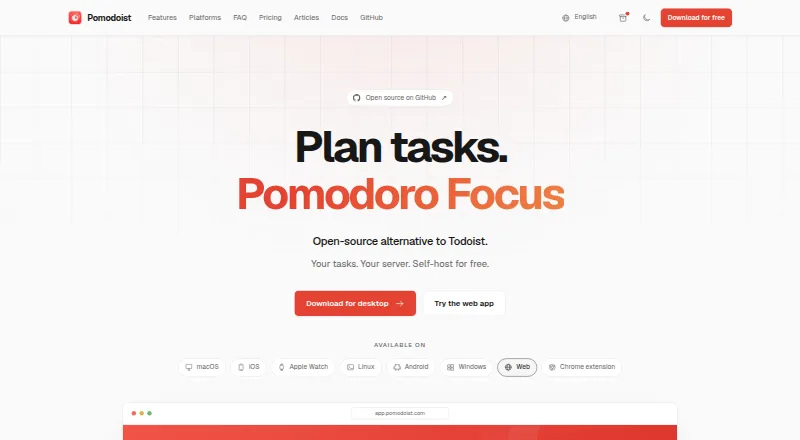
Pomodoist combines a task manager with a Pomodoro focus timer and is described as an open-source alternative to Todoist. Planning tools include an inbox, upcoming tasks, projects, timeline and kanban views, a priority matrix, filters, search, quick-add parsing, task decomposition, and CSV import. Focus features include a timer, tracking, configurable breaks, and local sounds. Voice input can create tasks and recognize dates, projects, and tags from speech. Teams can share projects, assign tasks, and review activity history. Optional integrations include Google Calendar, Telegram Mini-App, Apple Watch and widgets, account sync, and voice input. Pomodoist is open source under the AGPL-3.0-only license. Its free plan includes tasks, projects, labels, a timer, and productivity reports, but keeps completed and deleted task history for 90 days. Pro costs $29.99 a year and includes task history forever; Lifetime costs $99.99, paid once. Listed platforms include macOS, iOS, iPadOS, watchOS, Windows, Linux, web, Telegram, and a Chrome extension in beta; Android is planned for October 2026.
Who it suits
Pomodoist suits people who want task planning and timed focus sessions in one app. Shared projects and task assignment may fit small teams, while self-hosting may suit users who want to run their own instance.
What it does well
- Combines task planning with a Pomodoro timer.
- Includes timeline, kanban, and priority matrix views.
- Voice input recognizes dates, projects, and tags.
- Free plan includes productivity reports.
- Self-hosting is available.
What to know first
- Free plan task history is limited to 90 days.
- Chrome extension is in beta.
- Android is planned for October 2026.
- Self-hosting practical minimums include 4 GB RAM.
Limits
The Free plan retains completed and deleted task history for 90 days. It includes tasks, projects, labels, the Pomodoro timer and productivity reports; Pro adds voice tasks and subtasks, speech-based dates and projects, and task history forever.
Plans
| Plan | Billed and limits | Price |
|---|---|---|
| Pomodoist Pro Monthly | Pro features | On request |
| Pomodoist Pro Annual | Pro features | On request |
| Pomodoist Pro Lifetime | Lifetime access | On request |
| Free | Tasks, projects and labels · Pomodoro timer · Productivity reports | Free |
| Pro yearly | billed yearly; 7-day free trial · Free features · Voice tasks and subtasks · Speech dates and projects · Permanent task history | $29.99 a year |
| Pro | $29.99 billed yearly · Everything in Free · Voice tasks and subtasks · Dates and projects from speech · Task history forever | $29.99 a year |
| Pro monthly | 7-day free trial · Free features · Voice tasks and subtasks · Speech dates and projects · Permanent task history | $4.99 a month |
| Lifetime | one payment, forever · All Pro features · Lifetime access · No subscription renewals | $99.99, paid once |
As pomodoist.com lists them, read 20 Sept 2026. The maker's own page has the final word.
Getting started
- Visit https://pomodoist.com/.
- Choose the Free plan or a paid plan: Pro is $29.99 a year, and Lifetime is $99.99 as a one-time payment.
- Use the web app or choose a listed platform: macOS, iOS, iPadOS, watchOS, Windows or Linux.
- Use Telegram or the Chrome extension in beta where suitable.
- For self-hosting, follow the guide's requirements: Docker Compose v2, make, openssl, curl, 4 GB RAM and 40 GB free disk.
Overview
Pomodoist joins task planning and timed focus work in one app, with enough structure for people managing projects as well as daily tasks. It is best suited to users who want a planner and Pomodoro timer to share a workflow, rather than a standalone timer.
Its breadth—from visual planning views to team tools and self-hosting—makes it adaptable, but also more than a simple to-do list needs. The free plan is a useful starting point; retaining task history beyond 90 days requires Pro.
Key features
Planning and focus
An inbox and upcoming-task view cover daily planning, while projects, a timeline, kanban, and a priority matrix offer different ways to review work. Filters, search, quick-add parsing, task decomposition, and CSV import help manage or bring in larger task sets. This range will suit people who move between list and visual planning, though it may be unnecessary overhead for anyone seeking only a basic timer.
The Pomodoro timer includes configurable breaks, local sounds, focus tracking, custom intervals, and focus statistics. That makes Pomodoist more useful for people who want to monitor focus alongside their tasks, and lets users adjust the work-rest rhythm rather than being limited to a single interval pattern.
Voice and teamwork
Voice input can create tasks and recognize dates, projects, and tags from speech. Pro includes voice tasks and subtasks, so frequent voice capture is a clearer reason to pay than occasional use. Shared projects, task assignment, and activity history extend the planner to teams that need to coordinate work rather than keep individual lists.
Integrations, privacy, and control
Optional integrations include Google Calendar, a Telegram Mini-App, Apple Watch and widgets, and account sync. Cloud sync uses Supabase and processes tasks, projects, tags, reminders, settings, and focus-session data to provide the service and sync devices. Pomodoist's privacy policy says it does not sell personal data or show ads, and that Axiom retains aggregate website statistics for 30 days.
Pomodoist is open source under the AGPL-3.0-only license and can run as an independent server, web app, and native clients, with separate accounts, a database, and integration credentials. Self-hosting gives technically equipped users more control, but the practical minimums—Docker Compose v2, make, openssl, curl, 4 GB RAM, and 40 GB free disk—make it a poor fit for someone seeking a simple, maintenance-free setup.
Pricing
The Free plan costs nothing and includes tasks, projects and labels, a Pomodoro timer, and productivity reports. It is a sensible way to use the core planner and focus tools, but completed and deleted task history is limited to 90 days.
Pro costs $29.99 a year, billed yearly. It adds everything in Free, voice tasks and subtasks, recognition of dates and projects from speech, and task history forever. It is the better fit for people who rely on voice capture or need a permanent task record; other users can stay on Free if the 90-day history limit works for them.
Lifetime costs $99.99, paid once, with one payment for forever. It includes all Pro features and no subscription renewals, making it the option for users who prefer a single payment over an annual renewal. Pro Monthly and Pro Annual are also named options, but without a published price.
Platforms
Pomodoist supports macOS, iOS, iPadOS, watchOS, Windows, Linux, and the web, with Telegram and a Chrome extension in beta. Android is planned for October 2026, so it is not the choice for someone who needs an Android app now. Its cross-platform reach otherwise suits people who switch among desktop, browser, and Apple devices.
Who it's for
Choose Pomodoist if you want task organization, a configurable focus timer, and, when needed, shared projects and task assignment in one product. It is especially compelling for people who value multiple planning views, voice-based capture, open-source licensing, or self-hosting. Look elsewhere if you need Android today, want a minimal timer, or would rather avoid managing a self-hosted setup.
Pros and cons
- Pro: Planning views range from an inbox and project lists to kanban and a priority matrix, supporting different ways to organize work.
- Pro: The timer, focus tracking, configurable breaks, and statistics connect timed work to task planning.
- Pro: Voice capture and team features cover workflows beyond individual task lists, while self-hosting offers a more independent deployment option.
- Con: Free users lose access to completed and deleted task history older than 90 days; keeping it indefinitely requires Pro.
- Con: Android is planned, not currently supported, which rules it out for Android-first users.
- Con: Self-hosting has practical hardware and software requirements, so it is not a low-effort route to control.
Alternatives
For a wider Pomodoro timer app comparison, consider how much task planning you need alongside focus sessions. If scheduling work into calendar time blocks is the priority, browse time-blocking apps; for task management without making a Pomodoro timer central, compare to-do list apps.
- Focus Keeper is a freemium alternative with a free plan on Android, iOS, macOS, and the web; choose it if that platform mix better suits you.
- Focus To-Do is freemium, has a free plan, and supports Android, browser extensions, iOS, macOS, the web, and Windows. Its 3 Months plan costs $3.99 a month; consider it if you need Android support and are comfortable with that listed paid option.
- Pomofocus has a free plan on Linux, macOS, the web, and Windows. Its free plan includes estimated finish times, templates, visual reports, and custom settings; choose it if that set meets your needs.
- PomoTimer is a free option for the web and Windows, with no free trial. Choose it if those platforms and a free timer are what you need.
- Session is freemium, with a free plan and trial on extensions, iOS, and macOS. Its free plan includes unlimited sessions and rests, analytics from the past two days, and calendar events inside Session; consider it if those are the features you want.
- PomoTodo is a freemium web app with a free plan and no free trial. Choose it if you prefer a web-only option.
- Engross is a freemium option with a free plan on iOS and Android.
- Flowkeeper is a free option for Windows, macOS, and Linux.
Verdict
Pomodoist is a strong choice for people who want a capable task planner and configurable focus sessions under one roof, with team tools and self-hosting as meaningful extras. Start with Free if 90 days of task history is enough; choose Pro for voice features or lasting history. Look elsewhere if Android support is essential today or you want only a lightweight timer.
Verdict
Pomodoist brings task organization, focus sessions, and team features together, with a free plan and paid Pro and Lifetime options. Readers choosing the free plan should note its 90-day task-history limit; Android is listed as planned rather than currently available.
Questions
Is Pomodoist free?
Yes. The Free plan costs nothing and includes tasks, projects, labels, a Pomodoro timer and productivity reports.
What do the paid plans cost?
Pro costs $29.99 a year. Lifetime costs 99.99 USD as a one-time payment.
Which platforms are listed?
Pomodoist lists macOS, iOS, iPadOS, watchOS, Windows, Linux and web, along with Telegram and a Chrome extension in beta. Android is planned for October 2026.
Is Pomodoist open source?
Yes. It is open source under the AGPL-3.0-only license.
Who operates Pomodoist?
The privacy policy identifies FinchForge as its operator.
Can Pomodoist be self-hosted?
Yes. It can run as an independent server, web app and native clients with its own accounts, database and integration credentials.
Facts from Pomodoist's own pages
- API and MCP
- Self-hosted instances expose REST services and a Pomodoist MCP endpoint with OAuth support for compatible clients. · pomodoist.com, 14 Oct 2026
- Apple availability
- The App Store listing supports iPhone, iPad, Mac and Apple Watch, with local use available without an account. · apps.apple.com, 14 Oct 2026
- Apple prices
- The listing shows Pro Monthly at $4.99, Pro Annual at $29.99, Lifetime Launch at $89.99 and Lifetime at $99.99. · apps.apple.com, 14 Oct 2026
- Apple requirements
- The listing requires iOS/iPadOS 15 or later, macOS 12 or later and watchOS 10 or later. · apps.apple.com, 14 Oct 2026
- Changelog
- Version 1.1.4 added habit history, project archiving and more responsive task lists. · pomodoist.com, 14 Oct 2026
- Chrome extension
- The extension provides Today, Upcoming, Inbox and Done views, task editing, scheduling, priority changes and one-click saving of the current tab. · chromewebstore.google.com, 14 Oct 2026
- Chrome listing facts
- The extension was version 0.1.0, updated September 7, 2026, and listed FinchForge LLC in Wilmington, Delaware. · chromewebstore.google.com, 14 Oct 2026
- Data handling
- Cloud sync uses Supabase, and the policy says tasks, projects, tags, reminders, settings, and focus session data are processed to provide the service and sync devices. · pomodoist.com, 29 Sept 2026
- Developer documentation
- Documentation covers Flutter setup, architecture, self-hosting, platform builds, configuration, integrations, testing and contribution workflows. · pomodoist.com, 14 Oct 2026
- Focus
- Its focus sessions include a Pomodoro timer, focus tracking, configurable breaks, and local sounds. · pomodoist.com, 29 Sept 2026
- Free plan
- Yes · pomodoist.com, 20 Sept 2026
- Free plan limit
- Completed and deleted task history on the free plan is limited to 90 days. · pomodoist.com, 29 Sept 2026
- Integrations
- Official integrations include Google Calendar, Telegram Mini App, voice quick add, Chrome extension and Apple Watch features. · pomodoist.com, 14 Oct 2026
- Languages
- The interface and voice input support English, Russian, German, Spanish, French, Arabic, Simplified Chinese, Brazilian Portuguese, Japanese and Korean. · pomodoist.com, 14 Oct 2026
- License
- Pomodoist source, server and official binaries use the GNU AGPL-3.0-only license. · github.com, 14 Oct 2026
- Limit: extension scope
- An existing account is required; project moves, recurring schedules, Focus, voice and billing remain in the full app. · chromewebstore.google.com, 14 Oct 2026
- Limit: free history
- Completed and deleted task history on the free plan is limited to 90 days. · pomodoist.com, 14 Oct 2026
- Maker
- The privacy policy identifies FinchForge as the operator of Pomodoist. · pomodoist.com, 29 Sept 2026
- Maker legal name
- FinchForge, LLC is identified as the operator and copyright holder for Pomodoist. · pomodoist.com, 14 Oct 2026
- MCP capabilities
- The remote MCP service offers 23 bounded tools for tasks, projects, labels, Kanban and progress reporting. · pomodoist.com, 14 Oct 2026
- MCP limits
- MCP cannot control active timers, focus presets, Google Calendar, authentication or billing, and requires cloud sync. · pomodoist.com, 14 Oct 2026
- Open source
- Pomodoist is open source under the AGPL-3.0-only license. · pomodoist.com, 29 Sept 2026
- Platform availability
- Pomodoist lists macOS, iOS, iPadOS, watchOS, Windows, Linux, web, Telegram, and a Chrome extension in beta; Android is planned for October 2026. · pomodoist.com, 29 Sept 2026
- Pomodoro
- Users can start focus sessions from tasks, configure breaks, track deep-focus time and use local sounds. · pomodoist.com, 14 Oct 2026
Where Pomodoist stands on Freedom251
- To-do list apps#1 of 150
- Time Blocking Apps#1 of 31
- Pomodoro Timer Apps#1 of 28