Freedom251 › Pomodoro Timer Apps

Flowkeeper
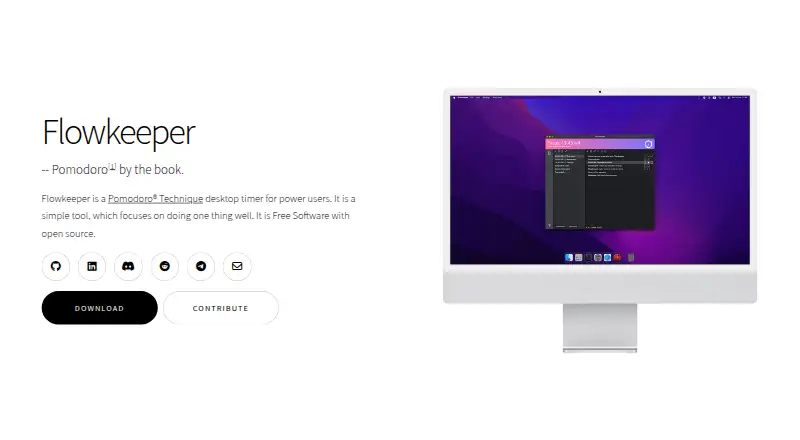
What Flowkeeper is
Flowkeeper is a free desktop Pomodoro timer and work-tracking tool built around the original Pomodoro Technique. It runs on Linux, macOS, and Windows. Work can be organized with task lists, daily backlogs, to-do lists, reminders, and configurable task categories. Fullscreen rest notifications are enabled by default, and users can configure a sound notification for one minute before a Pomodoro ends.
Users can adjust keyboard shortcuts, timer and tray icon appearance, themes, and audio. Work summaries can be exported as Markdown, CSV, or JSON, while data can also be exported and imported as text. Flowkeeper stores data in local plaintext files that users can copy, back up, and edit. It works offline; users can share a data file manually or enable Watch changes, while online sync is under development.
The app can run external programs when application events occur. The maker says version 0.7.x makes network calls only to check for updates through the GitHub API, and those checks can be disabled in Settings. Its Free plan costs nothing, with no subscriptions or paid features.
Who it suits
Flowkeeper suits desktop users who want a Pomodoro timer with task organization and exportable work summaries. It is also a fit for people comfortable managing locally stored files rather than relying on online sync.
What it does well
- Free with no paid features or subscriptions
- Available for Linux, macOS, and Windows
- Task lists, backlogs, reminders, and categories
- Exports summaries as Markdown, CSV, or JSON
- Works offline with locally stored data
What to know first
- No mobile version
- Online sync is under development
- Data is stored in plaintext files
- Network update checks are enabled unless disabled
Limits
Flowkeeper has no paid features or subscriptions. Online sync is under development, and the maker says there is no mobile version.
Plans
| Plan | Billed and limits | Price |
|---|---|---|
| Free | No subscriptions or paid features · Desktop app | Free |
As flowkeeper.org lists them, read 8 Oct 2026. The maker's own page has the final word.
Getting started
- Visit https://flowkeeper.org/.
- Choose the installer or portable version for Windows.
- Install or run the desktop app; Windows versions do not require administrator rights.
- Create tasks and configure reminders, timer settings, or shortcuts as needed.
- Export or back up the local data file if you want to share or preserve it.
Flowkeeper is a desktop Pomodoro timer that combines focused work sessions with task planning and work records. It is best for computer-based users who want detailed control over timing, notifications, and their own data files. The free desktop app is a strong fit for privacy-conscious, offline workflows, but less suitable when phone access or automatic synchronization is essential.
Overview
Flowkeeper follows the original Pomodoro Technique while adding task lists, daily backlogs, to-do lists, reminders, configurable categories, and focus statistics. That combination makes it a work organizer as well as a timer: users can plan a day, attach sessions to tasks, and review how their time was spent.
Its local-first approach suits people who want direct control of their records. Data is saved in plaintext files that can be copied, backed up, or edited. The app works offline, and version 0.7.x makes network calls only for GitHub update checks; those checks can be disabled in Settings. The compromise is that online synchronization is still under development, so sharing data between computers requires a manual file workflow or the Watch changes option.
Key features
Task organization covers daily backlogs, reminders, a built-in to-do list, and user-defined task categories. This is more useful for structured work than a standalone countdown, particularly for users who want a record of which projects consumed their focus blocks. Focus statistics and work summaries provide a way to review that activity afterward.
Break handling is deliberately prominent. Fullscreen rest notifications are enabled by default, and an optional alert can sound one minute before a Pomodoro ends. Those defaults help users who tend to work through breaks, while configurable timing and audio leave room for a less intrusive routine.
Keyboard shortcuts, timer and tray-icon appearance, themes, and audio are configurable. The breadth of desktop customization will appeal to users who want the timer to stay out of the way or fit an established workflow, though people seeking a ready-made mobile experience will not find one.
Exports include Markdown, CSV, and JSON, and data can be imported or exported as text. Flowkeeper can also launch external programs when application events occur, enabling real-time connections to other tools without requiring a built-in integration catalog. These options are especially useful for technically inclined users who want to build their own reporting or automation.
Local plaintext storage improves portability and auditability, but it also puts backup and synchronization responsibility on the user. The maker says Windows installers and portable builds run without administrator rights, reducing friction on managed or shared PCs. Bug reports and feature requests go through the project's GitHub issue tracker. Flowkeeper is GPL-licensed free software authored by Constantine Kulak.
Pricing
Free — free. The single plan includes the desktop app, with no subscriptions or paid features. There is no free trial because the product is free outright. This is a straightforward choice for anyone who wants the complete desktop feature set without recurring costs, but it does not add mobile clients or hosted synchronization.
Platforms
Flowkeeper is available on Linux, macOS, and Windows. Cross-platform desktop coverage is useful for households or teams using different computer systems, while the absence of an Android or iOS app limits workflows that move regularly between a computer and phone.
Who it's for
Choose Flowkeeper if you work primarily at a computer, follow Pomodoro-style intervals, and want tasks, statistics, exports, and editable local files in one free application. It is particularly suitable for privacy-conscious users, offline work, and people comfortable managing their own backups or automations.
Look elsewhere if automatic cloud sync, a browser-first workflow, or a mobile companion is central to your routine. Flowkeeper's manual sharing model and desktop-only scope make those use cases less convenient.
Pros and cons
Pros
- Complete free desktop plan: There are no subscriptions or paid features, so the full desktop tool is available without a recurring bill.
- Strong local control: Editable plaintext data, offline operation, and optional update-check disabling suit privacy-focused workflows.
- More than a timer: Backlogs, reminders, categories, focus statistics, and exports support planning and review.
- Automation-friendly: Event-triggered external programs and text-based data exchange can connect the app to custom systems.
- Flexible desktop setup: Shortcuts, themes, audio, timer presentation, and tray-icon behavior are configurable.
Cons
- No mobile version: Android and iOS users cannot carry the same app into mobile sessions.
- No built-in online sync: Moving data between devices depends on manual file sharing or Watch changes while online mode is developed.
- Self-managed data: Plaintext files are portable, but users must handle backups and synchronization themselves.
Alternatives
Pomodoro Timer Apps is the broader starting point when you want to compare dedicated timers across categories.
Pomodoist is a better fit for users who need Android, iOS, web, browser-extension, and desktop coverage alongside a freemium model and AGPL-3.0-only open source.
Focus To-Do suits users who want mobile and web platforms and are willing to consider premium in-app plans, including $3.99 a month billed every three months.
Pomodoro PWA Timer is preferable when a cross-platform, offline-capable web app with task entry and customizable audio alerts is the priority.
Pomofocus is a stronger choice for browser users who want free templates, visual reports, custom settings, and an optional premium tier for projects, yearly reports, and CSV downloads.
Tomatoid offers a free, no-account-required timer across mobile, desktop, and web platforms.
Tomato Timer fits users who want a browser timer with a built-in to-do list and no signup, with a macOS app available as a separate one-time purchase for 3.99 USD.
Forest is aimed at users who prefer mobile and browser focus features with optional ads and a limited free feature set.
Goodtime is an Android/iOS alternative with a free basic plan and GPL-3.0 open-source licensing.
Verdict
Flowkeeper is a strong recommendation for desktop users who want a capable Pomodoro planner, detailed customization, and ownership of local data at no cost. Its defining reason to choose it is the combination of task tracking, statistics, export, and offline plaintext storage in one free application. Choose another tool if mobile access or automatic online synchronization is a requirement.
Verdict
Flowkeeper offers configurable Pomodoro timing, task organization, and local data handling without a paid tier. Its lack of mobile support and online sync may not suit users who need those options.
Questions
How much does Flowkeeper cost?
The Free plan costs nothing. There are no subscriptions or paid features.
Which platforms does it support?
Flowkeeper is available for Linux, macOS, and Windows. The FAQ says there is no mobile version.
Can Flowkeeper sync online?
Online sync is under development. Users can manually share the data file or enable Watch changes.
Where does Flowkeeper store its data?
It stores data locally in plaintext files that users can copy, back up, and edit.
Is Flowkeeper open source?
The FAQ says it is free software distributed under the GPL.
Who created Flowkeeper?
The FAQ identifies Constantine Kulak as its author.
Facts from Flowkeeper's own pages
- Customization
- Users can configure keyboard shortcuts, timer and tray icon appearance, themes, and audio. · flowkeeper.org, 8 Oct 2026
- Installation
- The maker says Windows installers and portable versions do not require administrator rights to install or run. · flowkeeper.org, 8 Oct 2026
- Integrations
- Flowkeeper can run external programs on application events to integrate with other systems in real time. · flowkeeper.org, 8 Oct 2026
- License and author
- The FAQ says Flowkeeper is free software distributed under the GPL and identifies Constantine Kulak as its author. · flowkeeper.org, 8 Oct 2026
- Mobile limitation
- The FAQ says there is no mobile version and describes a Progressive Web App as planned alongside online mode. · flowkeeper.org, 8 Oct 2026
- Offline data
- Flowkeeper stores data locally in plaintext files that users can copy, back up, and edit. · flowkeeper.org, 8 Oct 2026
- Platforms
- The download page lists builds for Windows, macOS, and Linux, including Linux x86 and experimental ARM64 installers. · flowkeeper.org, 8 Oct 2026
- Privacy
- The maker says version 0.7.x makes network calls only to check for updates through the GitHub API, and update checks can be disabled in Settings. · flowkeeper.org, 8 Oct 2026
- Purpose
- Flowkeeper is a desktop Pomodoro timer and work tracking tool designed around the original Pomodoro Technique. · flowkeeper.org, 8 Oct 2026
- Reports and export
- Work summaries can be exported in formats including Markdown, CSV, and JSON, and data can be exported and imported as text. · flowkeeper.org, 8 Oct 2026
- Support
- The maker asks users to report bugs or request features by filing an issue on the project's GitHub page. · flowkeeper.org, 8 Oct 2026
- Sync limitation
- The FAQ says Flowkeeper works offline and users can manually share the data file or enable Watch changes; online sync is under development. · flowkeeper.org, 8 Oct 2026
- Task organization
- It supports task lists, daily backlogs, todo lists, reminders, and configurable task categories. · flowkeeper.org, 8 Oct 2026
- Timer breaks
- Fullscreen rest notifications are enabled by default, and a configurable notification can sound one minute before a Pomodoro ends. · flowkeeper.org, 8 Oct 2026
Where Flowkeeper stands on Freedom251
- Pomodoro Timer Apps#3 of 28