Goodtime
What Goodtime is
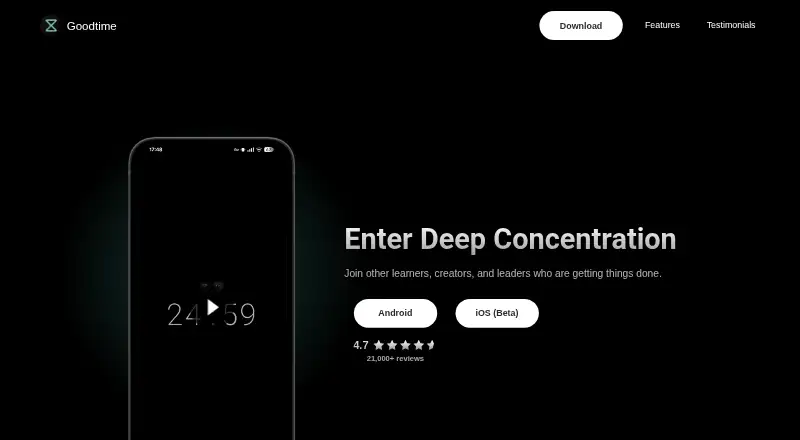
Goodtime is a mobile productivity timer app for Android and iOS, combining Pomodoro countdowns with open-ended count-up sessions for flow. A built-in task list, colored labels, and custom intervals help organize work. It tracks sessions with statistics and notes, and users can manually log sessions completed offline. Timer size, immersive mode, indicators, autostart, and notification styles are customizable; Do Not Disturb can silence notifications while a timer runs. Goodtime makes automatic local backups and supports manual CSV or JSON import and export. Optional cloud sync uses Google Drive on Android or iCloud on iOS. The maker says personal data remains on the device unless sync is enabled, and says it cannot access synced data. Goodtime is open-source software under GPL-3.0, with a free plan offering basic functionality and optional one-time purchases through Google Play, the App Store, and RevenueCat. The maker notes that some Android phone vendors may stop background work and recommends disabling battery optimization for accurate alarms.
Who it suits
Goodtime suits learners, creators, and leaders who want a timer with task organization and focus tracking. It may also fit people who prefer local data storage and optional cloud sync.
What it does well
- Countdown and count-up timer modes
- Focus statistics, notes, and offline session logging
- CSV and JSON import and export
- Automatic local backups
- Open source under GPL-3.0
What to know first
- Free plan provides basic functionality
- Some Android vendors may stop background work
- Accurate alarms may require disabling battery optimization
Limits
The Free plan provides basic functionality. On Android, some phone vendors may stop background work, so the maker recommends disabling battery optimization for accurate alarms.
Plans
| Plan | Billed and limits | Price |
|---|---|---|
| Free | Basic functionality | Free |
As goodtime.tools lists them, read 7 Oct 2026. The maker's own page has the final word.
Getting started
- Visit https://goodtime.tools/.
- Choose the Android or iOS version.
- Use the free plan for basic functionality.
- Set up a countdown or count-up timer and adjust its settings.
- Optionally enable Google Drive sync on Android or iCloud sync on iOS.
Verdict
Goodtime combines flexible timers, task organization, and session records with local backups and optional cloud sync. Android users may need to adjust battery optimization for alarms to work accurately.
Questions
Is Goodtime free?
Yes. Goodtime has a free plan with basic functionality and also offers optional one-time purchases.
Which platforms does Goodtime support?
Goodtime is available for Android and iOS.
Is Goodtime open source?
Yes. It is licensed under GPL-3.0.
Does Goodtime sync data to the cloud?
Optional sync uses Google Drive on Android or iCloud on iOS. The maker says it cannot access synced data.
How does Goodtime handle personal data?
The maker says Goodtime does not collect, store, or sell personal data, and data stays on the device unless optional cloud sync is enabled.
How can I contact Goodtime for support?
The maker directs users with questions to its contact email.
Facts from Goodtime's own pages
- Android limitation
- The maker notes that some Android phone vendors may kill background work and recommends disabling battery optimization for accurate alarms. · github.com, 7 Oct 2026
- Backups and export
- Goodtime supports automatic local backups and manual import/export in CSV or JSON. · goodtime.tools, 7 Oct 2026
- Cloud integrations
- Optional sync uses Google Drive on Android or iCloud on iOS, and the maker says it cannot access that synced data. · goodtime.tools, 7 Oct 2026
- Customization
- Users can customize timer size, immersive mode, indicators, autostart, and notification styles. · goodtime.tools, 7 Oct 2026
- Focus protection
- Do Not Disturb mode can silence notifications while the timer runs. · goodtime.tools, 7 Oct 2026
- Headquarters
- Brașov, Romania · goodtime.tools, 28 Sept 2026
- Intended users
- The maker describes Goodtime as suited to learners, creators, and leaders seeking focus and productivity. · goodtime.tools, 7 Oct 2026
- Labels
- Users can organize tasks with colored labels and custom timer settings. · goodtime.tools, 7 Oct 2026
- Open source
- Goodtime is open-source software under the GPL-3.0 license. · goodtime.tools, 7 Oct 2026
- Privacy
- The maker says the app does not collect, store, or sell personal data, and data remains on the device unless optional cloud sync is enabled. · goodtime.tools, 7 Oct 2026
- Progress tracking
- The app provides detailed statistics, notes, and manual logging of sessions completed offline. · goodtime.tools, 7 Oct 2026
- Purchases
- The app offers optional one-time purchases through Google Play, the App Store, and RevenueCat. · goodtime.tools, 7 Oct 2026
- Purpose
- Goodtime is a productivity timer app combining Pomodoro timers and flow techniques. · github.com, 7 Oct 2026
- Support
- The maker directs users with questions to its contact email. · goodtime.tools, 7 Oct 2026
- Timer modes
- It offers strict countdown timers and open-ended count-up timers for flow sessions. · goodtime.tools, 7 Oct 2026
Where Goodtime stands on Freedom251
- Study Timer Apps#15 of 43
- Pomodoro Timer Apps#14 of 28