Freedom251 › Pomodoro Timer Apps
Tomato Timer
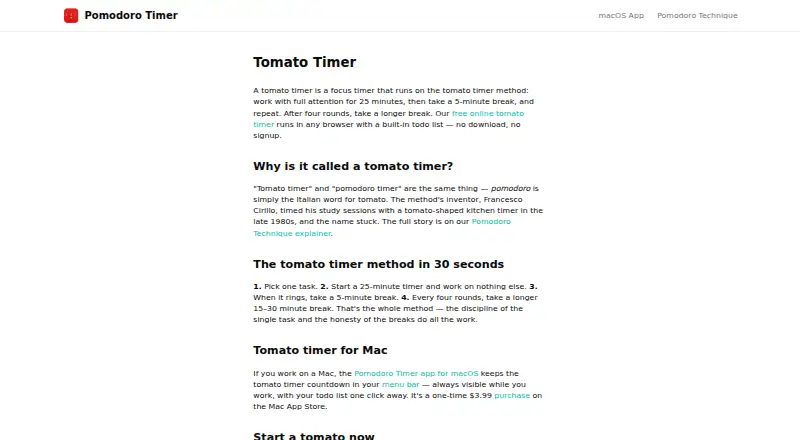
What Tomato Timer is
Tomato Timer is a focus timer available in a browser and as a native macOS app. Its work cycle alternates focused intervals with short breaks and gives users a longer break after four rounds. The free browser timer runs without a download or signup and includes a todo list for linking sessions to tasks, along with custom focus durations. The Mac app places its countdown in the macOS menu bar and also includes a todo list. It works offline, with todos and timer history stored on the Mac; the app's privacy policy says locally stored data is encrypted and not sent to external servers or third parties. Web timer data stays in the browser on the device. The macOS app requires macOS 12.2 or later and supports Apple Silicon and Intel Macs. The browser timer costs nothing, while the macOS app is a 3.99 USD one-time purchase with no subscription. Listed platforms are Linux, macOS, web, and Windows; the maker specifically describes browser use on Windows and Linux.
Who it suits
It may suit people who want a browser-based focus timer with a task list, or Mac users who prefer an offline menu-bar timer. Mac users need macOS 12.2 or later.
What it does well
- Free browser timer requires no download or signup
- Custom focus durations in the browser
- Mac app works offline
- Mac app stores timer history locally
- One-time Mac purchase with no subscription
What to know first
- Mac app requires macOS 12.2 or later
- Mac app costs 3.99 USD once
- Native app is listed for macOS
Plans
| Plan | Billed and limits | Price |
|---|---|---|
| Web timer | Browser timer · built-in todo list · custom focus durations · no signup or download | Free |
| macOS app | One-time purchase; no subscription · macOS 12.2 or later · Apple Silicon and Intel Macs | $3.99, paid once |
As pomodorotimer.co lists them, read 8 Oct 2026. The maker's own page has the final word.
Getting started
- Open https://pomodorotimer.co/tomato-timer in a browser to use the free timer without signup or download.
- Add tasks to the browser todo list and set custom focus durations.
- On Windows or Linux, use the browser timer.
- For macOS 12.2 or later on Apple Silicon or Intel, choose the 3.99 USD one-time Mac app.
Tomato Timer is a focused-work timer built around repeating work sessions and breaks, with task lists in both its browser and Mac versions. It suits people who want a straightforward Pomodoro routine without creating an account, especially if local data storage matters. Its strongest case is the combination of a capable free web timer and a low-cost Mac app for offline use.
Overview
The timer structures work into focused intervals, short rests, and a longer break after four rounds. That cadence fits readers who prefer a defined rhythm rather than an open-ended stopwatch. The browser version runs without a download or signup, so it is practical on a shared or managed computer where installing software is inconvenient.
A built-in todo list lets you associate sessions with specific work instead of tracking tasks separately. Custom focus durations make the routine adaptable when standard intervals do not suit your workload. Focus statistics are also included, giving regular users a way to review their activity rather than relying only on the countdown.
Key features
Browser timer and tasks
The free web timer combines the countdown, task entry, and custom focus lengths in one browser window. Data remains in the browser and is stored locally on the device, not on the maker’s servers. That is a useful privacy posture for personal planning, but browser-local storage is tied to that device and browser rather than a server account.
Offline Mac app
The native Mac app puts its countdown in the macOS menu bar, keeping the timer visible without occupying a full application window. It includes a todo list and works fully offline; todos and timer history stay on the Mac. The app’s privacy policy says task, timer, and settings data is encrypted locally and is not sent to external servers or third parties. This is the better fit for Mac users who want local history and offline continuity.
Pricing
| Plan | Price | Includes |
|---|---|---|
| Web timer | free | Browser timer, built-in todo list, custom focus durations, no signup or download |
| macOS app | $3.99, paid once | One-time purchase with no subscription; macOS 12.2 or later on Apple Silicon and Intel Macs |
The free plan is the sensible choice for Windows and Linux users, or anyone who only needs browser access. It gives up the Mac app’s menu-bar countdown, offline storage, and locally retained timer history. Mac users who want those desktop conveniences pay $3.99 once, with no recurring renewal. There is no free trial, but the browser timer provides a no-cost way to establish whether the workflow suits you before buying the app.
Platforms
Tomato Timer covers web, Windows, Linux, and macOS. The browser timer is explicitly usable on Windows and Linux. The native app requires macOS 12.2 or later and supports both Apple Silicon and Intel Macs. Cross-platform coverage is therefore broad, but the richer offline desktop experience is Mac-only.
Who it's for
Choose Tomato Timer if you want Pomodoro timing with task association, adjustable focus periods, and minimal account friction. It is particularly well suited to privacy-conscious users who prefer browser-local or Mac-local data, and to Mac users who value a menu-bar countdown and offline history. Look elsewhere if you need one synchronized task and statistics system across devices; the published setup centers on local browser or Mac storage rather than an online account.
Pros and cons
Pros
- Free, no-signup browser timer: start immediately without installing software or creating an account.
- Task-linked sessions: the built-in todo list keeps planned work alongside the countdown.
- Flexible intervals: custom focus durations accommodate routines beyond a fixed schedule.
- Private local storage: browser data stays on the device, while the Mac app encrypts local data and does not transmit it to outside servers.
- Inexpensive Mac option: the $3.99 one-time purchase adds offline use, local history, and a menu-bar countdown without a subscription.
Cons
- Mac app only: Windows and Linux users are limited to the browser experience.
- Device-bound data: local browser and Mac storage does not provide a published cloud-sync workflow.
- No trial for the paid app: Mac buyers cannot test the native version under a trial period.
Alternatives
For a wider comparison, see Pomodoro Timer Apps.
- Pomodoist is the better pick if you want open-source software, a free trial, and coverage spanning mobile, browser extensions, desktop, and web.
- Focus To-Do suits readers seeking a broader cross-platform app with a premium tier and a three-month in-app purchase option.
- Pomodoro PWA Timer is a free cross-platform alternative with task entry, offline functionality, and customizable audio alerts.
- Pomofocus is worth choosing for templates, estimated finish times, visual reports, and custom settings, with projects and yearly reports in its premium offering.
- Tomatoid provides a free Pomodoro timer across mobile, desktop, and web without requiring an account.
- Flowkeeper is a free desktop-only choice for Linux, macOS, and Windows with no subscriptions or paid features.
- Forest is aimed at mobile and extension users who want focus features with occasional ads and optional soundscape content.
- Goodtime is an open-source GPL-3.0 option for Android and iOS with basic free functionality.
Verdict
Tomato Timer is a strong match for anyone who wants a private, low-friction Pomodoro timer with task lists and adjustable intervals. The main reason to choose it is the clear split between a genuinely free browser tool and an inexpensive Mac app that works offline. Look elsewhere if synchronized data, richer project management, or native apps on Windows and Linux are essential.
Verdict
Tomato Timer offers a free browser option and a separate offline Mac app, with task lists in both. Choose based on whether browser access or the Mac app's local storage and menu-bar countdown better fits your use.
Questions
Is Tomato Timer free?
Yes. The browser timer is free and does not require signup or a download. The macOS app is a 3.99 USD one-time purchase with no subscription.
Which platforms are listed?
The listed platforms are Linux, macOS, web, and Windows. The maker says the browser timer can be used on Windows or Linux.
What does the timer do?
It alternates focused work intervals with short breaks, followed by a longer break after four rounds. The browser timer supports custom focus durations.
Does it include a task list?
Yes. The web timer and Mac app both include a todo list; the web list can associate tasks with work sessions.
Can I use the Mac app offline?
Yes. It works fully offline and stores todos and timer history locally on the Mac.
What Mac version does the app require?
It requires macOS 12.2 or later and supports Apple Silicon and Intel Macs.
Facts from Tomato Timer's own pages
- Browser access
- The free online timer runs in a browser without a download or signup. · pomodorotimer.co, 8 Oct 2026
- Browser data
- The download page says web timer data stays in the browser and is stored locally on the device rather than on the maker’s servers. · pomodorotimer.co, 8 Oct 2026
- Custom durations
- The browser timer includes custom focus durations. · pomodorotimer.co, 8 Oct 2026
- Data encryption
- The Mac app privacy policy states that locally stored data is encrypted. · pomodorotimer.co, 8 Oct 2026
- Mac app
- The native Mac app places its countdown in the macOS menu bar and includes a todo list. · pomodorotimer.co, 8 Oct 2026
- Mac compatibility
- The app runs on macOS 12.2 or later on Apple Silicon and Intel Macs. · pomodorotimer.co, 8 Oct 2026
- Offline use
- The Mac app works fully offline, with todos and timer history stored locally on the Mac. · pomodorotimer.co, 8 Oct 2026
- Privacy policy
- The Mac app privacy policy says task, timer, and settings data is stored locally and not transmitted to external servers or third parties. · pomodorotimer.co, 8 Oct 2026
- Purpose
- The timer supports focused work intervals followed by short breaks, with a longer break after four rounds. · pomodorotimer.co, 8 Oct 2026
- Support contact
- The site provides a contact link for questions, but the opened contact link returned an error. · pomodorotimer.co, 8 Oct 2026
- Task list
- The web timer includes a todo list for associating work sessions with tasks. · pomodorotimer.co, 8 Oct 2026
- Windows and Linux
- The maker says the browser timer can be used on Windows or Linux. · pomodorotimer.co, 8 Oct 2026
Where Tomato Timer stands on Freedom251
- Pomodoro Timer Apps#22 of 28