Pomodoro® Web Timer
What Pomodoro® Web Timer is
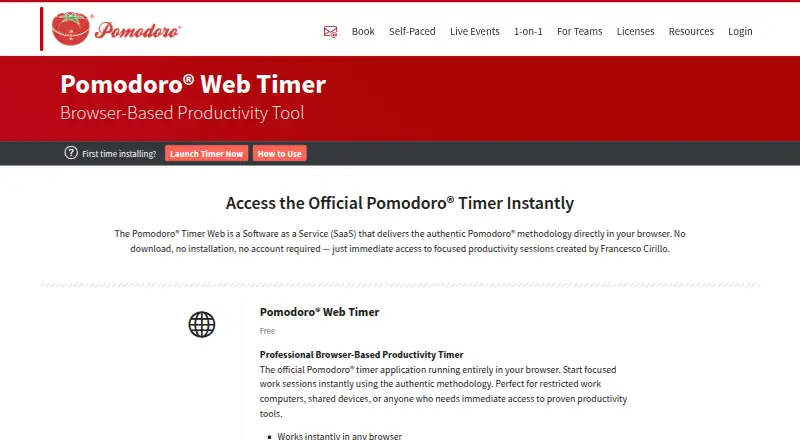
Pomodoro® Web Timer is a browser-based timer that provides access to the Pomodoro® methodology. It works without a download, installation or account, making it an option for restricted work computers and shared devices. Users can name the task for each session and follow a countdown and progress bar during focus time. Sound alerts can be customized by adjusting their volume or switching individual sounds on or off.
When focus time ends, the timer displays a break countdown, after which another session can be started. A “Squash” button lets users end a session early. The Free plan costs nothing and includes browser timing, task naming and customizable sound alerts. The product page does not state any integrations. The maker also lists separate official Windows desktop and progressive web app timers; the PWA works offline on desktop and mobile devices, while the Web Timer is listed for web use. The maker’s site says the service is operated by Francesco Cirillo FZE-LLC.
Who it suits
The timer suits people who want immediate browser access without installing software or signing in, including users of restricted work computers or shared devices. It is also suitable for users who want to name sessions and customize sound alerts.
What it does well
- Works in a browser without download, installation or account.
- Task names can be set for each session.
- Sound alert volume and individual sounds are adjustable.
- Break countdown appears after a focus session.
What to know first
- Web Timer is listed for web use.
- No integrations are stated on the product page.
- Auto-start breaks are not available.
Limits
The free plan includes browser-based timing, task naming, and customizable sound alerts. Breaks do not start automatically.
Plans
| Plan | Billed and limits | Price |
|---|---|---|
| Free | Browser-based timer · Task naming · Customizable sound alerts | Free |
| Pomodoro® Web Timer | Free · Works in any browser · no download, installation, or account required · task naming · customizable sound alerts | Free |
As pomodorotechnique.com lists them, read 20 Sept 2026. The maker's own page has the final word.
Getting started
- Open the Pomodoro® Web Timer website in a browser.
- Name the task for your session.
- Adjust sound volumes or turn specific sounds on or off.
- Follow the countdown and progress bar during focus time.
- Use the break countdown, then start another Pomodoro® session.
Verdict
Pomodoro® Web Timer keeps session timing accessible in a browser, with task naming and sound controls. If offline use is needed, the maker lists a separate PWA rather than this Web Timer.
Questions
How much does Pomodoro® Web Timer cost?
The Free plan is priced at $0.
Does it require an account or installation?
No. It works in a browser without a download, installation, or account.
Which platforms does the Web Timer support?
The Web Timer is listed for web use.
Can it start breaks automatically?
No. The timer shows a break countdown, after which users can start another session.
Does the maker offer other timer versions?
Yes. The maker lists separate official Windows desktop and progressive web app timers. The PWA works offline on desktop and mobile devices.
Facts from Pomodoro® Web Timer's own pages
- Access
- The timer works in a browser without a download, installation, or account. · pomodorotechnique.com, 4 Oct 2026
- Breaks
- The timer shows a break countdown, after which users can start another Pomodoro® session. · pomodorotechnique.com, 4 Oct 2026
- End session early
- The maker describes a “Squash” button for ending a session early. · pomodorotechnique.com, 4 Oct 2026
- Headquarters
- The contact page lists the registered office in Sharjah Publishing City Free Zone, Sharjah, U.A.E., and a postal address in Dubai, U.A.E. · pomodorotechnique.com, 4 Oct 2026
- Integrations
- The Web Timer page does not state any integrations. · pomodorotechnique.com, 4 Oct 2026
- Intended users
- The maker says it is suitable for restricted work computers, shared devices, or anyone wanting immediate access to a productivity timer. · pomodorotechnique.com, 4 Oct 2026
- Operator
- The maker’s site says it is operated by Francesco Cirillo FZE-LLC. · pomodorotechnique.com, 4 Oct 2026
- Privacy information
- The linked privacy policy lists personal data collection on the maker’s website, including usage data, analytics data, and contact form details; it does not specify Web Timer data handling on the product page. · iubenda.com, 4 Oct 2026
- Related platforms
- The maker lists separate official Windows desktop and progressive web app timers; the PWA works offline on desktop and mobile devices. · pomodorotechnique.com, 4 Oct 2026
- Session display
- During a focus session, a countdown and progress bar show the time remaining. · pomodorotechnique.com, 4 Oct 2026
- Sound settings
- Users can customize sound alerts, adjust sound volumes, and toggle specific sounds on or off. · pomodorotechnique.com, 4 Oct 2026
- Support
- The maker’s contact page lists [email protected] and a Discord community. · pomodorotechnique.com, 4 Oct 2026
- Task names
- Users can name the task for each session. · pomodorotechnique.com, 4 Oct 2026
- What it is
- The maker describes it as a browser based SaaS timer that provides access to the Pomodoro® methodology. · pomodorotechnique.com, 4 Oct 2026
Where Pomodoro® Web Timer stands on Freedom251
- Study Timer Apps#26 of 43
- Pomodoro Timer Apps#24 of 28