
Session
What Session is
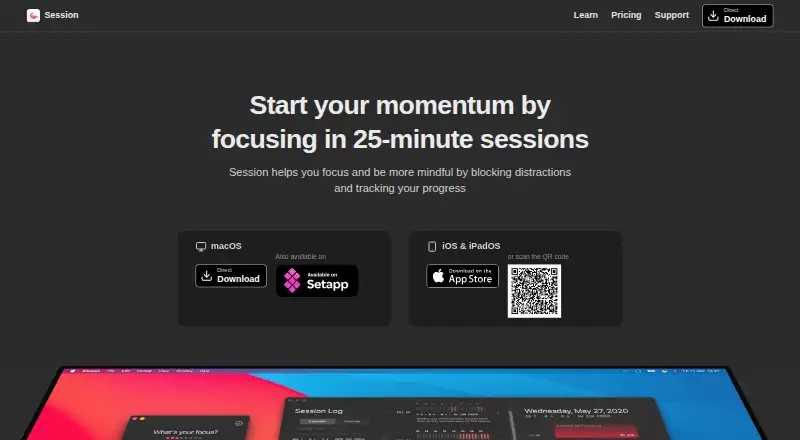
Session is a focus app for people who want to block selected distractions and reflect on their work. It centers on uninterrupted 25-minute sessions: selected apps and websites stay blocked while a timer runs, then return when the session ends. After a session, Session asks what the user learned, and an end-of-day review tracks progress. Website blocking works with Safari, Chrome, Brave, and Microsoft Edge; the support page notes that it does not work with browsers such as Firefox. Session is available as an extension and on iOS and macOS, with progress syncing among iPhone, iPad, and Mac and backed up on Session’s server. The free plan includes unlimited sessions and rests, two days of analytics, and calendar-event viewing. Pro adds custom session and break durations, full session logs, Mac app and website blocking, Slack controls, calendar features, and automation. Pro Yearly is $3.33/mo billed annually; Pro Monthly is $4.99 per month. A seven-day trial is listed.
Who it suits
Session suits people who want timed focus sessions, distraction blocking, and progress reviews across Apple devices. Mac users who need app and website blocking should note that this feature is listed for Pro.
What it does well
- Blocks selected apps and websites during sessions
- Supports Safari, Chrome, Brave, and Microsoft Edge
- Syncs progress across iPhone, iPad, and Mac
- Free plan includes unlimited sessions and rests
What to know first
- Website blocking does not work on browsers such as Firefox
- App and website blocking is Pro and Mac only
- Pro Yearly is $3.33/mo billed annually
Limits
The Free plan provides analytics from the past two days. Website and app blocking on Mac and full Session log access are Pro features.
Plans
| Plan | Billed and limits | Price |
|---|---|---|
| Free | / mo · Unlimited Session and rest · Analytics from past 2 days · See your calendar events inside Session | Free |
| Pro Yearly | *$39.99 per year · Unlimited Session and rest · Custom session and break duration · Full Session log access · Website and app blocking (Mac only) · Mute Slack while on Session · Real time sync between devices · Apple Calendar events · AppleScript and Apple Shortcuts automation | $39.99 a year |
| Pro Monthly | / mo · Unlimited Session and rest · Custom session and break duration · Full Session log access · Website and app blocking (Mac only) · Mute Slack while on Session · Real time sync between devices · Apple Calendar events · AppleScript and Apple Shortcuts automation | $4.99 a month |
As stayinsession.com lists them, read 1 Oct 2026. The maker's own page has the final word.
Getting started
- Open the Session website.
- Choose the Free plan or a Pro plan.
- Use the extension or install Session on iOS or macOS.
- Start a 25-minute session and select distractions to block.
- Use the seven-day trial if evaluating Pro.
Verdict
Session combines timed focus periods with blocking and reflection tools. The free plan covers unlimited sessions, while custom durations, full logs, and additional controls are part of Pro.
Questions
How much does Session cost?
The Free plan costs nothing. Pro Yearly is $3.33/mo billed annually at $39.99 per year, and Pro Monthly is $4.99 per month.
Is there a free plan or trial?
Yes. Session has a Free plan and offers a seven-day trial.
Which platforms does Session support?
Session is available as an extension and on iOS and macOS. Progress syncs between iPhone, iPad, and Mac.
Which browsers work with the website blocker?
The blocker works with Safari, Chrome, Brave, and Microsoft Edge. Session says it does not work on browsers such as Firefox.
What does Pro add?
Pro includes custom session and break durations, full Session logs, Mac app and website blocking, Slack status controls, calendar features, and AppleScript and Apple Shortcuts automation.
How does Session handle user data?
Session says it does not sell or share data. It retains Session data indefinitely until the account is deleted.
Facts from Session's own pages
- Automation
- Pro supports AppleScript automation on macOS and Apple Shortcuts automation on iOS. · stayinsession.com, 1 Oct 2026
- Blocking
- Session blocks selected distracting apps and websites and restores them when the session ends. · stayinsession.com, 1 Oct 2026
- Browsers
- Its website blocker works on Safari, Chrome, Brave, and Microsoft Edge. · stayinsession.com, 1 Oct 2026
- Calendar
- Pro can show calendar events in Session and automatically create Apple Calendar events when a session finishes. · stayinsession.com, 1 Oct 2026
- Integrations
- The Chrome extension can start Session from Todoist, Trello, and GitHub. · stayinsession.com, 1 Oct 2026
- Known limitation
- The support page says the website blocker does not work on browsers such as Firefox. · stayinsession.com, 1 Oct 2026
- Privacy
- Session says it does not sell or share data, while retaining Session data indefinitely until account deletion. · stayinsession.com, 1 Oct 2026
- Purpose
- Session helps users focus and be more mindful by blocking distractions and tracking progress. · stayinsession.com, 1 Oct 2026
- Reflection
- Session tracks work and asks what the user learned after a session, with end-of-day progress review. · stayinsession.com, 1 Oct 2026
- Slack
- Pro can automatically update Slack status when a timer starts and restore it when the timer ends. · stayinsession.com, 1 Oct 2026
- Support
- Support is available by email and through a Discord community channel. · stayinsession.com, 1 Oct 2026
- Sync
- Progress syncs between iPhone, iPad, and Mac, with data saved and backed up on Session's server. · stayinsession.com, 1 Oct 2026
- Timer
- The product is designed around uninterrupted 25-minute sessions. · stayinsession.com, 1 Oct 2026
- URL scheme
- Session's URL scheme can start sessions programmatically and is a Pro feature available from version 2.1. · stayinsession.com, 1 Oct 2026
Where Session stands on Freedom251
- Focus Tools#14 of 19
- Pomodoro Timer Apps#21 of 28