Pomotroid
What Pomotroid is
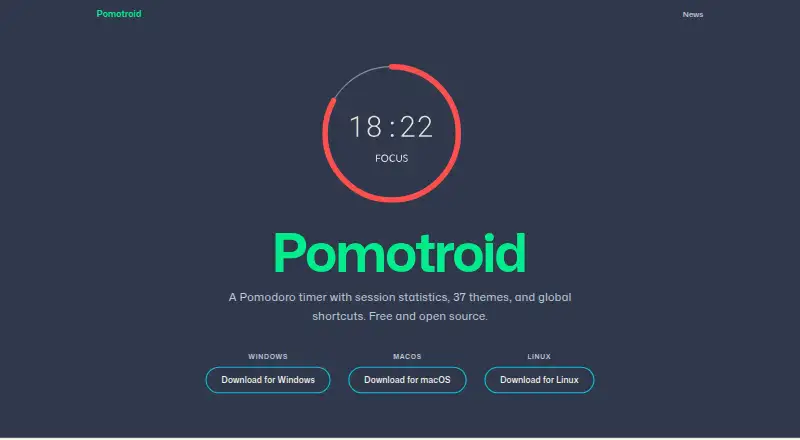
Pomotroid is a desktop Pomodoro timer for planning focus periods and breaks with the Pomodoro Technique. Set the length of each interval and choose how many rounds to include in a cycle. The app records completed sessions, then shows daily and weekly summaries, streaks, and activity in a 52-week heatmap. It includes 37 themes, and you can add your own JSON themes while the app is running; changes apply without a restart.
Pomotroid can continue running in the system tray, with a progress icon and desktop notifications when rounds change. It supports seven languages and detects the operating system’s language automatically. An optional local WebSocket server can connect the timer with stream overlays, other integrations, and automation scripts. Completed session data is stored in SQLite.
The app is free and open source under the MIT license. Christopher Murphy creates and maintains it. Downloads are available for Windows, macOS, and Linux, including a standalone Windows executable, a universal macOS DMG, and Linux DEB and AppImage packages. The project says Linux release files are GPG-signed and supplies detached signatures for download verification. It also notes that the app is currently unsigned, so some operating systems may show a warning on first launch. Bug reports and feature suggestions can be sent through GitHub issues.
Who it suits
Pomotroid suits people who want a configurable desktop timer with session summaries, streaks, and a longer-term activity view. It may also fit users who want custom themes or connections to stream overlays and automation scripts.
What it does well
- Adjustable focus and break durations and cycle rounds.
- Daily and weekly summaries, streak tracking, and a 52-week heatmap.
- 37 included themes and support for custom JSON themes.
- Runs in the system tray with progress and round-change notifications.
- Free, MIT-licensed, and available for Linux, macOS, and Windows.
What to know first
- Desktop app; no mobile platform is listed.
- Some operating systems may warn on first launch because the app is unsigned.
Plans
| Plan | Billed and limits | Price |
|---|---|---|
| Free and open source | Free and open source Pomodoro timer | Free |
As pomotroid.app lists them, read 8 Oct 2026. The maker's own page has the final word.
Getting started
- Open the Pomotroid website.
- Choose the download for Windows, macOS, or Linux.
- Install or open the package for your operating system.
- Set focus and break durations and the number of rounds in a cycle.
- Optionally choose a theme or connect through the local WebSocket server.
Verdict
Pick Pomotroid if you want a free desktop Pomodoro timer with configurable cycles and session history. Its themes, system tray mode, and optional local WebSocket server add flexibility. Look elsewhere if you need a mobile app or want to avoid a possible first-launch warning.
Questions
Is Pomotroid free?
Yes. Its plan is listed as Free and open source at no cost, and there is no free trial.
Which operating systems does it support?
Pomotroid is available for Linux, macOS, and Windows.
Is Pomotroid open source?
Yes. It is MIT-licensed.
Who maintains Pomotroid?
Christopher Murphy creates and maintains the project.
Can I use custom themes?
Yes. Pomotroid supports user-created JSON themes, which apply without restarting the app.
Where can I report a bug or suggest a feature?
The site directs users to open a GitHub issue.
Facts from Pomotroid's own pages
- Background use
- The timer can stay running in the system tray, with a progress icon and desktop notifications for round changes. · pomotroid.app, 8 Oct 2026
- Data storage
- Completed session data is written to SQLite. · pomotroid.app, 8 Oct 2026
- Downloads
- Downloads are available for Windows, macOS, and Linux, including a Windows standalone executable, macOS universal DMG, and Linux DEB and AppImage packages. · github.com, 8 Oct 2026
- Integration
- An optional local WebSocket server supports stream overlays, external integrations, and automation scripts. · github.com, 8 Oct 2026
- Languages
- The app supports seven languages and detects the operating system language automatically. · pomotroid.app, 8 Oct 2026
- License and maintainer
- Pomotroid is MIT-licensed and created and maintained by Christopher Murphy. · github.com, 8 Oct 2026
- Platform caveat
- The project notes that Pomotroid is currently unsigned and some operating systems may show a warning on first launch. · github.com, 8 Oct 2026
- Purpose
- Pomotroid is a configurable Pomodoro timer for tracking productivity with the Pomodoro Technique. · github.com, 8 Oct 2026
- Security
- The project says Linux release artifacts are GPG-signed and provides detached signatures for verifying downloads. · github.com, 8 Oct 2026
- Statistics
- It records completed sessions and provides daily and weekly summaries, streak tracking, and a 52-week heatmap. · pomotroid.app, 8 Oct 2026
- Support
- The site directs users to open a GitHub issue to report a bug or suggest a feature. · pomotroid.app, 8 Oct 2026
- Themes
- It includes 37 themes and supports user-created JSON themes that apply without restarting. · pomotroid.app, 8 Oct 2026
- Timer
- Users can set focus and break durations and the number of rounds per cycle. · pomotroid.app, 8 Oct 2026
Where Pomotroid stands on Freedom251
- Study Timer Apps#21 of 43
- Pomodoro Timer Apps#20 of 28