Freedom251 › Restoration Management Software
Lever360
What Lever360 is
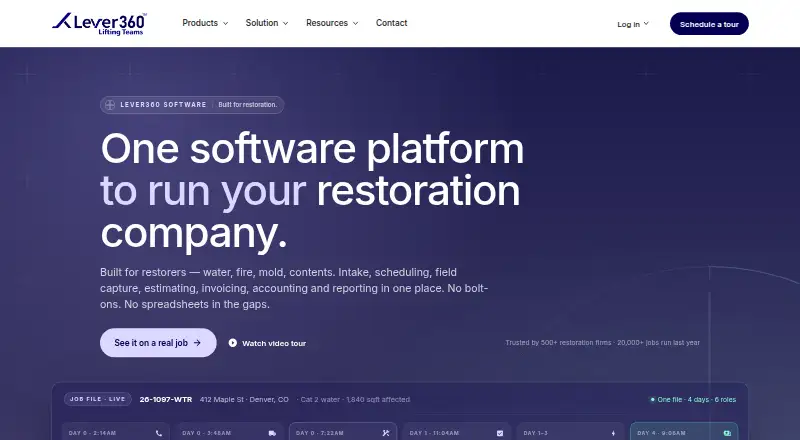
Lever360 manages property restoration jobs from the initial customer call through field work, estimating, and invoicing. Production tools include crew scheduling and dispatch, work orders, moisture and drying logs, photo documentation, scope changes, and quality checklists. Billing covers estimates, progress and final invoices, job-level profit and loss, labor tracking, receivables, purchase orders, and payment processing. Native iOS and Android apps support GPS time tracking, photos, signatures, dry log readings, field scopes, and offline capture that syncs when connectivity returns. Sales tools track referrals, rep visits, leads, opportunities, source ROI, and communications; reporting includes dashboards and exports. Listed integrations include QuickBooks, QB Time, Stripe, Propelr, Twilio, Gmail, Outlook, Encircle, and RoomPlan. Professional and Enterprise plans support multiple locations with isolated databases and network roll-up reporting. Business 7 costs $378 a month with a one-year commitment billed monthly, plus a one-time setup fee of 699 USD. Business plans have user caps; Professional costs $678 a month on a one-year commitment, plus an 899 USD setup fee, and caps at 20 users.
Who it suits
Lever360 is aimed at restoration businesses handling water, fire and smoke, mold, storm damage, or specialty cleanup work. Its plans address single-location operators as well as multi-location businesses, with larger teams directed to Enterprise pricing.
What it does well
- Tracks jobs from customer call through final invoicing
- Mobile apps support offline field capture
- Includes crew scheduling, field documentation, and billing
- Professional and Enterprise support multiple locations
What to know first
- No free plan
- Business plans cap at 7, 12, or 16 users
- Business 7 has a 699 USD setup fee
- Month-to-month billing costs 20% more
Limits
Business plans cap at 7, 12, or 16 users, and Professional caps at 20. Business 7 costs $378 a month with a one-year commitment billed monthly and a 699 USD one-time setup fee; month-to-month billing costs 20% more.
Plans
| Plan | Billed and limits | Price |
|---|---|---|
| Combined Professional | monthly with 1-year commitment · up to 20 users · multi-location capable · $1,199 setup fee · 12 hours onboarding · 10% bundle discount | $1,040 a month |
| Learning Lever Business 7 | monthly with 1-year commitment · up to 7 learners · 600+ trainings · role-based paths · compliance tracking | $239 a month |
| Business 7 | 1-year commitment · billed monthly; one-time setup: $699 · Up to 7 users · single-location operators | $378 a month |
| Lever360 Software Business 7 | monthly with 1-year commitment · up to 7 users · single location · full software platform | $378 a month |
| Business 12 | 1-year commitment · billed monthly; one-time setup: $699 · Up to 12 users | $478 a month |
| Lever360 Software Business 12 | monthly with 1-year commitment · up to 12 users · full software platform | $478 a month |
| Combined Business 7 | monthly with 1-year commitment · software plus Learning Lever · up to 7 users · $899 setup fee · 10% bundle discount | $555 a month |
| Business 16 | 1-year commitment · billed monthly; one-time setup: $699 · Up to 16 users | $578 a month |
The first 8 of 13 plans, as lever360.com lists them, read 14 Oct 2026. The maker's own page has the final word. Every plan
Getting started
- Visit https://www.lever360.com/lv/software/lever360-software.
- Choose a Business plan for a single-location operation or Professional for multi-location capability.
- Budget for the plan's one-time setup fee.
- Use the Android or iOS app for field work, or access the software on web, Windows, or macOS.
- Contact Lever360 about Enterprise pricing if your team has more than 20 users.
Lever360 is restoration-management software for contractors handling property damage and cleanup jobs. It is best suited to teams that want field operations, sales activity, estimating, and billing tied together. Its broad workflow coverage is a strong draw, but annual commitments, setup charges, and firm user caps make it a poor fit for teams that need a low-cost or flexible starting point.
Overview
Lever360 follows restoration work from the initial customer call through documentation, estimating, and final invoicing. That end-to-end scope can reduce the need to split production, sales, and job finances across separate tools. The focus is specific to property restoration, including water, fire and smoke, mold, storm damage, and specialty cleanup—not general-purpose project management.
The company says its restoration business started in 2000 and that around 2020 it brought its software, school, and digital training together under the Lever360 name. It serves both owner-operators and multi-location networks.
Key features
Job operations and field work
Crew scheduling and dispatch, work orders, moisture and drying logs, photo documentation, scope-change tracking, and quality checklists cover core production tasks. Native iOS and Android apps add GPS time tracking, photos, signatures, dry-log readings, and field scopes. Offline capture that syncs when connectivity returns is useful for crews working in areas with unreliable service.
Insurance workflows, an estimate builder, field documentation, crew scheduling, photo capture, and Xactimate export are included capabilities. Together, these make the product relevant to restoration companies whose work depends on documenting job conditions and preparing insurance-related estimates.
Billing, sales, and reporting
Billing tools cover estimates, progress and final invoices, job-level profit and loss, labor tracking, receivables, purchase orders, and payment processing. Sales teams can track referrals, rep visits, leads, opportunities, source return on investment, and communications. Dashboards and exportable reports help owners follow activity and results, though the feature set is broad enough that smaller operators may pay for more operational scope than they need.
Integrations and multi-location operations
Integrations include QuickBooks, QB Time, Stripe, Propelr, Twilio SMS and Voice, Gmail, Outlook, Encircle, RoomPlan, API, and MCP. Professional and Enterprise support multiple locations with a separate database for each location and roll-up reporting across the network. This is a meaningful distinction for growing operators that need location-level separation alongside consolidated oversight.
Pricing
All listed plans require a one-year commitment, billed monthly, and charge a one-time setup fee. Month-to-month billing costs 20% more. The setup expense raises the first-year cost beyond the monthly subscription, so the entry price alone understates the commitment.
| Plan | Price and terms | Best fit |
|---|---|---|
| Business 7 | $378 a month; 1-year commitment, billed monthly; $699 one-time setup; up to 7 users | Single-location operators with a small team |
| Business 12 | $478 a month; 1-year commitment, billed monthly; $699 one-time setup; up to 12 users | Teams needing more than seven seats |
| Business 16 | $578 a month; 1-year commitment, billed monthly; $699 one-time setup; up to 16 users | Growing single-location teams within the cap |
| Professional | $678 a month; 1-year commitment, billed monthly; $899 one-time setup; up to 20 users | Multi-location businesses needing network reporting |
Business plans cap out at 16 users, while Professional reaches 20 and adds multi-location capability. Teams above 20 users must contact Lever360 for Enterprise pricing. Professional also includes a dedicated customer success manager and implementation in 4–8 weeks; US-based support and free data migration are included in pricing. There is no free plan, so even the smallest listed team faces a paid annual term and setup fee.
Platforms
Lever360 supports Android, iOS, macOS, web, and Windows, and lists an API. Native mobile apps provide field capture and offline syncing, while the web and desktop platform coverage serves office workflows.
Who it's for
Lever360 is best suited to restoration contractors that need production coordination, field documentation, insurance-oriented estimating, and billing in one system. Professional is the clearest fit for multi-location networks that need separate location databases with roll-up reporting. A solo operator or budget-conscious small team should weigh the setup charge and annual commitment carefully against its seat cap and workflow requirements.
Pros and cons
- Pro: Production, field capture, sales tracking, and job-level financial tools share one system, which suits operators trying to connect the full job lifecycle.
- Pro: Offline mobile capture, GPS time tracking, signatures, and photo documentation support field crews beyond reliable connectivity.
- Pro: Professional and Enterprise combine location-level data separation with network roll-up reporting.
- Con: Every listed plan carries a one-year commitment and a $699 or $899 setup fee, limiting flexibility and increasing the cost of starting.
- Con: User caps top out at 20 on Professional, with larger teams directed to custom Enterprise pricing.
- Con: Month-to-month billing costs 20% more, so shorter commitment comes at a clear premium.
Alternatives
Restoration Management Software is a useful category starting point for comparing tools in this market.
Choose Proof Restoration OS if a free entry tier matters: Proof Pulse is free and includes 2 seats, 50K AI tokens per month, 50 vision analyses per month, and 1 GB storage, though it allows no call minutes or SMS. Its paid Proof Launchpad plan is 997.00 USD.
Clean Claims is another paid option for Android, iOS, and web.
Consider Loop Logics if user-based pricing that separates desktop and field users is a better fit; subcontractors are not counted as field users, and there is no charge based on jobs or claims.
Cotality DASH is a paid alternative for Android, iOS, and web.
Vercid may suit businesses that prefer a per-operation quote combining a workspace base, role-priced seats, and optional module packs.
For a seat-priced option, Albi starts at $60 a month for a Base User and $100 a month for a Pro User, with a $6,000 minimum yearly spend and four seats required in its small-business example.
Cortex by JobDox offers a trial and a Cortex Essential plan at $550 a month billed every 28 days, with a 12-month minimum term for 1–10 users.
Job Workflow PRO is another trial-offering option; its Starter plan is $249 a month, paid by ACH, for 10 seats.
Verdict
Choose Lever360 if your restoration business needs a connected system for job production, field documentation, sales, estimating, and billing—and its seat limits match your team. The multi-location reporting and offline-capable mobile apps strengthen the case for established operators. Look elsewhere if you need a free tier, a lower setup cost, or room to grow beyond 20 users without moving to Enterprise pricing.
Verdict
Lever360 brings job operations, field capture, sales tracking, and billing into one system for restoration businesses. Review the user caps, commitment, and setup fee against your team size and billing needs.
Questions
Is there a free plan?
No. Lever360 is a paid product.
What is the lowest listed plan price?
Business 7 costs $378 a month with a one-year commitment, billed monthly, plus a 699 USD one-time setup fee.
How many users can each plan support?
Business 7 supports up to 7 users, Business 12 up to 12, Business 16 up to 16, and Professional up to 20. Lever360 directs larger teams to contact it about Enterprise pricing.
Which platforms does Lever360 support?
The listed platforms are Android, iOS, macOS, web, and Windows; API is also listed.
What integrations are listed?
Integrations include QuickBooks, QB Time, Stripe, Propelr, Twilio SMS and Voice, Gmail, Outlook, Encircle, RoomPlan, API, and MCP.
Who makes Lever360?
Lever360 says its restoration company began in 2000 and that its software, school, and digital training came under the Lever360 brand around 2020.
Facts from Lever360's own pages
- API status
- A public API for reading and writing Lever360 data is advertised as coming soon. · lever360.com, 14 Oct 2026
- Billing
- The system creates estimates, invoices, draw schedules, receivable tracking, credit memos and payment records. · lever360.com, 14 Oct 2026
- Communications
- Calling, two-way SMS, email templates, thread history and job notes are tied to jobs and contacts. · lever360.com, 14 Oct 2026
- Company headquarters
- LinkedIn lists headquarters at 1145 Commons Blvd, Reading, Pennsylvania 19605, United States. · linkedin.com, 14 Oct 2026
- Company ownership
- LinkedIn identifies Lever360 as a privately held software-development company formed by combining iRestore and the Restoration Technical Institute. · linkedin.com, 14 Oct 2026
- Company size
- LinkedIn lists 11–50 employees. · linkedin.com, 14 Oct 2026
- CRM
- CRM functions track companies, contacts, referral sources, sales activities, routes and referral revenue. · lever360.com, 14 Oct 2026
- CRM and reporting
- Sales features include referral tracking, rep visits, lead and opportunity tracking, source ROI, and communication logs; reporting includes dashboards and exportable reports. · lever360.com, 29 Sept 2026
- Data use
- The privacy policy says Lever360 does not sell personal data or share it for marketing or promotional purposes, while noting it may disclose information when required by law. · lever360.com, 29 Sept 2026
- Documentation
- The public help center contains collections for getting started, job management, mobile, CRM, integrations, settings, assets, data management and company resources. · docs.lever360.com, 14 Oct 2026
- Dry logs
- Daily dry logs calculate humidity ratio, vapor pressure, dew point and grains depression from field readings. · lever360.com, 14 Oct 2026
- Equipment
- Equipment can be barcode-scanned, transferred between jobs or locations, and tracked through movement history. · lever360.com, 14 Oct 2026
- Estimating
- Field crews can build scopes from custom line lists, hide pricing and convert scopes into estimates. · lever360.com, 14 Oct 2026
- Field apps
- Native iOS and Android field apps support offline work and synchronize when connectivity returns. · lever360.com, 14 Oct 2026
- Founded
- LinkedIn lists 2012 as the founding year. · linkedin.com, 14 Oct 2026
- GetApp integrations
- GetApp lists Microsoft Outlook, Encircle, Gmail, Propelr, Stripe, QuickBooks Online and Twilio as integrations. · getapp.com, 14 Oct 2026
- GetApp support channels
- GetApp lists email/help desk, phone, chat, FAQs/forum and knowledge-base support, plus in-person, live-online, webinar, video and documentation training. · getapp.com, 14 Oct 2026
- Google Play distribution
- Google Play lists the Lever360 Android app with 500+ downloads and no displayed user rating. · play.google.com, 14 Oct 2026
- Headquarters
- Reading, Pennsylvania, United States · lever360.com, 28 Sept 2026
- Integrations
- Officially listed integrations include QuickBooks, QuickBooks Time, Stripe, Propelr, Twilio, Gmail, Outlook, Encircle and RoomPlan. · lever360.com, 14 Oct 2026
- iOS compatibility
- The App Store listing requires iOS 15 or later, iPadOS 15 or later, and macOS 12 or later on an Apple M1 Mac. · apps.apple.com, 14 Oct 2026
- Job management
- The platform provides job files, production boards, dispatch, work orders, task tracking and job reporting. · lever360.com, 14 Oct 2026
- Job operations
- Production tools include crew scheduling and dispatch, work orders, moisture and drying logs, photo documentation, scope change tracking, and quality checklists. · lever360.com, 29 Sept 2026
- Legal developer name
- Google Play identifies the developer as LEVER360, INC., with an address in Hobe Sound, Florida. · play.google.com, 14 Oct 2026
Where Lever360 stands on Freedom251
- Restoration Management Software#18 of 25