Freedom251 › Screen Capture Software
Ksnip
What Ksnip is
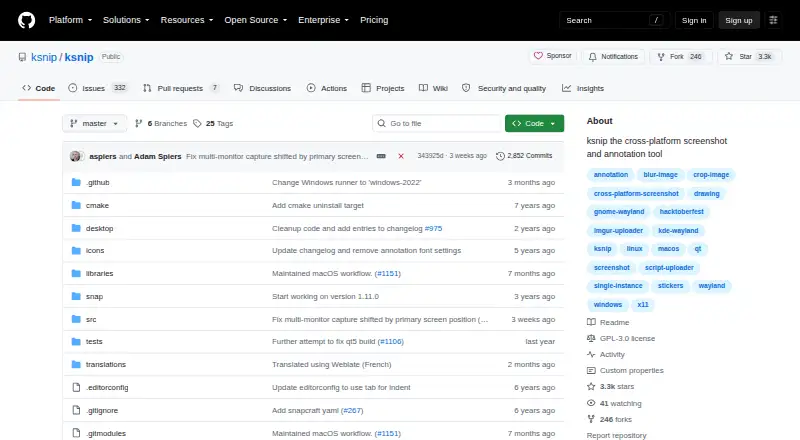
Ksnip is a free, open-source screenshot tool for Linux, macOS, and Windows. It can capture a selected rectangle, the last selected rectangle, a screen, all screens, or a focused or cursor-under window, depending on the platform. Its annotation options include drawing and marking tools, shapes, text, stickers, cropping, blur, pixelation, image effects, and watermarks. Screenshots can be uploaded to Imgur, sent via FTP, or passed to custom scripts. The command-line interface can capture screenshots and save them with a default location, filename, and format. Ksnip supports BMP, GIF, JPEG, JPG, PNG, PDF, and PS exports. OCR text extraction is available through a separately installed Tesseract-based plugin for Windows and Linux/Unix. The project documents platform-specific behavior, including differences across Linux display environments. Global hotkeys are supported only on Windows and X11, not Wayland. The project is GPL-3.0 licensed; its maintainer says development capacity is limited and the project is seeking co-maintainers.
Who it suits
Ksnip suits desktop users who need to capture and annotate screenshots, with options for command-line capture and uploads. OCR users should be on Windows or Linux/Unix and install the separate Tesseract-based plugin.
What it does well
- Annotation tools include blur, pixelation, and watermarks
- Supports command-line capture and saving
- Screenshots can be uploaded to Imgur, FTP, or scripts
- Exports include image and document formats
- Free, open-source, GPL-3.0 licensed
What to know first
- OCR requires a separate plugin
- Global hotkeys are unavailable under Wayland
- Capture behavior varies by platform
- Development capacity is limited
Limits
Ksnip is a free, GPL-3.0 licensed project. OCR requires a separate plugin and is listed for Windows and Linux/Unix; global hotkeys are limited to Windows and X11.
Plans
| Plan | Billed and limits | Price |
|---|---|---|
| Ksnip | Non-profitable copylefted libre software project | Free |
As github.com lists them, read 11 Oct 2026. The maker's own page has the final word.
Getting started
- Open the Ksnip project website on GitHub.
- Choose a download package for Linux, Windows, or macOS.
- Install the package for your platform.
- Capture a selected area, screen, or supported window.
- Annotate the screenshot, then save it in a supported format or upload it.
Ksnip is a free, GPL-3.0 Qt screenshot utility for Linux, macOS, and Windows that combines multiple capture modes with substantial annotation tools. It suits people who need to mark up screenshots locally, automate captures from a command line, or send images to a few configured services. Its broad feature set is compelling for a no-cost tool, but platform-specific capture and hotkey behavior should determine whether it fits your desktop.
Overview
Ksnip covers the core screenshot workflow from capture through editing and export. You can select a rectangle, repeat the last rectangle, capture one screen or all screens, or target a focused or cursor-under window where the operating system allows it. That range is useful for documentation, bug reports, support work, and routine screen sharing because you are not restricted to a single full-screen mode.
The application is a non-profit, copylefted libre-software project rather than a hosted service. Its GPL-3.0 license and open-source distribution make it a sensible choice for users who want inspectable software and no subscription. The maintainer also says co-maintainers are being sought while feature requests and bugs accumulate, so long-term development capacity is a consideration for teams that need a fast-moving project.
Key features
Capture and annotation
After capture, Ksnip provides a pen, marker, shapes, text, stickers, cropping, blur, pixelation, image effects, and watermarks. This is a practical toolkit for redacting information, calling out interface elements, and preparing instructional images without moving to a separate editor. Blur and pixelation are particularly useful for removing sensitive content, while watermarks support identifiable internal or published material.
Sharing, automation, and formats
Screenshots can be uploaded to Imgur, sent through FTP, or passed to custom user-defined scripts. Those destinations favor users with an existing sharing or publishing workflow; they do not amount to a built-in collaboration workspace. Command-line capture can save to a default location with a chosen filename and format, making Ksnip more suitable for repeatable documentation or scripted jobs than a purely manual screenshot utility.
Export covers BMP, GIF, JPEG, JPG, PNG, PDF, and PS. OCR text extraction is supported through a separately installed Tesseract-based plugin on Windows and Linux/Unix. That separation keeps OCR optional, but it adds installation work and does not provide the same path on macOS.
Pricing
Ksnip has one plan, Ksnip, priced at free. It is an open-source, non-profitable copylefted project with no free trial because the software itself is free. There are no paid tiers, seat charges, usage quotas, or renewal terms described, so individuals and organizations can use the same feature set without moving to a higher plan.
Platforms
Linux, Windows, and macOS packages are provided. Linux distribution options include RPM, DEB, APT, Snap, Flatpak, and AppImage, alongside Windows and macOS packages. Linux behavior varies with X11, Wayland, and portal support, which can change what capture functions work on a particular desktop.
Global hotkeys are supported on Windows and X11 but unavailable under Wayland. The project also documents limitations around macOS cursor capture and Wayland screenshot or clipboard behavior. If instant system-wide shortcuts, cursor-inclusive captures, or clipboard integration are central to your workflow, those constraints may outweigh the otherwise broad platform coverage.
Who it's for
Ksnip is a strong fit for developers, support staff, educators, and privacy-conscious users who want local screenshot editing, redaction, and flexible exports without paying for a license. It is also well suited to technically oriented users who can configure FTP, scripts, command-line options, or the Tesseract plugin when needed.
It is less suitable for teams seeking a managed cloud review space, a uniform hotkey experience across every Linux display stack, or OCR that works without an extra component. macOS users who depend on cursor capture should verify that its documented limitation is acceptable.
Pros and cons
Pros
- Wide capture selection: rectangle, repeat rectangle, screen, all screens, and window targets cover common support and documentation tasks.
- Deep markup toolkit: text, shapes, blur, pixelation, effects, stickers, and watermarks handle both explanation and redaction.
- Open and free: GPL-3.0 licensing and a 0.00 USD plan avoid subscription and seat costs.
- Automation hooks: command-line saving and custom scripts make repeatable capture workflows possible.
- Many export choices: seven documented image and document formats accommodate varied handoff requirements.
Cons
- Wayland hotkey gap: global shortcuts are unavailable there, limiting quick capture on that Linux setup.
- Platform caveats: macOS cursor capture and Wayland screenshot or clipboard behavior have documented restrictions.
- OCR setup: text extraction requires a separate Tesseract plugin and is aimed at Windows and Linux/Unix.
- Maintenance pressure: the project is seeking co-maintainers while bugs and feature requests build up.
Alternatives
For code-focused storage and synchronization rather than annotated screenshots, choose Snippets, whose free plan provides unlimited workspaces and notes with GitHub sync across devices. Bitbucket is the better choice when repositories and team pipelines matter; its free plan supports up to five users, unlimited public and private repositories, 1 GB of LFS storage, and 50 Pipelines minutes.
Cacher suits snippet libraries that need labels and attachments, with a free allowance of 15 private snippets, three private labels, unlimited public snippets, 10 MB of attachments, and 50 MB of monthly uploads. Pick Gisto for a free local snippet manager when cross-device or cloud synchronization is not required.
SnipIT is a browser-oriented alternative with separate code, AI, links, and tools vaults plus web clipping and local browser storage on its free plan. Lepton offers unlimited public and secret snippets with unlimited tags across Linux, macOS, and Windows. massCode is another free, open-source option with no account requirement, while McpeTool is free MIT-licensed software.
For broader directories of related tools, see Screen Capture Software, Screenshot Software, and Code Snippet Managers.
Verdict
Choose Ksnip if you want a genuinely free, cross-platform screenshot utility with serious annotation, scripting, export, and optional sharing capabilities. Its main reason to look elsewhere is platform fit: Wayland hotkeys, macOS cursor capture, and the extra OCR installation can disrupt workflows that depend on those functions, while the project’s limited maintenance capacity may matter to organizations seeking a more actively staffed product.
Verdict
Ksnip offers varied screenshot capture and annotation options across Linux, macOS, and Windows. Check its documented platform limits, particularly if you rely on global hotkeys or OCR.
Questions
How much does Ksnip cost?
Ksnip is free. Its listed plan costs 0.00 USD.
Is Ksnip open source?
Yes. The repository identifies it as GPL-3.0 licensed, and the project describes itself as copylefted libre software.
Which platforms does Ksnip support?
The project lists Linux, Windows, and macOS. Linux screenshot behavior varies with X11, Wayland, and portal support.
Does Ksnip include OCR?
OCR is available through a separately installed Tesseract-based plugin for Windows and Linux/Unix.
Where can Ksnip send screenshots?
It can upload screenshots to Imgur, via FTP, or through custom user-defined scripts.
How can users get support or report bugs?
The project directs general questions and discussion to its Discord or IRC community. Bug reports go to GitHub Issues.
Facts from Ksnip's own pages
- Annotations
- Its annotation tools include a pen, marker, shapes, text, stickers, cropping, blur, pixelation, image effects, and watermarks. · github.com, 11 Oct 2026
- Capture options
- It can capture a selected rectangle, the last selected rectangle, a screen, all screens, or a focused or cursor-under window, depending on platform. · github.com, 11 Oct 2026
- Command line
- It supports command-line screenshot capture and saving to a default location, filename, and format. · github.com, 11 Oct 2026
- Desktop platforms
- The project lists Linux, Windows, and macOS support, with Linux screenshot behavior varying by X11, Wayland, and portal support. · github.com, 11 Oct 2026
- Distribution
- Downloads include Linux packages and formats such as RPM, DEB, APT, Snap, Flatpak, and AppImage, plus Windows and macOS packages. · github.com, 11 Oct 2026
- Known limitation
- Global hotkeys are listed as supported only on Windows and X11, and are unavailable under Wayland according to the project documentation. · github.com, 11 Oct 2026
- License
- The repository identifies the project as GPL-3.0 licensed. · github.com, 11 Oct 2026
- Maintenance
- The maintainer says the project is seeking co-maintainers and that feature requests and bugs are accumulating while development capacity is limited. · github.com, 11 Oct 2026
- Maker
- The README describes ksnip as a non-profitable copylefted libre software project. · github.com, 11 Oct 2026
- OCR
- OCR is available through a separately installed plugin that uses Tesseract, for Windows and Linux/Unix. · github.com, 11 Oct 2026
- Other platform limitations
- The project documents limitations involving macOS cursor capture and Wayland screenshot or clipboard behavior. · github.com, 11 Oct 2026
- Purpose
- Ksnip is a Qt-based cross-platform screenshot tool with annotation features. · github.com, 11 Oct 2026
- Support and community
- The project directs general questions and discussion to its Discord or IRC community and bug reports to GitHub Issues. · github.com, 11 Oct 2026
- Uploads
- Screenshots can be uploaded to Imgur, via FTP, or through custom user-defined scripts. · github.com, 11 Oct 2026
Where Ksnip stands on Freedom251
- Screen Capture Software#10 of 61
- Code Snippet Managers#9 of 33
- Screenshot Software#13 of 39
- Screenshot tools#21 of 40