Freedom251 › Code Snippet Managers

Bitbucket
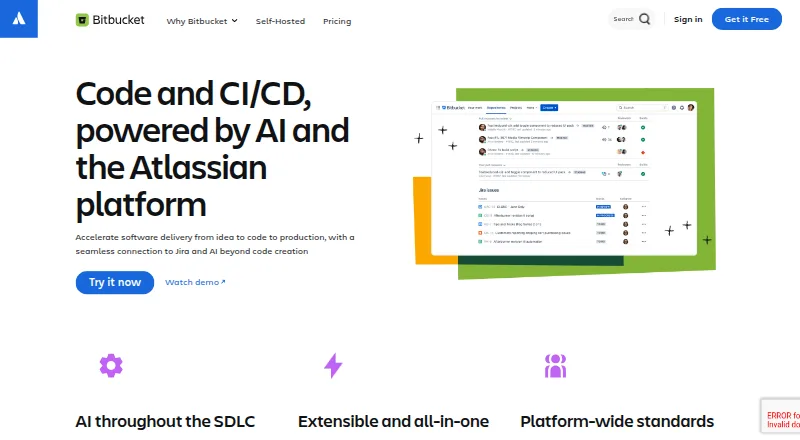
What Bitbucket is
Bitbucket gives teams a place to manage Git or Mercurial repositories alongside project planning, code, testing, and deployment. Its Free plan costs nothing, is free forever, and supports up to five users with unlimited public and private repositories, 1 GB of LFS storage, and 50 Pipelines build minutes. Bitbucket Pipelines provides integrated CI/CD, with integrations including AWS, BrowserStack, Sentry, and Snyk. Teams can create branches from Jira issues or Trello cards, while apps, webhooks, and a REST API provide ways to extend the service. Standard costs $3.65 a month per user; Premium costs $7.25 a month per user and adds merge checks, IP allowlisting, deployment permissions, required two-step verification, and smart mirroring. Cloud Premium also includes dedicated 24/7 support and a 99.9% uptime SLA. Free subscribers can get support through the Atlassian Community. For organizations requiring a self-managed option, Bitbucket Data Center has pricing available by contacting Atlassian and a free 30-day trial. Platforms include web, API, Linux, macOS, Windows, and self-hosted deployments.
Who it suits
Bitbucket suits teams that need Git or Mercurial version control with project planning and integrated CI/CD. Its Free plan accommodates up to five users; Data Center is presented for customers with strict regulatory or security requirements.
What it does well
- Free plan includes unlimited public and private repositories.
- Pipelines provides integrated CI/CD.
- Branches can be created from Jira issues or Trello cards.
- Premium includes merge checks and IP allowlisting.
- Available on Linux, macOS, Windows, web, and self-hosted.
What to know first
- Free plan is limited to five users.
- Free support is through the Atlassian Community.
- Data Center pricing requires contacting Atlassian.
Limits
The Free plan supports up to five users, 1 GB of LFS storage, and 50 Pipelines build minutes. Bitbucket Data Center pricing is available by contacting Atlassian.
Plans
| Plan | Billed and limits | Price |
|---|---|---|
| Free | forever · up to 5 users · unlimited public/private repositories · 50 build minutes/month · 1 GB Git LFS storage | Free |
| Standard | per user/month · 2,500 build minutes/month · 5 GB Git LFS storage · 1–5 users flat rate $18.25/month | $3.65 a month |
| Premium | per user/month · 3,500 build minutes/month · 10 GB Git LFS storage · merge checks · deployment permissions · IP allowlisting · required 2SV | $7.25 a month |
| Data Center | annual self-managed subscription · self-hosted deployment · clustering · enterprise security and regulatory controls | On request |
As bitbucket.org lists them, read 15 Oct 2026. The maker's own page has the final word.
Getting started
- Open the Bitbucket website
- Choose the Free, Standard, or Premium plan
- Create or join a workspace for your team’s repositories
- Use Bitbucket Pipelines to build, test, and deploy code
- For a self-managed option, start the free 30-day Data Center trial
Overview
Bitbucket is a Git- and Mercurial-based service for teams to plan projects, manage code, and build, test, and deploy it. It suits teams that want repository hosting tied to Jira or Trello and an integrated CI/CD path. Its free tier is generous on repositories but capped at five users, while stronger governance and support sit behind Premium.
Key features
Bitbucket supports both Git and Mercurial and gives teams unlimited public and private repositories on Free. That makes the entry plan useful for small teams with multiple projects, though its five-user ceiling means it is not a lasting no-cost option for larger groups.
Bitbucket Pipelines handles build, test, and deployment workflows, with integrations including AWS, BrowserStack, Sentry, and Snyk. Jira issues and Trello cards can be used to create branches, which is a practical advantage for teams already coordinating work in those tools. Apps, webhooks, and a REST API extend the service, while a built-in wiki and merge queue add project documentation and code-review workflow features.
Premium adds merge checks, IP allowlisting, deployment permissions, required two-step verification, and smart mirroring. Those controls matter for teams that need more oversight of changes and access. Security integrations are narrower: Bitbucket Cloud security documentation identifies Snyk as the provider available to install and implement with a repository.
Pricing
Bitbucket uses a freemium model, with per-user monthly charges on its paid cloud plans and a separate self-managed offering.
- Free: free (billed Free forever). It supports up to 5 users, unlimited public and private repositories, 1 GB LFS storage, and 50 Pipelines build minutes. It is a sensible starting point for small teams, but the user and build-minute caps constrain growth and heavier automation. Free subscribers can get support through the Atlassian Community.
- Standard: $3.65 a month (billed per user / month). It is aimed at growing teams and includes LFS and Pipelines. Its lower price than Premium makes it the middle step for teams needing paid capacity without Premium's additional controls and support.
- Premium: $7.25 a month (billed per user / month). It includes Standard features plus merge checks, IP allowlisting, deployment permissions, required two-step verification, and smart mirroring. Dedicated 24/7 support and a 99.9% uptime SLA make this the stronger fit for teams that prioritize governance and support commitments.
- Bitbucket Data Center: custom pricing, available by contacting Atlassian. This self-managed option is for customers with strict regulatory or security requirements, and has a free 30-day trial.
Published service limits also include 5 GB of Git LFS storage and 1 GB of artifact storage. Check those quotas against repository and build needs before settling on a plan.
Platforms
Bitbucket is available on the web, Linux, macOS, Windows, and as a self-hosted offering; an API is also available. That range suits teams working across desktop systems or needing a self-managed deployment, though the self-managed route is a distinct Data Center offering rather than the standard cloud plans.
Who it's for
Bitbucket is strongest for software teams already using Jira or Trello, or those who value an integrated path from repository work through CI/CD. Small groups can begin on Free; growing teams can move to Standard, while Premium is the better fit when access controls, deployment permissions, round-the-clock support, or an uptime SLA carry weight. Look elsewhere if the five-user Free cap is too restrictive and paid per-user pricing does not fit, or if your security integration needs extend beyond Snyk.
Pros and cons
- Pro: Unlimited public and private repositories on Free let small teams keep multiple projects without a repository-count cap.
- Pro: Branch creation from Jira issues and Trello cards links code changes to work planning in those products.
- Pro: Integrated Pipelines and named third-party integrations provide a route from code to build, test, and deployment.
- Pro: Premium combines specific security controls with dedicated 24/7 support and a 99.9% uptime SLA.
- Con: Free stops at five users and 50 Pipelines build minutes, so team growth or automation needs can force a paid upgrade.
- Con: Free support is through the Atlassian Community, not Premium's dedicated round-the-clock service.
- Con: Cloud security integration documentation identifies only Snyk as available to install and implement with a repository.
Alternatives
For focused snippet storage rather than a full repository-hosting and CI/CD service, compare Cacher, Gisto, Lepton, Snibox, massCode, ZCode Snippets, ByteStash, and SnippetsLab. Cacher's free plan sets limits on private snippets, labels, attachments, and uploads; choose it when those bounded snippet features meet the need. Gisto's free local mode does not sync across devices or cloud providers, so it fits a local-only workflow. Lepton offers unlimited public or secret snippets and tags at no cost, while Snibox is MIT-licensed, self-hosted, and starts with one registered user. massCode is free and open source with no account required; SnippetsLab is Mac-only and has no ads, in-app purchases, or subscriptions. ByteStash's free tier allows 100 snippets per workspace and one member, with Pro at £2.50 a month billed annually at £30. ZCode Snippets is another free option.
For broader browsing, see Code Snippet Management Software and Code Snippet Managers.
Verdict
Choose Bitbucket if your team wants repository hosting and CI/CD connected to Jira or Trello, with a free entry point and a clear upgrade to stronger controls. Its main trade-offs are Free's five-user and build-minute limits, paid per-user pricing, and a narrow documented security-integration choice. Teams requiring self-management for strict regulatory or security needs should consider Data Center; teams without those needs can start with Free and upgrade when its caps or governance become limiting.
Verdict
Bitbucket combines repository hosting and CI/CD with connections to Jira, Trello, and third-party services. Compare the Free plan's five-user limit with the paid per-user plans and their additional controls and support.
Questions
Is Bitbucket free?
Yes. Its Free plan is free and supports up to five users, with unlimited public and private repositories, 1 GB of LFS storage, and 50 Pipelines build minutes.
How much do the paid plans cost?
Standard costs $3.65 per user per month. Premium costs $7.25 per user per month.
Does Bitbucket include CI/CD?
Yes. Bitbucket Pipelines provides integrated CI/CD for building, testing, and deploying code.
Which version control systems does Bitbucket support?
Bitbucket supports Git and Mercurial.
Can Bitbucket be self-hosted?
Bitbucket Data Center is a self-managed offering for customers with strict regulatory or security requirements. Atlassian offers a free 30-day trial, and pricing is available by contacting the company.
What support comes with the plans?
Bitbucket Cloud Premium includes dedicated 24/7 support and a 99.9% uptime SLA. Free subscribers are eligible for support through the Atlassian Community.
Facts from Bitbucket's own pages
- AI features
- Current product pages describe AI-powered search, chat, code review, pipeline triage and Jira updates. · bitbucket.org, 15 Oct 2026
- API
- The Cloud REST API uses versioned endpoints under api.bitbucket.org and documents OAuth 2.0, access tokens, pagination, JSON schemas and OpenAPI. · developer.atlassian.com, 15 Oct 2026
- App extensions and API
- Bitbucket apps can add interface extensions, use webhooks, and access Bitbucket data through its REST API. · support.atlassian.com, 29 Sept 2026
- Bitbucket Pipes
- Pipes provide preconfigured or custom plug-and-play steps for extending CI/CD workflows. · bitbucket.org, 15 Oct 2026
- Branch permissions
- Repository and branch permissions let teams restrict who can access code and merge changes. · bitbucket.org, 15 Oct 2026
- Browser requirements
- Bitbucket Cloud supports current stable Chrome, Firefox, Safari and Edge releases and no longer supports Internet Explorer 11. · support.atlassian.com, 15 Oct 2026
- CI/CD
- Bitbucket Pipelines provides integrated CI/CD for building, testing, and deploying code. · bitbucket.org, 29 Sept 2026
- Code review
- Pull requests provide inline collaboration, reviewer assignment, diffs and discussion before merging. · bitbucket.org, 15 Oct 2026
- Company funding and investors
- Crunchbase lists Atlassian as a public Sydney company with 10,001+ employees and investors including T. Rowe Price and an Employee Stock Option Fund. · crunchbase.com, 15 Oct 2026
- Company ownership
- Atlassian announced its acquisition of Bitbucket.org on September 29, 2010, when Bitbucket had more than 60,000 users. · atlassian.com, 15 Oct 2026
- Company profile
- LinkedIn lists Atlassian as a public software-development company headquartered in Sydney, founded in 2002, with 10,001+ employees. · linkedin.com, 15 Oct 2026
- Data Center trial
- Atlassian offers a free 30-day trial of Bitbucket Data Center. · bitbucket.org, 29 Sept 2026
- Documentation
- Official developer documentation includes Cloud REST guides, endpoint reference, resources and a changelog, while support documentation covers Cloud and Data Center administration. · developer.atlassian.com, 15 Oct 2026
- Extensibility
- Atlassian Connect apps can add integrations and extension points inside the Bitbucket user interface. · support.atlassian.com, 15 Oct 2026
- Free support
- Bitbucket Cloud Free subscribers are eligible for support through the Atlassian Community. · atlassian.com, 29 Sept 2026
- Integrations
- The integration catalog includes tools such as AWS, Azure, Jenkins, Slack, SonarCloud, Snyk, monitoring and deployment services. · bitbucket.org, 15 Oct 2026
- Jira and Trello
- Teams can create Bitbucket branches from Jira issues or Trello cards. · bitbucket.org, 29 Sept 2026
- Jira integration
- Jira issues can create Bitbucket branches and update workflow status when code is reviewed or merged. · bitbucket.org, 15 Oct 2026
- Licence
- Atlassian states Bitbucket is proprietary software; eligible licensees may receive source code for internal customization, but it is not open source. · atlassian.com, 15 Oct 2026
- Limit: ecosystem reach
- Reviewers say Bitbucket is less widely used than GitHub for open-source projects, tutorials and community discovery. · softwareadvice.com, 15 Oct 2026
- Limit: merge conflict handling
- Capterra reviews include complaints that merge conflicts cannot be resolved directly in the Bitbucket web interface. · capterra.com, 15 Oct 2026
- Limit: performance
- Capterra reviewers report that the interface or repository operations can become slow with large repositories or heavy activity. · capterra.com, 15 Oct 2026
- Limit: scaling cost
- Independent pricing reviews say costs rise as teams exceed the five-user free tier or require paid features. · capterra.com, 15 Oct 2026
- Notable release
- Bitbucket Data Center 10.4, released May 12, 2026, added changing pull-request authors and reverting merged pull requests, alongside security advisories. · confluence.atlassian.com, 15 Oct 2026
Where Bitbucket stands on Freedom251
- Code Snippet Managers#3 of 33
- Code Snippet Management Software#2 of 22
- Git Hosting Services#4 of 35
- Developer Tools#5 of 33
- Source Code Management#5 of 30
- Repository Management Software#5 of 22
- Git Platforms#5 of 21