Freedom251 › Code Snippet Management Software

massCode
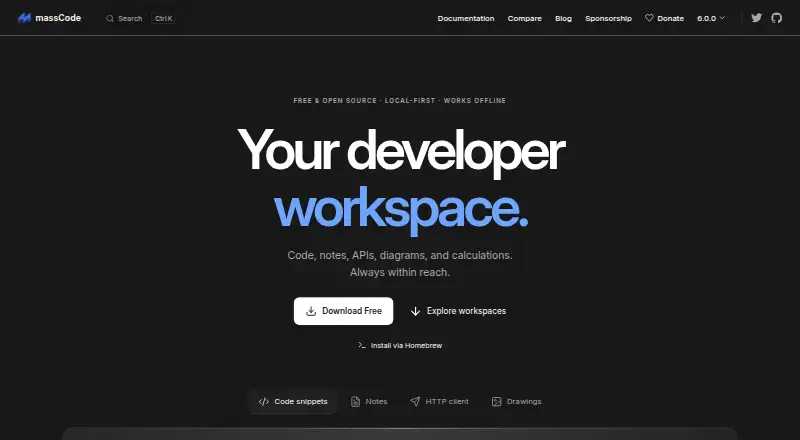
What massCode is
massCode is a free, open-source workspace for keeping code snippets, Markdown notes, HTTP requests, calculations, and developer utilities together on a desktop. Its Code space sorts reusable snippets by project and language, with folders, search, and an editor. Notes supports task status and due dates, a notes graph, mindmaps, and presentation mode. The HTTP workspace handles collections, environments, scripts, tests, sequential runs, GraphQL, and WebSocket, and can import requests from OpenAPI, Postman, or Bruno. A browser clipper can save selected code, page text, and links into Code, Notes, or HTTP. The AI assistant connects to named cloud providers using the user's API key or to local models through Ollama or LM Studio; cloud API usage is billed by the provider. Snippets and notes are plain Markdown files in a local vault, which can be synced using external services. The project says it collects no telemetry. Downloads are listed for macOS, Windows, and Ubuntu Linux, with browser extensions for Chrome, Firefox, and Safari.
Who it suits
It suits developers who want snippets, notes, and HTTP work in one desktop workspace. It may also fit people who prefer local Markdown storage and are comfortable syncing the vault themselves.
What it does well
- Free plan; no account required.
- Organizes snippets across projects and languages.
- HTTP workspace supports GraphQL and WebSocket.
- Vault files can be read and backed up externally.
- Browser clipper builds are documented for three browsers.
What to know first
- Vault files are plain text, not suited to stored secrets.
- No built-in cloud account or proprietary sync service.
- No team workspaces or version history.
- Cloud AI API usage is billed by providers.
Limits
The Free plan costs nothing and requires no account. Cloud AI API usage is billed separately by the provider; vault files are plain text, so the maker advises against placing secrets in synced, shared, or Git-committed vaults.
Plans
| Plan | Billed and limits | Price |
|---|---|---|
| Free | No account required · local storage · macOS, Windows, Linux | Free |
As masscode.io lists them, read 14 Oct 2026. The maker's own page has the final word.
Getting started
- Visit massCode's website.
- Choose a macOS, Windows, or Ubuntu Linux download.
- Install and open massCode; no account is required.
- Create a vault for locally stored snippets and notes.
- Add a browser clipper from the documented Chrome, Firefox, or Safari builds if needed.
massCode suits developers who want snippets, notes, and API work in one desktop tool rather than separate apps. Its open file format and broad HTTP support reward people who manage their own storage; teams needing shared workspaces or built-in history should look elsewhere.
Overview
massCode is a free, open-source workspace built around a local vault. Code snippets and Markdown notes remain ordinary files that you can move, edit, and back up independently of the application. That portability is a practical advantage for individual developers, while the plain-text format requires discipline when files are shared or synchronized.
The project uses the AGPL v3 license and credits Anton Reshetov. The maker says the app collects no telemetry and does not track users. There is no proprietary cloud account or sync service; folder synchronization is handled through services such as iCloud Drive, Dropbox, Google Drive, Syncthing, or Git.
Browse more choices in Code Snippet Managers and Code Snippet Management Software.
Key features
Code and Markdown
The Code area organizes reusable material by project and language, using folders, search, and an editor. Notes goes beyond basic documents with Markdown, task status and due dates, a notes graph, mindmaps, and presentation mode. This combination works well for a personal technical knowledge base, especially when you want the same vault to hold examples and supporting explanations.
HTTP development
The HTTP area provides collections, environments, scripts, tests, sequential runs, GraphQL, and WebSocket support. Imports from OpenAPI, Postman, and Bruno reduce the cost of moving an existing request library. It is a substantial API workspace inside a snippet-and-notes application, although there are no team workspaces or version history.
AI, MCP, and browser capture
An AI assistant can use OpenAI, Anthropic, Gemini, DeepSeek, Mistral, or xAI through your own API key, or connect to local models via Ollama and LM Studio. Cloud model charges come from the provider, not massCode. A coding agent can use MCP to search, read, and save snippets, notes, and HTTP requests. The browser clipper captures selected code, page text, and links from Chrome, Firefox, or Safari into any of the three areas.
Storage and security
Snippets and notes are stored as plain Markdown in the vault, making external backup and migration straightforward. The maker advises against putting secrets in vaults that are synced, shared, or committed to Git. HTTP secret variable values are kept outside the vault and encrypted on the device, so API credentials receive stronger treatment than ordinary notes.
Pricing
| Plan | Price | Includes |
|---|---|---|
| Free | free | No account required; free and open source |
There is no trial because the only plan is permanently free. Individuals can use the complete workspace without seats, usage quotas, or renewal payments. The trade-off is operational rather than financial: sync, backup, and any cloud AI consumption are handled through services you choose, and there is no managed team environment.
Platforms
massCode provides macOS builds for Apple Silicon and Intel, Windows builds, and a Linux download for Ubuntu. A browser extension supports Chrome, Firefox, and Safari capture. The product is also documented as an API, extension, Linux, macOS, and Windows offering; there is no web workspace listed.
Who it's for
Choose massCode if you are a solo developer or small personal project owner who wants code examples, technical notes, and API requests together, with files you can inspect and back up yourself. It is especially suitable for privacy-conscious users who prefer local storage and for developers who already maintain an external sync folder or Git workflow.
Look elsewhere if several people must edit the same workspace, if built-in revision history is essential, or if plain-text vault files cannot be allowed to contain sensitive material. You will also need to budget separately for provider charges when using cloud AI models.
Pros and cons
- Pro: One free desktop workspace covers snippets, Markdown knowledge management, and a capable HTTP client.
- Pro: Plain Markdown vault files remain portable and can be synchronized with the storage tools you already trust.
- Pro: Local-model options through Ollama and LM Studio can avoid cloud model fees and external processing.
- Con: The vault is plain text, so synced, shared, or Git-committed locations are unsuitable for secrets.
- Con: There are no team workspaces or version history, limiting collaboration and rollback.
- Con: Cloud AI usage is billed by each model provider, adding costs outside the free application.
Alternatives
Bitbucket is a better fit when you need hosted repositories, collaboration for up to five users on its free plan, and built-in Pipelines. Cacher suits users who prefer a web-connected snippet service with private-snippet and attachment quotas. Gisto is worth considering for a free, self-hostable option, though its local mode does not sync across devices or cloud providers. Lepton favors unlimited public and secret snippets with unlimited tags on supported desktop platforms. Snibox is a MIT-licensed, self-hosted choice with one registered user out of the box. SafeScript is aimed at Linux and macOS users seeking a free Linux build and a paid Mac edition. ZCode Snippets is a free desktop snippet manager for Linux, macOS, and Windows. ByteStash is preferable when you want a web/API service with a free limit of 100 snippets per workspace and one member.
Verdict
massCode is a strong recommendation for independent developers who value a local, portable vault and want snippets, notes, and serious HTTP tooling without a subscription. Its main reason to look elsewhere is the lack of team collaboration and history, combined with the need to protect plain-text vaults and arrange your own synchronization.
Verdict
massCode combines code snippets, Markdown notes, and HTTP tooling in a free desktop workspace. Its local vault offers control over files, but syncing is external and plain-text vaults should not hold secrets.
Questions
How much does massCode cost?
The Free plan costs nothing. No account is required.
Is massCode open source?
Yes. The project is licensed under AGPL v3.
Which platforms does massCode support?
Downloads are offered for macOS, Windows, and Ubuntu Linux. Browser clipper builds are documented for Chrome, Firefox, and Safari.
Does massCode sync across devices?
There is no built-in cloud account or proprietary sync service. Users can sync the vault folder through services such as iCloud Drive, Dropbox, Google Drive, Syncthing, or Git.
Can massCode connect to AI models?
Yes. It can use OpenAI, Anthropic, Gemini, DeepSeek, Mistral, or xAI with the user's API key, and local models through Ollama or LM Studio. Cloud API usage is billed by the provider.
Who makes massCode?
The site credits Anton Reshetov.
Facts from massCode's own pages
- AI integrations
- The AI assistant can connect to OpenAI, Anthropic, Gemini, DeepSeek, Mistral, or xAI using the user's API key, or to local models through Ollama or LM Studio; cloud API usage is billed by the provider. · masscode.io, 29 Sept 2026
- AI providers
- The AI Assistant supports OpenAI, Anthropic, Gemini, DeepSeek, Mistral, xAI, OpenRouter, Ollama and LM Studio using user supplied credentials or local servers. · masscode.io, 14 Oct 2026
- Browser clipper
- The Clipper extension saves selected code to Code, readable text to Notes and pages or links as HTTP GET requests. · masscode.io, 14 Oct 2026
- Build requirements
- Building from source requires Node.js 20.16 or newer and pnpm 9 or newer. · github.com, 14 Oct 2026
- Code snippets
- The Code workspace organizes reusable snippets with folders, tags, fragments, search and syntax highlighting. · github.com, 14 Oct 2026
- Company ownership
- The project credits Anton Reshetov as copyright holder and maintainer. · github.com, 14 Oct 2026
- Developer tools
- Built-in tools include JSON comparison, encoders, decoders, generators, hash utilities and text converters. · masscode.io, 14 Oct 2026
- Drawings
- Drawings uses an Excalidraw-powered canvas with searchable diagrams, image export and Markdown embedding. · masscode.io, 14 Oct 2026
- Formatting and previews
- Code includes integrated Prettier formatting plus live HTML and CSS previews. · github.com, 14 Oct 2026
- HTTP client
- The HTTP workspace sends HTTP and GraphQL requests, exchanges WebSocket messages, stores history and supports collections, environments and folders. · masscode.io, 14 Oct 2026
- HTTP imports
- Collections can be imported from OpenAPI, Postman and Bruno. · github.com, 14 Oct 2026
- HTTP testing
- HTTP requests can use assertions, JavaScript tests, response extraction and sequential collection or folder runs. · masscode.io, 14 Oct 2026
- Imports
- The HTTP workspace can import requests from OpenAPI, Postman, or Bruno. · masscode.io, 29 Sept 2026
- Independent feature praise
- MacUpdate highlights multi-level folders, tags, more than 160 grammars, Prettier formatting, Markdown, Mermaid, full-text search and cloud-folder synchronization. · masscode.macupdate.com, 14 Oct 2026
- Integration API
- The local Integration API uses a configurable port, bearer token and generated token for extensions such as Clipper. · masscode.io, 14 Oct 2026
- Licence
- The application is released under the GNU Affero General Public License version 3. · github.com, 14 Oct 2026
- License and maker
- The project is AGPL v3 and its site credits Anton Reshetov, with copyright dating from 2019. · masscode.io, 29 Sept 2026
- Limit: depth versus specialists
- The independent review judged that the all-in-one approach sacrifices some depth, reliability and polish compared with dedicated tools. · developers.pl, 14 Oct 2026
- Limit: editor bug
- The independent review cited an open Linux issue in which Live Sync could deselect the editor after typing stopped. · developers.pl, 14 Oct 2026
- Limit: HTTP capabilities
- The independent review reported that its HTTP client lacks the advanced authentication, scripting and testing depth the reviewer uses in Insomnia. · developers.pl, 14 Oct 2026
- Local storage
- Snippets and notes are stored locally as plain Markdown files in a vault that users can read, edit, move, and back up outside massCode. · masscode.io, 29 Sept 2026
- Maker background
- Anton Reshetov describes massCode as his largest open-source project and lists its launch in 2019. · antonreshetov.com, 14 Oct 2026
- Markdown notes
- Notes supports Markdown documents, tasks, links, graphs, mindmaps and presentation mode. · masscode.io, 14 Oct 2026
- Math notebook
- Math provides natural-language arithmetic, currency and unit conversion, date calculations and finance formulas. · masscode.io, 14 Oct 2026
Where massCode stands on Freedom251
- Code Snippet Management Software#1 of 22
- Code Snippet Managers#2 of 33