Freedom251 › Code Snippet Managers

CodeKeep
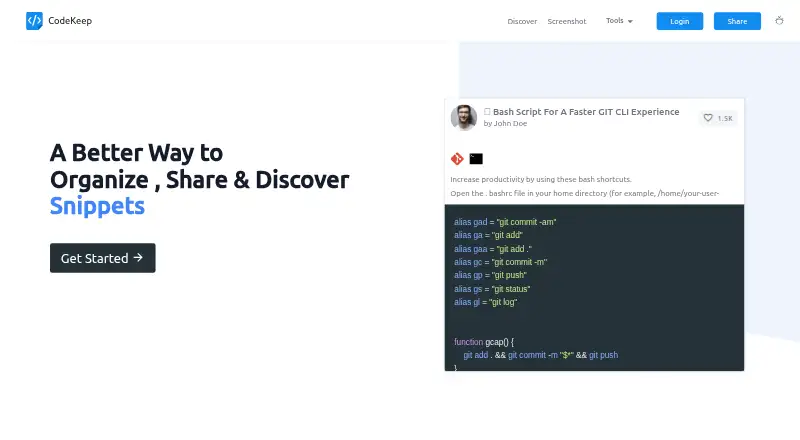
What CodeKeep is
CodeKeep is a service for organizing, sharing, and discovering code snippets, available on the web and through extensions. When you press “Paste” on a website, an Add Snippet dialog opens for capturing a snippet. Folders group snippets, and users can share their folders or bookmark folders shared by other users. Labels provide another way to organize a collection and filter snippets. CodeKeep also lets users browse snippets shared for reuse and offers dark mode.
Its screenshot editor includes templates and options for adding images and backgrounds, along with social accounts. CodeKeep says its VS Code and Google Chrome extensions can import and export snippets. The Free plan includes unlimited public snippets, up to 40 folders, and up to 20 folder bookmarks; it has no private snippets or private folders, and screenshots carry a watermark. Pro costs $4.99 a month and includes unlimited private snippets, folders, and bookmarks, private folders, folder icons, and screenshots without a watermark. The privacy policy says personally identifying information is not shared publicly or with third parties except when required by law, and that collected information is retained only as long as necessary and protected using commercially acceptable means.
Who it suits
CodeKeep suits developers who want to collect snippets, arrange them in folders, and share or discover reusable code. The Free plan fits public snippet collections; people who need private snippets or private folders need Pro.
What it does well
- Capture a snippet from a website with the Paste action.
- Organize and filter snippets with folders and labels.
- Share folders and bookmark folders from other users.
- VS Code and Google Chrome extensions support import and export.
- Discover reusable snippets and use dark mode.
What to know first
- Free plan has no private snippets or private folder.
- Free plan limits users to 40 folders and 20 bookmarks.
- Free plan screenshots carry a watermark.
Limits
Free includes unlimited public snippets, up to 40 folders, and up to 20 bookmarks, but excludes private snippets and private folders. Pro costs $4.99 a month and includes unlimited private snippets, folders, and bookmarks.
Plans
| Plan | Billed and limits | Price |
|---|---|---|
| FREE | $0.00 /mo · Unlimited public code snippets · No private snippets · Up to 40 folders · No private folder · No folder icons · Up to 20 bookmarks · Screenshot watermark · VS Code extension | Free |
| PRO | $4.99 month · Unlimited public code snippets · Unlimited private snippets · Unlimited folders · Private folders · Folder icons · Unlimited bookmarks · No screenshot watermark · VS Code extension | $4.99 a month |
As codekeep.io lists them, read 4 Oct 2026. The maker's own page has the final word.
Getting started
- Open the CodeKeep website.
- Use the web service or its VS Code or Google Chrome extension.
- Press Paste on a website to open the Add Snippet dialog.
- Organize snippets with folders and labels.
- Choose Free or Pro based on whether you need private snippets or folders.
Verdict
Choose CodeKeep if you want a place to organize, share, and find code snippets, especially through folders, labels, and browser or editor extensions. The Free plan supports public collections; look to Pro if you need private snippets or folders, or want screenshots without a watermark.
Questions
Does CodeKeep have a free plan?
Yes. The Free plan costs nothing and includes unlimited public code snippets, up to 40 folders, and up to 20 bookmarks.
How much does Pro cost?
Pro costs $4.99 a month.
Which platforms does CodeKeep support?
The listed platforms are web and extension. CodeKeep says its VS Code and Google Chrome extensions can import and export snippets.
Can I keep snippets or folders private?
The Free plan has no private snippets or private folder. Pro includes unlimited private snippets and private folders.
What is included in the screenshot editor?
It offers templates and options to add images and backgrounds, as well as social accounts. Free screenshots carry a watermark; Pro screenshots do not.
How does CodeKeep handle personal information?
Its privacy policy says personally identifying information is not shared publicly or with third parties except when required by law. It also says collected information is retained only as long as necessary and protected using commercially acceptable means.
Facts from CodeKeep's own pages
- Data sharing
- The privacy policy says personally identifying information is not shared publicly or with third parties except when required by law. · codekeep.io, 4 Oct 2026
- Discovery
- Users can discover reusable snippets shared on CodeKeep; the site also says it has dark mode. · codekeep.io, 4 Oct 2026
- Extensions
- CodeKeep says its VS Code and Google Chrome extensions can import and export snippets. · codekeep.io, 4 Oct 2026
- Folders
- Users can organize snippets into folders, share folders, and bookmark folders from other users. · codekeep.io, 4 Oct 2026
- Free plan limit
- The Free plan includes up to 40 folders and up to 20 folder bookmarks, with no private snippets or private folder. · codekeep.io, 4 Oct 2026
- Labels
- Users can create labels and filter snippets by label. · codekeep.io, 4 Oct 2026
- Privacy
- The privacy policy says collected information is retained only as long as necessary and protected using commercially acceptable means. · codekeep.io, 4 Oct 2026
- Purpose
- CodeKeep describes itself as a place to organize, share, and discover code snippets. · codekeep.io, 4 Oct 2026
- Quick capture
- Pressing “Paste” on a website opens the Add Snippet dialog. · codekeep.io, 4 Oct 2026
- Screenshot editor
- The screenshot editor offers templates, image and background additions, and social accounts. · codekeep.io, 4 Oct 2026
Where CodeKeep stands on Freedom251
- Code Snippet Managers#8 of 33
- Code Snippet Management Software#7 of 22