Freedom251 › Code Snippet Managers
Lepton
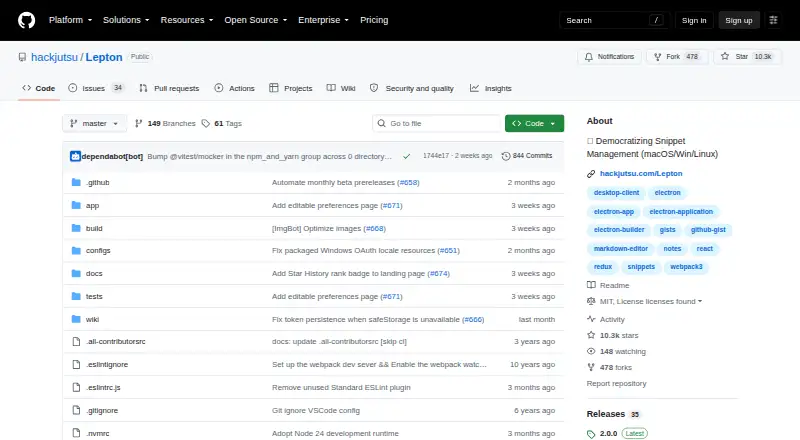
What Lepton is
Lepton is a free desktop code snippet manager that stores and syncs snippets through GitHub Gist. It supports unlimited public and secret snippets, tags, and language groups, with editing for Markdown and Jupyter Notebook snippets. Search can match filenames, languages, descriptions, tags, IDs, and downloaded snippet file content. To search across all snippet contents, enable `snippet.downloadAll` before syncing. You can sign in with GitHub OAuth or a personal access token with the `gist` scope; GitHub Enterprise is supported too. Lepton says it has no separate sync service: data is kept in the app locally or remotely in GitHub Gist. Packaged builds use Electron safeStorage for cached tokens when available, with a plaintext-file fallback otherwise. Settings in `.leptonrc` cover themes, editor options, proxy, shortcuts, notifications, and language. Desktop releases are available for Linux, macOS, and Windows, including AppImage and Snap packages for Linux. The project is MIT-licensed.
Who it suits
Lepton suits developers who want to organize code snippets across desktop systems and already use GitHub Gist. It may also suit users who work with Markdown or Jupyter Notebook snippets.
What it does well
- Unlimited public and secret snippets and tags
- Searches filenames, descriptions, tags, IDs, and languages
- Supports Markdown and Jupyter Notebook snippets
- Available for Linux, macOS, and Windows
What to know first
- Full-content global search requires enabling `snippet.downloadAll`
- macOS installation may require changing Security settings
- No IDE integration, browser extension, or API access
Limits
The Free plan costs nothing and allows unlimited public and secret snippets and unlimited tags. Global search across snippet contents requires enabling `snippet.downloadAll` before syncing.
Plans
| Plan | Billed and limits | Price |
|---|---|---|
| Free | Unlimited public/secret snippets · Unlimited tags | Free |
As github.com lists them, read 29 Sept 2026. The maker's own page has the final word.
Getting started
- Open the Lepton project website on GitHub.
- Choose a desktop release for Linux, macOS, or Windows.
- On macOS, enable the app in Security settings if required for installation.
- Sign in with GitHub OAuth or a personal access token with the `gist` scope.
- Organize snippets with tags and language groups; enable `snippet.downloadAll` before syncing for global content search.
Lepton is a desktop tool for organizing code snippets through GitHub Gist. It suits developers who want a searchable library across Linux, macOS, and Windows and are comfortable tying sync to GitHub. Its unlimited snippets and tags are a strong fit for personal collections, but full-content search takes advance setup.
Overview
Lepton organizes public and secret snippets with tags and language groups, and it can handle Markdown and Jupyter Notebook snippets as well as code. It stores information locally in the app or remotely in GitHub Gist, with no separate sync service. That keeps the workflow focused for people already using Gist, but makes GitHub a dependency rather than an optional integration.
Sign-in works through GitHub OAuth or a personal access token with the gist scope; GitHub Enterprise is supported too. Packaged builds use Electron safeStorage for cached tokens when available, but fall back to a plaintext file when safeStorage is unavailable. That fallback matters to users who require protected token storage in every environment.
Key features
- Organization: Unlimited public and secret snippets, unlimited tags, and language groups let a collection grow without snippet or tag caps. This is useful for broad personal libraries, though the app offers no IDE integration or browser extension.
- Editing: Markdown and Jupyter Notebook support makes the library useful for notes and notebook-based work alongside conventional code snippets.
- Search: Search can cover filenames, languages, descriptions, tags, IDs, and downloaded snippet file contents. Complete global search across snippet contents requires enabling snippet.downloadAll before syncing, so users who want content search should account for that configuration step.
- Configuration: Themes, editor settings, proxy, shortcuts, notifications, language, and other options can be set in .leptonrc. This offers control for users willing to configure a desktop app rather than expecting a hosted service to manage preferences.
Pricing
Lepton’s Free plan costs nothing and includes unlimited public and secret snippets and unlimited tags. There are no paid tiers described here, and the free plan’s generous capacity is appealing for individuals who can work within its GitHub-centered sync model. It does not include IDE integration, a browser extension, or API access, so teams seeking those connection points should consider another product.
Platforms
Desktop releases are provided for Linux, macOS, and Windows, with AppImage and Snap packages among the Linux options. The macOS app is not signed with a paid Apple developer account, so installation may require enabling it in Security settings. Sync coverage is desktop; this is not a fit for readers who need a browser-based workflow.
Who it's for
Lepton is best for developers who already use GitHub Gist and want a free desktop catalog for public or secret snippets, including Markdown or notebooks. It is less suited to people who want a platform-neutral sync service, browser access, or built-in IDE and API integrations. Support is directed through GitHub issues and feature requests, which fits users comfortable engaging with a project repository.
Pros and cons
- Pro: Unlimited public and secret snippets plus unlimited tags remove the basic collection limits that can constrain a growing library.
- Pro: GitHub Enterprise support and the choice of OAuth or a scoped personal access token accommodate different GitHub setups.
- Pro: Markdown, Jupyter Notebook, language grouping, and broad search fields make it more than a plain code-file list.
- Con: Complete snippet-content search requires enabling snippet.downloadAll before syncing, adding a setup decision for users who need it.
- Con: Sync runs through GitHub Gist rather than a separate service, and cached tokens may use a plaintext-file fallback if safeStorage is unavailable.
- Con: No IDE integration, browser extension, or API access limits how readily it fits into connected development workflows.
- Con: macOS installation may require a Security settings override because the app lacks paid developer-account signing.
Alternatives
Bitbucket is a better fit when repository hosting and pipelines matter more than a focused snippet library: its free plan supports up to five users, unlimited public and private repositories, 1 GB of LFS storage, and 50 Pipelines.
Cacher is worth considering for readers who want a browser extension or web access alongside desktop apps. Its free plan limits private snippets to 15 and private labels to three, while also including unlimited public snippets, 10 MB of attachments, and 50 MB/month of uploads.
Gisto is another free option across desktop and web platforms; its local mode does not sync across devices or cloud providers.
Snibox may suit someone who wants a self-hosted, MIT-licensed option that starts with one registered user.
massCode is a free and open-source alternative that requires no account.
SafeScript is an alternative for Linux and macOS users.
ZCode Snippets is another free option for Linux, macOS, and Windows.
ByteStash is a web and API-oriented alternative with a free plan capped at 100 snippets per workspace and one member.
Browse more options in Code Snippet Management Software and Code Snippet Managers.
Verdict
Choose Lepton if you want a free, unlimited desktop snippet library and already trust GitHub Gist as the place your snippets live and sync. Its strongest case is the combination of broad organization, Markdown and notebook support, and searchable fields without a snippet cap. Look elsewhere if you need browser or IDE integration, API access, independent sync, or full-content search without first changing a setting.
Verdict
Lepton offers broad snippet organization and search while relying on GitHub Gist for remote storage and sync. Check the full-content search setting and macOS installation note before choosing it.
Questions
How much does Lepton cost?
Its Free plan costs nothing.
Where can I use Lepton?
Lepton has desktop releases for Linux, macOS, and Windows.
Does it support private snippets?
Yes. It supports unlimited secret snippets as well as unlimited public snippets.
How does Lepton sync snippets?
It stores and syncs snippets with GitHub Gist and supports GitHub Enterprise. The project says there is no separate sync service.
Is Lepton open source?
The project is licensed under the MIT License.
How do I sign in?
Use GitHub OAuth or a GitHub personal access token with the `gist` scope.
Facts from Lepton's own pages
- Authentication
- Users can sign in with GitHub OAuth or a GitHub personal access token with the `gist` scope. · github.com, 29 Sept 2026
- Customization
- Users can configure themes, editor settings, proxy, shortcuts, notifications, language, and other options in `.leptonrc`. · github.com, 29 Sept 2026
- Data handling
- Lepton says it has no separate sync service and stores data locally in the app or remotely in GitHub Gist. · github.com, 29 Sept 2026
- Distribution
- The project provides desktop releases for macOS, Windows, and Linux, including AppImage and Snap packages for Linux. · github.com, 29 Sept 2026
- Editing
- It supports Markdown and Jupyter Notebook snippets. · github.com, 29 Sept 2026
- Integration
- Lepton stores and syncs snippets with GitHub Gist and supports GitHub Enterprise. · github.com, 29 Sept 2026
- License
- The project is licensed under the MIT License. · github.com, 29 Sept 2026
- macOS installation note
- The maker says the macOS app is not signed with a paid Apple developer account and may need to be enabled in Security settings to install. · github.com, 29 Sept 2026
- Purpose
- Lepton is a lean code snippet manager powered by GitHub Gist. · github.com, 29 Sept 2026
- Search
- Search can cover snippet filenames, languages, descriptions, tags, IDs, and downloaded snippet file content. · github.com, 29 Sept 2026
- Search limit
- Complete global search across snippet contents requires enabling `snippet.downloadAll` before syncing. · github.com, 29 Sept 2026
- Snippet organization
- It supports unlimited public and secret snippets, unlimited tags, and language groups. · github.com, 29 Sept 2026
- Support
- The project directs users to open issues and feature requests on GitHub. · github.com, 29 Sept 2026
- Token storage
- Packaged builds use Electron safeStorage for cached tokens when available, with a legacy plaintext-file fallback if safeStorage is unavailable. · github.com, 29 Sept 2026
Where Lepton stands on Freedom251
- Code Snippet Managers#10 of 33
- Code Snippet Management Software#8 of 22