Freedom251 › Code Snippet Managers

SnipIT
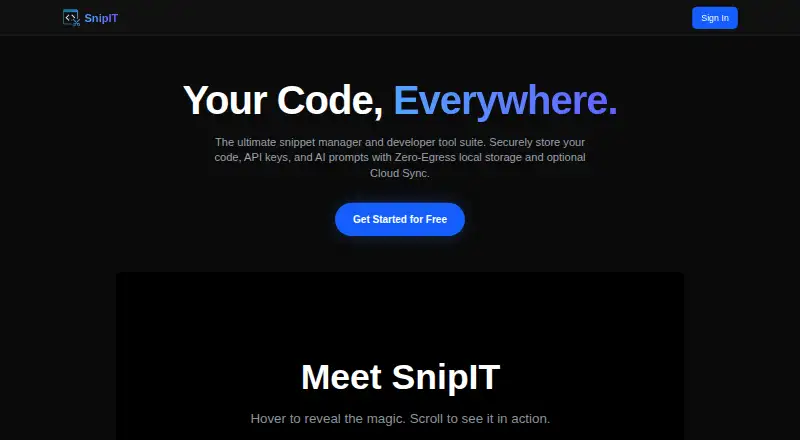
What SnipIT is
SnipIT is a snippet manager for developers organizing code, AI prompts, developer links, and offline utilities. Its free tier includes Code, AI, Links, and Tools vaults, plus web clipping to save code and text from websites. Snippet data on that tier is stored in the browser’s local environment. A licensed Pro account enables real-time syncing across the Chrome extension, desktop application, and web dashboard. The extension can review code using Google Gemini and generate boilerplate, tests, or functions. SnipIT says its AI features do not use proprietary code to train external models, and secret scanning warns about saved API keys or credentials. It describes enterprise workspaces for sharing centralized vaults and resources; administrators can export or wipe organization data. Cloud-synced data is protected by Firebase Security Rules. The native Tauri desktop application is listed for Windows, Mac, and Linux, and the extension is listed in the Chrome Web Store. The free plan costs nothing. Paid prices are not published on the maker’s site.
Who it suits
SnipIT suits developers who want to keep snippets, prompts, links, and utilities together. Its local free tier may suit people who do not need cross-device syncing.
What it does well
- Free tier includes four types of vaults.
- Web clipping saves code and text from websites.
- Secret scanning warns about saved credentials.
- Desktop app is listed for Windows, Mac, and Linux.
What to know first
- Free-tier snippet data stays in the browser’s local environment.
- Real-time cross-device syncing requires a licensed Pro account.
- Paid prices are not published on the maker’s site.
Limits
The free plan is billed free forever and stores snippet data in the browser’s local environment. Cross-device syncing requires a licensed Pro account, and the native desktop app is available for licensed users.
Plans
| Plan | Billed and limits | Price |
|---|---|---|
| Free | FREE FOREVER · Code Vault · AI Vault · Links Vault · Tools Vault · web-clipping · local browser storage | Free |
As snipit.devitsystems.com lists them, read 30 Sept 2026. The maker's own page has the final word.
Getting started
- Visit the SnipIT website or find its Chrome extension in the Chrome Web Store.
- Use the free plan for the Code, AI, Links, and Tools vaults and web clipping in local browser storage.
- For real-time sync across the extension, desktop app, and web dashboard, use a licensed Pro account.
- For desktop use, choose the native Tauri application for Windows, Mac, or Linux; it is available to licensed users.
- For shared vaults and organization data controls, use an enterprise team workspace.
SnipIT is a developer side panel for organizing reusable code, AI prompts, links, and offline utilities. It suits developers who want these references in a local browser vault, with optional AI assistance. Its strongest case is free, on-device organization; syncing across devices requires a licensed Pro account.
Overview
SnipIT brings code and other developer reference material into four vaults rather than limiting itself to snippets. The free tier stores data in the browser’s local environment, a useful boundary for personal organization on a device, but a constraint if you need the same collection across devices. A licensed Pro account adds real-time syncing among the Chrome extension, desktop application, and web dashboard.
That move to cloud sync changes the privacy trade-off. SnipIT says cloud-synced data is protected by Firebase Security Rules and that its AI features do not use proprietary code to train external models. Its Chrome listing says it handles personally identifiable information, authentication information, web history, and website content. Developers working with sensitive material should weigh that handling alongside the product’s stated protections.
Key features
Vaults and clipping
The free plan includes Code, AI, Links, and Tools vaults, plus web clipping for code and text. This breadth makes SnipIT more useful as a developer reference shelf than a code-only snippet drawer: prompts and links have their own places, and clipping can capture material from websites. The trade-off is that free-tier data stays in the browser’s local environment.
AI assistance and security
The extension offers Google Gemini-powered code review for feedback on performance, security, and best practices, and can generate boilerplate, tests, or functions. Those features may help with routine development tasks, but developers should consider what they choose to submit to AI features. SnipIT says proprietary code is not used to train external models, and secret scanning warns about saved API keys or credentials; neither removes the need to handle sensitive code and credentials carefully.
Desktop and team use
SnipIT names native Tauri desktop applications for Windows, Mac, and Linux, available to licensed users. Enterprise team workspaces provide shared centralized vaults, snippets, and resources, while administrators can export or wipe organization data. These capabilities make the product relevant beyond individual browser use, but the free local tier alone is not a shared team workspace.
Pricing
| Plan | Price | Includes |
|---|---|---|
| Free | free (billed FREE FOREVER) | Code Vault, AI Vault, Links Vault, Tools Vault, web clipping, and local browser storage |
| Pro | Custom pricing | Licensed access enables real-time sync across the Chrome extension, desktop application, and web dashboard |
Free is the straightforward choice for a developer who can keep a personal collection in one browser environment. Its main limit is local storage: cross-device continuity calls for Pro. Since Pro has custom pricing, teams and individuals who need sync should establish the cost before choosing it; no seat count or quota is stated here. Enterprise workspaces add centralized sharing and administrative data controls, but are not part of the free plan.
Platforms
SnipIT is listed for extension, Linux, macOS, web, and Windows. The browser extension is available through the Chrome Web Store, and the native Tauri desktop application is named for Windows, Mac, and Linux for licensed users. Pro sync connects the extension, desktop application, and web dashboard. The Chrome listing directs users to open SnipIT’s support page in a desktop browser for help.
Who it's for
SnipIT is a good fit for developers who want code, prompts, links, and small utilities organized together and who are comfortable keeping the free tier’s data local to the browser. It is less suitable for someone who requires free cross-device sync or needs a published Pro price before evaluating a paid workflow. Teams may value centralized enterprise workspaces and administrative export or wipe controls, while individual users can start with the free vaults and clipping.
Pros and cons
- Pros: Four distinct vaults and web clipping are included free, giving developers a place for more than code alone.
- Pros: Local browser storage keeps the free tier on-device rather than requiring cloud sync.
- Pros: Code review, code generation, and secret scanning add developer-specific assistance and credential warnings.
- Pros: Enterprise workspaces and administrator export or wipe controls address shared organization use.
- Cons: Free-tier storage is local, so users who need the same snippets across devices must move to licensed Pro.
- Cons: Pro uses custom pricing, making cost harder to compare before contacting the maker.
- Cons: The Chrome listing says the extension handles personal and authentication information, web history, and website content, a consideration for privacy-sensitive work.
Alternatives
Pick Snippets if you want unlimited workspaces and notes with GitHub sync across devices on its free plan, or need its listed Android and iOS platforms. Choose Cacher if you prefer a snippet-focused free tier with up to 15 private snippets, three private labels, unlimited public snippets, and stated attachment and upload limits. Bitbucket is an alternative when repositories and pipelines matter more than SnipIT’s vault-based developer references.
Gisto, Ksnip, Lepton, massCode, and McpeTool are also alternatives. Browse Code Snippet Managers to compare more tools in the category.
Verdict
Choose SnipIT if you want a free, local browser vault that combines code snippets, prompts, links, tools, and web clipping, with AI assistance as an option. Its main advantage is that useful developer reference material sits together without requiring cloud storage on the free tier. Look elsewhere if free cross-device access is essential, or if you need a known price before considering sync: those are the reasons to weigh alternatives before committing to Pro.
Verdict
SnipIT offers local snippet organization for free, with syncing available through a licensed Pro account. Consider its local storage model and unpublished paid pricing when deciding whether it fits your workflow.
Questions
Is SnipIT free?
Yes. Its Free plan is listed as free and billed free forever.
What does the free plan include?
It includes Code, AI, Links, and Tools vaults plus web clipping. Snippet data is stored in the browser’s local environment.
Does SnipIT sync across devices?
Yes, with a licensed Pro account, which enables real-time syncing across the Chrome extension, desktop application, and web dashboard.
Which platforms are available?
SnipIT is listed for extension, Linux, macOS, web, and Windows. Its native Tauri desktop application is for Windows, Mac, and Linux, and is available to licensed users.
Does SnipIT offer team workspaces?
Yes. Enterprise workspaces support sharing centralized vaults, snippets, and resources. Administrators can export or wipe organization data.
What does SnipIT say about AI privacy?
SnipIT says its AI features do not use proprietary code to train external models.
Facts from SnipIT's own pages
- AI features
- The extension offers AI code review powered by Google Gemini and AI code generation for boilerplate, tests, or functions. · chromewebstore.google.com, 30 Sept 2026
- AI generation
- The extension can generate boilerplate code, unit tests, and full functions. · chromewebstore.google.com, 30 Sept 2026
- AI privacy
- The listing says AI features do not use proprietary code to train external models. · chromewebstore.google.com, 30 Sept 2026
- AI review
- AI-Powered Code Review provides feedback on performance, security, and best practices using Google Gemini AI. · chromewebstore.google.com, 30 Sept 2026
- Architecture
- The free tier uses a Zero-Egress, Local-First architecture that keeps data strictly on the device. · chromewebstore.google.com, 30 Sept 2026
- Browser availability
- SnipIT is listed as a Chrome extension in the Chrome Web Store. · chromewebstore.google.com, 30 Sept 2026
- Cloud sync
- A licensed Pro account enables real-time syncing across the Chrome extension, desktop application, and web dashboard. · chromewebstore.google.com, 30 Sept 2026
- Data control
- Enterprise administrators can export or wipe organization data, according to the listing. · chromewebstore.google.com, 30 Sept 2026
- Data controls
- Enterprise administrators can export or wipe organization data, and cloud-synced data is protected by Firebase Security Rules. · chromewebstore.google.com, 30 Sept 2026
- Data handling
- The Chrome listing says SnipIT handles personally identifiable information, authentication information, web history, and website content. · chromewebstore.google.com, 30 Sept 2026
- Desktop app
- The native Tauri desktop application is available for Windows, Mac, and Linux for licensed users. · chromewebstore.google.com, 30 Sept 2026
- Desktop platforms
- The listing names a native Tauri desktop application for Windows, Mac, and Linux. · chromewebstore.google.com, 30 Sept 2026
- Local features
- Its free features include code, AI, links, and tools vaults, plus web clipping of code and text. · chromewebstore.google.com, 30 Sept 2026
- Local storage
- The listing says free-tier snippet data is stored in the browser’s local environment. · chromewebstore.google.com, 30 Sept 2026
- Pricing disclosure
- TechYorker reports that SnipIT has a free plan and that paid prices are not published on the maker’s site. · techyorker.com, 30 Sept 2026
- Privacy
- SnipIT states that its AI features do not use proprietary code to train external models. · chromewebstore.google.com, 30 Sept 2026
- Product
- SnipIT is a snippet manager for code, AI prompts, developer links, and offline utility tools. · chromewebstore.google.com, 30 Sept 2026
- Product scope
- It manages code snippets, AI context prompts, developer links, and offline developer utilities. · chromewebstore.google.com, 30 Sept 2026
- Purpose
- SnipIT is a developer side panel for managing code snippets and links locally. · chromewebstore.google.com, 30 Sept 2026
- Security
- SnipIT says it includes secret scanning to warn about saved API keys or credentials and protects cloud-synced data with Firebase Security Rules. · chromewebstore.google.com, 30 Sept 2026
- Support
- The Chrome Web Store listing directs users to open its support page in a desktop browser for help. · chromewebstore.google.com, 30 Sept 2026
- Team workspaces
- The listing describes enterprise team workspaces for sharing centralized vaults, snippets, and resources. · chromewebstore.google.com, 30 Sept 2026
- Vaults
- Free features include Code Vault, AI Vault, Links Vault, and Tools Vault. · chromewebstore.google.com, 30 Sept 2026
- Web clipping
- Web-Clipping extracts code blocks and text from websites into the vaults. · chromewebstore.google.com, 30 Sept 2026
Where SnipIT stands on Freedom251
- Code Snippet Managers#12 of 33