Freedom251 › Code Snippet Managers

Opengist
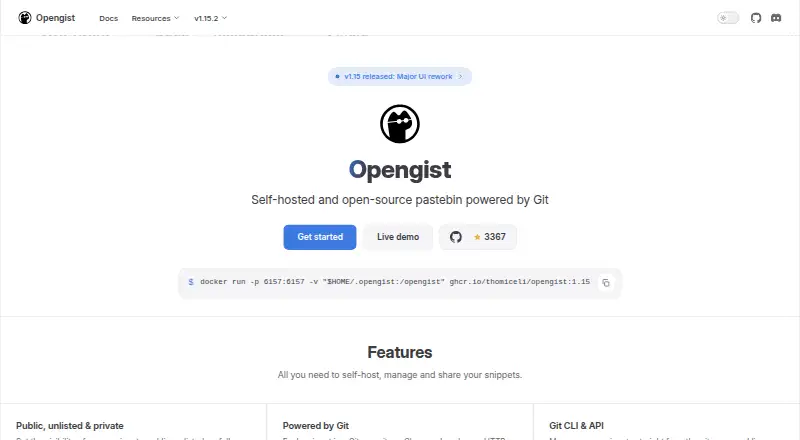
What Opengist is
Opengist is a free, open-source pastebin that you host yourself and use through Git. Each snippet is a Git repository: create one with a Git push, or clone and update it over HTTP or SSH. Snippets may be public, unlisted, or private, and can hold several files, including images and binary files. You can download a snippet as a ZIP, review its revision history, and compare changes with diffs.
For discovery and display, Opengist offers full-text and code search across snippets and metadata, syntax highlighting for hundreds of languages, and support for Markdown, Mermaid, LaTeX, CSV, and media files. Snippets can also be grouped with topics, liked, forked, embedded in webpages, or retrieved as JSON. A REST API supports personal access tokens with read or read/write scopes for individual resources. Login options include GitHub, GitLab, Gitea, OIDC, and LDAP; accounts can use TOTP or WebAuthn. Administrators can manage users, require login, allow anonymous snippets, and expose Prometheus metrics. Deploy it as a binary, Docker image, or Kubernetes deployment, using SQLite, PostgreSQL, or MySQL. Git is required; Git 2.28 or later is recommended, and SSH access requires OpenSSH.
Who it suits
Opengist suits individuals or teams who want a self-hosted place to keep and share code or other multi-file snippets through Git. It also fits administrators who need control over access, authentication, deployment, and database choices.
What it does well
- Free and open source, with self-hosted deployment.
- Public, unlisted, and private snippet visibility.
- Clone and push snippets over HTTP or SSH.
- Revision history and diffs help track changes.
- Search across snippet contents and metadata.
- Supports several authentication and database options.
What to know first
- Git is required to run the service.
- Git over SSH also requires OpenSSH.
- You must deploy and administer the instance yourself.
Limits
The software is free and open source. Running it requires Git, and Git over SSH requires OpenSSH.
Getting started
- Visit the Opengist website.
- Choose a binary, Docker image, or Kubernetes deployment.
- Install Git; use Git 2.28 or later as recommended.
- Choose SQLite, PostgreSQL, or MySQL for the instance.
- Configure authentication and instance access controls.
- Create snippets through the web interface or with Git push.
Verdict
Choose Opengist if you want a free, open-source pastebin built around Git repositories, with private snippets, history, search, and self-hosting controls. Look elsewhere if you need a hosted service or do not want to operate an instance and its Git requirement.
Questions
Is Opengist free?
Yes. It is free and open source.
Where can I use Opengist?
Its listed platforms are API, Linux, self-hosted, and web.
Can snippets be private?
Yes. Snippets can be public, unlisted, or private.
Which login options are supported?
Login can use GitHub, GitLab, Gitea, OIDC, or LDAP.
Does it provide an API?
Yes. It has a REST API that uses personal access tokens with per-resource read or read/write scopes.
What does running Opengist require?
Git is required, and Git 2.28 or later is recommended. OpenSSH is needed for Git over SSH.
Facts from Opengist's own pages
- Account security
- The site says accounts can be secured with TOTP or WebAuthn. · opengist.io, 5 Oct 2026
- Administration
- Administrators can require login, allow anonymous snippets, manage users, and expose Prometheus metrics. · opengist.io, 5 Oct 2026
- API
- Opengist exposes a REST API using personal access tokens with per-resource read or read/write scopes. · opengist.io, 5 Oct 2026
- API and embeds
- Snippets can be embedded in webpages or retrieved as JSON, and the documentation describes an API. · opengist.io, 4 Oct 2026
- Authentication
- The site lists login through GitHub, GitLab, Gitea, OIDC, and LDAP, and account security with TOTP or WebAuthn. · opengist.io, 4 Oct 2026
- Deployment
- The maker lists a single binary, Docker image, or Kubernetes deployment, with SQLite, PostgreSQL, or MySQL. · opengist.io, 5 Oct 2026
- Deployment and databases
- Opengist can be deployed as a single binary, Docker image, or Kubernetes deployment, and supports SQLite, PostgreSQL, or MySQL. · opengist.io, 4 Oct 2026
- Files
- A snippet can contain multiple files, including binary files and images, and can be downloaded as a ZIP. · opengist.io, 5 Oct 2026
- Git access
- Users can clone and push snippets over HTTP or SSH, or create snippets with a plain git push. · opengist.io, 5 Oct 2026
- Git workflow
- Each snippet is a Git repository that can be cloned and pushed over HTTP or SSH, or created with a plain Git push. · opengist.io, 4 Oct 2026
- History
- Each snippet has a revision history with diffs between revisions. · opengist.io, 5 Oct 2026
- Integrations
- Login can use GitHub, GitLab, Gitea, or OpenID Connect; the documentation also describes LDAP authentication. · opengist.io, 5 Oct 2026
- Purpose
- Opengist is an open-source, self-hosted pastebin powered by Git, with snippets managed through its web interface or standard Git commands. · opengist.io, 5 Oct 2026
- Rendering
- The site lists syntax highlighting for hundreds of languages and Markdown support for Mermaid, LaTeX, CSV, and media files. · opengist.io, 5 Oct 2026
- Runtime requirement
- The documentation says Git is required and recommends Git 2.28 or later; OpenSSH is needed for Git over SSH. · opengist.io, 4 Oct 2026
- Search
- Opengist supports full-text and code search across snippets and metadata. · opengist.io, 4 Oct 2026
- Search and discovery
- Opengist supports full-text and code search across snippets, and snippets can be organized with topics, liked, and forked. · opengist.io, 5 Oct 2026
- Snippet visibility
- Snippets can be public, unlisted, or private. · opengist.io, 5 Oct 2026
- System requirement
- Git is required to run Opengist, and the documentation recommends Git 2.28 or later. · opengist.io, 5 Oct 2026
Where Opengist stands on Freedom251
- Code Snippet Managers#14 of 33
- Code Snippet Management Software#11 of 22