Freedom251 › Screen Capture Software

Lightshot
What Lightshot is
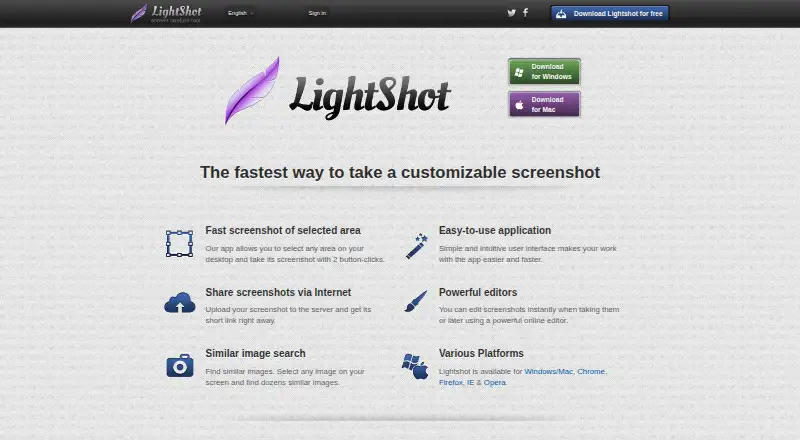
Lightshot is a screenshot tool for capturing a selected area of a desktop. The maker describes the capture process as selecting an area and taking the screenshot with two button clicks. You can edit an image during capture or later in Lightshot’s online editor, add annotations, save it locally, or upload it and share a short link. Supported image formats are PNG, BMP, and JPG. Lightshot can also search for images similar to an area selected on screen. Desktop applications are offered for Windows and Mac, and browser extensions are listed for Chrome, Firefox, Internet Explorer, and Opera. There is no application designed specifically for Linux; the maker describes running Lightshot with Wine and says Ubuntu compatibility has been tested. A prntscr.com account is required to find all screenshots taken through the service. Uploaded images are public to anyone with their URL, and the service is not intended as secure image storage. The privacy policy says it collects usage and device information, including IP address, browser type, and page and image viewing statistics. Lightshot is offered free, with no paid plan or usage limits stated on the pages reviewed.
Who it suits
Lightshot suits people who want to capture part of a screen, annotate or edit the image, and save it locally or share it online. Its desktop apps and browser extensions offer options for Windows and Mac users and for people using supported browsers.
What it does well
- Captures a selected desktop area with a two-click process.
- Edits screenshots during capture or in an online editor.
- Saves locally or shares uploaded screenshots with a short link.
- Exports PNG, BMP, and JPG images.
- Offers desktop apps for Windows and Mac plus browser extensions.
What to know first
- Uploaded images are public to anyone with their URL.
- Finding all screenshots through the service requires a prntscr.com account.
- Linux has no purpose-built application; Wine is described as a workaround.
- The service collects device and usage information, including IP address.
Plans
| Plan | Billed and limits | Price |
|---|---|---|
| Free | Selected-area screenshots · Online sharing · Screenshot editing · Local image saving | Free |
| Lightshot | Download offered for free; no paid plan or usage limits stated on the pages reviewed | Free |
As app.prntscr.com lists them, read 19 Sept 2026. The maker's own page has the final word.
Getting started
- Visit the Lightshot website.
- Choose the Windows or Mac desktop download, or a listed browser extension.
- Capture a selected area of the desktop.
- Edit or annotate the screenshot, then save it locally or upload it for a share link.
- Create a prntscr.com account if you need to find all screenshots taken through the service.
Verdict
Choose Lightshot if you want a free way to capture, annotate, save, and share selected screen areas. Look elsewhere if uploaded images must be private, or if you need a Linux application designed specifically for Linux.
Questions
How much does Lightshot cost?
The listed Free plans cost nothing. The pages reviewed state no paid plan or usage limits.
Which platforms does Lightshot support?
Desktop applications are offered for Windows and Mac. Browser extensions are listed for Chrome, Firefox, Internet Explorer, and Opera. The maker describes running it on Linux with Wine, rather than offering a Linux-specific application.
Which image formats can I use?
Lightshot supports PNG, BMP, and JPG.
Do I need an account?
An account on prntscr.com is required to find all screenshots taken through the service.
Are uploaded screenshots private?
No. Uploaded images are public to anyone with their URL, and the site is not intended as secure image storage.
Who makes Lightshot?
The maker directs users with problems or feedback to [email protected].
Facts from Lightshot's own pages
- Account and screenshot history
- An account on prntscr.com is required to find all screenshots taken through the service. · app.prntscr.com, 8 Oct 2026
- Browser extension
- Yes · app.prntscr.com, 19 Sept 2026
- Browser extensions
- The maker lists Lightshot availability for Chrome, Firefox, Internet Explorer, and Opera. · app.prntscr.com, 8 Oct 2026
- Clipboard
- On Windows, users can copy a selected screenshot to the clipboard with Ctrl+C. · app.prntscr.com, 8 Oct 2026
- Data collection
- The privacy policy says the service collects usage and device information, including IP address, browser type, and page and image viewing statistics. · app.prntscr.com, 8 Oct 2026
- Editing
- Screenshots can be edited while capturing or later in an online editor. · app.prntscr.com, 8 Oct 2026
- Export formats
- PNG, BMP, JPG · app.prntscr.com, 19 Sept 2026
- Free plan
- Yes · app.prntscr.com, 19 Sept 2026
- Image formats
- The FAQ lists PNG, BMP, and JPG as supported image formats. · app.prntscr.com, 8 Oct 2026
- Image search
- Lightshot can search for images similar to a selected image on the screen. · app.prntscr.com, 8 Oct 2026
- Linux
- Lightshot does not have an application designed specifically for Linux, but the maker describes running it with Wine and says Ubuntu compatibility has been tested. · app.prntscr.com, 8 Oct 2026
- Privacy and visibility
- The privacy policy says every uploaded image is public to anyone with its URL and the site is not intended as a secure image storage platform. · app.prntscr.com, 8 Oct 2026
- Screenshot capture
- Lightshot lets users select an area of the desktop and capture it with two button clicks. · app.prntscr.com, 8 Oct 2026
- Sharing
- Uploading a screenshot provides a short link for sharing it over the internet. · app.prntscr.com, 8 Oct 2026
- Support
- The maker directs users with problems or feedback to [email protected]. · app.prntscr.com, 8 Oct 2026
- Upload restrictions
- The terms prohibit uploading content including pornography, infringing material, spam, and non-image or non-video files. · app.prntscr.com, 8 Oct 2026
- Windows and Mac
- The download page offers desktop applications for Windows and Mac. · app.prntscr.com, 8 Oct 2026
Where Lightshot stands on Freedom251
- Screen Capture Software#8 of 61
- Screenshot Software#10 of 39
- Screenshot Annotation Software#21 of 76
- Screenshot tools#17 of 40