Freedom251 › Screen Capture Software

CaptureWebPage
What CaptureWebPage is
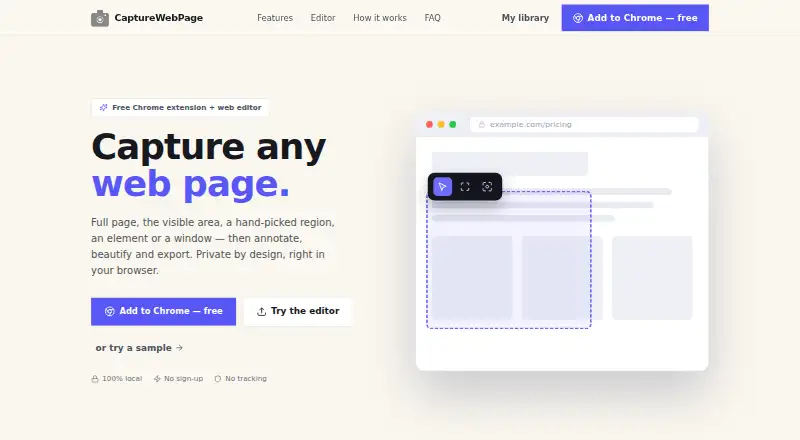
CaptureWebPage is a screenshot workflow for capturing, annotating, styling and exporting web pages. Its browser extension can capture the visible area, a chosen region, an element or a browser window. For long pages, it automatically scrolls through lazy-loaded content and joins the results into one image. The editor includes arrows, shapes, text, blur and redaction, highlighting, spotlight effects and step numbers. Users can add a gradient background, padding and rounded corners to give screenshots a finished presentation. Images can also be uploaded to the web editor without installing the extension, although live-page capture requires the extension. A searchable library organizes saved work with folders and favorites. CaptureWebPage works in Chromium-based browsers such as Chrome, Edge, Brave and Arc. Its privacy policy says screenshots, annotations, page details and preferences stay in local browser storage, and that the extension works offline without a server, cloud or account. The Free plan costs nothing, requires no account and includes the browser extension and web editor. Exports are available in PNG, JPG, WebP, PDF, SVG and ZIP.
Who it suits
CaptureWebPage suits people who need to capture and annotate web pages, including long pages, then export the result in several formats. It is also a fit for users who want local, offline storage and an editor they can use without an account.
What it does well
- Captures visible areas, regions, elements and browser windows.
- Auto-scrolls and stitches long, lazy-loading pages.
- Includes blur and redaction tools plus annotation options.
- Exports PNG, JPG, WebP, PDF, SVG and ZIP.
- The extension works offline and stores data locally.
What to know first
- Live-page capture requires the browser extension.
- The extension is listed for Chromium-based browsers.
- The extension requests tab and website access, scripting, storage and download permissions.
Plans
| Plan | Billed and limits | Price |
|---|---|---|
| Free | Free · Browser extension and web editor · No account · Local offline storage · No ads or subscriptions | Free |
As capturewebpage.com lists them, read 15 Oct 2026. The maker's own page has the final word.
Getting started
- Visit the CaptureWebPage website.
- Use the web editor to upload an image, or install the browser extension for live-page capture.
- Open a supported Chromium-based browser such as Chrome, Edge, Brave or Arc.
- Capture a page or image, then annotate or style it in the editor.
- Export in PNG, JPG, WebP, PDF, SVG or ZIP.
Verdict
Choose CaptureWebPage if you want a free way to capture, edit and export web pages without creating an account. Look elsewhere if you need live-page capture outside Chromium-based browsers or do not want to grant the extension its requested permissions.
Questions
Does CaptureWebPage have a free plan?
Yes. Its Free plan costs nothing and does not require an account.
Can I use it without installing the extension?
You can upload an image to the web editor without installing the extension. Capturing live web pages requires the extension.
Which browsers does it support?
The site says it works in Chromium-based browsers, including Chrome, Edge, Brave and Arc.
What formats can I export?
Exports include PNG, JPG, WebP, PDF, SVG and ZIP.
Does it store screenshots online?
The privacy policy says screenshots, annotations, page details and preferences are stored locally in the browser and are not sent to the maker or anyone else.
Is an account required?
No. The extension works offline and the Free plan requires no account.
Facts from CaptureWebPage's own pages
- Account requirement
- An account is not required to use the extension or editor. · capturewebpage.com, 15 Oct 2026
- Annotation
- The editor includes arrows, shapes, text, blur and redaction, highlighting, spotlight and step numbers. · capturewebpage.com, 11 Oct 2026
- Annotation tools
- The editor includes arrows, shapes, text, blur, redaction, highlighting, spotlighting, and numbered steps. · capturewebpage.com, 15 Oct 2026
- Beautify
- Screenshots can be placed on gradient backgrounds with padding and rounded corners. · capturewebpage.com, 15 Oct 2026
- Browser extension
- Yes · capturewebpage.com, 20 Sept 2026
- Browser support
- The site names Chromium-based browsers including Chrome, Edge, Brave, and Arc. · capturewebpage.com, 15 Oct 2026
- Capture modes
- Users can capture the visible area, a selected region, one element, or a whole browser window. · capturewebpage.com, 15 Oct 2026
- Children's privacy
- The policy says the general-purpose extension is not directed to children under 13 and collects no personal information. · capturewebpage.com, 15 Oct 2026
- Clipboard
- Users can copy screenshots to the clipboard. · capturewebpage.com, 15 Oct 2026
- Data collection
- The privacy policy says screenshots, annotations, page details, and preferences remain on the user's device and are not transmitted. · capturewebpage.com, 15 Oct 2026
- Data deletion
- Users can delete individual screenshots, and clearing extension data or uninstalling removes stored data permanently. · capturewebpage.com, 15 Oct 2026
- Data practices
- The policy says the maker does not collect, transmit or store user data on a server and does not use analytics, tracking pixels, telemetry or ads. · capturewebpage.com, 11 Oct 2026
- Data removal
- Users can delete individual screenshots, and clearing extension data or uninstalling the extension permanently removes its stored data. · capturewebpage.com, 11 Oct 2026
- Export formats
- Exports include PNG, JPG, WebP, PDF, SVG, and ZIP. · capturewebpage.com, 15 Oct 2026
- Free plan
- Yes · capturewebpage.com, 20 Sept 2026
- Full-page capture
- The extension auto-scrolls long or lazy-loading pages and stitches them into one image. · capturewebpage.com, 15 Oct 2026
- Image editing
- The web editor accepts uploaded PNG, JPG, and WebP images without requiring an installation. · capturewebpage.com, 15 Oct 2026
- Library
- A searchable screenshot library provides folders and favorites. · capturewebpage.com, 15 Oct 2026
- Licence
- The reviewed official pages do not state an open-source licence. · capturewebpage.com, 15 Oct 2026
- Live-page limitation
- The web editor cannot capture other live websites; live webpage capture requires the browser extension. · capturewebpage.com, 15 Oct 2026
- Maker copyright
- The privacy page identifies the product as CaptureWebPage and carries a 2026 copyright notice. · capturewebpage.com, 15 Oct 2026
- Offline operation
- The product says it works fully offline and stores data locally on the device. · capturewebpage.com, 15 Oct 2026
- Offline use
- The privacy policy says the extension works fully offline and has no server, cloud or account. · capturewebpage.com, 11 Oct 2026
- Permission purpose
- The maker says permissions are used for capture, scrolling, labeling, local storage, exporting, window capture, menus, image processing, and font selection. · capturewebpage.com, 15 Oct 2026
Where CaptureWebPage stands on Freedom251
- Screen Capture Software#9 of 61
- Screenshot Annotation Software#17 of 76