Freedom251 › Secure Enterprise Browsers

Microsoft Edge
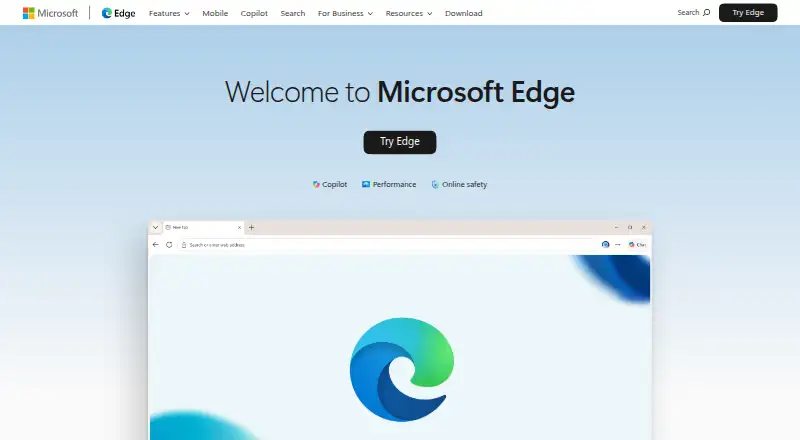
What Microsoft Edge is
Microsoft Edge is a free web browser for desktop and mobile, available on Windows, macOS, Linux, iOS, and Android. It uses Chromium, supports extensions from Microsoft Edge Add-ons and those designed for Chrome, and includes ad blocking and tracking protection with selectable levels. Copilot can summarize pages, answer questions, compare options, and assist with tasks using open-tab context. Other listed tools include screen-based suggestions, AI tab cleanup, word-driven theme creation, and a scareware blocker. Security features help block phishing and malware, while Password Monitor can alert users if saved passwords appear in an online leak. Sleeping tabs pause inactive pages to reduce CPU and memory use. Energy Saver may provide an average of 25 more minutes of battery life, though actual battery life varies with settings, usage, and other factors. Edge also offers an in-game browser for PC gaming and Mac features such as Spotlight search, Touch ID, and trackpad gestures. Microsoft 365 web apps including Word, Excel, and PowerPoint are accessible for free. Feature availability can vary by device, market, and browser version.
Who it suits
Edge suits people looking for a free browser across desktop and mobile platforms, with extension support, tracking controls, and built-in security features. Its work profiles and Microsoft 365 integrations also suit business users.
What it does well
- Free browser for desktop and mobile platforms.
- Supports Edge Add-ons and Chrome-designed extensions.
- Copilot can summarize pages and answer content questions.
- Sleeping tabs pause inactive pages to reduce CPU and memory use.
- Energy Saver may add an average 25 minutes of battery life.
What to know first
- Feature availability varies by device, market, and version.
- Battery-life results vary with settings and usage.
- Some business AI controls require Microsoft 365 E5 and pay-as-you-go pricing.
Plans
| Plan | Billed and limits | Price |
|---|---|---|
| Microsoft Edge | Browser download for Windows, macOS, iOS, Android, and Linux | Free |
As microsoft.com lists them, read 29 Sept 2026. The maker's own page has the final word.
Getting started
- Download Edge for Windows, macOS, iOS, Android, or Linux from https://www.microsoft.com/edge.
- Install and open the browser on your device.
- Add extensions from Microsoft Edge Add-ons or use extensions designed for Google Chrome.
- For Edge for Business, sign in with a Microsoft Entra ID account to access Microsoft 365 services in the work browser window.
Microsoft Edge is a free Chromium-based browser for desktop and mobile. It is best for people who want extensions, synced browsing and useful Microsoft integrations without a subscription. Its strongest case is breadth; some AI and business capabilities depend on device, market or licensing.
Overview
Edge pairs the Chromium engine with support for Microsoft Edge Add-ons and extensions designed for Chrome, built-in ad blocking and selectable tracking protection. Cross-device sync helps keep browsing connected, while Sleeping tabs pause inactive pages to reduce CPU and memory use. That makes Edge a practical everyday browser for people moving among devices, though the breadth of features matters less to someone who wants only basic browsing.
Copilot can summarize pages or answer questions about their content, and can use open-tab context to compare options, explain information and help complete tasks. These tools can be useful for research, but they are an addition rather than a requirement for Edge’s core appeal: a free browser with familiar extension support.
Key features
Privacy and security
Tracking prevention has selectable protection levels, giving users a choice about how much tracking to restrict. Microsoft Defender SmartScreen helps identify phishing sites, malicious downloads and suspicious content; Password Monitor can alert users if saved passwords appear in an online leak. Edge also includes enhanced security controls and a scareware blocker intended to guard against scareware attacks. These built-in safeguards are a meaningful convenience, but they do not eliminate the need for careful browsing.
Copilot and tab tools
Copilot Vision can analyze the screen and suggest actions, while AI-powered tab cleanup offers a one-click way to tidy tabs. The AI theme generator turns words into browser themes. These features may suit people who want AI assistance in the browser, but availability and functionality vary by device, market and browser version.
Battery and device features
Energy Saver can provide an average of 25 more minutes of battery life, but actual battery life varies with settings, use and other factors. Mac users get Spotlight search, Touch ID, trackpad gestures and macOS visuals; PC gamers can use Edge for Game Bar as an in-game browser. Edge also introduces features monthly, so users should expect the browser to keep changing.
Microsoft integrations
Users can access free Microsoft 365 web apps, including Word, Excel and PowerPoint. Microsoft Rewards members can earn points by searching with Bing in Edge. For work, Edge for Business separates personal and work browsing into windows with separate favorites, caches and storage; signing in with a Microsoft Entra ID account makes Microsoft 365 services accessible in the work window. Its business security benefits integrate with Microsoft 365 at no extra cost. Content-aware controls that block risky prompts on unsanctioned generative AI apps require Microsoft 365 E5 and incur pay-as-you-go pricing; security connectors may also carry partner licensing costs.
Pricing
Microsoft Edge: free. The free browser download covers Windows, macOS, iOS, Android and Linux. There is no paid consumer plan or free trial to weigh against the core browser. Edge for Business security controls have additional requirements: risky-prompt blocking needs Microsoft 365 E5 with pay-as-you-go pricing, and connector integrations may involve partner licensing costs.
Platforms
Edge is available on Android, iOS, Linux, macOS and Windows, as well as the web and as an extension. That range suits people who switch between desktop and mobile; individual features may vary across devices, markets and browser versions.
Who it's for
Edge suits users who want a free Chromium browser with broad extension compatibility, sync, built-in security features and optional Microsoft tools. It is particularly relevant to people already using Microsoft 365 or managing separate work and personal browsing. Those who want uniform access to every feature across devices, or do not need Microsoft integrations and AI tools, may prefer a simpler fit.
Pros and cons
- Pro: Free on desktop and mobile platforms, with extensions designed for both Edge and Chrome.
- Pro: Tracking controls, SmartScreen, Password Monitor and a scareware blocker put several security features inside the browser.
- Pro: Sleeping tabs can reduce background CPU and memory use, and sync supports browsing across devices.
- Con: Feature availability and functionality can vary by device, market and browser version.
- Con: Energy Saver’s stated average battery benefit is variable, not a guaranteed result.
- Con: Some business controls require Microsoft 365 E5, pay-as-you-go pricing or partner licensing.
Alternatives
For dedicated screen capture, choose ShareX if you want free, open-source software for Windows without an account requirement. Gyazo is a fit for people who want a freemium capture tool with a free tier capped at 10 latest images and 7-second video and replay recordings. Monosnap offers a freemium option with 1 user, 2 GB storage, a 100 MB single-file upload limit and 5 minutes of video recording. Awesome Screenshot may suit users who want a free tier capped at 100 screenshots and 20 recordings, with recordings up to 6 hours and 720p. Flameshot is a free, open-source screenshot option for Windows, macOS and Linux. Markup Hero offers a free tier with 25 screenshots and history plus annotation, sharing and export features. Zight may suit users seeking a free recording tier with 5-minute recordings and 1 GB storage. ApexShot offers a free tier with 2 GB cloud storage and 20 monthly uploads. For category browsing, see Web browsers, Mobile Browser Software or Screen Capture Software.
Verdict
Choose Edge if you want a free, multi-platform Chromium browser with extension support, sync and Microsoft services close at hand. Its main advantage is how much it brings together without a subscription; look elsewhere if you need consistent feature availability across devices or want a dedicated capture tool rather than a general-purpose browser.
Verdict
Edge combines a free Chromium browser with extension support, tracking controls, security features, and Copilot tools. Check feature availability for your device and market, and treat its stated battery benefit as variable.
Questions
How much does Microsoft Edge cost?
Microsoft Edge is listed as free.
Which platforms does Edge support?
It is available on Windows, macOS, Linux, iOS, Android, and the web, and browser download is listed for Windows, macOS, iOS, Android, and Linux.
Does Edge support extensions?
Yes. It supports extensions from Microsoft Edge Add-ons and extensions designed for Google Chrome.
What does Copilot do in Edge?
Copilot can summarize pages, answer questions, compare options, and help complete tasks using open-tab context. Copilot Vision can analyze the screen and suggest actions.
Does Edge have a free plan?
Edge is free, with the browser listed as free.
What is required for Edge for Business content-aware controls?
The listed controls for blocking risky prompts on unsanctioned generative AI apps require Microsoft 365 E5, and pay-as-you-go pricing applies.
Facts from Microsoft Edge's own pages
- AI controls
- Edge for Business content-aware controls can block risky prompts on unsanctioned generative AI apps; the page says this requires Microsoft 365 E5 and pay-as-you-go pricing applies. · microsoft.com, 29 Sept 2026
- AI tab cleanup
- Edge provides one-click tab cleanup powered by AI. · microsoft.com, 27 Sept 2026
- AI theme generator
- Edge can transform words into browser themes. · microsoft.com, 27 Sept 2026
- Feature availability
- Feature availability and functionality may vary by device, market, and browser version. · microsoft.com, 27 Sept 2026
- Battery limitation
- Battery life varies based on settings, usage, and other factors. · microsoft.com, 27 Sept 2026
- Browser engine
- chromium · news.microsoft.com, 21 Sept 2026
- Built-in ad blocking
- Yes · news.microsoft.com, 21 Sept 2026
- Business security
- Edge for Business integrates security benefits from Microsoft 365 at no extra cost. · microsoft.com, 29 Sept 2026
- Copilot
- Copilot in Edge can summarize pages or answer questions about their content. · microsoft.com, 29 Sept 2026
- Copilot Vision
- Copilot Vision can scan, analyze, and suggest actions based on your screen. · microsoft.com, 27 Sept 2026
- Copilot tab help
- Copilot compares options, explains information, and helps complete tasks using open-tab context. · microsoft.com, 27 Sept 2026
- Cross-device sync
- Edge syncs passwords, favorites, and settings across Windows, macOS, iOS, and Android. · microsoft.com, 27 Sept 2026
- Battery savings
- Energy Saver can provide an average of 25 more minutes of battery life. · microsoft.com, 27 Sept 2026
- Enterprise support
- Microsoft directs business users to its business support page for help with Edge for Business. · microsoft.com, 29 Sept 2026
- Extensions
- Edge supports extensions from Microsoft Edge Add-ons and extensions designed for Google Chrome. · support.microsoft.com, 29 Sept 2026
- Extension support
- both · news.microsoft.com, 21 Sept 2026
- Feature availability
- Microsoft says feature availability and functionality may vary by device type, market, and browser version. · microsoft.com, 29 Sept 2026
- Monthly feature updates
- Edge introduces new features every month. · microsoft.com, 27 Sept 2026
- Founded
- 1975 · microsoft.com, 23 Sept 2026
- Free plan
- Yes · news.microsoft.com, 21 Sept 2026
- Gaming browser
- Edge for Game Bar provides an in-game browser for PC gaming. · microsoft.com, 27 Sept 2026
- Headquarters
- Redmond, Washington, United States · microsoft.com, 23 Sept 2026
- Mac integration
- Edge supports Spotlight search, Touch ID, trackpad gestures, and macOS visuals. · microsoft.com, 27 Sept 2026
- Microsoft 365
- Signing into Edge for Business with a Microsoft Entra ID account makes Microsoft 365 services accessible in the work browser window. · learn.microsoft.com, 29 Sept 2026
Where Microsoft Edge stands on Freedom251
- Secure Enterprise Browsers#1 of 22
- Screen Capture Software#11 of 61
- Mobile Browser Software#14 of 31
- Web browsers#70 of 154
- Debugging Software#14 of 30