Freedom251 › Screenshot Annotation Software
Markup Hero
What Markup Hero is
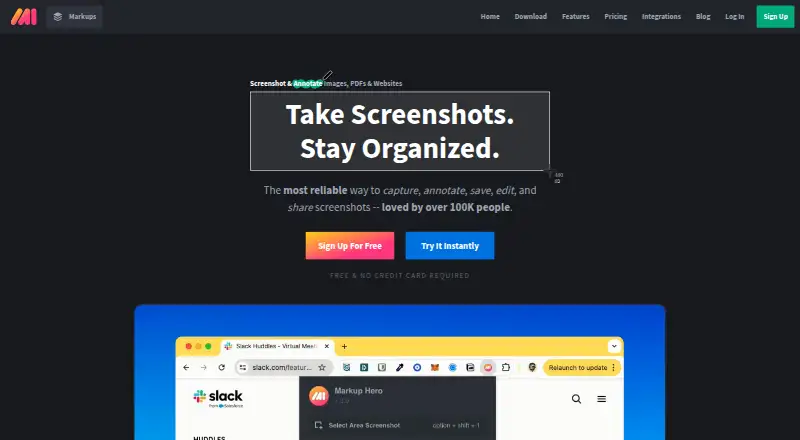
Markup Hero is a tool for creating and annotating markups from screenshots, images, PDFs, blank canvases, or captures made with its Chrome extension. A markup is any item created in the product. The extension can create captures from Chrome, and the listed platforms include Mac, Windows, and Chrome. Markups can be exported as JPG, PNG, or PDF files. Other listed capabilities include scrolling capture, annotation tools, OCR, and cloud sharing.
The Forever Free plan costs nothing and includes annotation, sharing, and export features, with a maximum of 25 markups. Free-plan markups remain editable for 24 hours. An account is required after five markups; the account connects files to users and supports customer service. The Hero Plan also has a 25-markup maximum and 24-hour editing window, and requires an email and password.
Paid options include Premium Monthly at $5 a month and Premium Annual at $3 a month, billed annually. Both list unlimited markups and permanent editing history. Super Hero Monthly is $5 a month, while Super Hero Annual is $3 a month billed annually; both provide unlimited markups, editing, and saving. Team accounts with centralized billing and a Lifetime plan are also listed.
Who it suits
Markup Hero suits people who need to capture or import images and PDFs, add annotations, and share or export the results. The free plan may fit occasional use within its 25-markup limit, while paid plans are listed for unlimited markup creation.
What it does well
- Creates markups from screenshots, images, PDFs, or blank canvases.
- Chrome extension supports creating captures.
- Exports to JPG, PNG, and PDF.
- Free plan includes annotation, sharing, and export.
- Paid plans include unlimited markups.
What to know first
- Free-plan markups are editable for only 24 hours.
- Free plan is limited to 25 markups.
- An account is required after five markups.
Limits
The Forever Free plan is limited to 25 markups, and free-plan markups can be edited for 24 hours. The Hero Plan also lists a 25-markup maximum and a 24-hour editing window.
Plans
| Plan | Billed and limits | Price |
|---|---|---|
| Forever Free | 25 screenshots and history · Annotation, sharing, and export features | Free |
| Premium Monthly | billed monthly · Unlimited markups · Permanent editing history | $5 a month |
| Premium Annual | billed annually · Unlimited markups · Permanent editing history | $3 a month |
| Premium Teams Annual | Team accounts · Centralized billing | On request |
| Lifetime | Lifetime access | On request |
| Super Hero Annual | for annual | $3 a month |
| Super Hero Monthly | for monthly | $5 a month |
| Hero Plan | — | On request |
As markuphero.com lists them, read 19 Sept 2026. The maker's own page has the final word.
Getting started
- Open the Markup Hero website.
- Create a markup from a screenshot, uploaded or pasted image or PDF, blank canvas, or Chrome extension capture.
- Use the free plan for up to 25 markups, or choose a paid plan for unlimited markups.
- Create an account after five markups when prompted.
- Export markups as JPG, PNG, or PDF files.
Verdict
Choose Markup Hero if you want to annotate captures or imported files and use its sharing and export tools. The free plan includes the product’s features but caps markups at 25 and limits editing to 24 hours. Consider a paid plan for unlimited markups, permanent editing history, or unlimited saving.
Questions
What does Markup Hero cost?
Forever Free costs nothing. Premium Monthly is $5 a month, Premium Annual is $3 a month billed annually, Super Hero Monthly is $5 a month, and Super Hero Annual is $3 a month billed annually.
What is included in the free plan?
Forever Free includes annotation, sharing, and export features, with a maximum of 25 markups. Free-plan markups can be edited for 24 hours.
Which platforms does Markup Hero support?
It is listed for extension, macOS, and Windows. Its help information describes support for Mac, Windows, and Chrome.
What can I create markups from, and how can I export them?
Sources include screenshots, uploaded or pasted images and PDFs, blank canvases, and Chrome extension creations. Export formats are JPG, PNG, and PDF.
When do I need an account?
An account is required after five markups. The account ties files to users and supports customer service.
Facts from Markup Hero's own pages
- Account Prompt Limit
- An account is required after five markups. · help.markuphero.com, 28 Sept 2026
- Account Requirement Reason
- The account requirement ties files to users and supports customer service. · help.markuphero.com, 28 Sept 2026
- Browser extension
- Yes · help.markuphero.com, 19 Sept 2026
- Chrome Extension
- Markup Hero supports creating markups from its Chrome Extension. · help.markuphero.com, 28 Sept 2026
- Company Name
- The copyright notice identifies the company as HERO, INC. · help.markuphero.com, 28 Sept 2026
- Creation Methods
- Markups can be screenshots, uploaded or pasted images or PDFs, blank canvases, or Chrome Extension creations. · help.markuphero.com, 28 Sept 2026
- Export formats
- JPG, PNG, PDF · help.markuphero.com, 19 Sept 2026
- Free Editing Window
- Free-plan markups can be edited for 24 hours. · help.markuphero.com, 28 Sept 2026
- Free plan
- Yes · help.markuphero.com, 19 Sept 2026
- Free Plan Features
- The Hero plan includes every feature in the product. · help.markuphero.com, 28 Sept 2026
- Free Plan Limit
- The free Hero plan allows a maximum of 25 markups. · help.markuphero.com, 28 Sept 2026
- Markup Definition
- A markup is anything created in Markup Hero. · help.markuphero.com, 28 Sept 2026
- Premium Features
- The Super Hero plan includes everything in the free plan and all features. · help.markuphero.com, 28 Sept 2026
- Premium Unlimited Scope
- The Super Hero plan provides unlimited markups, editing, and saving. · help.markuphero.com, 28 Sept 2026
- Supported Platforms
- The help page describes Markup Hero for Mac, Windows, and Chrome. · help.markuphero.com, 28 Sept 2026
- Customer Support
- The account requirement is partly intended to provide exceptional customer service and support. · help.markuphero.com, 28 Sept 2026
Where Markup Hero stands on Freedom251
- Screenshot Annotation Software#7 of 76
- Screen Capture Software#14 of 61
- Markup Software#8 of 26