Freedom251 › Preventive Maintenance Software
Coast
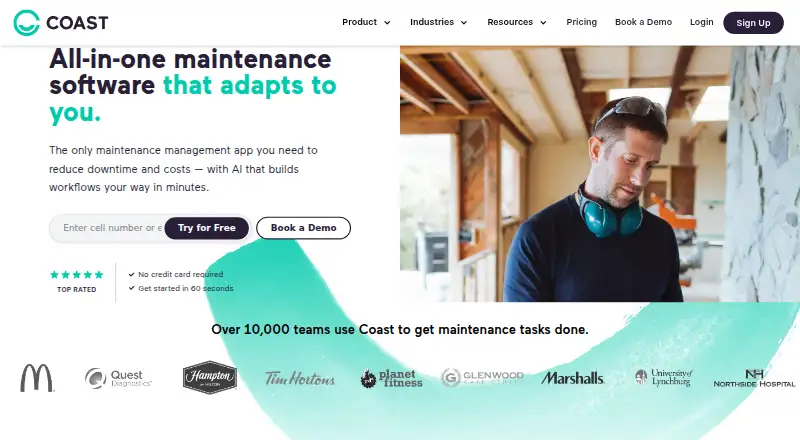
What Coast is
Coast is maintenance and asset management software for tracking equipment, assigning work orders and coordinating team communication. Work orders can be prioritized and assigned, with real-time chat and photo or checklist attachments. Preventive maintenance can be scheduled by days, weeks or months, including meter-based tasks and due-date alerts. QR codes provide access to asset information and equipment status. Coast also offers equipment performance insights, custom dashboards, and maintenance team efficiency and cost tracking. It connects with Zapier, an Open API, and hardware such as IoT sensors and smart meters. Mobile apps for Android and iOS support QR scanning and direct photo capture; desktop support includes Windows 10 version 2004 or later, Windows 11 and macOS 12 or later. A free plan is available, and new signups receive a seven-day Pro trial without a credit card. Starter costs $2 per user per month; the page also shows 1.80 USD with yearly billing selected. Pro costs $4 per user per month, and Enterprise pricing requires contacting Coast. Organizations must put all workspace members on the same plan.
Who it suits
Coast suits maintenance, communication and operations teams, including deskless workforces and SMB-focused teams. It can also serve organizations that need asset tracking, preventive maintenance and work-order coordination.
What it does well
- Work orders support chat and photo or checklist attachments.
- Preventive schedules can include meter-based tasks and due-date alerts.
- QR codes show asset information and equipment status.
- A free plan and seven-day Pro trial are available.
What to know first
- All members in a workspace must use the same plan.
- Free-plan file uploads are limited to 3 MB.
- The Pro trial lasts seven days.
- Enterprise pricing requires contacting Coast.
Limits
The free plan includes five repeating work orders, seven-day history and file uploads up to 3 MB. Starter costs $2 per user per month and includes unlimited history and repeating work orders; all members in a workspace must use the same plan.
Plans
| Plan | Billed and limits | Price |
|---|---|---|
| Free | per user / month · Unlimited work orders · 5 repeating work orders · real-time messaging · 7-day history · file uploads up to 3 MB | Free |
| Starter | per user / month · Unlimited history · unlimited repeating work orders · workspace permissions · time and cost tracking · 5 workflow automations | $2 a month |
| Pro | per user / month · Workflow customization · reporting and analytics · external request forms · automated time tracking · unlimited dashboards · 30 workflow automations · implementation and training | $4 a month |
| Enterprise | Contact Us for Pricing · Custom workflow development · custom reporting · multi-site management · SSO · escalation protocols · unlimited automations · integrations | On request |
As coastapp.com lists them, read 15 Oct 2026. The maker's own page has the final word.
Getting started
- Visit https://coastapp.com/ or use the iOS or Android app.
- Sign up to receive a seven-day Pro Plan trial without a credit card.
- After the trial, continue on the free plan or upgrade.
- For desktop access, use Windows 10 version 2004 or later, Windows 11, or macOS 12 or later.
- Choose one plan for all members in the workspace.
Coast is maintenance software for teams that need to coordinate equipment work and keep asset information close at hand. It is best suited to deskless and SMB-focused operations that want maintenance and team communication in one workspace. The free plan is a practical starting point, but its short history and strict upload cap make paid tiers more suitable for ongoing records.
Overview
Coast brings work orders, preventive maintenance, asset tracking, and communication together. Teams can assign and prioritize jobs, discuss them through real-time chat, and attach photos or checklists. That combination keeps task context with the work, rather than separating coordination from maintenance records.
The trade-off is the workspace-wide plan rule: every member of an organization must use the same tier. That simplifies plan selection within a team, but can make Coast less appealing when different groups need different capabilities or budgets.
Key features
Work orders and maintenance
Schedules can recur by day, week, or month, with meter-based work and due-date alerts. This suits teams managing routine servicing as well as usage-triggered maintenance. Coast also supports spare parts inventory and technician time tracking, extending it beyond basic task assignment.
Asset records and reporting
QR codes let users retrieve asset information and check equipment status, a useful shortcut for staff working on site. Managers can use real-time equipment insights, custom dashboards, and maintenance efficiency and cost tracking to monitor work beyond individual jobs.
Integrations and controls
Zapier connections, an Open API, and integrations with hardware such as IoT sensors and smart meters give teams options for connecting maintenance workflows with other systems and equipment. Coast states that it is SOC 2 Type II certified and provides audit trails, electronic signatures, required fields, and user permissions for regulated workflows. It says it does not sell personal information and accepts data access, correction, and deletion requests through support.
Pricing
Coast uses a freemium model. New signups get a 7-day Pro trial without a credit card, then can stay on Free or upgrade. Because all workspace members must share one plan, compare the per-user price against the whole team’s needs.
- Free: free. It includes unlimited work orders, real-time messaging, seven-day history, up to five repeating work orders, and file uploads up to 3 MB. This is enough to begin coordinating work, but the short history and small upload ceiling are meaningful constraints for teams that need lasting records or richer job documentation.
- Starter: $2 a month, billed per user / month; the page also shows $1.80 with yearly billing selected. It adds unlimited history and repeating work orders with procedures, removes file upload limits, and includes workspace permissions, time and cost tracking, and five workflow automations. It fits teams that have outgrown Free’s record and attachment limits without needing advanced reporting.
- Pro: $4 a month, billed per user / month; the page also shows $3.6 with yearly billing selected. It adds full workflow customization, reporting analytics, external request forms, automated work-order time tracking, unlimited custom dashboards, automated downtime tracking, and 30 workflow automations. This is the stronger fit for teams that need configurable processes and operational visibility.
- Enterprise: custom pricing. It adds custom workflow development and reporting, multi-site management, single sign-on, escalation protocols, unlimited automations, and integrations. Organizations with multiple sites or bespoke workflow needs are the clearest fit.
Platforms
Coast supports Android, iOS, macOS, web, and Windows. Its native mobile app includes QR scanning and direct photo capture for work orders or procedures. Desktop support covers Windows 10 version 2004 or later, Windows 11, and macOS 12 or later.
Who it's for
Coast suits deskless maintenance teams and SMB-focused operations that need asset lookup, recurring maintenance, work coordination, and communication in a shared workspace. Teams needing strong reporting or more than five workflow automations should weigh Pro; organizations requiring multi-site management or single sign-on should consider Enterprise. It is a weaker fit for teams that need different plan levels within one organization.
Pros and cons
- Pro: QR-based asset lookup, recurring schedules, and meter-based maintenance bring equipment identification and preventive work into the same workflow.
- Pro: Free includes unlimited work orders and messaging, giving teams room to coordinate jobs before paying.
- Pro: Open API and hardware integrations provide routes to connect Coast with other tools and equipment.
- Con: Free history lasts only seven days and uploads are capped at 3 MB, limiting its use for durable maintenance records and substantial attachments.
- Con: A workspace cannot mix plans, so a single team’s needs determine the tier for every member.
Alternatives
Browse CMMS Software for more maintenance-management options. Consider Atlas CMMS if open-source licensing and self-hosting are priorities. Azzier CMMS may suit a small team that wants a free plan capped at three users, 50 equipment records, and two locations. Choose Fiix if its free tier’s 25 active PMs and unlimited service requests, work orders, downtime tracking, and asset management match your needs. Maintainly is another freemium option with a free plan. MaintainX has a free Basic plan with unlimited work orders, procedures, and requester users, but only two work orders with attached procedures. Fracttal One is a freemium option with quote-based pricing. Maintenance Care may fit organizations that prefer unlimited users, work orders, preventive maintenance, and assets for $250 a month based on yearly pricing. NEXT CMMS is another option for web, Windows, Android, and iOS.
Verdict
Coast is a strong choice for deskless and SMB maintenance teams that want work orders, scheduled upkeep, asset lookup, and communication in one system. Its QR workflows and broad maintenance toolkit are the main reasons to choose it; the free tier’s record and upload limits and the all-members-same-plan rule are the reasons to look elsewhere or budget for a paid tier.
Verdict
Coast combines work orders, asset records, scheduled maintenance and team communication across mobile and desktop platforms. Check the shared-plan requirement and free-plan upload limit when choosing a workspace setup.
Questions
Does Coast have a free plan?
Yes. Its Free plan includes unlimited work orders, five repeating work orders, real-time messaging, seven-day history and file uploads up to 3 MB.
How long is Coast’s trial?
New signups receive a seven-day Pro Plan trial without a credit card. Afterward, they can continue on Free or upgrade.
How much does Starter cost?
Starter costs $2 per user per month.
Which platforms does Coast support?
Coast supports Android, iOS, macOS, web and Windows. Desktop support includes Windows 10 version 2004 or later, Windows 11 and macOS 12 or later.
Can Coast connect to other tools and equipment?
Coast supports Zapier connections, an Open API, and integrations with hardware such as IoT sensors and smart meters.
Can members of one workspace use different plans?
No. An organization must upgrade all members to the same plan within a workspace.
Facts from Coast's own pages
- API documentation depth
- The public integration page describes Open API capabilities but directs organizations with specific needs to contact Coast; it does not present a public SDK catalogue. · coastapp.com, 15 Oct 2026
- Asset management
- Assets can be looked up with QR codes and tracked for status to support repair-versus-replace decisions. · coastapp.com, 15 Oct 2026
- Asset tracking
- Users can retrieve asset information with QR codes and see equipment status. · coastapp.com, 30 Sept 2026
- Audience
- Coast describes its product as serving deskless workforces and SMB-focused teams, with maintenance, communication, and operations workflows. · coastapp.com, 30 Sept 2026
- Browser requirements
- Coast lists Chrome 84+, Safari 12+, Edge 79+ and Firefox 60+ as supported browsers. · coastapp.com, 15 Oct 2026
- Checklists and inspections
- Digital checklists, inspections and procedural documents can be stored and accessed by teams. · coastapp.com, 15 Oct 2026
- Company size
- Coast’s about page describes a team of about 35 people. · coastapp.com, 15 Oct 2026
- Compliance support
- Coast says its audit trails, electronic signatures, required fields and permissions support FDA 21 CFR and ISO 9001, 13485 and 14001 processes. · coastapp.com, 15 Oct 2026
- Custom workflows
- Coast supports custom fields, personalized dashboards, alerts, automations and tailored workflows. · coastapp.com, 15 Oct 2026
- Data deletion
- The security page says users can request access to, correction of or deletion of data and that verified requests are processed within 45 days. · coastapp.com, 15 Oct 2026
- Founded
- Coast says it started in 2018. · coastapp.com, 15 Oct 2026
- Funding and ownership
- Crunchbase lists Coast as a private seed company in San Francisco with legal name One Six Nine Inc., founders David Fant, Nipul Patel and Rohit Prakash, and investors Scrum Ventures and Streamlined. · crunchbase.com, 15 Oct 2026
- Hardware integrations
- The integration page says Coast can connect to IoT sensors, PLCs and smart monitoring devices for predictive-maintenance workflows. · coastapp.com, 15 Oct 2026
- Headquarters
- The terms list One Six Nine, Inc. at 945 Market Street, Suite 501, San Francisco, California 94103. · coastapp.com, 15 Oct 2026
- Help center
- The help center contains guides for setup, work orders, assets, preventive maintenance, inventory, locations, analytics, checklists, scheduling, security and workflow customization. · help.coastapp.com, 15 Oct 2026
- Integrations
- Coast supports Zapier connections to thousands of apps, an Open API, and integrations with hardware such as IoT sensors and smart meters. · coastapp.com, 30 Sept 2026
- iOS requirements
- The App Store listing requires iOS 15 or later and iPadOS 15 or later; Mac use requires macOS 12 or later with an Apple M1 chip or later. · apps.apple.com, 15 Oct 2026
- Limit: integrations
- Review analysis says broader native accounting and legacy-system integrations are requested, while deeper ERP or IoT connections may require customer engineering or partners. · rfp.wiki, 15 Oct 2026
- Limit: mobile and offline performance
- Independent review analysis mentions occasional offline reliability problems and mobile slowdowns with large attachments; GetApp reviewers also report lag in poor rural coverage. · getapp.com, 15 Oct 2026
- Limit: reporting depth
- Independent analysis reports that some users find dashboard choices limited and one-off custom reports clunky, with Excel exports sometimes needed for analysis. · rfp.wiki, 15 Oct 2026
- Limit: unclear trial communication
- An App Store reviewer reported that the paid trial and post-trial feature limits were not clear; the developer replied that sign-ups receive a seven-day paid trial before moving to the free tier. · apps.apple.com, 15 Oct 2026
- Maker legal name
- The legal entity named in Coast’s terms is One Six Nine, Inc. · coastapp.com, 15 Oct 2026
- Messaging and scheduling
- The feature set includes team chat, task management, time clocks, employee scheduling, shift swaps and recurring tasks. · coastapp.com, 15 Oct 2026
- Mobile app
- The mobile app lets users assign, track and complete work, update assets and parts, receive notifications and work from the field. · coastapp.com, 15 Oct 2026
Where Coast stands on Freedom251
- Preventive Maintenance Software#2 of 23
- CMMS Software#4 of 37