Freedom251 › Lead Qualification Software

Calendly
by Calendly
What Calendly is
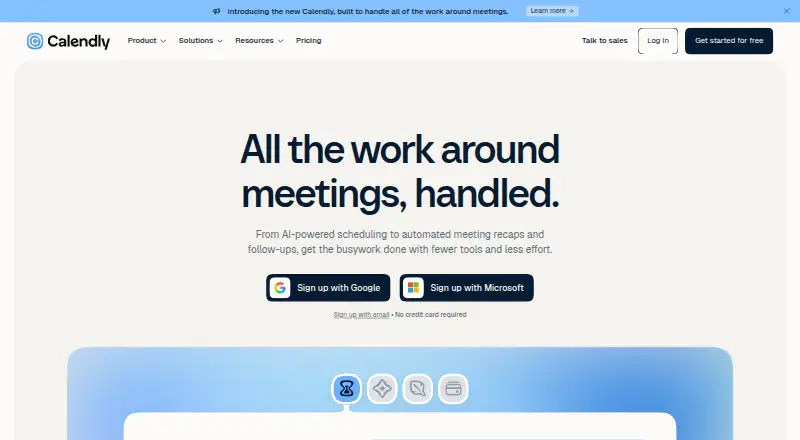
Calendly helps people arrange meetings through booking pages, calendar sync, and automated reminders. It supports one-on-one, group, collective, multi-host, round-robin, and team scheduling, with payment collection through Stripe and PayPal. Its Free plan is always free and permits one event type, one calendar connection, and one-on-one scheduling; signup does not require a credit card. Standard is $10 a month billed yearly, and Teams is $16 a month billed yearly, both with up to six calendars per user. Calendly is available through a mobile app and browser extension, and lists more than 150 integrations such as Google Calendar, Microsoft Teams, Outlook, Zoom, HubSpot, Mailchimp, and Zapier. Payment tools include links, packages, and invoices. Enterprise starts at $15,000 a year, with a minimum of 50 seats; its listed features include SSO, SAML, domain control, audit log compliance, and a data deletion API. Calendly was founded in 2013 and is headquartered in Buford, Georgia, United States.
Who it suits
Calendly suits individuals and teams coordinating appointments across calendar services. Its plans also address organizations needing team administration or enterprise security controls.
What it does well
- Supports individual, group, and team scheduling.
- Sends automated reminders.
- Collects payments through Stripe and PayPal.
- Lists more than 150 integrations.
- Signup does not require a credit card.
What to know first
- Free plan allows one event type.
- Free plan connects one calendar.
- Standard and Teams prices are billed yearly.
- Enterprise starts at 50 seats.
Limits
The always-free plan permits one event type, one calendar connection, and one-on-one scheduling. Standard and Teams are billed yearly at $10 and $16 per seat per month respectively; Enterprise starts at $15,000 per year and requires at least 50 seats.
Plans
| Plan | Billed and limits | Price |
|---|---|---|
| Free | Always free · 1 event type · 1 calendar connection | Free |
| Standard | Billed yearly · Up to 6 calendars per user | $10 a month |
| Teams | Billed yearly · Up to 6 calendars per user | $16 a month |
| Enterprise | Starts at $15k /yr · Minimum 50 seats | $15,000 a year |
As calendly.com lists them, read 27 Sept 2026. The maker's own page has the final word.
Getting started
- Visit calendly.com.
- Sign up without a credit card to use the always-free plan.
- Use the mobile app or browser extension to access Calendly.
- Choose a paid plan if you need its listed calendar or team features.
Calendly is a scheduling service for individuals and teams arranging appointments and meetings. It is best suited to people who need several booking formats, calendar connections, or paid bookings. Its broad scheduling options are useful, but the free plan’s one-event-type cap makes it a limited long-term fit for varied needs.
Overview
Calendly supports one-on-one, group, collective, multi-host, round-robin, and team scheduling through client booking pages. Two-way calendar sync and automated reminders cover common coordination tasks, while payment collection can make it a fit for paid appointments as well as meetings. That breadth is most valuable when bookings involve different formats or hosts; a person scheduling only one kind of meeting may not need a paid tier.
The service is available through a mobile app and browser extension. Callie can coordinate scheduling through email, suggest times, and book meetings. Its meeting notetaker creates recaps, action items, transcripts, and follow-up drafts, extending the product beyond booking.
Key features
Scheduling and calendar connections
Group, collective, multi-host, team, and round-robin options cover bookings with multiple participants or hosts, while one-on-one scheduling handles individual meetings. Standard and Teams allow up to six calendar connections per user. That is a useful allowance for people separating work calendars, but it creates a ceiling for users who need more than six.
Payments and integrations
Calendly supports Stripe and PayPal, as well as payment links, packages, and invoices. This gives appointment providers several ways to collect payment, although the free plan’s one-event-type and one-calendar limits may make it too restrictive for a business with multiple booking offerings. More than 150 integrations include Google Calendar, Microsoft Teams, Outlook, Zoom, HubSpot, Mailchimp, and Zapier, helping connect scheduling to common calendar, meeting, and business tools.
AI and administration
Callie suggests times and can book meetings through email. The notetaker produces transcripts and recaps as well as action items and follow-up drafts. Teams adds team groups, advanced administration, admins, and centrally managed events, making it more appropriate than Standard when scheduling needs to be coordinated across a team. Enterprise adds SSO, SAML, domain control, audit log compliance, and a data deletion API for organizations with those security and control requirements.
Pricing
The always-free plan costs nothing and requires no credit card to sign up. It allows one event type, one calendar connection, and one-on-one scheduling. That is a sensible starting point for a person with a single booking format, but group or team scheduling and additional event types require a paid plan.
Standard costs $10 a month, billed yearly, at $10 per seat per month. Seats are required for users who connect calendars and host meetings; each user can connect up to six calendars. It suits individuals or small operations that need multiple calendars and more booking flexibility without team-level administration.
Teams costs $16 a month, billed yearly, at $16 per seat per month. Seats are required for users who connect calendars and create Calendly links, and each user can connect up to six calendars. Its team groups, admin controls, and centrally managed events make the higher seat price relevant for teams managing shared scheduling rather than solo users.
Enterprise starts at $15k /yr, with a minimum of 50 seats and pricing available in USD only. This is a substantial commitment suited to larger organizations needing enterprise security controls and dedicated account support, not smaller teams looking for a modest step up from Teams.
Platforms
Calendly is available through mobile apps and a browser extension.
Who it's for
Calendly fits professionals and teams that need several meeting formats, multi-calendar scheduling, reminders, integrations, or payment collection. Standard suits users whose main need is more booking and calendar flexibility; Teams is the stronger fit when group administration and centrally managed events matter. The free plan is best for a single event type and calendar, while larger organizations with formal security and support needs can consider Enterprise. It is less compelling for someone who needs several booking formats but wants to stay on the free tier.
Pros and cons
- Pros: Multiple scheduling formats, including collective and round-robin, support bookings involving different hosts and participants.
- Pros: Stripe and PayPal support, plus payment links, packages, and invoices, make it more capable for paid appointments than a booking page alone.
- Pros: Teams combines administration, team groups, and centrally managed events; Enterprise adds security controls and dedicated support.
- Cons: The free plan is limited to one event type, one calendar connection, and one-on-one scheduling, so varied booking needs quickly require payment.
- Cons: Standard and Teams charge per seat and bill yearly, which can raise costs as more hosts need calendars or booking links.
- Cons: Enterprise starts at 50 seats and $15k /yr, putting it beyond the needs of smaller organizations.
Alternatives
For a broader look at scheduling tools, compare Calendly with Appointment Scheduling Software and Meeting Scheduling Software. Sales teams can also browse Sales Appointment Scheduling Software, while hiring teams may prefer to compare options in Interview Scheduling Software. For lead qualification workflows, see Lead Qualification Software.
Mixdesk is a freemium alternative with Android, iOS, web, and API platforms; its free plan includes 10 conversations and 10 connected channel accounts, making it a different kind of option for teams focused on conversations. Apollo has a free plan with 900 credits per seat per year, two sequences, API access, and one intent topic, offering a different starting point for users comparing sales-focused tools. Dealfront has paid plans starting at €2,388 a year with three seats and 2,500 annual credits. Warmly has a free API/MCP plan with 250 credits per month and three tools. Demandbase offers custom pricing for its sales and marketing platform. Factors.ai has a Basic plan at $6 a year for up to 10,000 monthly tracked users, up to 3,000 identified companies per month, and five seats. Intentsify Intelligence Activation Platform prices its intent-activated ad solutions by CPM, with costs varying by targeting parameters. Patagon AI is another web-based paid option.
Verdict
Choose Calendly if you need flexible scheduling across meeting formats, calendar connections, or paid appointments, and value the team controls available in higher tiers. Its main drawback is the narrow free plan and per-seat annual billing; look elsewhere if you need multiple event types without taking on those costs.
Verdict
Calendly covers a range of meeting formats, reminders, calendar sync, and payment collection. The free plan has specific scheduling limits, while paid tiers add more calendars and team or enterprise controls.
Questions
Is Calendly free?
Yes. Its Free plan is always free and includes one event type, one calendar connection, and one-on-one scheduling.
How much do the paid plans cost?
Standard is $10 per seat per month and Teams is $16 per seat per month, both billed yearly. Enterprise starts at $15,000 per year and a minimum of 50 seats.
Which platforms can I use?
Calendly is available through a mobile app and browser extension.
Can Calendly collect booking payments?
Yes. It supports Stripe and PayPal, along with payment links, packages, and invoices.
Which calendars and services does it integrate with?
Calendly lists more than 150 integrations, including Google Calendar, Microsoft Teams, Outlook, Zoom, HubSpot, Mailchimp, and Zapier.
What does Enterprise include?
Enterprise includes SSO, SAML, domain control, audit log compliance, a data deletion API, dedicated account support, and onboarding and implementation.
Facts from Calendly's own pages
- AI scheduling assistant
- Callie coordinates scheduling through email and can suggest times and book meetings · calendly.com, 27 Sept 2026
- Automated reminders
- Personalized email and text reminders can reduce no-shows · calendly.com, 27 Sept 2026
- Booking pages
- Yes · calendly.com, 20 Sept 2026
- Calendar connections
- Standard and Teams include connecting multiple calendars; the comparison shows six · calendly.com, 27 Sept 2026
- Calendar sync
- two-way · calendly.com, 20 Sept 2026
- Company scale
- Calendly says 20 million professionals use its scheduling tool · calendly.com, 27 Sept 2026
- Card requirement
- Signing up does not require a credit card · calendly.com, 27 Sept 2026
- Enterprise support
- Enterprise includes dedicated account support and onboarding and implementation · calendly.com, 27 Sept 2026
- Founded
- 2013 · calendly.com, 23 Sept 2026
- Free plan
- Yes · calendly.com, 20 Sept 2026
- Free plan limits
- One event type, one calendar connection, and one-on-one scheduling · calendly.com, 27 Sept 2026
- Free tier
- The Free plan is always free · calendly.com, 27 Sept 2026
- Group booking
- Yes · calendly.com, 20 Sept 2026
- Headquarters
- Buford, Georgia, United States · calendly.com, 23 Sept 2026
- Integration examples
- Integrations include Google Calendar, Microsoft Teams, Outlook, Zoom, HubSpot, Mailchimp, and Zapier · calendly.com, 27 Sept 2026
- Integration count
- Calendly lists more than 150 integrations · calendly.com, 27 Sept 2026
- Mobile and browser
- Calendly is available through a mobile app and browser extension · calendly.com, 27 Sept 2026
- Meeting notetaker
- Notetaker creates meeting recaps, action items, transcripts, and follow-up drafts · calendly.com, 27 Sept 2026
- Booking payments
- Yes · calendly.com, 20 Sept 2026
- Payment features
- Calendly supports Stripe and PayPal payments, payment links, packages, and invoices · calendly.com, 27 Sept 2026
- Round-robin scheduling
- Teams supports round-robin meeting distribution · calendly.com, 27 Sept 2026
- Security features
- Enterprise includes SSO, SAML, domain control, audit log compliance, and data deletion API · calendly.com, 27 Sept 2026
- Paid from
- 10 · calendly.com, 20 Sept 2026
- Support options
- Support ranges from Help Center and Community access to email, chat, phone, and dedicated account support · calendly.com, 27 Sept 2026
Where Calendly stands on Freedom251
- Lead Qualification Software#2 of 26
- Interview Scheduling Software#4 of 43
- Appointment scheduling apps#4 of 30
- Appointment Scheduling Software#19 of 138
- Sales Appointment Scheduling Software#4 of 23
- Scheduling#6 of 28
- Booking Tools#8 of 33
- Meeting Scheduling Software#10 of 35
- Availability Management#10 of 30
- Browser Based#12 of 34
- Calendar Scheduling#13 of 33
- Business Scheduling Software#13 of 32
- Web App#14 of 32