Freedom251 › Integration Platform as a Service Software

Zapier
by Zapier
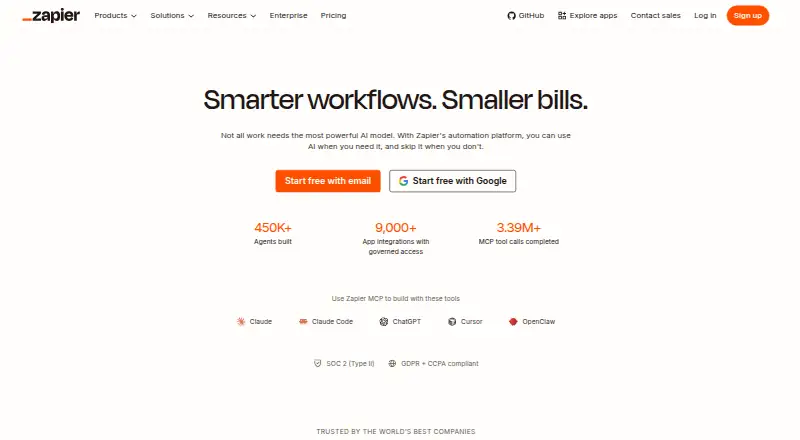
What Zapier is
Zapier connects apps through web-based automated workflows called Zaps. Each Zap starts with a trigger and carries out one or more actions; a task counts when an action successfully moves data or completes work. Zapier offers automation across more than 9,000 apps, along with multi-step workflows, conditional logic, and webhook triggers. The Free plan costs nothing and includes 100 tasks per month, unlimited Zaps limited to two steps, one user, and a 15-minute polling interval. Polling for new data does not use tasks, but successful actions do. Without pay-per-task billing, workflows pause at the task limit until the next usage period. Professional starts at $19.99 a month and includes multi-step Zaps, premium apps, webhooks, and email and live chat support. Team starts at $69 a month and includes 25 users and shared Zaps, folders, and app connections. Both paid plans offer a free trial. Annual billing provides a lower monthly fee, with a 33% saving shown in the pricing selector. Zapier Inc. is headquartered in San Francisco, California.
Who it suits
Zapier suits people and teams who want to automate work between apps, from individual users on the Free plan to teams sharing workflows and connections.
What it does well
- Connects workflows across more than 9,000 apps.
- Supports multi-step workflows, conditional logic, and webhooks.
- Free plan includes 100 tasks per month.
- Team plan includes 25 users and shared resources.
- Professional and Team plans offer a free trial.
What to know first
- Free Zaps are limited to two steps.
- Free plan includes one user and 100 monthly tasks.
- Workflows pause at the task limit without pay-per-task billing.
- Team starts at $69 a month.
Limits
The free plan includes 100 tasks per month, one user, two-step Zaps, and a 15-minute polling interval. Workflows pause at the task limit until the next usage period unless pay-per-task billing is enabled.
Plans
| Plan | Billed and limits | Price |
|---|---|---|
| Free | Free forever · 100 tasks per month · Two-step Zap workflows · 15-minute polling interval · 1 user | Free |
| Professional | Starting from · Multi-step Zap workflows · Unlimited Premium apps · 2-minute polling interval | $19.99 a month |
| Team | Starting from · 25 users · 1-minute polling interval | $69 a month |
| Enterprise | Contact for pricing · Unlimited users · Annual task limits | On request |
As zapier.com lists them, read 27 Sept 2026. The maker's own page has the final word.
Getting started
- Visit zapier.com.
- Choose the Free plan or review Professional and Team plans.
- Start the free trial for Professional or Team if you want to try a paid plan.
- Create a Zap by setting a trigger and one or more actions.
Zapier is a web-based service for connecting apps through automated workflows called Zaps. It suits individuals and teams moving information across a varied set of apps, especially when a workflow needs several actions or conditions. Its broad app coverage is a strong draw, but task limits and faster polling on paid plans make the right tier depend on the work.
Overview
A Zap begins with a trigger and runs one or more actions. With connections to more than 9,000 apps, Zapier is a practical option when the services in a workflow span a wide software stack. Multi-step workflows and conditional logic give it room to handle more than a simple one-action handoff; users who only need a small number of basic automations may not need that breadth.
Key features
Zapier combines app connections with workflow orchestration, data transformation, conditional logic, and webhook triggers. That mix supports workflows with several actions or more deliberate control over how information moves. Tasks are counted when a Zap successfully moves data or completes an action, while polling for new data does not consume tasks. This means the allowance is spent on successful work rather than every check, but workflows can still reach the limit; without pay-per-task billing, they pause until the next usage period.
Polling intervals are 15 minutes on Free, two minutes on Professional, and one minute on Team. Free is a poor fit when an automation needs to react quickly; Team offers the shortest stated interval, at a substantially higher starting price than Professional. Zapier maintains SOC 2 Type II, SOC 3, GDPR, and CCPA compliance. SAML-based SSO and SCIM user provisioning support organizations managing access, while Enterprise adds advanced admin permissions, app controls, deployment options, and observability.
Pricing
The Free plan costs nothing, is free forever, and includes 100 tasks per month, unlimited Zaps limited to two steps, a 15-minute polling interval, and one user. It is useful for trying simple workflows or running a small set of low-volume automations, but the task cap and two-step ceiling rule it out for many multi-action workflows.
Professional starts at $19.99 a month and includes multi-step Zaps, unlimited Premium apps, webhooks, a two-minute polling interval, and email and live chat support. It is the more suitable individual tier when the free step limit is restrictive or faster checks matter, though usage still needs to fit the task allowance. Team starts at $69 a month and includes 25 users, shared Zaps, folders and app connections, SAML SSO, and a one-minute polling interval. Its shared resources and access controls make the higher price more defensible for a group coordinating workflows than for a solo user.
Enterprise uses custom pricing and includes unlimited users and annual task limits, alongside advanced organizational controls. It is aimed at organizations needing centralized administration rather than a small team seeking a published per-month starting price. Annual payments lower the monthly fee, with the pricing selector showing a 33% saving. Professional and Team offer a 14-day free trial. Since workflows pause at the task limit without pay-per-task billing, estimate successful actions before relying on any tier for ongoing work.
Platforms
Zapier is available on the web. That makes it a fit for browser-based setup and management, rather than readers seeking a listed native mobile app.
Who it's for
Zapier is best suited to people and teams who need a general-purpose way to connect many apps, especially when workflows involve several actions, conditions, or shared team resources. It is less suitable when a strict 100-task monthly budget is essential, when two steps are enough and simpler limits are preferable, or when a workflow cannot tolerate the Free plan's 15-minute polling interval.
Pros and cons
- Pros: More than 9,000 app connections make it a strong candidate for varied software stacks.
- Pros: Multi-step workflows, conditional logic, webhooks, and data transformation support more involved automation than a basic trigger-and-action flow.
- Pros: Team provides shared workflow resources for up to 25 users; Enterprise adds organization-level controls.
- Cons: Free is capped at 100 tasks per month and two steps per Zap, limiting sustained or multi-action use.
- Cons: Free's 15-minute polling interval is a poor match for workflows that need quicker responses.
- Cons: Without pay-per-task billing, reaching the task limit pauses workflows until the next usage period.
Alternatives
Make is worth considering if a free plan with up to 1,000 monthly credits and web, Android, iOS, and API platforms better fits your needs; its free tier allows two active scenarios and a 15-minute minimum interval. Pabbly Connect is another option to compare if you want a free plan with 100 tasks per month and unlimited workflows. Activepieces may suit users who value self-hosted availability or a free plan with 1,000 monthly credits and unlimited flows, while noting that its free tier is for one user. IFTTT is a possible fit for a small number of applets: its free plan includes two Applets, standard speeds, and unlimited runs. Zoho Flow offers a free plan with 100 tasks per month, five flows, and 15-minute polling, so it is another limited-volume option to compare. Albato is worth comparing if its free allowance of 100 transactions, five active automations, and two steps per automation matches your needs. Bonita is an alternative to consider. Taskade AI Agents is another alternative to consider.
For broader comparisons, see Workflow automation tools, Integration Platform as a Service Software, Workflow Management Software, Deal Desk Software, and Task Automation Software.
Verdict
Choose Zapier if you need broad app coverage and workflows that go beyond a single action, or shared automations for a team. Its principal advantage is connecting a wide range of services with increasingly capable workflow tools; its main drawback is that meaningful multi-step use requires a paid plan, and task limits can pause work. Look elsewhere if your automations fit a smaller free allowance or require a quicker response without moving to a paid tier.
Verdict
Zapier offers app automation at several plan levels, with multi-step workflows and shared team resources on paid plans. The Free plan has a 100-task monthly limit and two-step Zaps, so check those limits against the workflows you need.
Questions
Is Zapier free?
Yes. Its Free plan costs nothing and includes 100 tasks per month.
What does the Free plan include?
It includes unlimited Zaps limited to two steps, one user, and a 15-minute polling interval.
How much do the paid plans cost?
Professional starts at $19.99 per month, and Team starts at $69.00 per month. Enterprise pricing is available by contacting Zapier.
Which platforms does Zapier support?
The listed platform is web.
How are tasks counted?
A task counts when a Zap successfully moves data or completes an action. Polling for new data does not use tasks.
Does Zapier offer a trial?
Professional and Team plans offer a free trial. Annual billing shows a 33% saving in the pricing selector.
Facts from Zapier's own pages
- Annual billing
- Annual payments provide a lower monthly fee and the pricing selector shows a 33% saving. · zapier.com, 27 Sept 2026
- App coverage
- Zapier offers automation across more than 9,000 apps. · zapier.com, 27 Sept 2026
- Company name
- The company is Zapier Inc. · zapier.com, 27 Sept 2026
- Conditional logic
- Yes · zapier.com, 20 Sept 2026
- Enterprise controls
- Enterprise includes advanced admin permissions, app controls, deployment options, and observability. · zapier.com, 27 Sept 2026
- Free plan
- Yes · zapier.com, 20 Sept 2026
- Free tier
- The Free plan is free forever and includes 100 tasks per month. · zapier.com, 27 Sept 2026
- Free Zaps
- The Free plan includes unlimited Zaps but limits them to two steps. · zapier.com, 27 Sept 2026
- Headquarters
- San Francisco, California, United States · zapier.com, 23 Sept 2026
- Multi-step workflows
- Yes · zapier.com, 20 Sept 2026
- Native connectors
- 9000 · zapier.com, 20 Sept 2026
- Polling billing
- Polling for new data does not use tasks; successful actions do. · zapier.com, 27 Sept 2026
- Professional price
- The Professional plan starts at $19.99 per month. · zapier.com, 27 Sept 2026
- Security compliance
- Zapier maintains SOC 2 Type II, SOC 3, GDPR, and CCPA compliance. · zapier.com, 27 Sept 2026
- SSO provisioning
- Security features include SAML-based SSO and SCIM user provisioning. · zapier.com, 27 Sept 2026
- Paid from
- 19.99 · zapier.com, 20 Sept 2026
- Support options
- Support ranges from email on Free to live chat, priority support, screen sharing, and technical account management. · zapier.com, 27 Sept 2026
- Task definition
- Tasks are counted when a Zap successfully moves data or completes an action. · zapier.com, 27 Sept 2026
- Task limit pause
- Without pay-per-task billing, workflows pause at the task limit until the next usage period. · zapier.com, 27 Sept 2026
- Team collaboration
- The Team plan includes 25 users and shared Zaps, folders, and app connections. · zapier.com, 27 Sept 2026
- Team price
- The Team plan starts at $69 per month. · zapier.com, 27 Sept 2026
- Free trial
- Professional and Team plans offer a free trial. · zapier.com, 27 Sept 2026
- Webhook triggers
- Yes · zapier.com, 20 Sept 2026
- Workflow definition
- A Zap is an automated workflow with a trigger and one or more actions. · zapier.com, 27 Sept 2026
Where Zapier stands on Freedom251
- Integration Platform as a Service Software#12 of 113
- Workflow automation tools#19 of 133
- Marketo LaunchPoint Apps#6 of 24
- Deal Desk Software#15 of 41
- No Code Ai Agent Builder#11 of 29
- Workflow Management Software#19 of 48
- Business Ai Tools#14 of 27
- Integration Software#15 of 28
- Tool Agents#14 of 26
- Workflow Integration#16 of 29
- Apis Integrations#17 of 30
- Automation#16 of 26
- Integrations Automation#17 of 27
- Business Automation#16 of 23
- Task Automation Software#26 of 35