Freedom251 › Workflow automation tools

IFTTT
by IFTTT
What IFTTT is
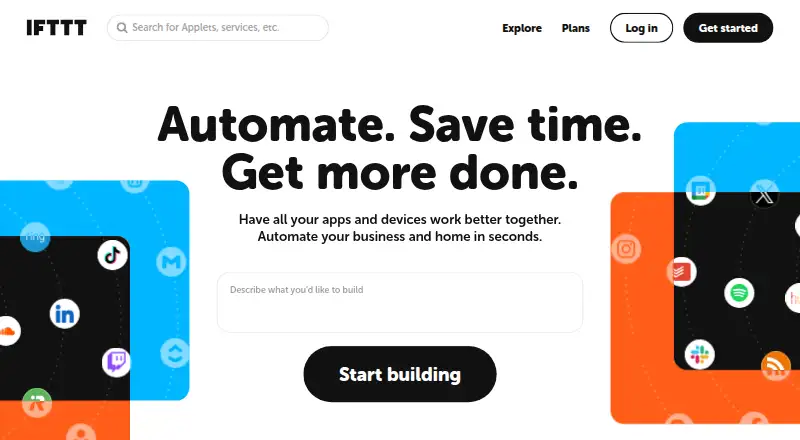
IFTTT connects apps, devices and services through Applets that automate actions across two or more services. Its library includes over 1,000 apps, services and devices, with examples such as Spotify, Evernote, Todoist, Google Sheets, Android and Philips Hue. Basic use does not require coding. The Free plan allows two Applets, Pro allows 20, and Pro+ allows unlimited Applets. Pro adds multi-action Applets and webhooks; Pro+ includes queries, filter code, multiple connected accounts per service and access to IFTTT's Platform. The iOS and Android apps provide mobile-exclusive services, notifications, widgets and geofencing automations. IFTTT says most connected services use OAuth, permitting restricted account access without sharing a password with IFTTT. Users can export their data as JSON or delete their account through settings. Trigger checks, Applet runs and errors are logged for seven days, while activity feed information is stored for 30 days. A free plan is available; Pro costs $2.99/mo billed annually and Pro+ costs $8.99/mo billed annually. Both paid plans include a seven-day trial.
Who it suits
IFTTT suits people who want to connect services and automate actions without coding. Pro is positioned for people with multiple smart devices or multi-action needs, while Pro+ is intended for small business owners and users of advanced tools.
What it does well
- Connects to a library of over 1,000 services and devices.
- Basic use does not require coding.
- Mobile apps include notifications, widgets and geofencing.
- Users can export data or delete their account.
What to know first
- Free plan allows only two Applets.
- Trigger checks, runs and errors are logged for seven days.
- Activity feed information is stored for 30 days.
Limits
The free plan allows two Applets, with standard Applet speeds, unlimited runs, and 30-day onboarding support. Pro costs $2.99 per month billed annually and allows 20 Applets; Pro+ costs $8.99 per month billed annually and allows unlimited Applets.
Plans
| Plan | Billed and limits | Price |
|---|---|---|
| Free | forever · 2 Applets · Standard Applet speeds · Unlimited Applet runs · Free mobile app access · 30-day onboarding support | Free |
| Pro | $35.88 billed annually · 20 Applets · Fastest Applet speeds · Multi-action Applets · Webhooks · Increased rate limits · Customer support | $2.99 a month |
| Pro+ | $107.88 billed annually · Unlimited Applets · AI services · Connect multiple accounts · Queries and filter code · Prioritized customer support | $8.99 a month |
As ifttt.com lists them, read 28 Sept 2026. The maker's own page has the final word.
Getting started
- Visit the IFTTT website.
- Choose the Free plan or review Pro and Pro+; a seven-day trial is available.
- Use the web app or install IFTTT on iOS or Android.
- Create Applets to connect two or more services.
IFTTT connects apps, services, and devices through Applets, making it a good fit for people who want to automate everyday connections without coding. Its broad integration library and mobile tools are strengths; the two-Applet free cap makes the paid tiers more relevant once a setup grows.
Overview
Founded in 2010 and headquartered in San Francisco, IFTTT describes itself as a low-code way for apps and services to communicate. Applets automate actions across two or more services, and the library includes more than 1,000 apps, services, and devices. That breadth gives users many potential connections, but its practical value depends on whether the services behind a routine are supported.
Examples on the Explore page include Spotify, Evernote, Todoist, Google Sheets, Android, and Philips Hue. IFTTT supports app triggers and scheduled runs. Basic use does not require coding, which suits straightforward automations; users seeking more involved control will need the advanced tools in Pro+.
Key features
Applet limits and automation
The Free plan allows two Applets, enough for a small set of routines but restrictive for anyone connecting several services. Pro raises the limit to 20 and adds multi-action Applets, so one trigger can lead to several actions. Pro+ allows unlimited Applets and adds queries, filter code, multiple connected accounts per service, and access to IFTTT's Platform. Those controls better suit users who need more than basic trigger-and-action automations.
Mobile, privacy, and activity
IFTTT's iOS and Android apps include mobile-exclusive services and features such as notifications, widgets, and geofencing automations. These make it more useful when a routine depends on a phone's location or mobile activity, rather than only online services.
Most connected services use OAuth, which allows restricted account access without sharing a password with IFTTT. Users can export their IFTTT data as a JSON file or delete their account through account settings. Trigger checks, Applet runs, and errors are logged for seven days; activity feed information is stored for 30 days. Those periods are worth considering if you need to review older automation activity.
Pricing
IFTTT is freemium, with a seven-day trial and paid plans from $2.99/mo. The Free plan costs nothing, billed forever. It includes two Applets, standard Applet speeds, unlimited Applet runs, free mobile app access, and 30-day onboarding support. It is a sensible way to try a couple of routines, but the Applet cap limits its usefulness as a long-term home for a broader setup.
Pro costs $2.99 a month, billed $35.88 billed annually. It includes 20 Applets, fastest Applet speeds, multi-action Applets, Webhooks, increased rate limits, and customer support. It is the more fitting tier for people with multiple smart devices or a need for multi-action automations; the annual billing term matters for buyers comparing its monthly equivalent with the total commitment.
Pro+ costs $8.99 a month, billed $107.88 billed annually. It offers unlimited Applets, AI services, multiple connected accounts, queries and filter code, and prioritized customer support. Small business owners and users of advanced tools are the intended audience. For a modest set of simple routines, its higher price and advanced controls may be unnecessary.
Platforms
IFTTT is available on Android, iOS, and the web, and provides an API. Mobile apps add notifications, widgets, and geofencing automations. The platform range suits users who want a combination of phone-based and web-based routines.
Who it's for
IFTTT is best for people linking everyday apps, services, and smart devices with straightforward automations, especially when mobile features are useful. Pro is a better fit as the number of devices and multi-action needs grow. Pro+ suits small business owners and users who need advanced controls or many Applets. It is less compelling for someone who needs only a couple of simple routines, or whose workflow depends on more elaborate automation logic than the service's basic approach.
Pros and cons
- Pros: A library of more than 1,000 apps, services, and devices creates a wide range of possible connections.
- Pros: Mobile-exclusive services, widgets, notifications, and geofencing support phone-centered automations.
- Pros: Pro adds multi-action Applets, while Pro+ provides unlimited Applets and advanced controls.
- Cons: The Free plan's two-Applet limit restricts users who want to build a larger set of routines.
- Cons: Activity records have short retention windows: seven days for trigger checks, runs, and errors, and 30 days for feed information.
- Cons: Pro and Pro+ are billed annually at $35.88 and $107.88 respectively, so their monthly prices come with an annual commitment.
Alternatives
Consider Make if its free allowance of 1,000 credits per month, two active scenarios, and 15-minute minimum interval better match your workflow. For other options, browse Task Automation Software or Workflow automation tools. Ui.Vision RPA, Macro Recorder, Windmill, Activepieces, Browserflow, MacroDroid, and Zapier are other alternatives to consider.
Verdict
Choose IFTTT if you want a low-code way to connect familiar services and devices, with mobile automations and a clear route from a two-Applet free setup to more capable paid plans. Look elsewhere if the free cap is too small and you do not want an annual paid commitment, or if your needs call for advanced automation beyond the controls in Pro+.
Verdict
IFTTT offers a free entry point and larger Applet allowances on paid plans, with mobile tools and advanced automation options. Check the Applet limits and activity-retention periods when deciding whether it fits your setup.
Questions
Is IFTTT free?
Yes. The Free plan is billed at $0.00 and includes two Applets and unlimited Applet runs.
How much do the paid plans cost?
Pro is $2.99 per month, billed at $35.88 annually. Pro+ is $8.99 per month, billed at $107.88 annually.
Is there a free trial?
Yes, IFTTT offers a seven-day trial.
Which platforms does IFTTT support?
IFTTT is available on Android, iOS, and the web, and it also has an API.
How many Applets can I create?
The Free plan allows two, Pro allows 20, and Pro+ allows unlimited Applets.
Does IFTTT require coding?
IFTTT describes basic use as low-code and says coding is not required for basic use.
Facts from IFTTT's own pages
- Advanced features
- Pro+ includes queries, filter code, multiple connected accounts per service, and access to IFTTT's Platform. · ifttt.com, 28 Sept 2026
- Data controls
- Users can export their IFTTT data as a JSON file and delete their account through account settings. · help.ifttt.com, 28 Sept 2026
- Examples
- The Explore page features automations involving Spotify, Evernote, Todoist, Google Sheets, Android, and Philips Hue. · ifttt.com, 28 Sept 2026
- Founded
- IFTTT says it was founded in 2010. · ifttt.com, 28 Sept 2026
- Free plan
- Yes · ifttt.com, 22 Sept 2026
- Free plan limit
- The Free plan allows 2 Applets, while Pro allows 20 and Pro+ allows unlimited Applets. · ifttt.com, 28 Sept 2026
- Headquarters
- San Francisco, California, United States · ifttt.com, 28 Sept 2026
- Integrations
- IFTTT says its library includes over 1,000 apps, services, and devices. · ifttt.com, 28 Sept 2026
- Intended users
- IFTTT positions Pro for people with multiple smart devices or a need for multi-action automations, and Pro+ for small business owners and users of advanced tools. · ifttt.com, 28 Sept 2026
- Logged activity
- IFTTT says trigger checks, Applet runs, and errors are logged for 7 days, while activity feed information is stored for 30 days. · help.ifttt.com, 28 Sept 2026
- Mobile apps
- IFTTT offers iOS and Android apps with mobile-exclusive services and features such as notifications, widgets, and geofencing automations. · ifttt.com, 28 Sept 2026
- No-code use
- IFTTT describes its platform as a low-code way for apps and services to communicate, and says coding is not required for basic use. · ifttt.com, 28 Sept 2026
- Security
- IFTTT says most connected services use OAuth, allowing restricted account access without sharing the user's password with IFTTT. · help.ifttt.com, 28 Sept 2026
- Paid from
- 2.99 · ifttt.com, 22 Sept 2026
- Support
- The Free plan includes 30-day onboarding support, Pro includes customer support, and Pro+ includes prioritized customer support. · ifttt.com, 28 Sept 2026
- What it does
- IFTTT connects apps, devices, and services through Applets, which automate actions across two or more services. · ifttt.com, 28 Sept 2026
Where IFTTT stands on Freedom251
- Workflow automation tools#4 of 133
- Workflow Integration#3 of 29
- Integrations Automation#3 of 27
- Automation#4 of 26
- Apis Integrations#5 of 30
- Business Automation#4 of 23
- Integration Software#5 of 28
- Task Automation Software#7 of 35