Freedom251 › Robotic Process Automation Software
Ui.Vision RPA
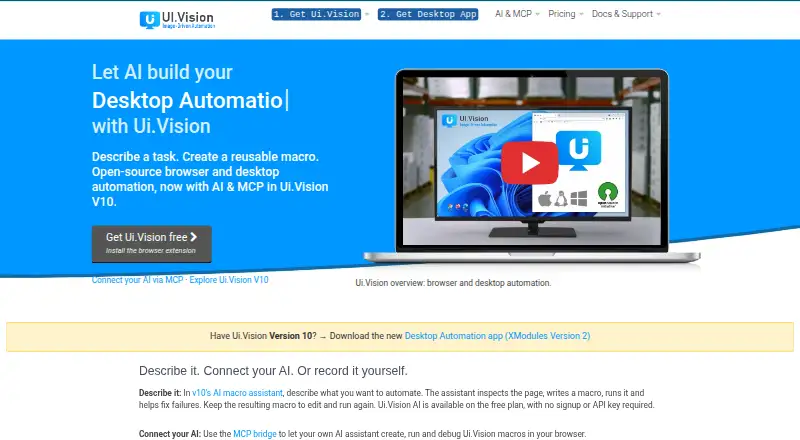
What Ui.Vision RPA is
Ui.Vision RPA automates browser and desktop work, including web scraping, screen scraping, UI testing, and test automation. Workflows can combine visual recording, Selenium-style commands, computer vision, OCR, and a JavaScript automation API. Its AI assistant can inspect a live page, create and run reusable macros, and help repair failures. Users can select hosted Ui.Vision AI, Anthropic, OpenRouter, or a local OpenAI-compatible model. Macros execute locally; hosted AI sends chat content and included page data or screenshots to the selected service, while local AI keeps that processing on the machine. Ui.Vision says hosted AI content and screenshots are not stored. The extension supports Chrome, Edge, and Firefox; XModules enable desktop automation and local file access on Windows, macOS, and Linux. The command-line API can connect with Jenkins, Cucumber, C#, Python, and PowerShell. Free Edition costs nothing for personal and commercial use. PRO Edition is $299 a year; Enterprise Edition is $999 a year.
Who it suits
It suits people automating browser and desktop workflows across supported operating systems, including teams connecting macros to command-line tools or code. The choice of hosted or local AI may also suit users with different processing preferences.
What it does well
- Free Edition supports personal and commercial use.
- Automates browsers and desktop applications.
- Offers several workflow methods, including OCR.
- Local AI keeps processing on the machine.
- Supports Chrome, Edge, and Firefox.
What to know first
- Enterprise Player cannot create new macros.
- Enterprise Player has a 10,000 OCR conversion daily limit per license.
- Hosted AI sends chat content and page data or screenshots for processing.
- PRO Edition is $299 a year.
Limits
Free Edition includes unlimited web and desktop automation, but Ui.Vision AI PRO provides 10 times the free plan’s AI processing limits. Enterprise Player licenses cannot create new macros and include 10,000 OCR conversions per day per license.
Plans
| Plan | Billed and limits | Price |
|---|---|---|
| Free Edition | Free for personal and commercial use · unlimited web and desktop automation · forum support | Free |
| Ui.Vision AI PRO | €11.90 per month — introductory price, 50% off · 10x the free plan’s AI processing limits · same AI assistant and commands · local macro replay · cancel anytime | €11.90 a month |
| PRO Edition | US$299.00 /Year · Unlimited web and desktop automation · forum and email support | $299 a year |
| Enterprise Edition | US$999+ /Year · Unlimited web and desktop automation · update management · priority email, remote screen sharing, phone/chat support | $999 a year |
As ui.vision lists them, read 2 Oct 2026. The maker's own page has the final word.
Getting started
- Visit the Ui.Vision website.
- Choose the browser extension for Chrome, Edge or Firefox for browser automation.
- Install XModules on Windows, macOS or Linux for desktop automation and local file access.
- Choose Free Edition or a paid plan to match your automation and support needs.
- Select an AI provider if using the built-in assistant, including a local model if you want processing to stay on the machine.
Overview
Ui.Vision RPA brings browser and desktop automation, scraping, and UI testing into one cross-platform tool. It is a strong fit for users who need flexible macros that can work with both web pages and local desktop apps. Its breadth is a draw, but buyers should weigh AI data handling and the limits of Enterprise Player licenses.
Key features
Workflows can be assembled through visual recording, Selenium-style commands, computer vision, OCR, or a JavaScript automation API. That mix serves both people who want to record a routine and developers who need more precise automation. Web and screen scraping, UI testing, and test automation also make it relevant beyond simple repetitive tasks.
The built-in AI assistant can inspect a live page, create reusable macros, run them, and help repair failures. Users can choose hosted Ui.Vision AI, Anthropic, OpenRouter, or a local OpenAI-compatible model. The MCP bridge connects compatible assistants such as Claude Code, Claude Desktop, OpenAI Codex, Cursor, and VS Code to Ui.Vision macros. Its command-line API can also connect automation with Jenkins and Cucumber or languages including C#, Python, and PowerShell, making it useful in scripted pipelines.
Macros execute locally, while hosted AI sends chat content and included page data or screenshots to the selected service for processing. Ui.Vision says this material is not stored. A local AI model keeps that processing on the machine, which is the better choice when page content should not be sent to a hosted service.
The browser extension supports Chrome, Edge, and Firefox. For desktop work, XModules add native mouse and keyboard input, desktop application automation, and direct local file access on Windows, macOS, and Linux. This combination is more capable than a browser-only recorder, though it also means desktop automation depends on installing the relevant module.
Pricing
The Free Edition costs nothing and allows unlimited web and desktop automation for personal and commercial use, with forum support. It is a substantial starting point for automation itself, but it does not include the paid editions' email or priority support.
Ui.Vision AI PRO costs €11.90 a month, billed €11.90 per month at an introductory price, 50% off. It offers 10x the free plan’s AI processing limits, the same AI assistant and commands, local macro replay, and cancellation anytime. This is the targeted upgrade for users who are running into AI processing limits rather than needing more automation capacity; the introductory price is a term to keep in mind.
PRO Edition costs $299 a year, billed US$299.00 /Year. It includes unlimited web and desktop automation plus forum and email support, making it the straightforward paid choice for users who want support beyond the forum. Enterprise Edition costs $999 a year, billed US$999+ /Year, and adds update management, priority email, remote screen sharing, and phone/chat support. The Enterprise Player license cannot create new macros and includes 10,000 OCR conversions per day per license, an important constraint for teams expecting every licensed player to build workflows or handle heavier OCR volumes.
Platforms
Ui.Vision supports API, extension, Linux, macOS, web, and Windows, with hybrid deployment and both attended and unattended automation. It also supports document processing and browser automation. The broad platform spread suits mixed browser-and-desktop environments, while the distinction between locally executed macros and hosted AI processing matters for sensitive workflows.
Who it's for
Ui.Vision is best for individuals and teams that need browser and desktop workflows in the same system, especially where scraping, OCR, UI testing, or command-line integration is part of the job. Developers can connect it to scripts and build pipelines; less code-focused users can start with recording and the AI assistant. It is less compelling for buyers seeking only a simple web automation service or enterprise players who need to create macros under the same license.
Pros and cons
- Pro: Visual recording, commands, computer vision, OCR, and JavaScript provide several ways to build and adapt workflows.
- Pro: XModules extend browser automation to native desktop controls and local file access across Windows, macOS, and Linux.
- Pro: Local macro execution and local AI options support workflows where processing should stay on the device.
- Con: Hosted AI sends chat content and included page data or screenshots to the selected service, so sensitive work may require local AI.
- Con: Enterprise Player licenses cannot create macros and cap OCR at 10,000 conversions per day per license.
- Con: Free Edition support is forum-only; email and higher-touch support require paid plans.
Alternatives
Make is a better fit for users who prefer cloud scenarios and a defined free allowance of 1,000 credits per month, two active scenarios, and a 15-minute minimum interval.
IFTTT suits users who want mobile app access and straightforward Applet automation; its free plan allows two Applets with unlimited runs.
Macro Recorder is an option for users focused on desktop macro recording on macOS or Windows.
Windmill is worth considering for users seeking an open-source workflow platform with self-hosted and API options.
Activepieces is an alternative for users who want API, web, or self-hosted flows, with a free plan offering 1,000 credits a month and unlimited flows.
Browserflow is another browser-focused option; its free plan includes unlimited desktop runs capped at one minute each and 30 minutes of cloud automation per month.
Zapier is an option for web-based automation with a free plan capped at 100 tasks per month.
AutoIt is a free Windows scripting-language alternative.
Browse Task Automation Software, Robotic Process Automation Software, and Browser Automation Tools for more options.
Verdict
Choose Ui.Vision RPA if your work spans browser and desktop automation and you value a choice of visual, command-based, and AI-assisted workflows. Its local execution, desktop access, and scripting connections are the central reasons to choose it. Look elsewhere if you need a simpler web-only tool, or if enterprise users must author macros on Player licenses; hosted AI also merits care when pages contain sensitive data.
Verdict
Ui.Vision RPA combines browser and desktop automation with several scripting and AI options. Review how hosted AI handles submitted content and compare edition limits and support before selecting a plan.
Questions
Is there a free plan?
Yes. Free Edition costs nothing and supports personal and commercial use, unlimited web and desktop automation, and forum support.
What do the paid plans cost?
Ui.Vision AI PRO is €11.90 a month at an introductory price. PRO Edition is $299 a year, and Enterprise Edition is $999 a year.
Which browsers and operating systems are supported?
The extension supports Chrome, Edge and Firefox. Desktop automation uses XModules on Windows, macOS and Linux.
Which AI providers can I choose?
Options include hosted Ui.Vision AI, Anthropic, OpenRouter and a local OpenAI-compatible model.
What happens to data when I use hosted AI?
Chat content and included page data or screenshots are sent to the selected service for processing. Ui.Vision says this hosted AI content is not stored; local AI keeps processing on the machine.
Who makes Ui.Vision RPA?
The maker identifies itself as a9t9 software GmbH, founded in 2020 by two RPA industry veterans.
Facts from Ui.Vision RPA's own pages
- AI assistant
- The built-in AI assistant can inspect a live page, create reusable macros, run them, and help repair failures. · ui.vision, 2 Oct 2026
- AI providers
- Users can choose hosted Ui.Vision AI, Anthropic, OpenRouter, or a local OpenAI-compatible model. · ui.vision, 2 Oct 2026
- Automation methods
- Workflows can use visual recording, Selenium-style commands, computer vision, OCR, and a JavaScript automation API. · ui.vision, 2 Oct 2026
- Browsers and operating systems
- The extension supports Chrome, Edge, and Firefox; desktop automation uses XModules on Windows, macOS, and Linux. · ui.vision, 2 Oct 2026
- Desktop and file access
- XModules add native mouse and keyboard input, desktop application automation, and direct local file access. · ui.vision, 2 Oct 2026
- Founded
- 2020 · ui.vision, 28 Sept 2026
- Headquarters
- Heidelberg, Germany · ui.vision, 28 Sept 2026
- Hosted AI data handling
- Ui.Vision says hosted AI chat content and screenshots are sent to compute an answer and are not stored. · ui.vision, 2 Oct 2026
- Integrations
- The MCP bridge connects MCP-compatible assistants including Claude Code, Claude Desktop, OpenAI Codex, Cursor, and VS Code to Ui.Vision macros. · ui.vision, 2 Oct 2026
- Maker
- The maker identifies itself as a9t9 software GmbH, founded in 2020 by two RPA industry veterans. · ui.vision, 2 Oct 2026
- Notable limit
- Enterprise Player licenses cannot create new macros and include 10,000 OCR conversions per day per license. · ui.vision, 2 Oct 2026
- Purpose
- Ui.Vision provides browser and desktop automation, web scraping, screen scraping, UI testing, and test automation. · ui.vision, 2 Oct 2026
- Scripting integrations
- The command-line API can integrate Ui.Vision with applications such as Jenkins and Cucumber and languages including C#, Python, and PowerShell. · ui.vision, 2 Oct 2026
- Security and processing
- Macros execute locally, while hosted AI sends chat content and included page data or screenshots to the selected service for processing; local AI keeps that processing on the machine. · ui.vision, 2 Oct 2026
- Support
- Free Edition support is through the forum, PRO includes forum and email support, and Enterprise includes priority email, remote screen sharing, and phone/chat support. · ui.vision, 2 Oct 2026
Where Ui.Vision RPA stands on Freedom251
- Robotic Process Automation Software#7 of 26
- Task Automation Software#18 of 35
- Browser Automation Tools#37 of 63