Freedom251 › Project management tools

Wrike
by Wrike
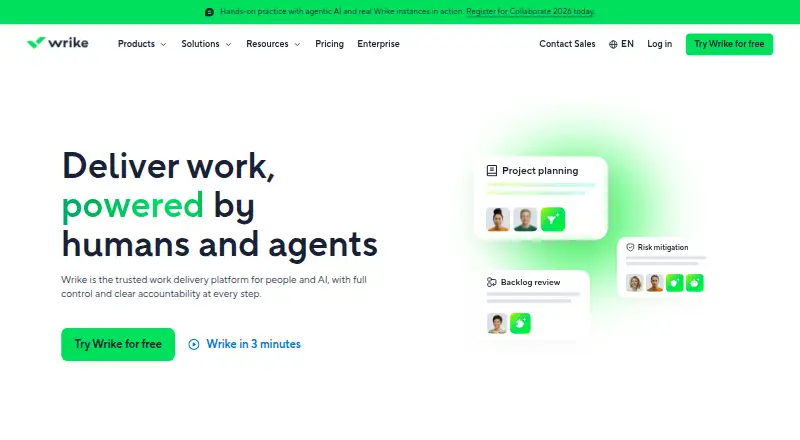
What Wrike is
Wrike is project and task management software from a maker founded in 2006 and headquartered in San Diego, United States. It runs on web, Windows, macOS, iOS and Android. The listed task view is a board, and the feature set includes automation rules, time tracking and guest access. Wrike has 400 native integrations. Its Free plan supports unlimited users, with 2 GB of storage and 200 active tasks per account. Team costs $10 a month billed annually and is for 2 to 15 users; Business costs $25 a month billed annually and is for 5 to 200 users. Pinnacle and Apex are listed for unlimited users, but prices are not provided. A 14-day trial is listed. Wrike’s freemium pricing gives teams a no-cost starting option, while paid plans provide choices tied to team size. The listed features make it possible to combine board-based task work with time tracking, automation and guest access.
Who it suits
Wrike may suit teams that want board-based task management with time tracking, automation rules and guest access. Its free plan allows unlimited users, while Team and Business specify team-size ranges.
What it does well
- Free plan allows unlimited users
- Board task view, automation rules and time tracking
- Guest access is available
- 400 native integrations
- Runs on web, desktop and mobile platforms
What to know first
- Free plan limits accounts to 200 active tasks
- Free plan includes 2 GB storage per account
- Team and Business plans are billed annually
Plans
| Plan | Billed and limits | Price |
|---|---|---|
| Team | per user/month, annual billing · 2–15 users · AI Essentials · shareable dashboards · interactive Gantt charts | $10 a month |
| Business | per user/month, annual billing · 5–200 users · AI Elite starter actions · templates · standard integrations | $25 a month |
| Pinnacle | advanced resource/capacity planning · budgeting · advanced reporting and BI · three times more AI Elite actions than Business | On request |
| Apex | enterprise human and AI workflows · ten times more AI Elite actions than Business · unlimited Whiteboards · Wrike Integrate · Wrike Sync | On request |
| Free | per user/month · essential task management · web, desktop and mobile apps · project/task management · board and table views | Free |
| Wrike Whiteboard add-on | per user/month · visual canvas · brainstorming · visual collaboration | $15 a month |
As wrike.com lists them, read 14 Oct 2026. The maker's own page has the final word.
Overview
Wrike is a work-management platform for organizing projects and tasks. It is a strong fit for teams that need board-based task planning, automation, time tracking and guest access in one product. The main trade-off is that its free plan’s account-wide task and storage caps may constrain teams with heavier workloads.
Key features
Board task views give teams a visual way to organize work. Automation rules can reduce repetitive administration, while time tracking keeps work accounting alongside task coordination. Guest access can help teams collaborate with people outside their core group.
Wrike offers 400 native integrations, which gives teams a wide range of potential connections to other software. The integration count does not establish whether a particular connection is included on every plan, so confirm that the required integrations fit the tier you are considering.
Pricing
Wrike has a freemium model, a 14-day trial and paid pricing from $10/user/mo (annual). The Free plan costs nothing and allows unlimited users, but caps each account at 2 GB of storage and 200 active tasks. Those limits make it a practical starting point for a light workload, not an open-ended option for a growing project portfolio.
Team costs $10 a month, billed annually, for 2 to 15 users. It is the first paid step for a small team that has outgrown the Free plan’s caps. Business costs $25 a month, billed annually, for 5 to 200 users; its broader team range makes it relevant to larger groups, but the higher price needs to be justified by the needs of that organization. The published plan facts do not establish the feature differences between these paid tiers.
Pinnacle and Apex have custom pricing and allow unlimited users. They may suit organizations considering Wrike beyond the published Team and Business ranges, but buyers will need a tailored quote to assess cost. Across the plans, check seat range and the Free plan’s account-level limits before choosing.
Platforms
Wrike is available on web, Windows, macOS, iOS and Android, giving teams options across desktop and mobile devices.
Who it's for
Wrike is best suited to teams that want board-based project coordination with automation, time tracking and guest access, and that can work within the seat ranges of Team or Business or obtain custom pricing for a larger deployment. It is less compelling for teams whose workload would quickly exceed 200 active tasks or 2 GB of storage on the Free plan and that are not ready to move to a paid tier.
Pros and cons
- Pros: The Free plan has unlimited users, making it possible to start without a seat cap; it still limits storage to 2 GB per account and active tasks to 200.
- Pros: Automation, time tracking and guest access cover several needs that arise in coordinating work across teams and outside contributors.
- Pros: Availability across web, desktop and mobile platforms makes Wrike accessible across common device types.
- Cons: The Free plan’s storage and active-task caps can make it a poor fit for expanding or high-volume work.
- Cons: Team and Business have defined user ranges, while Pinnacle and Apex require custom pricing, so larger buyers cannot compare all tiers by a published price.
Alternatives
Consider ClickUp if its Free Forever plan’s unlimited tasks and unlimited free-plan members suit your workload better than Wrike’s 200-active-task cap; ClickUp’s plan has 60MB storage and includes one form. Choose monday work management if its Free plan’s 2-seat, 3-board and 3-Doc limits suit a smaller team, or if its Basic plan at $9 a month, billed annually, fits your needs.
Airtable is another freemium option, with a Team plan at $20 a month, billed annually, that includes 50,000 records per base, 100,000 API calls per workspace per month and 20 GB of attachments. The available plan facts do not establish a closer reason to prefer it over Wrike for a particular workflow.
For more options, browse Work Management Software, Marketing Planning Software, Creative Project Management Software, IT Project Management Software, or AI Project Management Software. Readers looking specifically at game-project tools can also browse Game Project Management Software. Other listed alternatives include Planful, Screendragon, HCL Unica Plan, Opal and Workamajig.
Verdict
Wrike is a sound choice for teams that want board-based task management with automation, time tracking and guest access, and can fit its paid tiers’ user ranges. Its unlimited-user Free plan is a useful entry point, but the 2 GB storage and 200-active-task limits are the main reasons to look elsewhere or budget for a paid plan as work grows.
Verdict
Wrike offers a free entry point and paid tiers with stated team-size ranges. Check the Free plan’s task and storage limits, or compare Team and Business if the team fits their respective user ranges.
Facts from Wrike's own pages
- Automation
- Wrike supports custom workflow automation and natural-language generation of automation rules. · wrike.com, 14 Oct 2026
- Automation rules
- Yes · wrike.com, 20 Sept 2026
- Board and table views
- Wrike provides drag-and-drop Kanban board views and spreadsheet-style table views. · wrike.com, 14 Oct 2026
- Company scale
- Wrike reports more than 20,000 organizations, over 2 million users, 1,000-plus employees, eight offices and support in 140 countries. · wrike.com, 14 Oct 2026
- Dashboards
- The product provides customizable dashboards for monitoring work and sharing project information. · wrike.com, 14 Oct 2026
- Data residency
- Accounts registered in Europe are hosted in Paris, while other accounts use the primary U.S. data center in Santa Clara. · wrike.com, 14 Oct 2026
- Desktop system requirements
- The desktop application supports Windows 10 version 22H2 or later and macOS 12 Monterey or later. · help.wrike.com, 14 Oct 2026
- Developer authentication and events
- The developer platform supports OAuth 2.0 authentication, webhooks and rate-limit-aware API use. · developers.wrike.com, 14 Oct 2026
- Developer extensibility
- Wrike documents MCP Server, Datahub API and BI export alongside API guides and a changelog. · developers.wrike.com, 14 Oct 2026
- Dynamic request forms
- Conditional request forms collect intake information, route requests and can create work from submissions. · wrike.com, 14 Oct 2026
- Founded
- Wrike's company page states that it was founded in 2006. · wrike.com, 14 Oct 2026
- Free plan
- Yes · wrike.com, 20 Sept 2026
- Gantt charts
- Interactive Gantt charts show dependencies and milestones and allow dates to be adjusted by dragging. · wrike.com, 14 Oct 2026
- Guest access
- Yes · wrike.com, 20 Sept 2026
- Headquarters
- San Diego, United States · wrike.com, 23 Sept 2026
- Hosting model
- Wrike states that the service is entirely cloud-based and has no on-premises deployment. · wrike.com, 14 Oct 2026
- Integrations
- The integrations directory lists 60 results across CRM, storage, messaging, BI, extensions, mobile, SSO, MCP and other categories. · wrike.com, 14 Oct 2026
- iOS requirement
- The App Store listing requires iOS 17 or later and lists a 196.5 MB app. · apps.apple.com, 14 Oct 2026
- Limit: learning curve and complexity
- Independent reviewers repeatedly describe the interface as cluttered or overwhelming and say onboarding and configuration require substantial time. · trustradius.com, 14 Oct 2026
- Maker headquarters
- LinkedIn lists Wrike headquarters at San Diego, California, United States, with 1,001–5,000 employees. · linkedin.com, 14 Oct 2026
- Maker ownership
- Crunchbase identifies Wrike as acquired by Symphony Technology Group and lists four investors including DCM Ventures and Bain Capital Ventures. · crunchbase.com, 14 Oct 2026
- Mobile availability
- Wrike distributes native applications for iPhone/iPad and Android devices. · wrike.com, 14 Oct 2026
- Named integrations
- Wrike lists Microsoft Copilot, ChatGPT, Claude, Gemini, QuickBooks, Power BI, Klaxoon, Skyvia and Wrike Integrate connections. · wrike.com, 14 Oct 2026
- Native integrations
- 400 · wrike.com, 20 Sept 2026
Where Wrike stands on Freedom251
- Project management tools#8 of 196
- Marketing Planning Software#4 of 20
- Creative Portfolio Management Software#4 of 18
- Creative Project Management Software#14 of 36
- IT Project Management Software#11 of 28
- Work Management Software#24 of 51
- Project Management Software#96 of 188
- AI Project Management Software#14 of 27
- Game Project Management Software#19 of 32
- Google Workspace Project Management Software#22 of 30
- Project Tracking Software#26 of 34
- Nonprofit Project Management#27 of 34