Freedom251 › Project management tools
Microsoft Planner
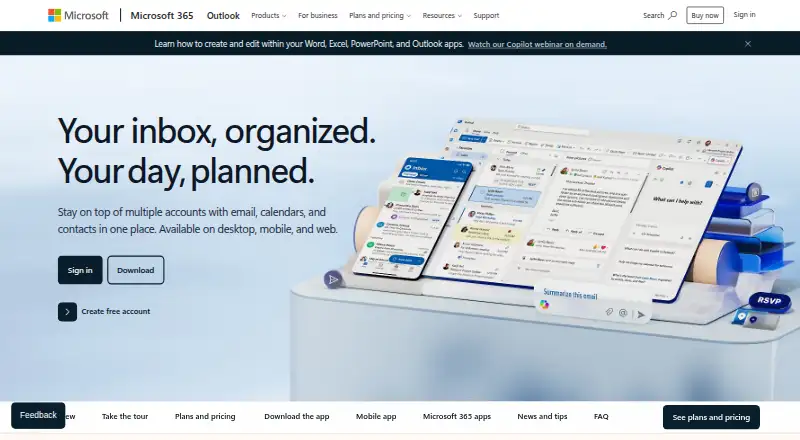
What Microsoft Planner is
Microsoft Planner brings tasks, to-do lists, plans and projects from Microsoft 365 apps into one online work-management service. Navigation separates work into My Day, My Tasks and My Plans, while plans can use list, board, timeline and sprint views. Tasks support files, checklists and labels, with organization options including Assigned to me. Teams can create plans together, share them and collaborate in real time. Planner includes automation rules, guest access and integrations with Loop, Outlook, Teams, Copilot and Power Automate. Microsoft Graph’s Planner API can create plans, assign and organize tasks, share progress and support collaboration. The free Microsoft 365-included option provides basic templates, Grid, Board, Schedule and Charts views, plus Teams integration. Other listed plans add subtasks, backlogs, sprints, dependencies, portfolios, milestones and Project desktop or Project Online. AI capabilities in Planner require a Microsoft 365 Copilot license.
Who it suits
Planner suits teams managing work in Microsoft 365, including marketing, sales, software development, IT, human resources, project management and operations. It is available on web, iOS, Android and through an API.
What it does well
- Multiple views include boards, timelines and sprints
- Tasks support files, checklists and labels
- Real-time plan collaboration and sharing
- Guest access and automation rules
- Free Microsoft 365-included option
What to know first
- AI features require a Copilot license
- One-month trial requires a credit card
- Trial converts to paid unless canceled
- Android app cannot delete plans
Plans
| Plan | Billed and limits | Price |
|---|---|---|
| Microsoft Planner | Task creation and management with files, checklists, and labels · My Day, My Tasks, and Assigned to Me · Basic and custom templates · Grid, Board, Schedule, and Chart views · Microsoft 365 app integrations | On request |
| Microsoft Planner (included in Microsoft 365) | Basic templates · Grid, Board, Schedule, and Charts views · Teams integration | Free |
| Planner Plan 1 | user/month, paid yearly · Premium templates · Dependencies · Backlogs and sprints · Timeline, Calendar, and People views · Goals · Milestones | $10 |
| Planner and Project Plan 3 | user/month, paid yearly · Everything in Planner Plan 1 · Task history · Portfolios · Baselines and critical path · Advanced dependencies · Project desktop | $30 |
As microsoft.com lists them, read 20 Sept 2026. The maker's own page has the final word.
Verdict
Planner consolidates Microsoft 365 task and project work with several views, integrations and API support. Its free included option covers core planning, while advanced capabilities depend on other plans or licensing.
Facts from Microsoft Planner's own pages
- API
- Microsoft Graph's Planner API can create plans, organize and assign tasks, share progress, and support collaboration. · learn.microsoft.com, 12 Oct 2026
- Audience
- Microsoft presents Planner templates and use cases for marketing, sales, software development, IT, human resources, project management, and operations teams. · microsoft.com, 12 Oct 2026
- Automation rules
- Yes · microsoft.com, 20 Sept 2026
- Collaboration
- Teams can cocreate plans, and the included Planner offering supports real-time collaboration and sharing. · microsoft.com, 12 Oct 2026
- Compliance
- Planner is covered by Microsoft's Product Terms and Data Protection Agreement, and the documentation says integrated Purview audit logs are supported across plan types and containers. · learn.microsoft.com, 12 Oct 2026
- Copilot
- Access to AI capabilities in Planner and Planner in Teams requires a Microsoft 365 Copilot license. · microsoft.com, 12 Oct 2026
- Features
- Planner supports content-rich tasks with files, checklists, labels, and task organization by My Day, My Tasks, and Assigned to me. · microsoft.com, 12 Oct 2026
- Founded
- 1975 · microsoft.com, 19 Oct 2026
- Free plan
- Yes · microsoft.com, 20 Sept 2026
- Guest access
- Yes · microsoft.com, 20 Sept 2026
- Headquarters
- Redmond, Washington, USA · microsoft.com, 19 Oct 2026
- Integrations
- The listed Microsoft app integrations include Loop, Outlook, Teams, Copilot, and Power Automate. · microsoft.com, 12 Oct 2026
- Limits
- The security documentation says Planner does not participate in Advanced Data Residency and that retention policy is not currently supported. · learn.microsoft.com, 12 Oct 2026
- Mobile
- Planner has iOS and Android apps for eligible Microsoft 365 work or school accounts; the Android app cannot delete plans. · support.microsoft.com, 12 Oct 2026
- Native integrations
- 5 · microsoft.com, 20 Sept 2026
- Purpose
- Planner brings tasks, to-do lists, plans, and projects across Microsoft 365 apps into one online work-management experience. · microsoft.com, 12 Oct 2026
- Security
- Basic plan task titles and descriptions are stored in Azure and encrypted at rest and in transit; premium plan data is stored in Dataverse. · learn.microsoft.com, 12 Oct 2026
- Support
- Microsoft offers Planner help and learning articles, administrator resources, community resources, and Microsoft partner assistance. · microsoft.com, 12 Oct 2026
- Task views
- board · microsoft.com, 20 Sept 2026
- Trial
- Microsoft describes a one-month free trial, requires a credit card to sign up, and says the subscription converts to paid unless canceled. · microsoft.com, 12 Oct 2026
- Views
- Its main navigation includes My Day, My Tasks, and My Plans, while plans can use list, board, timeline, and sprint views. · microsoft.com, 12 Oct 2026
Where Microsoft Planner stands on Freedom251
- Project management tools#10 of 196
- Workplace Management Software#4 of 35
- Calendar Scheduling#4 of 33
- Business Scheduling Software#4 of 32
- Availability Management#4 of 30
- Appointment Management system#4 of 26
- Project Management Software#37 of 188
- Data Preparation Software#6 of 28
- Work Management Software#11 of 51
- Appointment Scheduling Software#40 of 138
- Project Tracking Software#10 of 34
- Nonprofit Project Management#11 of 34