
Workforce.com
What Workforce.com is
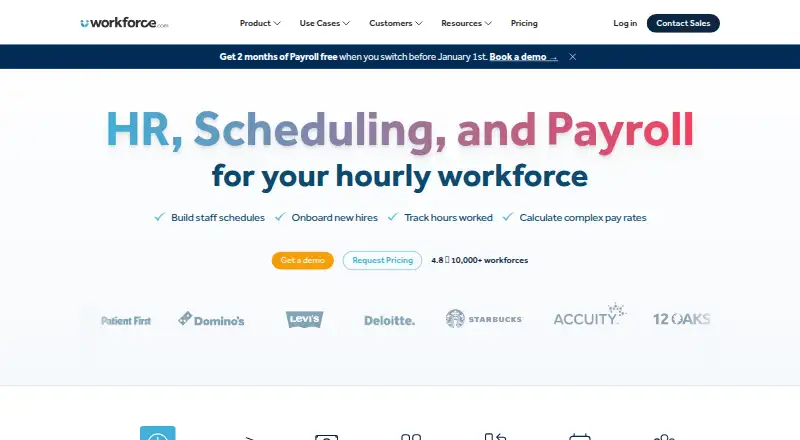
Workforce.com combines payroll, HR and workforce management for shift-based organizations. Its scheduling tools use business data to forecast demand and generate employee schedules; listed features include auto-scheduling, availability collection, time-off management, open shifts and shift swaps. HR covers onboarding, HRIS, performance management and applicant tracking. Payroll includes time and attendance, wage and hour automation, tax filing and benefits management. The company lists hospitality, retail and care among its use cases. It is available on Android, iOS, web and API, and its mobile app supports phones and tablets. Integrations listed include ADP, QuickBooks, Gusto, Indeed, Clover and Lightspeed. Plans are licensed per user, with pricing dependent on modules, staff count and implementation requirements; pricing is on request. There is no free plan, and a 14-day trial is listed. The separate Time Clock App requires a compatible Apple or Android tablet and cannot be used on a computer.
Who it suits
Workforce.com is for shift-based teams, including organizations in hospitality, retail and care, that need scheduling alongside HR and payroll. It may suit organizations selecting modules to match their staff and implementation needs.
What it does well
- Scheduling includes demand forecasting and auto-scheduling.
- HR covers onboarding, performance management and applicant tracking.
- Payroll includes tax filing and benefits management.
- Integrations include ADP, QuickBooks and Gusto.
- Mobile app supports phones and tablets.
What to know first
- No free plan is listed.
- Pricing is on request and depends on several factors.
- Time Clock App requires a compatible tablet.
- Time Clock App cannot be used on a computer.
Limits
There is no free plan; the listed trial lasts 14 days. The Time Clock App requires a compatible Apple or Android tablet and cannot run on a computer.
Plans
| Plan | Billed and limits | Price |
|---|---|---|
| All-in-One Plan (Canada) | per user per month, excluding applicable taxes · Scheduling · time and attendance · labour forecasting · onboarding · leave management · employee self-service | C$12.80 a month |
| HR | Onboarding/offboarding · HRIS/self-service · time and attendance · performance · applicant tracking | On request |
| Scheduling | Employee scheduling · labor forecasting · communications · shift management · employee app | On request |
| All-in-One | Scheduling · HR · Payroll · advanced implementation support | On request |
| Payroll | Full-service payroll · time and attendance · wage/hour automation · tax filing · benefits management | On request |
As workforce.com lists them, read 15 Oct 2026. The maker's own page has the final word.
Getting started
- Visit the Workforce.com website.
- Start the 14-day trial.
- Select the modules and plan that fit your workforce needs.
- Use the web, Android, iOS, or API platform.
- For the Time Clock App, use a compatible Apple or Android tablet.
Verdict
Workforce.com brings scheduling, HR and payroll together, with mobile apps and listed integrations for other business services. Pricing is customized, and the separate Time Clock App has a tablet-only requirement.
Questions
Does Workforce.com have a free plan?
No. A 14-day trial is listed.
How is Workforce.com priced?
Plans are licensed per user, and pricing depends on selected modules, staff count, and implementation requirements. Pricing is on request; the Canada All-in-One plan is listed at C$12.80 a month, excluding applicable taxes.
Which platforms does Workforce.com support?
It is available on Android, iOS, the web, and through an API. The mobile app is available for phones and tablets.
What does Workforce.com include?
Its functions span scheduling, HR, and payroll. Scheduling includes demand forecasting and employee schedules; HR includes onboarding and applicant tracking; payroll includes time and attendance, tax filing, and benefits management.
Who makes Workforce.com?
Workforce.com is made by Workforce.com, founded in 2012 and headquartered at 222 W Hubbard St, Chicago, IL 60654.
Can the Time Clock App run on a computer?
No. It requires a compatible Apple or Android tablet.
Facts from Workforce.com's own pages
- API
- The public API exposes data-stream, data-stream-join, store-stat and predicted-store-stat endpoints for importing demand data. · help.workforce.com, 15 Oct 2026
- API documentation
- API endpoint documentation is published at my.workforce.com/api/v2/documentation and is linked from the help center. · help.workforce.com, 15 Oct 2026
- Browser requirement
- The service runs entirely in a web browser and does not require desktop installation. · workforce.com, 15 Oct 2026
- Company founded
- The company states that Workforce.com was founded in 2012. · workforce.com, 15 Oct 2026
- Company headquarters and size
- LinkedIn lists Chicago, Illinois headquarters and a 51–200 employee company size. · linkedin.com, 15 Oct 2026
- Company ownership
- Workforce.com describes itself as independently owned; its terms identify the contracting entity as Workforce.com Inc. · workforce.com, 15 Oct 2026
- Company reach
- LinkedIn says the company serves more than 6,000 customers in about 80 countries and 10 languages. · linkedin.com, 15 Oct 2026
- Customer footprint
- The company’s about page reports more than 10,000 workforce transformations across 110 countries. · workforce.com, 15 Oct 2026
- Documentation depth
- The help center lists hundreds of articles covering HR, permissions, mobile, time clocks, schedules, leave, timesheets, compliance, integrations, reports, security and payroll. · help.workforce.com, 15 Oct 2026
- Employee app
- The mobile app lets workers view shifts, swap or cover shifts, manage leave, sync schedules to calendars and receive shift alerts. · play.google.com, 15 Oct 2026
- Encryption and recovery
- Data at rest uses AES-256; transport uses TLS 1.2; encrypted nightly backups are retained seven days, point-in-time backups 35 days, with an eight-hour RTO. · help.workforce.com, 15 Oct 2026
- Founded
- 2012 · workforce.com, 28 Sept 2026
- Free plan
- No · workforce.com, 21 Sept 2026
- HR
- Its HR features include onboarding, HRIS, performance management, and applicant tracking. · workforce.com, 3 Oct 2026
- HRIS
- The HR module stores employee records and supports recruiting, onboarding, performance management, documents and self-service updates. · workforce.com, 15 Oct 2026
- Industries
- The company describes its customers as shift-based workforces and lists hospitality, retail, and care industries among its use cases. · workforce.com, 3 Oct 2026
- Integrations
- Official integrations include ADP, Azure, Gusto, Indeed, QuickBooks, Oracle, Paychex, Paycom, Shopify, Square, Toast, UKG, Workday and Xero. · workforce.com, 15 Oct 2026
- Labor forecasting
- Its forecasting can use point-of-sale data, historical sales, weather and economic trends to estimate staffing demand. · getapp.com, 15 Oct 2026
- Licence
- Terms grant customers a limited, non-transferable SaaS usage licence and reserve intellectual-property ownership to Workforce.com, so the product is proprietary rather than open source. · workforce.com, 15 Oct 2026
- Limit: customization and interface
- GetApp reviewers mention limited customization and an interface that is not always user friendly. · getapp.com, 15 Oct 2026
- Limit: integrations and reporting
- Gartner feedback says integrations with other HR tools could be smoother and reporting more flexible. · gartner.com, 15 Oct 2026
- Limit: mobile parity
- Gartner feedback says the mobile experience is more limited than the desktop version. · gartner.com, 15 Oct 2026
- Limit: reliability friction
- GetApp feedback includes occasional timeouts and clunky parts of the product. · getapp.com, 15 Oct 2026
- Mobile app
- The Workforce mobile app is available for phones and tablets through device app stores. · help.workforce.com, 3 Oct 2026
Where Workforce.com stands on Freedom251
- HR Software#54 of 233
- Forecasting Software#9 of 34
- Nurse Scheduling#6 of 20
- Onboarding Software#7 of 18
- Restaurant Payroll Software#11 of 23
- Healthcare Staff Scheduling Software#13 of 27
- Workforce Management Software#16 of 33
- Capacity Planning Software#31 of 62
- Human Resources Software#13 of 26
- Workforce Management - Enterprise Software#12 of 23
- Shift Scheduling#13 of 24
- Attendance Management Software#12 of 20
- Team Management#14 of 23
- Restaurant Labor Management Software#14 of 22
- Employee Scheduling Software#28 of 43
- Workforce Management - Midmarket Software#17 of 26
- Restaurant Scheduling Software#18 of 27
- Gym Staff Scheduling Software#19 of 26
- Time and Attendance Software#21 of 28
- Time Clock Software#23 of 28