Freedom251 › Sales Analytics Software

Weflow
What Weflow is
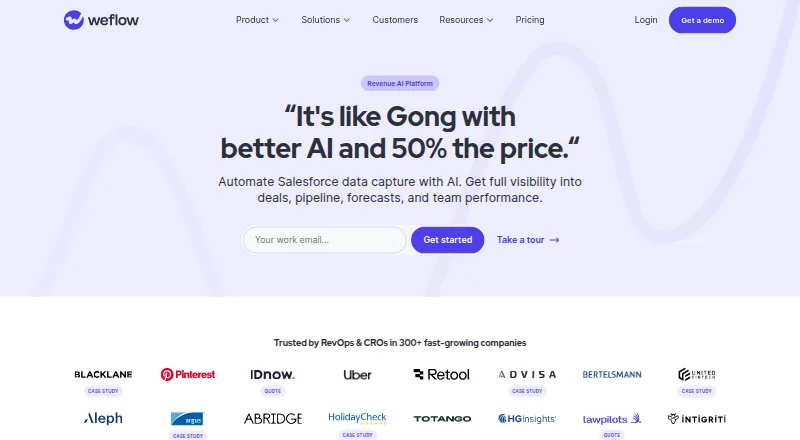
Weflow is a Revenue AI platform that automates Salesforce data capture and gives teams visibility into deals, pipeline, forecasts, and performance. Activity & Contact Capture syncs emails, meetings, and contacts from Outlook or Google to Salesforce. Conversation Intelligence records, transcribes, and analyzes customer conversations, then provides AI summaries and Salesforce field updates. Deal Intelligence supplies deal and account summaries, scores, warnings, and buying committee intelligence. Revenue AI Enterprise adds AI forecast prediction, pipeline analytics, automated forecast roll-ups, and configurable forecast settings. Weflow connects to 170+ tools through API, MCP, or native integrations, including Salesforce, Zoom, Aircall, and Calendly. Its Windows and macOS desktop app records meetings and calls without a bot joining, then syncs summaries and Salesforce field updates. Plans require at least 10 users. Activity & Contact Capture is listed at $19/user/month, billed annually, and a 14-day free trial is offered; there is no free plan. Weflow lists SOC 2 Type II, GDPR, CCPA, HIPAA, and CASA Tier 2 compliance, and says customer data is not used to train AI models.
Who it suits
It suits Salesforce teams seeking automated activity capture, conversation analysis, deal insights, or forecasting. The minimum 10-user requirement makes it a fit for teams rather than individual buyers.
What it does well
- Syncs Outlook or Google activity into Salesforce
- Conversation tools include transcripts and AI summaries
- Connects to 170+ tools
- 14-day free trial is offered
What to know first
- No free plan
- Plans require at least 10 users
- Activity & Contact Capture is $19/user/month, billed annually
Limits
There is no free plan, and Weflow products and bundles require at least 10 users. Agent Builder Starter includes 25 actions per month; paid Growth and Scale tiers include 500 and 2,500 actions per month respectively. Activity & Contact Capture teams above 40 users should contact sales.
Plans
| Plan | Billed and limits | Price |
|---|---|---|
| Agent Builder Free | per workspace per month · 25 agent actions per month | Free |
| Agent Builder Starter | Free · 25 agent actions/month · Included in every plan | Free |
| Activity & Contact Capture | per user per month, billed annually · 10-user minimum · 24-month historical backfill as add-on | $19 |
| Agent Builder Growth | per workspace per month · 500 agent actions per month | $299 a month |
| Deal Intelligence & Forecasting | per user per month, billed annually · 10-user minimum · AI deal signals · forecasting and pipeline analytics | $39 |
| Conversation Intelligence | per user per month, billed annually · 10-user minimum · 96+ languages · unlimited recordings, transcription and summaries | $39 |
| Revenue AI Foundation | per user per month, billed annually · 10-user minimum · Activity Capture and Conversation Intelligence · Mobile Copilot · Ask Weflow AI · Agent Builder Free | $49 |
| Revenue AI Business | per user per month, billed annually · 10-user minimum · Foundation features · deal and account intelligence | $59 |
The first 8 of 11 plans, as weflow.ai lists them, read 15 Oct 2026. The maker's own page has the final word. Every plan
Getting started
- Visit the Weflow website.
- Start the 14-day free trial or ask about the guided free pilot with onboarding support.
- Select a product or bundle, accounting for the 10-user minimum.
- Connect Salesforce and any listed tools your team uses.
- Choose a listed platform, including web, Windows, or macOS, as appropriate.
Weflow is a Salesforce-centered revenue platform for sales teams that need activity capture, conversation analysis, deal insights, or forecasting. Its strongest case is bringing those workflows together around Salesforce, but the 10-user minimum makes it a poor fit for smaller teams.
Overview
Weflow connects sales activity to Salesforce and layers on tools for reviewing conversations, assessing deals, and managing forecasts. Teams can buy individual products or choose bundles, so it can suit organizations that need only part of that system as well as those seeking a broader revenue workflow. The main trade-off is that capabilities are distributed across plans, and the entry tier still requires an annual commitment for at least 10 users.
Key features
Sales activity and conversation capture
Activity & Contact Capture syncs emails, meetings, and contacts from Outlook or Google to Salesforce. That makes it a focused option for teams looking to reduce manual CRM updates, though it does not include the conversation analysis tools sold separately. Conversation Intelligence records, transcribes, and analyzes customer conversations, then adds AI summaries and Salesforce field updates; its unlimited recordings and transcripts suit teams that need broad call coverage.
The Windows and macOS desktop app records meetings and calls without a bot joining, then syncs summaries and Salesforce field updates. That is useful when a visible meeting bot is undesirable. Weflow also connects to more than 170 tools through API, MCP, or native integrations, including Salesforce, Zoom, Aircall, and Calendly.
Deal and forecast visibility
Deal Intelligence provides AI deal and account summaries, scores, warnings, and buying committee intelligence. It is aimed at teams that want more context for reviewing opportunities, rather than just a record of sales activity. Forecasting is reserved for Revenue AI Enterprise, where AI forecast prediction, pipeline analytics, automated forecast roll-ups, and configurable settings give sales leaders a broader planning toolkit.
Agent Builder and data safeguards
Agent Builder measures usage in monthly agent actions: 25 are included free, while Growth and Scale offer 500 and 2,500 actions per month per workspace. That free allowance is a small way to get started, but teams with regular workflow runs will need a paid tier. Weflow lists SOC 2 Type II, GDPR, CCPA, HIPAA, and CASA Tier 2 compliance, says customer data is not used to train AI models, and hosts data on AWS with EU, US, or APAC region flexibility.
Pricing
All Weflow products and bundles require at least 10 users. The site offers a 14-day free trial and also describes a guided free pilot with onboarding support. The per-user plans below are billed annually:
- Activity & Contact Capture — $19/user/month: Syncs Outlook or Google activity and contacts to Salesforce. It is the lowest-cost route for CRM capture alone; teams above 40 users should contact sales.
- Deal Intelligence & Forecasting — $39/user/month: Combines deal and forecasting capabilities for teams prioritizing opportunity oversight and planning over conversation capture.
- Conversation Intelligence — $39/user/month: Includes unlimited recordings and transcripts, making it the focused choice for teams centered on call analysis.
- Revenue AI Foundation — $49/user/month: Bundles Activity & Contact Capture, Conversation Intelligence, Mobile Copilot, Ask Weflow AI, and Agent Builder Free tier. It adds broader daily sales tools but not Deal Intelligence.
- Revenue AI Business — $59/user/month: Includes everything in Foundation plus Deal Intelligence, for teams that want capture, conversations, and deal analysis together.
- Revenue AI Enterprise — $79/user/month: Adds Forecasting to Business, along with enterprise support and onboarding. It is the most complete bundle and the relevant tier for teams needing forecast tools.
Agent Builder has separate workspace pricing: Starter is free with 25 agent actions/month and is included in every plan; Growth costs $299/mo for 500 actions/month, and Scale costs $999/mo for 2,500 actions/month. Enterprise has custom pricing and custom monthly actions. These action limits make Growth and Scale a different buying decision from the per-user sales plans.
Platforms
Weflow supports Android, iOS, macOS, Windows, web, API, and browser extension access. Its desktop recording app is specifically available for Windows and macOS.
Who it's for
Weflow is best suited to Salesforce-using sales organizations of at least 10 people that want to connect CRM activity with conversation, deal, or forecasting workflows. Teams that need only one capability can choose a focused product; those seeking a unified set of tools can move up through Foundation, Business, and Enterprise. Smaller groups, teams outside Salesforce workflows, and buyers seeking a free core plan should look elsewhere.
Pros and cons
Pros
- Multiple sales workflows in one Salesforce-centered platform: Activity capture, conversation analysis, deal intelligence, and forecasting can be bought separately or bundled.
- Unlimited conversation recordings and transcripts: The Conversation Intelligence plan suits teams that do not want a stated recording quota.
- Desktop recording without a joining bot: Windows and macOS users can record calls and sync summaries and field updates without a bot in the meeting.
- Regional hosting and stated safeguards: AWS hosting region flexibility and the listed compliance standards address common enterprise data requirements.
Cons
- 10-user minimum across products and bundles: Even the $19/user/month entry plan is unavailable to smaller teams on its stated terms.
- Annual billing on the per-user sales plans: Buyers must commit to a year rather than pay month to month.
- Forecasting requires the $79/user/month Enterprise bundle: Teams wanting prediction and roll-ups must buy the top sales tier.
- Agent Builder paid tiers are workspace-priced separately: Growth and Scale add substantial monthly costs once 25 free actions are insufficient.
Alternatives
- Avoma is worth considering for teams that want a freemium option: it has a free plan, and its Startup plan is $19 a month, billed annually, with up to 25 paid seats and unlimited free view-only seats.
- Togile CRM may suit teams looking for a CRM with a free entry tier; its Startup plan is free for up to 5 users and 10,000 records.
- Data Parrot Sales Forecasting is an option for buyers who want a free forecasting-oriented starting point, with 5 free users and daily and weekly briefs by email and Slack.
- DealRadar offers a free plan with 5 deal analyses, 5 monthly pre-call preparations, and manual import, for teams wanting to try deal analysis without starting on a paid per-user plan.
- ProfitWell Metrics is a free option for subscription analytics, with data updates every 3–6 hours.
- ChartMogul may fit subscription businesses below $120K ARR that want its free tier; its Pro plan scales with ARR and includes unlimited team members.
- Gong Forecast is another paid forecasting option, with per-user licenses and a platform fee based on supported user count.
- Arali is a freemium alternative to consider.
For broader comparisons, see Revenue Intelligence Software, Sales Analytics Software, and Sales Forecasting Software.
Verdict
Choose Weflow if your Salesforce-based team has at least 10 users and wants CRM capture tied to conversation, deal, or forecast workflows. Its breadth and modular plans are the main draw; the annual commitment, team minimum, and Enterprise-only forecasting are strong reasons to look elsewhere if you need a smaller-scale or more narrowly priced setup.
Verdict
Weflow combines Salesforce data capture with conversation, deal, and forecasting tools, with capabilities varying by product and plan. Teams should account for the 10-user minimum and annual billing on the listed starting plan.
Questions
How much does Weflow cost?
Activity & Contact Capture is listed at $19/user/month billed annually, with a 10-user minimum. Other listed annual per-user prices include $39, $49, $59, and $79 per month; Agent Builder Growth is $299 per month per workspace and Scale is $999 per month per workspace.
Does Weflow have a free plan or trial?
Weflow has no free plan, but lists a 14-day free trial and a guided free pilot with onboarding support. Agent Builder Starter is listed as free with 25 agent actions per month and is included in every plan.
Which platforms does Weflow support?
Listed platforms include Android, iOS, web, Windows, and macOS, plus an API and extension. The desktop app is for Windows and macOS.
Which integrations are listed?
Weflow says it connects to more than 170 tools through API, MCP, or natively. Listed examples include Salesforce, Zoom, Aircall, and Calendly.
What is the minimum team size?
All Weflow products and bundles require at least 10 users. Activity & Contact Capture teams above 40 users should contact sales.
What does Revenue AI Enterprise add?
It adds AI forecast prediction, pipeline analytics, automated forecast roll-ups, and configurable forecast settings.
Facts from Weflow's own pages
- Activity capture
- Its server-side capture syncs emails, calendar events and contacts from Google Workspace or Microsoft 365 into native Salesforce records without requiring rep action. · weflow.ai, 15 Oct 2026
- Agent Builder
- Agent Builder is a visual workflow builder with pre-built recipes for scheduled or record-triggered AI flows. · getapp.com, 15 Oct 2026
- AI playbooks
- AI Playbooks evaluate opportunities against built-in or custom sales methodologies by reading CRM fields, emails and meeting transcripts. · help.weflow.ai, 15 Oct 2026
- Ask Weflow AI
- Ask Weflow AI provides natural-language queries over Salesforce records, emails, meetings and transcripts. · getapp.com, 15 Oct 2026
- Chrome extension
- The Chrome extension turns a new tab into a Salesforce workspace for logging activities, searching and updating records, notes and pipeline tasks. · chromewebstore.google.com, 15 Oct 2026
- Conversation intelligence
- Conversation Intelligence records meetings on Zoom, Google Meet and Microsoft Teams, transcribes them, creates summaries and can update Salesforce fields from extracted insights. · weflow.ai, 15 Oct 2026
- Data hosting
- Weflow says data is hosted on AWS with EU, US, or APAC region flexibility. · weflow.ai, 29 Sept 2026
- Data protection
- Weflow states that customer data is encrypted, region-hosted and not used to train AI models, with zero AI data retention. · weflow.ai, 15 Oct 2026
- Deal insights
- Deal Intelligence provides AI deal and account summaries, scores, warnings, and buying committee intelligence. · weflow.ai, 29 Sept 2026
- Desktop app
- The desktop app for Windows and macOS records meetings and calls without a bot joining, then syncs AI summaries and Salesforce field updates. · weflow.ai, 29 Sept 2026
- Forecasting
- Forecasting supports bottom-up submissions, dynamic weighted forecasts and an AI prediction using seasonality and other deal signals. · help.weflow.ai, 15 Oct 2026
- Founders
- Crunchbase lists Henrik Basten, Janis Zech and Philipp Stelzer as founders. · crunchbase.com, 15 Oct 2026
- Funding news
- Weflow announced a $2.7 million funding round in a company post describing its private-beta launch and Salesforce productivity mission. · weflow.ai, 15 Oct 2026
- Headquarters and size
- Crunchbase lists Berlin, Germany as headquarters and an employee range of 11–50. · crunchbase.com, 15 Oct 2026
- Integrations
- Weflow says it connects to more than 170 tools through native integrations, APIs or MCP, including Salesforce, Google Workspace, Microsoft 365, conferencing, warehouses and automation tools. · weflow.ai, 15 Oct 2026
- Legal name
- Crunchbase identifies the company as Weflow GmbH. · crunchbase.com, 15 Oct 2026
- Limit: AI quality
- One reviewer says the AI coach can be unreliable for internal meetings, while another says the AI still needs substantial improvement. · softwarefinder.com, 15 Oct 2026
- Limit: data matching
- Reviewers report occasional meeting attribution errors, inconsistent capture in complex setups and missing standard report fields requiring custom Salesforce flows. · softwarefinder.com, 15 Oct 2026
- Limit: product scope
- Weflow's FAQ says it only supports Salesforce, does not provide sales engagement sequences, and does not capture phone, SMS or VoIP activity. · weflow.ai, 15 Oct 2026
- Limit: reliability
- Some reviewers report first-login crashes, repeated Salesforce reconnection, freezing AI chat and occasional bugs. · softwarefinder.com, 15 Oct 2026
- Mobile requirements
- The Weflow iOS app requires iOS 17 or later and requires both Conversation Intelligence and Mobile App licenses. · help.weflow.ai, 15 Oct 2026
- Pipeline analytics
- Weflow provides pipeline waterfalls, pacing, coverage, deal-risk views, opportunity snapshots and other pre-built pipeline metrics. · weflow.ai, 15 Oct 2026
- Plan limits
- All Weflow products and bundles require a minimum of 10 users, and the Activity & Contact Capture page says teams above 40 users should contact sales. · weflow.ai, 29 Sept 2026
- Praise: automation
- Independent reviewers repeatedly praise automatic meeting capture, summaries, searchable transcripts and reduced manual Salesforce data entry. · softwarefinder.com, 15 Oct 2026
Where Weflow stands on Freedom251
- Sales Analytics Software#12 of 26
- Sales Forecasting Software#16 of 31
- Revenue Intelligence Software#20 of 33