Freedom251 › Google Workspace Administration Software
Spanning Backup
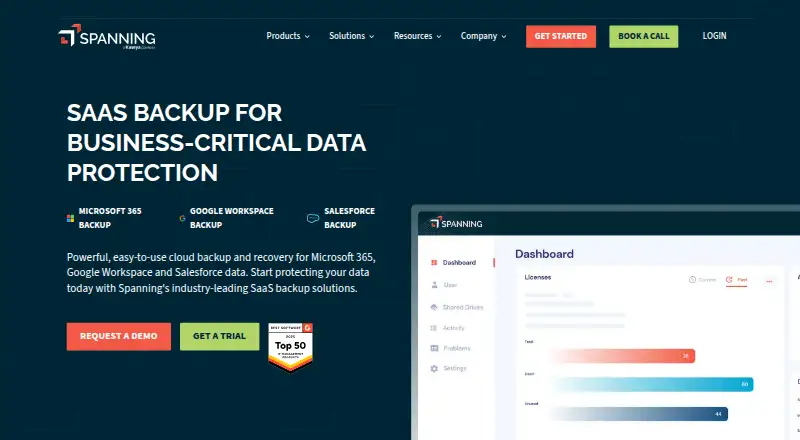
What Spanning Backup is
Spanning Backup provides cloud backup and recovery for Microsoft 365, Google Workspace, and Salesforce. It runs daily automated backups and offers item-level recovery, including granular and point-in-time restores for administrators and end users. Google Workspace coverage includes Gmail, Google Drive and Shared Drives, Calendars, and Contacts. For Microsoft 365, it covers Exchange Online, SharePoint Online, OneDrive for Business, and Microsoft Teams. Salesforce protection includes records, metadata, attachments, customizations, and messages. Spanning describes unlimited backup retention, including an unrestricted retention policy for Microsoft 365. Its security measures include OAuth 2.0, object-level 256-bit AES encryption at rest, and TLS encryption in transit; the company also states SOC 2 Type II certification and GDPR compliance, with services hosted in HIPAA-compliant data centers. Ransomware protection and audit logs are listed. Pricing is on request, with a single all-inclusive plan and volume pricing available. A 14-day free trial includes unlimited backup and restore but requires admin status to install. Spanning is available on Android, iOS, and the web.
Who it suits
Spanning is aimed at businesses, enterprise organizations, and managed service providers that need backup and recovery across Microsoft 365, Google Workspace, or Salesforce. The 14-day trial requires administrator status to install.
What it does well
- Daily automated backups.
- Granular and point-in-time restore options.
- Unlimited backup retention is described.
- Includes ransomware protection and audit logs.
- Supports three named SaaS platforms.
What to know first
- Pricing is available on request.
- Trial installation requires admin status.
- 24/7/365 support is specified for Salesforce backup.
Plans
| Plan | Billed and limits | Price |
|---|---|---|
| Single all-inclusive plan | No tiers · unlimited backup retention · volume pricing available | On request |
| Spanning Backup for Salesforce | Contact Us · 1 per user per month · Records, metadata, attachments and Chatter backup · cross-org restore · unlimited retention | On request |
| Spanning Backup for Microsoft 365 | Contact Us · 1 per user per month · Exchange, SharePoint, OneDrive and Teams backup · unlimited retention · point-in-time restore | On request |
| Spanning Backup for Google Workspace | Contact Us · 1 per user per month · Daily and on-demand backups · unlimited retention · granular and cross-user restore | On request |
As spanning.com lists them, read 4 Oct 2026. The maker's own page has the final word.
Getting started
- Visit https://www.spanning.com/.
- Choose the 14-day free trial, which includes unlimited backup and restore.
- Have an administrator install the trial.
- Use Spanning on Android, iOS, or the web.
Spanning Backup is a cloud service that protects Microsoft 365, Google Workspace, and Salesforce data. It fits businesses, enterprise teams, and managed service providers that need one SaaS-focused backup covering several platforms. Its strongest case is broad item-level recovery with long retention; its main drawback is custom pricing and a daily, rather than more frequent, backup schedule.
Overview
Spanning combines automated backup with recovery controls for three major business applications. The service is designed for organizations whose critical information lives in SaaS systems, not for general endpoint or desktop imaging. Admins and end users can recover individual items or restore data to an earlier point in time, which is more practical than forcing a full-service rollback after a single message, file, record, or calendar entry is lost.
Key features
Backups run once a day. That provides a predictable recovery point for routine protection, but organizations that need several snapshots within a working day should look for a service with a shorter interval. Ransomware protection and audit logs add controls that matter when administrators must investigate changes or support compliance processes.
Google Workspace coverage includes Gmail, Google Drive and Shared Drives, Calendars, and Contacts. Microsoft 365 protection extends across Exchange Online, SharePoint Online, OneDrive for Business, and Microsoft Teams. Salesforce coverage includes records, metadata, attachments, customizations, and messages. This breadth is a significant advantage for companies operating mixed SaaS estates; it is less relevant to a buyer protecting only laptops, local servers, or a single consumer account.
Spanning describes unlimited backup retention and an unrestricted retention policy for Microsoft 365. Those terms suit organizations that must keep historical data for long periods rather than prune older recovery points. Security uses OAuth 2.0, object-level 256-bit AES encryption at rest, and TLS encryption in transit. Spanning also states that it holds SOC 2 Type II certification, complies with GDPR, and hosts services in HIPAA-compliant data centers.
Its ticketing feature supports Autotask, BMS, and Vorex, which is particularly relevant to managed service providers coordinating backup work through those systems. Spanning advertises 24/7/365 support for its Salesforce backup product.
Pricing
Spanning sells one all-inclusive plan with no tiers. Pricing is custom, with volume pricing available, so the plan is better suited to organizations willing to request a quote than to small teams comparing transparent self-service rates. The plan includes unlimited backup retention and supports Microsoft 365, Google Workspace, and Salesforce; there is no cheaper tier that trades away platform coverage or retention.
A free trial lasts 14 days and includes unlimited backup and restore. An administrator must install it, so evaluation requires the appropriate account authority rather than a casual end-user sign-up. Prospective customers should confirm renewal terms and the quoted volume rate before committing.
Platforms
Spanning offers Android, iOS, and web access. The protected SaaS applications are Microsoft 365, Google Workspace, and Salesforce. Its scope is therefore strongest for cloud-application data and administrative recovery across those services, rather than for broad device backup.
Who it's for
Businesses and enterprise organizations using two or more supported SaaS platforms get the clearest benefit from a single service with consistent retention and restore controls. Managed service providers may also value the Autotask, BMS, and Vorex ticketing support and volume pricing. A small organization using only one service, or anyone seeking a published low-cost plan, may find the custom quote process disproportionate.
Pros and cons
Pros
- One service covers Microsoft 365, Google Workspace, and Salesforce, reducing the need to coordinate separate backup products.
- Item-level and point-in-time recovery lets users target a specific object or return to an earlier state.
- Unlimited retention, including unrestricted Microsoft 365 retention, supports long-term records requirements.
- Ransomware protection, audit logs, strong encryption, SOC 2 Type II certification, GDPR compliance, and HIPAA-compliant data centers address security-conscious deployments.
- The 14-day trial includes unlimited backup and restore, allowing a full-scope evaluation.
Cons
- Custom pricing makes cost comparisons difficult, especially for smaller teams.
- Daily backups may leave a longer gap than some organizations can accept between recovery points.
- Trial installation requires administrator status, which can slow evaluation in tightly controlled environments.
- Coverage is limited to three SaaS platforms and does not serve as general endpoint backup.
Alternatives
Choose IDrive instead if you want freemium access, a 10 GB Basic plan, or a low-cost 100 GB single-user plan at $0.25 a month, with broader desktop and mobile platform support.
Synology Photos is the better fit for free photo management when you already have a Synology NAS.
Consider GWS Backup when a free, self-hosted option for Google Workspace on Linux, macOS, or Windows is preferable.
MSP360 Backup suits buyers seeking freemium workstation backup, including a free personal plan and paid macOS/Linux tiers.
Synology Active Backup for SaaS is an alternative if you have a Synology NAS and want a free Microsoft 365 and Google Workspace add-on.
For another paid cloud SaaS backup service with Android, iOS, and web access, compare AvePoint Cloud Backup on a custom quote.
Verdict
Spanning Backup is a strong choice for businesses, enterprises, and MSPs that need daily, item-level protection across Microsoft 365, Google Workspace, and Salesforce with unlimited retention. Choose it for unified coverage and granular recovery; look elsewhere if you need transparent pricing, more frequent backups, or protection for endpoints and other applications.
Verdict
Spanning combines daily backups with item-level recovery across three major SaaS platforms and describes unlimited retention. Prospective customers should request pricing and check the platform coverage and installation requirements against their needs.
Questions
What does Spanning Backup protect?
It backs up Microsoft 365, Google Workspace, and Salesforce. Coverage includes services and data such as Gmail, SharePoint Online, and Salesforce records and attachments.
How much does Spanning Backup cost?
Pricing is available on request. The product has a single all-inclusive plan with volume pricing available.
Is there a free trial?
Yes. The trial lasts 14 days and includes unlimited backup and restore. Administrator status is required to install it.
Which platforms can I use?
Spanning is available on Android, iOS, and the web.
How long are backups retained?
Spanning describes unlimited backup retention, with an unrestricted retention policy for Microsoft 365.
What security and compliance details does Spanning state?
It says it uses OAuth 2.0, object-level 256-bit AES encryption at rest, and TLS in transit. It also states SOC 2 Type II certification, GDPR compliance, and hosting in HIPAA-compliant data centers.
Facts from Spanning Backup's own pages
- API
- A public REST API exposes user license operations, Shared Drive listing and export operations, and export retrieval. · api.spanningbackup.com, 14 Oct 2026
- API authentication
- API calls use HTTPS Basic Authentication with the customer domain as username and an administrator-generated access token as password. · api.spanningbackup.com, 14 Oct 2026
- API documentation depth
- The API reference documents only a small administrative operation set rather than a full data-management SDK. · api.spanningbackup.com, 14 Oct 2026
- Automated backups
- The service performs daily incremental backups automatically and also supports unlimited on-demand backup runs. · spanning.com, 14 Oct 2026
- Automation and recovery
- Spanning runs daily automated backups and offers granular and point-in-time restore for admins and end users. · spanning.com, 4 Oct 2026
- Backed-up data
- Its Google Workspace backup covers Gmail, Google Drive and Shared Drives, Calendars, and Contacts. · spanning.com, 4 Oct 2026
- Company founding and funding
- Spanning was founded in 2010 by Charlie Wood and announced a $2 million Series A round in April 2011. · techcrunch.com, 14 Oct 2026
- Company ownership
- Kaseya acquired Spanning Cloud Apps on October 1, 2018, keeping it as a standalone business unit at the time. · kaseya.com, 14 Oct 2026
- Compliance
- Spanning states it has SOC 2 Type II certification and complies with GDPR, and that its services are hosted in HIPAA-compliant data centers. · spanning.com, 4 Oct 2026
- Compliance claims
- Official product pages list HIPAA, GDPR, ISO 27001 and SOC 2 Type II among stated certifications or regulatory controls. · spanning.com, 14 Oct 2026
- Cross-user restore
- Administrators can restore Microsoft 365 data from one user account into another account in the same tenant. · spanning.com, 14 Oct 2026
- Data regions
- Spanning lists AWS data centers in the United States, Canada, European Union, United Kingdom and APAC regions. · spanning.com, 14 Oct 2026
- Documentation and support
- The Microsoft 365 administrator guide covers installation, configuration, restores, exports, licensing and API-token management, with support email and a knowledge base. · spanning.com, 14 Oct 2026
- Google Workspace coverage
- Google Workspace protection covers Gmail, Google Drive including Shared Drives, Calendar and Contacts. · spanning.com, 14 Oct 2026
- Granular restore
- Search-based recovery lets administrators restore individual items, multiple items or whole folders. · spanning.com, 14 Oct 2026
- Installation requirements
- Microsoft 365 deployment requires a Business or Enterprise tenant, a Global Administrator account and a Spanning subscription. · spanning.com, 14 Oct 2026
- Integrations
- Spanning's homepage says its ticketing feature supports Autotask, BMS, and Vorex. · spanning.com, 4 Oct 2026
- Licence
- The reviewed pages present Spanning as proprietary subscription SaaS and publish no open-source licence or self-hosted distribution. · g2.com, 14 Oct 2026
- Limit: interface and reporting
- Reviewers cite a confusing or dated interface, limited reporting visibility and a complicated onboarding experience. · g2.com, 14 Oct 2026
- Limit: reliability complaints
- Marketplace reviewers describe missed or incomplete backups, inaccessible stored files and support failures during recovery incidents. · workspace.google.com, 14 Oct 2026
- Limit: restore gaps
- Reported gaps include inability to restore some Google Forms metadata, one-account-at-a-time restores and requests for more granular restore controls. · trustradius.com, 14 Oct 2026
- Limit: support and billing
- Reviews report slow or email-only support, difficult cancellation and billing problems after the Kaseya takeover. · getapp.com, 14 Oct 2026
- Maker facts
- LinkedIn lists Spanning Cloud Apps as privately held, founded in 2010, headquartered in Miami, Florida, with 51–200 employees. · linkedin.com, 14 Oct 2026
- Microsoft 365 coverage
- Microsoft 365 protection covers Exchange Online, SharePoint Online, OneDrive for Business and Teams data. · spanning.com, 14 Oct 2026
Where Spanning Backup stands on Freedom251
- Google Workspace Administration Software#6 of 21
- Data Protection Tools#10 of 28
- Microsoft 365 Backup Software#9 of 25
- SaaS Backup Software#8 of 21
- Email Backup Software#13 of 29
- Google Workspace Backup Software#9 of 20
- Salesforce AppExchange Apps#12 of 23
- Data Backup Software#17 of 25