Freedom251 › Google Workspace Backup Software

GWS Backup
What GWS Backup is
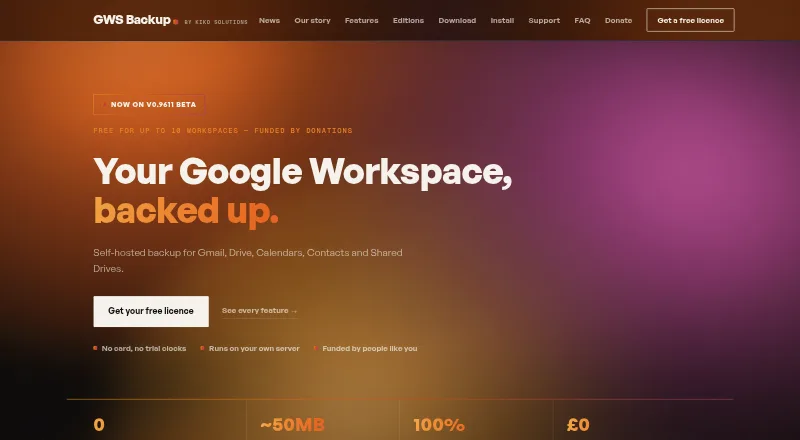
GWS Backup is self-hosted software for backing up Google Workspace Gmail, Drive, Calendars, Contacts and Shared Drives. It can store backups in Google Drive, local disk or NAS, Amazon S3, or Azure Blob storage. After the initial full backup, it transfers changed files and new mail rather than unchanged data. Restore options cover a workspace, account, folder, email or file, including restoration to another user's account or downloading items. Source-deleted items remain in backup for one year before automatic removal; operators can configure version history and vault pruning. A live monitor displays transfers, and an audit trail records actions and backup results. Security features include 2FA and separate administration and restore-operation roles. The maker says backups remain in customer-controlled storage and do not pass through its infrastructure. Deployment options include Windows, Linux, cPanel and Docker. The free licence costs nothing, allows up to 10 client workspaces and unlimited accounts, and permits one running installation per licence key. Node.js 22.5 or newer and an activated licence key are required.
Who it suits
GWS Backup is designed for MSPs, IT teams and internal administrators managing one or more Google Workspace domains. It suits organizations that want to keep backup storage under their own control.
What it does well
- Supports Gmail, Drive, Calendars, Contacts and Shared Drives
- Multiple cloud and local storage destinations
- Restores to another user's account
- Audit trail records actions and backup results
- Free support is available by email
What to know first
- Requires Node.js 22.5 or newer
- Requires an activated licence key
- Free licence permits one running installation
Limits
The free licence supports up to 10 client workspaces and unlimited accounts, with one running installation per licence key. Deleted items are removed automatically after one year; version history and vault pruning are operator-configurable.
Plans
| Plan | Billed and limits | Price |
|---|---|---|
| GWS Backup Free Licence | Up to 10 client workspaces · unlimited accounts · one running installation per licence key | Free |
As gwsbackup.com lists them, read 29 Sept 2026. The maker's own page has the final word.
Getting started
- Choose a listed deployment route: Windows, Linux, cPanel, or Docker
- Install Node.js version 22.5 or newer
- Obtain and activate a licence key
- Set up the Google Workspace backup and choose a destination you control
- Configure backup frequency, version history, and vault pruning as needed
GWS Backup is a self-hosted service for protecting Google Workspace data, aimed at MSPs and administrators responsible for one or more domains. Its free licence and choice of customer-controlled storage make it a practical option for teams that want direct control over backup data; it is less suited to those who want a vendor-managed deployment.
Overview
The software backs up Gmail, Google Drive, Shared Drives, Calendars and Contacts. Destinations include Google Drive, local disk or NAS, Amazon S3 and Azure Blob storage. Keeping backups in storage controlled by the customer can fit existing infrastructure and data-handling policies, but also leaves storage arrangements to the organization.
After the first full backup, GWS Backup transfers only changed files and new mail, avoiding repeat transfers of unchanged data. Deleted items remain in backup for one year before automatic removal. Operators can configure version history and vault pruning, set a custom backup frequency and use point-in-time restore.
Key features
Recovery and oversight
Restore targets range from a whole workspace or account to a folder, email or file. Administrators can restore to another user's account or download items. That granularity supports both broad recovery and correction of individual losses. A live monitor shows transfers, while an auditable trail records actions and backup results.
Access and deployment
GWS Backup supports 2FA login security and separates administration from restore-operation roles, useful where different staff should manage settings and perform recovery. Deployment options include native Windows installation, Linux and cPanel deployment, and official Docker support. The requirement for Node.js 22.5 or newer and an activated licence key adds setup and ongoing administration work, so it is not a hands-off cloud service.
Pricing
GWS Backup Free Licence costs nothing. It covers up to 10 client workspaces and unlimited accounts, with one running installation per licence key. That is generous for organizations with many accounts across a limited number of domains, but the installation cap matters if separate deployments are needed. Larger Workspace estates require an enquiry. There is no free trial, though the licence itself is free.
Support is free by email, and the maker says a person reads support messages. The licence does not remove the operational responsibility of running the software or arranging backup storage.
Platforms
GWS Backup supports Linux, macOS, Windows and self-hosted deployment. The maker also identifies cPanel and Docker deployment options. These choices suit teams with infrastructure skills; the Node.js version requirement should be checked before rollout.
Who it's for
GWS Backup is aimed at MSPs, IT teams and internal administrators managing one or more Google Workspace domains. It is strongest for teams that want granular restore choices, configurable backup scheduling and control of storage destinations. It is a weaker fit for organizations seeking a managed backup service or those unable to accommodate its installation and licence constraints.
Pros and cons
- Pros: The free licence allows unlimited accounts across up to 10 client workspaces, making it useful for administrators handling multiple domains.
- Pros: Destinations span local and cloud storage, while backups remain in storage controlled by the customer.
- Pros: Restore options cover workspace-level recovery through individual files and emails, including recovery to another user.
- Cons: Only one running installation is permitted per licence key, a constraint for estates that need separate active deployments.
- Cons: Node.js 22.5 or newer and an activated licence key are prerequisites, adding deployment work.
- Cons: The customer manages storage and the self-hosted installation rather than relying on maker-hosted backup infrastructure.
Alternatives
Google Workspace Backup Software is a useful starting point for comparing products in this category.
Choose IDrive instead if you want a broader platform mix including Android, iOS and web, or prefer a freemium service with a trial; its Basic plan includes 10 GB, while IDrive Mini costs $0.25 a month for 100 GB and one user.
Synology Photos is a free alternative for photo management that requires a Synology NAS, rather than a direct match for Google Workspace backup.
Consider MSP360 Backup for personal workstation backup with file- and image-based backup and forum support on its free plan; it is not described as a Workspace backup product.
Synology Active Backup for SaaS is another free self-hosted option, offered as a no-license add-on for a Synology NAS and covering Microsoft 365 and Google Workspace.
AvePoint Cloud Backup is an alternative with custom pricing.
Spanning Backup may suit readers seeking a single all-inclusive plan with unlimited backup retention and volume pricing; it offers a free trial.
Acronis Cyber Disaster Recovery Cloud is a paid alternative with a free trial and pay-as-you-go pricing for used disaster-recovery cloud storage and compute.
Cloud Apps Backup is an alternative for organizations needing Google Workspace and Microsoft 365 coverage; its partner offer is $12 a year for more than 1,000 users and does not provide data storage.
Verdict
GWS Backup is a strong fit for Workspace administrators and MSPs who want a free licence, fine-grained restores and the freedom to choose customer-controlled storage. Its main appeal is that control paired with broad recovery options. Look elsewhere if you need a vendor-managed service, cannot meet the Node.js requirement or need more than one running installation under a licence key.
Verdict
GWS Backup offers self-hosted Google Workspace backups with flexible destinations and granular restore options. Check the technical requirements and single-installation licence limit before deploying.
Questions
How much does GWS Backup cost?
The free licence costs nothing.
What does the free licence include?
It allows up to 10 client workspaces and unlimited accounts, with one running installation per licence key.
Which Google Workspace services can it back up?
It covers Gmail, Google Drive, Shared Drives, Calendars, and Contacts.
Where can backups be stored?
Destinations include Google Drive, a local disk or NAS, Amazon S3, and Azure Blob storage.
What can GWS Backup restore?
It can restore a workspace, account, folder, email, or file, including to another user's account. Items can also be downloaded.
Who makes GWS Backup, and what support is available?
KIKO Solutions Ltd, based in Christchurch, Dorset, United Kingdom, makes the product. Free support is available by email.
Facts from GWS Backup's own pages
- Backup destinations
- Backups can be stored in Google Drive, local disk or NAS, Amazon S3, and Azure Blob storage. · gwsbackup.com, 29 Sept 2026
- Data handling
- The maker says backups reside in storage controlled by the customer and never touch its infrastructure. · gwsbackup.com, 29 Sept 2026
- Deployment
- The maker lists native Windows installation, Linux and cPanel deployment, and official Docker support. · gwsbackup.com, 29 Sept 2026
- Headquarters
- Christchurch, Dorset, United Kingdom · gwsbackup.com, 28 Sept 2026
- Incremental backups
- After the first full run, the software transfers only changed files and new mail, skipping unchanged data. · gwsbackup.com, 29 Sept 2026
- Intended users
- The product is designed for MSPs, IT teams and internal administrators managing one or more Google Workspace domains. · gwsbackup.com, 29 Sept 2026
- Licence limit
- A free licence key permits one running installation at a time; larger workspace estates require an enquiry. · gwsbackup.com, 29 Sept 2026
- Maker
- The maker identifies KIKO Solutions Ltd in Christchurch, Dorset, United Kingdom, and names Adam Spicer as founder of KIKO Solutions and maker of GWS Backup. · gwsbackup.com, 29 Sept 2026
- Monitoring and audit
- The live monitor shows transfers, and the product records an auditable trail of actions and backup results. · gwsbackup.com, 29 Sept 2026
- Purpose
- GWS Backup is self-hosted software for backing up Google Workspace Gmail, Drive, Calendars, Contacts and Shared Drives. · gwsbackup.com, 29 Sept 2026
- Requirements
- GWS Backup requires Node.js 22.5 or newer and an activated licence key. · gwsbackup.com, 29 Sept 2026
- Restore
- It supports restoring a workspace, account, folder, email or file, including restoring to another user’s account. · gwsbackup.com, 29 Sept 2026
- Retention
- Items deleted at source are retained in backup for one year before automatic removal. · gwsbackup.com, 29 Sept 2026
- Security
- The product supports 2FA login security and separate administration and restore-operation roles. · gwsbackup.com, 29 Sept 2026
- Support
- Support is free and available by email; the maker says a person reads support messages. · gwsbackup.com, 29 Sept 2026
Where GWS Backup stands on Freedom251
- Google Workspace Backup Software#1 of 20