Freedom251 › Google Workspace Backup Software
Cloud Apps Backup
What Cloud Apps Backup is
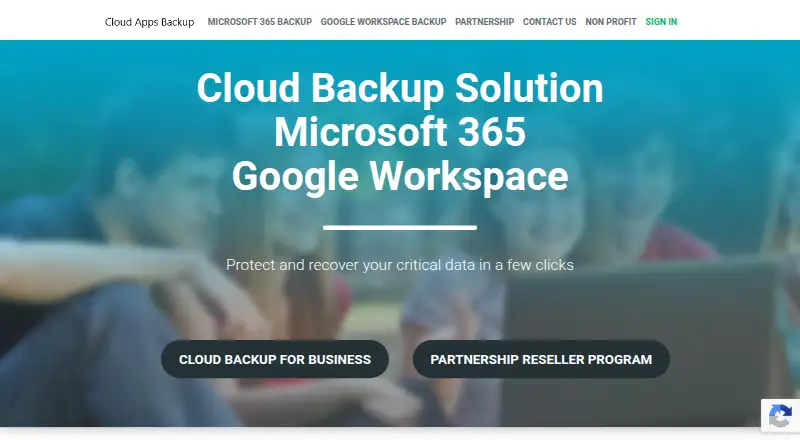
Cloud Apps Backup provides backup services for Google Workspace and Microsoft 365 through a web-based offering. Google Workspace coverage includes Gmail, Google Drive, Contacts, and Calendar; Microsoft 365 coverage includes Outlook, OneDrive, SharePoint, calendar, and contacts. Backups can be incremental, scheduled, or started on demand, with full or granular recovery and one-click restoration. Archiving is listed for both service suites. The offering lists two-step verification and 256 AES encryption. It does not provide data storage, so the storage model is bring-your-own, with storage selection listed as a feature. Reseller tools include white labeling and user monitoring, and resellers are entitled to premium partner support. Annual per-user offers vary by user count: Partner offer is $12 a year for more than 1,000 users; Syndicate offer is $14 a year for 500 to 1,000 users; Reseller offer is $17 a year for 200 to 500 users; and Starter offer is $20 a year for fewer than 200 users. A separate free option covers 3Gb of Office 365 Home data backed up to the cloud.
Who it suits
Cloud Apps Backup suits organizations using Google Workspace or Microsoft 365, including resellers seeking white-label tools. Organizations need to provide their own storage.
What it does well
- Covers Google Workspace and Microsoft 365 services
- Offers scheduled, on-demand, and incremental backups
- Supports full and granular recovery
- One-click restore is listed
- Resellers get premium partner support
What to know first
- The platform does not provide data storage
- Listed annual offers vary by user count
- The free backup option covers only 3Gb of Office 365 Home data
Limits
The free option backs up 3Gb of Office 365 Home data to the cloud. Paid offers are sized by user count, and the platform does not provide data storage.
Plans
| Plan | Billed and limits | Price |
|---|---|---|
| Partner offer | $12/user per year · More than 1000 users · Google Workspace and Microsoft 365 backup · No data storage provided | $12 a year |
| Syndicate offer | $14/user per year · 500 to 1000 users · Google Workspace and Microsoft 365 backup · No data storage provided | $14 a year |
| Reseller offer | $17/user per year · 200 to 500 users · Google Workspace and Microsoft 365 backup · No data storage provided | $17 a year |
| Starter offer | $20/user per year · Less than 200 users · Google Workspace and Microsoft 365 backup · No data storage provided | $20 a year |
As cloudappsbackup.com lists them, read 4 Oct 2026. The maker's own page has the final word.
Getting started
- Visit the Cloud Apps Backup website.
- Choose the Google Workspace or Microsoft 365 backup service.
- Select a listed paid offer based on the number of users, or use the free Office 365 Home backup option.
- Arrange data storage, since the platform does not provide storage.
Verdict
Cloud Apps Backup combines backup and recovery features for two office suites with reseller tools. Confirm storage arrangements and the user-count offer that applies to your organization.
Questions
How much does Cloud Apps Backup cost?
The listed annual per-user offers are $12 a year for more than 1,000 users, $14 a year for 500 to 1,000 users, $17 a year for 200 to 500 users, and $20 a year for fewer than 200 users. Pricing is listed as billed per user per year.
Is there a free plan?
A free Office 365 Home backup option covers 3Gb of data backed up to the cloud.
Which services can it back up?
Google Workspace coverage includes Gmail, Drive, Contacts, and Calendar. Microsoft 365 coverage includes Outlook, OneDrive, SharePoint, calendar, and contacts.
Does Cloud Apps Backup provide storage?
No. The platform says it does not provide data storage and lists data storage selection as a feature.
What recovery and security features are listed?
The partner platform lists full and granular recovery, one-click restore, two-step verification, and 256 AES encryption.
Is there a nonprofit or education offer?
The nonprofit and education page advertises a $2 non-binding offer and says eligible organizations receive a 30% discount.
Facts from Cloud Apps Backup's own pages
- Archiving
- An archiving option is listed for both Google Workspace and Microsoft 365 backup. · cloudappsbackup.com, 4 Oct 2026
- Backup and recovery
- The partner platform lists incremental, scheduled, and on-demand backups, plus full and granular backup and recovery. · cloudappsbackup.com, 4 Oct 2026
- Backup services
- The partner platform offers backup for Google Workspace and Microsoft 365. · cloudappsbackup.com, 4 Oct 2026
- Free backup option
- The free Office 365 backup page says users can back up 3Gb of Office 365 Home data to the cloud for free. · cloudappsbackup.com, 4 Oct 2026
- Google Workspace coverage
- Google Workspace backup covers Gmail, Google Drive, Google Contacts, and Google Calendar. · cloudappsbackup.com, 4 Oct 2026
- Microsoft 365 coverage
- Microsoft 365 backup covers Outlook, OneDrive, SharePoint, calendar, and contacts. · cloudappsbackup.com, 4 Oct 2026
- Nonprofit offer
- The nonprofit and education page advertises a $2 non-binding offer and says eligible organizations receive a 30% discount. · cloudappsbackup.com, 4 Oct 2026
- Partner support
- Resellers are entitled to premium partner support. · cloudappsbackup.com, 4 Oct 2026
- Reseller tools
- The partner offering includes white labeling and a user monitoring system. · cloudappsbackup.com, 4 Oct 2026
- Restore
- The listed partner features include one-click restore. · cloudappsbackup.com, 4 Oct 2026
- Security
- The partner platform lists two-step verification and 256 AES encryption. · cloudappsbackup.com, 4 Oct 2026
- Storage
- The reseller platform says no data storage is provided and lists data storage selection as a feature. · cloudappsbackup.com, 4 Oct 2026
Where Cloud Apps Backup stands on Freedom251
- Google Workspace Backup Software#4 of 20