Freedom251 › Photo Scanning Software
SlideScan by Photomyne
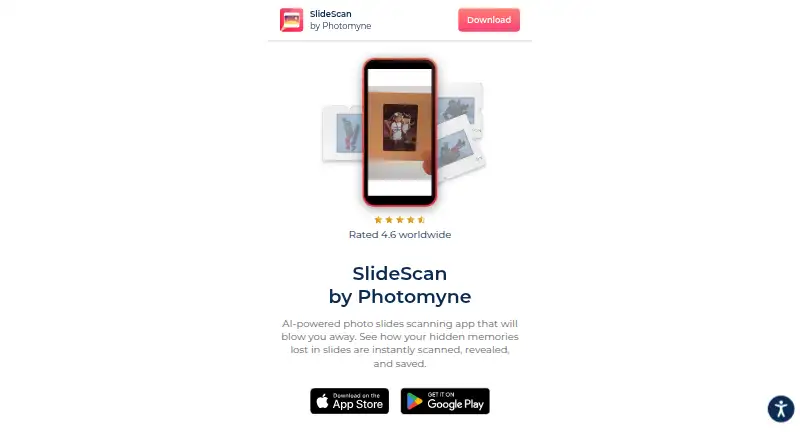
What SlideScan by Photomyne is
SlideScan by Photomyne converts photographic slides into digital photos using a phone camera. To scan, hold a slide in front of a backlight source, such as a computer screen, and capture it with the app. SlideScan automatically crops and rotates the image, enhances it, and saves the result in the app. Scanned photos can be saved to a phone, and users can share photos and collages.
SlideScan Basic costs nothing and includes limited slide scanning, saving, and sharing. The first few photos are free; unlimited use requires a paid membership. Membership options include recurring monthly and yearly subscriptions and a single upfront One-Shot payment. They include unlimited scanning, saving and sharing, photo backup, access on other devices and online, and enhancements. Their prices vary by promotion, time of year, and location. Photomyne says the One-Time plan is valid for 2 years.
The listed platforms are Android, iOS, and web. Photomyne began in 2014. For SlideScan questions, it lists [email protected]. Google Play reports that the developer says data is encrypted in transit and users can request deletion. Photomyne's privacy policy says information may be shared with analytics and advertising partners for analytics, support, and personalized advertising.
Who it suits
SlideScan suits people who want to digitize photographic slides with a phone and have the app crop, rotate, and enhance each image automatically. It can also suit users who want to save scans to a phone or share photos and collages.
What it does well
- Automatically crops, rotates, and enhances slide scans
- Saves processed scans in the app
- Users can save scans to a phone
- Supports sharing photos and collages
- Membership includes photo backup and access on other devices and online
What to know first
- Free use covers only the first few photos
- Unlimited scanning requires a paid plan
- The One-Time plan is valid for 2 years
Limits
SlideScan Basic is limited: only the first few photos are free, and the free plan covers limited scanning, saving, and sharing. Unlimited use is part of a paid membership; the One-Time plan is valid for 2 years.
Plans
| Plan | Billed and limits | Price |
|---|---|---|
| SlideScan Basic | limited slide scanning · saving · sharing | Free |
| Membership — yearly subscription | yearly recurring subscription; price varies by promotion, time of year, and location · unlimited scanning · saving and sharing · photo backup and access on other devices and online · enhancements | On request |
| Membership — monthly subscription | monthly recurring subscription; price varies by promotion, time of year, and location · unlimited scanning · saving and sharing · photo backup and access on other devices and online · enhancements | On request |
| Membership — One-Shot | single upfront payment; price varies by promotion, time of year, and location · unlimited scanning · saving and sharing · photo backup and access on other devices and online · enhancements | On request |
As photomyne.com lists them, read 5 Oct 2026. The maker's own page has the final word.
Getting started
- Open the SlideScan website or find the app for Android or iOS.
- Hold a photographic slide in front of a backlight, such as a computer screen.
- Capture the slide with the app and let it process and save the image.
- Save scans to your phone or share photos and collages.
- Use the free limited plan, or choose a membership for unlimited scanning and its included features.
SlideScan by Photomyne is an AI-assisted mobile workflow for turning photographic slides into digital images with a phone and a backlight. It is most suitable for people preserving a modest slide collection who want automatic correction and straightforward sharing, rather than a general-purpose document scanner. The central decision is whether its guided process and cloud-oriented membership options justify paying once the initial free captures run out.
Overview
SlideScan asks you to place a slide in front of a bright, even source such as a computer display, then photograph it inside the app. Processing automatically crops the frame, rotates the image and enhances it before saving the result as a digital photo. That removes several repetitive editing steps, although each slide still has to be positioned and captured individually and the quality of the result depends on a suitable backlight.
Images can be saved to your phone and shared individually or as collages. The free allowance covers only the first few photos, so it is practical for trying the workflow or digitizing a handful of slides, not for completing a substantial archive without a paid plan.
Key features
- Guided slide capture: The backlight instruction is purpose-built for transparent photographic slides. It is a focused solution for that medium, but it does not replace a scanner for paper documents or other materials.
- Automatic image processing: Auto-cropping, rotation and enhancement are applied as part of the capture flow. This can reduce per-slide cleanup and make a batch less labor-intensive than taking ordinary phone photos and correcting them yourself.
- Saving and sharing: You can export scans to the phone and share photos or collages, useful for sending restored memories or assembling a small presentation without another app.
- Backup and device access on memberships: Paid memberships add photo backup and access on other devices and online, alongside enhancements. That matters if the scans need to be available beyond the handset used for capture.
- Data controls: Google Play reports the developer's statement that data is encrypted in transit and that users can request deletion. Photomyne's privacy policy also says information may be shared with analytics and advertising partners for analytics, support and personalized advertising, which privacy-sensitive users should weigh before uploading a collection.
Pricing
| Plan | Price and billing | What you get | Best fit |
|---|---|---|---|
| SlideScan Basic | free | Limited slide scanning, saving and sharing | Testing the workflow or handling a few slides |
| Membership — yearly subscription | Custom pricing; billed yearly as a recurring subscription | Unlimited scanning, saving and sharing, photo backup, access on other devices and online, and enhancements | Large projects or regular use where annual billing is acceptable |
| Membership — monthly subscription | Custom pricing; billed monthly as a recurring subscription | Unlimited scanning, saving and sharing, photo backup, access on other devices and online, and enhancements | A project that needs unlimited use without committing to a year |
| Membership — One-Shot | Custom pricing; single upfront payment | Unlimited scanning, saving and sharing, photo backup, access on other devices and online, and enhancements | A one-time archive project that does not suit recurring charges |
Prices for the paid options vary by promotion, time of year and location, so the recurring plans' total cost cannot be judged from a universal sticker price. The One-Shot listing says it is valid for two years, an important limitation for anyone expecting permanent membership access. The cheaper free tier gives up unlimited scanning and the paid backup and enhancement package; once the first few photos are used, those limits become the practical cost of continuing.
Platforms
SlideScan supports Android and iOS, and the service is also offered on the web. The capture workflow is phone-based, while web access is relevant to the backup and cross-device features included with membership.
Who it's for
Choose it for family historians, hobbyists and anyone with a small-to-medium slide digitization task who values automatic framing, rotation and enhancement. It is also a sensible fit when sharing collages or retrieving backed-up images on another device matters. Look elsewhere if you need a broad scanner for documents, want a fully free solution for a large archive, or prefer not to place images within a service whose privacy policy permits analytics and advertising-related sharing.
Pros and cons
- Pros: A slide-specific, backlight-guided workflow; automatic crop, rotation and enhancement; phone saving plus photo and collage sharing; paid plans include unlimited use and backup across devices and online; Android and iOS support with web access.
- Cons: Free scanning ends after the first few photos; paid prices vary by location and promotion; yearly and monthly memberships renew, while the One-Shot option lasts two years; every slide still requires an individual capture and a suitable backlight; privacy terms allow sharing with analytics and advertising partners.
Alternatives
Photo Scanning Software is the broader category to browse when you want to compare scanning tools rather than commit to a slide-focused workflow.
FilmLab is the better alternative for film-photography education or broader platform coverage, including Linux, macOS and Windows, with a free education license available by request to qualifying educators.
Nostalgia suits users who want a free restoration and family-archive tier with defined monthly restores, caption actions and a five-member, 50-photo Family Vault.
Brother iPrint&Scan is the choice when you own a supported Brother machine and need free printing and scanning features tied to that hardware.
FilmBox by Photomyne is the closer Photomyne alternative when your originals are film negatives rather than photographic slides.
Google Photos is a broader photo-storage and sharing option for users who do not need SlideScan's dedicated slide-capture guidance.
MyHeritage Mobile App is better suited to organizing family trees, with its free tier covering 250 people and 500 MB of storage.
instax UP! is a free mobile option for Instax users who want a format-specific app without a free trial requirement.
NAPS2 is the pick for a fully free desktop scanner application on Linux, macOS or Windows, with no ads or restrictions.
Verdict
SlideScan is a good choice for slide owners who want a guided phone capture process, automatic cleanup and simple sharing, especially when a paid plan's backup and cross-device access are useful. Its main reason to look elsewhere is the combination of a very small free allowance, location-dependent membership pricing and a two-year limit on the one-time plan; large archives or users seeking unrestricted free scanning should choose another tool.
Verdict
Choose SlideScan if you want an app guided slide capture workflow with automatic image processing and options to save or share scans. The free use is limited to the first few photos, so unlimited scanning requires a membership.
Questions
How much does SlideScan Basic cost?
SlideScan Basic costs nothing and covers limited slide scanning, saving, and sharing.
What does a membership include?
Membership includes unlimited scanning, saving and sharing, photo backup and access on other devices and online, and enhancements.
What membership plans are available?
The listed choices are recurring monthly and yearly subscriptions and a single upfront One-Shot payment. Prices vary by promotion, time of year, and location.
Which platforms are listed?
Android, iOS, and web are listed as platforms. The supported-platforms fact lists iOS and Android.
Who makes SlideScan?
SlideScan is by Photomyne, which began in 2014.
What does Photomyne say about privacy and security?
Google Play reports that the developer says data is encrypted in transit and users can request deletion. Photomyne's privacy policy says information may be shared with analytics and advertising partners for analytics, support, and personalized advertising.
Facts from SlideScan by Photomyne's own pages
- Automatic processing
- Its algorithm automatically crops, rotates, enhances, and saves each slide as a digital photo in the app. · play.google.com, 5 Oct 2026
- Company
- Photomyne's About page says the company began in 2014; it does not state a headquarters location on that page. · photomyne.com, 5 Oct 2026
- Founded
- 2014 · photomyne.com, 28 Sept 2026
- Free use limit
- The first few photos are free, while unlimited use requires a paid plan. · play.google.com, 5 Oct 2026
- Headquarters
- Bnei Brak, Israel · photomyne.com, 28 Sept 2026
- One-time plan limit
- The app listing says the One-Time plan is valid for 2 years. · play.google.com, 5 Oct 2026
- Platforms
- The maker links SlideScan downloads, and the app is listed for iPhone on the App Store and for Android on Google Play. · photomyne.com, 5 Oct 2026
- Privacy practices
- Photomyne's privacy policy says information may be shared with analytics and advertising partners for analytics, support, and personalized advertising. · photomyne.com, 5 Oct 2026
- Purpose
- SlideScan is an AI-powered app for scanning, revealing, and saving images from photographic slides. · photomyne.com, 5 Oct 2026
- Scan workflow
- The app directs users to hold a slide in front of a backlight source, such as a computer screen, and capture it with the app. · play.google.com, 5 Oct 2026
- Security
- Google Play reports that the developer says data is encrypted in transit and users can request deletion of their data. · play.google.com, 5 Oct 2026
- Sharing
- Users can save scanned photos to their phone and share photos and collages. · play.google.com, 5 Oct 2026
- Support
- Photomyne lists [email protected] for SlideScan questions. · play.google.com, 5 Oct 2026
Where SlideScan by Photomyne stands on Freedom251
- Photo Scanning Software#14 of 29